

Last Updated on June 10, 2026 by Admin
BIM career growth follows a clear but often misunderstood path. Most construction professionals know that Revit skills matter, but few understand how responsibilities, tools, salaries, and career decisions change from Year 1 to Year 10. Whether you are a fresher learning 3D modeling for the first time or a mid-career engineer deciding between coordination and management, the roadmap ahead is not guesswork — it is a pattern observed across India, the Gulf, the UK, and global AEC firms. This guide breaks down exactly what to focus on at every stage.
ConstructionCareerHub App is LIVE — built ONLY for construction careers. Don’t apply with a weak resume.
Get ATS-ready Resume Lab + Interview Copilot + Campus Placement Prep (resume screening, skill gaps, interview readiness) — in minutes & Other advanced features.
Explore Smarter Construction Career Tools →Quick check. Big impact. Start now.
Table of Contents
Why BIM Career Growth Matters in 2026 and Beyond
Building Information Modeling is no longer optional in the construction industry. It is the standard. Governments across the UK, Singapore, Germany, and parts of the Middle East now mandate BIM on public projects. Private developers and EPC contractors in India, the Gulf, the US, and Australia increasingly expect BIM proficiency across project teams, from design offices to site coordination rooms.
For civil engineers, architects, MEP professionals, quantity surveyors, and planning engineers, this creates a clear reality: your ability to grow in BIM directly shapes your career trajectory, earning potential, and global employability. Whether you are a fresher learning Autodesk Revit for the first time or a mid-career professional deciding between BIM coordination and BIM management, understanding the growth path ahead is essential.
This article maps out exactly how a BIM career grows across four key milestones — Year 1, Year 3, Year 5, and Year 10 — covering responsibilities, skills, tools, certifications, salary outlook, portfolio expectations, and career decisions at every stage.
What Is BIM Career Growth?
BIM career growth refers to the structured progression of a construction professional’s role, responsibilities, skills, and earning potential within the Building Information Modeling ecosystem. It typically begins with entry-level modeling work in software like Revit, advances through coordination and multi-discipline collaboration using tools such as Navisworks and BIM 360, and matures into strategic leadership roles involving BIM execution planning, ISO 19650 compliance, digital delivery management, and team oversight. BIM career growth spans technical depth, leadership capability, and business impact.
This progression is not automatic. It requires deliberate skill development, portfolio building, certification, and the ability to move from executing tasks to managing information, teams, and project outcomes.
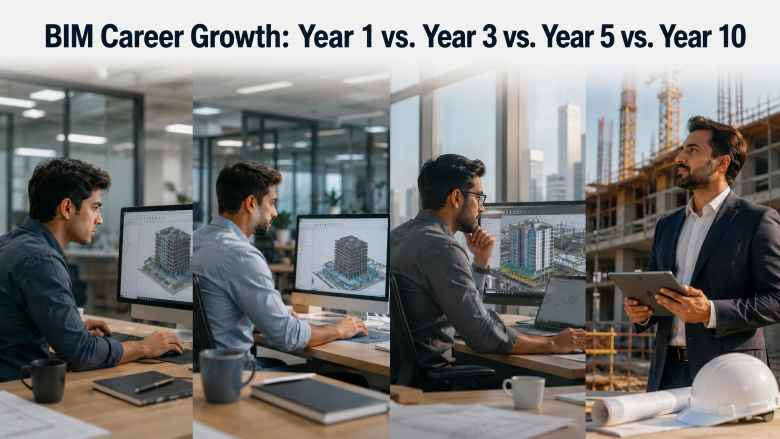
BIM Career Growth Timeline: Year 1 vs. Year 3 vs. Year 5 vs. Year 10
The BIM career path follows a recognizable pattern across most construction markets. While exact timelines vary depending on the region, company size, and project complexity, the four-stage framework below reflects the typical progression observed in India, the Gulf, the UK, and global AEC firms.
Year 1: BIM Fresher / Junior BIM Modeler
The first year is about building technical foundations. Most BIM professionals enter through a junior modeling role after completing a degree in civil engineering, architecture, or mechanical/electrical engineering. At this stage, you are not expected to lead or strategize — you are expected to model accurately and learn fast.
Main Responsibilities
- Creating 3D models in Revit (architectural, structural, or MEP depending on your discipline)
- Following drafting and modeling standards set by senior team members
- Producing 2D drawings from 3D models (plans, sections, elevations)
- Applying proper naming conventions, worksets, and file management
- Basic quantity takeoff from models
- Supporting clash detection by preparing models for coordination review
Skills to Build
- Revit proficiency — families, parameters, views, sheets, and schedules
- Understanding of construction drawings and specifications
- Basic knowledge of BIM standards and file naming conventions
- AutoCAD (for legacy project support and drawing cleanup)
- Communication and documentation habits
Software to Learn
- Autodesk Revit (primary)
- AutoCAD (supporting)
- Navisworks Freedom (for model viewing)
- BIM 360 / Autodesk Construction Cloud (for file access and collaboration)
Explore the full BIM software comparison guide to understand which tools fit your discipline.
Common Mistakes in Year 1
- Modeling for visual appeal instead of construction accuracy
- Ignoring BIM standards and templates provided by the project
- Not asking questions about coordination rules and project requirements
- Treating Revit like AutoCAD — drawing lines instead of using parametric objects
- Neglecting to build a portfolio of completed modeling work
Portfolio Expectations
By the end of Year 1, you should have at least two or three modeled projects (even personal or academic ones) that demonstrate clean modeling, correct use of families, proper documentation output, and basic coordination awareness. If your current employer does not give you enough modeling variety, practice independently using publicly available project drawings.
How to Grow Faster
Complete a structured Revit course if you have not already — free BIM courses are a strong starting point. Start learning Navisworks basics for clash detection. Ask to sit in on coordination meetings, even as an observer. Read the project BIM Execution Plan (BEP) to understand the standards you are modeling within. If you are a civil engineer exploring BIM for the first time, the career options after civil engineering guide covers how BIM fits into the broader career landscape.
Use career tools on ConstructionCareerHub.com to assess your BIM career readiness, identify skill gaps, and start building an interview-ready profile early.
Year 3: BIM Modeler / BIM Engineer / Discipline Specialist
By Year 3, you should have moved beyond basic modeling into discipline-level ownership. You are no longer just executing instructions — you are making modeling decisions, participating in coordination, and becoming the go-to person for your discipline’s BIM workflow.
Responsibilities
- Owning the model for your discipline (architectural, structural, or MEP)
- Producing construction-ready documentation from models
- Running internal clash detection checks before formal coordination meetings
- Creating and managing Revit families, project templates, and shared parameters
- Reviewing junior modelers’ work for accuracy and compliance
- Supporting the BIM coordinator with model uploads and issue tracking
Coordination Exposure
This is the stage where your coordination skills begin to develop. You should be comfortable using Navisworks Manage for clash detection, creating clash reports, and participating in multi-discipline review meetings. Understanding how architectural, structural, and MEP models interact is a critical skill at this level.
Key Tools at Year 3
- Revit (advanced — families, Dynamo basics, worksharing)
- Navisworks Manage (clash detection, timeliner basics)
- BIM 360 / Autodesk Construction Cloud (model coordination, issue tracking)
- Solibri (if working in open BIM environments)
- Microsoft Excel (for schedule data, quantity extractions)
Resume and Job-Switching Advice
Year 3 is a common point for job switches, especially for professionals looking to move from smaller firms to larger contractors or from Indian companies to Gulf-based roles. Your resume should now highlight specific projects (with scope and value), tools used, coordination experience, and any process improvements you contributed to.
Review the top 25 resume and portfolio interview questions to strengthen your application. If you are targeting Gulf roles, the India-to-Gulf construction career kit covers everything from resume formatting to interview preparation for the Middle East market.
Year 5: BIM Coordinator / Senior BIM Engineer
The shift from Year 3 to Year 5 is fundamentally a leadership transition. You move from producing BIM content to managing BIM processes. At this stage, your value is measured not by how many models you create, but by how effectively you coordinate across disciplines, resolve conflicts, and ensure that BIM deliverables meet project and client expectations.
The Leadership Shift
As a BIM Coordinator, you sit at the intersection of design, engineering, and construction teams. You are responsible for ensuring that all discipline models come together accurately and that information flows correctly between stakeholders.
Responsibilities
- Leading multi-discipline model coordination meetings
- Managing clash detection workflows and resolution tracking
- Reviewing models for compliance with the BIM Execution Plan
- Coordinating between architects, structural engineers, MEP consultants, and contractors
- Supporting 4D BIM (construction sequencing) and 5D BIM (cost integration) workflows
- Managing model uploads, version control, and common data environment (CDE) protocols
- Mentoring junior BIM modelers and engineers
4D/5D BIM Exposure
At this stage, you should understand how BIM models connect to construction schedules (4D BIM using tools like Navisworks Timeliner or Synchro) and cost data (5D BIM through quantity takeoff integration). This knowledge is increasingly expected for coordination roles on large infrastructure and commercial projects. Learn more about BIM for construction management and planning.
Client and Consultant Coordination
A BIM Coordinator is often the primary point of contact for BIM-related communication with external consultants and clients. This requires strong communication skills, an understanding of contract BIM requirements, and the ability to translate technical BIM issues into business-level conversations.
Year 10: BIM Manager / Digital Delivery Manager / BIM Lead
By Year 10, you are no longer a technical executor — you are a strategic leader. BIM Managers define how BIM is used across projects, departments, or even entire organizations. The role is less about modeling and more about information management, standards, automation, and business impact.
Strategic Responsibilities
- Developing and enforcing BIM Execution Plans (BEP) for projects
- Defining organizational BIM standards, templates, and workflows
- Leading BIM implementation on new project types or in new markets
- Evaluating and adopting new technologies: digital twins, AI-powered design review, generative design, reality capture integration
- Managing BIM teams across multiple projects
- Reporting BIM performance metrics to senior management and clients
ISO 19650 and Standards Knowledge
At the BIM Manager level, deep knowledge of ISO 19650 (the international standard for managing information over the lifecycle of a built asset using BIM) is essential. You should understand information delivery planning, the common data environment framework, and how to align project BIM requirements with organizational and national mandates. Familiarity with buildingSMART International standards and openBIM principles is increasingly expected.
CDE, Digital Delivery, Automation, AI, and Data Analytics
BIM Managers in 2026 are expected to go beyond traditional model management. The role now involves overseeing common data environments (such as Autodesk Construction Cloud, Trimble Connect, or Bentley ProjectWise), driving automation through Dynamo scripting or Python-based workflows, and exploring AI applications for automated clash detection, design optimization, and predictive project analytics. Learn more about how digital twin careers are emerging in construction.
Team Management and Business Impact
At this level, your impact is measured by team performance, project delivery quality, client satisfaction, and cost savings driven by better information management. You are managing budgets, hiring decisions, training programs, and vendor relationships. This is the point where many BIM professionals also transition into broader digital delivery or construction technology leadership roles.
BIM Career Growth Comparison Table
| Experience Level | Common Job Titles | Main Responsibilities | Key Tools | Skills Required | Career Goal |
|---|---|---|---|---|---|
| Year 1 | Junior BIM Modeler, BIM Technician, CAD/BIM Draftsman | 3D modeling, drawing production, file management, basic QTO | Revit, AutoCAD, Navisworks Freedom, BIM 360 | Revit proficiency, drawing reading, BIM standards awareness | Build technical foundation and modeling speed |
| Year 3 | BIM Modeler, BIM Engineer, Discipline BIM Specialist | Discipline model ownership, internal clash checks, documentation, family creation | Revit (advanced), Navisworks Manage, Dynamo basics, ACC | Coordination awareness, advanced Revit, documentation, mentoring juniors | Become discipline expert and prepare for coordination roles |
| Year 5 | BIM Coordinator, Senior BIM Engineer, BIM Lead | Multi-discipline coordination, clash management, 4D/5D exposure, CDE management | Navisworks Manage, Synchro, Solibri, ACC, BIM 360 Glue | Leadership, stakeholder communication, BEP understanding, 4D/5D BIM | Lead coordination and prepare for management track |
| Year 10 | BIM Manager, Digital Delivery Manager, BIM Director | BEP development, standards enforcement, technology strategy, team management | CDE platforms, Dynamo/Python, AI tools, analytics dashboards | ISO 19650 expertise, strategic planning, vendor management, automation | Drive digital construction strategy at organizational level |
BIM Skills Required at Every Career Stage
The skills needed for BIM career growth change significantly as you progress. Early on, the focus is almost entirely technical. Over time, the balance shifts toward process management, leadership, and strategic thinking.
| Career Stage | Technical Skills | Process Skills | Leadership Skills |
|---|---|---|---|
| Year 1 | Revit modeling, AutoCAD, drawing production, basic families | Following BIM standards, file naming, version control | Asking questions, taking feedback, documenting work |
| Year 3 | Advanced Revit, Navisworks clash detection, Dynamo scripting basics, model auditing | Internal quality checks, coordination report preparation, model handover procedures | Mentoring juniors, contributing to process improvements |
| Year 5 | Multi-discipline coordination tools, 4D/5D BIM, CDE management, IFC export/import | BEP compliance reviews, clash resolution workflows, multi-stakeholder scheduling | Running coordination meetings, managing external consultants, client communication |
| Year 10 | CDE platforms, Python/Dynamo automation, AI tools, digital twin integration, data analytics | ISO 19650 implementation, BEP authoring, technology adoption strategy, training curriculum | Team management, hiring, budgeting, executive reporting, vendor evaluation |
For a deeper dive into which skills employers value most, review the 15 skills that construction companies want, and the essential skills for BIM professionals guide.
BIM Software Roadmap by Experience Level
| Career Stage | Core Software | Supporting Software | Emerging / Advanced |
|---|---|---|---|
| Year 1 | Autodesk Revit, AutoCAD | Navisworks Freedom, BIM 360 Docs | SketchUp (for concept visualization) |
| Year 3 | Revit (advanced), Navisworks Manage | Dynamo (visual programming), Autodesk Construction Cloud | Solibri, ArchiCAD (for open BIM awareness) |
| Year 5 | Navisworks Manage, Synchro Pro (4D), CDE platforms | Revit (supervisory), CostX or Cubicost (5D) | Power BI (BIM analytics), Trimble Connect |
| Year 10 | CDE platforms, ISO 19650-aligned tools, and automation suites | Python, Dynamo, Grasshopper (for automation) | Azure Digital Twins, AI-powered design review, generative design tools |
Check the complete best construction software to learn in 2026 guide for platform-specific details.
BIM Certifications and Courses Worth Considering
Certifications add credibility and help differentiate you in competitive job markets, especially when targeting Gulf, UK, or Australian roles. However, certifications alone do not replace project experience — they work best when combined with demonstrated portfolio work.
Certifications to Consider
- Autodesk Certified Professional (ACP) in Revit: The most widely recognized BIM certification globally. Demonstrates verified Revit proficiency across architectural, structural, or MEP disciplines. Read the full analysis: Is ACP Revit Certification Worth It in 2026?
- buildingSMART Professional Certification: Validates understanding of openBIM principles and ISO 19650 standards. Particularly valued in European and UK markets.
- AGC Certificate of Management – BIM: Focuses on BIM from a construction management perspective, suitable for professionals moving into coordination or management roles.
- PMP (Project Management Professional): While not BIM-specific, a PMP certification strengthens your profile for BIM Manager and digital delivery leadership roles.
Courses Worth Exploring
- Construction Management Specialization — Columbia University (Coursera): Covers scheduling, cost control, and BIM integration across five courses.
- BIM Fundamentals for Engineers — National Taiwan University (Coursera): Strong foundation in BIM concepts and Revit skills.
- Autodesk Revit Courses (Udemy): Practical, project-based courses for all levels, frequently updated.
For a broader list, explore the 10 best online courses for civil engineers in 2026 and free construction certifications available online.
BIM Salary and Career Scope: India, Gulf, and Global Outlook
BIM salaries vary significantly based on country, company type, project complexity, discipline, and individual skill level. Rather than citing specific numbers that can become outdated quickly, the following patterns are consistently observed across construction hiring markets:
India: Entry-level BIM modeler salaries are modest but grow rapidly with experience and specialization. BIM coordinators and managers, especially those working for international contractors or on large infrastructure projects, command significantly higher compensation than general civil engineering roles at the same experience level. Professionals with Revit + Navisworks + coordination experience are in strong demand in metros like Mumbai, Bangalore, Hyderabad, Chennai, and Pune.
Gulf (UAE, Saudi Arabia, Qatar, Oman): BIM professionals are among the highest-demand technical hires across Saudi Vision 2030 megaprojects, UAE infrastructure programs, and Qatar’s ongoing development. Salaries are typically tax-free and include housing and transport allowances. BIM coordinators and managers with ISO 19650 knowledge and multi-discipline coordination experience are especially valued. For detailed Gulf career planning, review the Gulf construction jobs guide for 2026.
UK, US, Australia, and Europe: BIM adoption is mature in these markets, and salaries reflect it. BIM Managers in the UK and Australia typically earn well above average construction salaries. The US market is particularly strong for BIM professionals in healthcare, data center, and infrastructure sectors. Autodesk certifications and ISO 19650 familiarity are strong differentiators.
For a comprehensive breakdown of BIM job roles and salary trends, check the dedicated guide. Also review the civil engineering salary guide for broader compensation context.
BIM Career Growth for Civil Engineers
Civil engineers have one of the most natural pathways into BIM. Your degree already covers structural analysis, construction methods, materials, and project management — all of which provide a strong foundation for BIM work.
The typical progression for a civil engineer entering BIM looks like this: start with Revit modeling (structural or architectural), move into coordination using Navisworks, and eventually grow into BIM coordination or management roles. Civil engineers who combine BIM skills with site experience are particularly valuable because they understand how models translate into actual construction.
If you are still deciding whether BIM is the right specialization, read the comprehensive BIM career opportunities guide and the analysis of why BIM works as a career multiplier.
Civil engineers should also explore the full range of career options with a civil engineering degree to understand where BIM fits relative to site engineering, project management, quantity surveying, and other paths.
BIM Career Growth for MEP Professionals
MEP (Mechanical, Electrical, and Plumbing) professionals have a distinct advantage in BIM: MEP coordination is where clash detection delivers the most visible value on construction projects. HVAC ducts, electrical cable trays, plumbing risers, and fire protection systems routinely conflict with structural elements, and resolving these clashes digitally before construction begins is a core BIM function.
MEP BIM professionals typically start with Revit MEP, focusing on modeling systems within their discipline. By Year 3, they are expected to run internal clash checks and participate in multi-discipline coordination. By Year 5 and beyond, experienced MEP BIM coordinators are among the highest-demand hires globally, especially for data center, hospital, and high-rise projects.
For MEP-specific career guidance, explore the complete MEP engineer career guide for 2026 and the 100+ MEP engineer interview questions resource.
BIM Career Growth for Architects
Architects have historically been early adopters of BIM. Revit was originally designed as an architectural tool, and most architecture firms now expect Revit proficiency as a baseline skill.
For architects, BIM career growth often follows a slightly different path than for engineers. The progression typically moves from architectural modeler to design technology specialist to BIM coordinator for design teams, and eventually into BIM management or computational design leadership. Architects who develop Dynamo or Grasshopper scripting skills can move into parametric design and generative design roles, which are among the most specialized and well-compensated positions in the AEC industry.
Architecture-focused BIM professionals should also consider developing visualization skills (using tools like Enscape, Twinmotion, or Lumion) and sustainability analysis capabilities (using tools like One Click LCA or IES VE), as these specializations add significant value to BIM profiles.
BIM Career Growth for Quantity Surveyors and Planning Engineers
Quantity surveyors (QS) and planning engineers have a powerful advantage when they add BIM skills: they can connect models directly to cost data and schedules, enabling 5D and 4D BIM workflows that most project teams struggle with.
A QS with BIM skills can extract quantities directly from Revit models, perform automated quantity takeoffs using tools like CostX or Cubicost, and link model data to cost databases. This dramatically reduces measurement time and improves accuracy. Planning engineers who can connect BIM models to scheduling tools like Synchro or Navisworks Timeliner enable 4D construction simulation, which is increasingly required on complex projects.
For QS professionals, explore quantity surveying courses and QS interview preparation resources to strengthen your BIM-integrated skillset.
Common BIM Career Mistakes to Avoid
| Common Mistake | Why It Hurts Your Career | Better Action |
|---|---|---|
| Treating BIM as “just Revit” | BIM is a process, not a software tool. Employers value coordination, standards, and process thinking. | Learn BIM standards, workflows, and coordination alongside software skills. |
| Staying in a pure modeling role for too long | Without coordination or management exposure, career growth stalls after Year 3–4. | Actively seek coordination responsibilities, even on small tasks. |
| Ignoring certifications | Certifications differentiate you in competitive markets, especially for Gulf and international roles. | Start with ACP Revit, then consider buildingSMART or AGC BIM certifications. |
| Not building a portfolio | Without visual proof of your work, your resume relies entirely on job descriptions. | Maintain a curated portfolio of your best models, coordination outputs, and process improvements. |
| Ignoring soft skills | BIM coordination and management are fundamentally communication-heavy roles. | Develop presentation, meeting facilitation, and stakeholder communication skills. |
| Chasing every new software tool | Depth matters more than breadth. A specialist outperforms a generalist at every hiring gate. | Master your core tools (Revit + Navisworks) first, then expand strategically. |
| Not understanding construction processes | BIM models that ignore constructability, sequencing, and site constraints create problems, not solutions. | Spend time on construction sites. Understand how your models translate to physical work. |
How to Move from BIM Modeler to BIM Coordinator
The transition from modeler to coordinator is the most important career shift in the BIM path. It is the move from individual contributor to process owner.
To make this transition successfully, focus on these areas:
1. Develop Coordination Skills: Learn to use Navisworks Manage for clash detection. Practice creating federated models from multiple discipline sources. Understand how to run clash tests, filter results, assign issues, and track resolution.
2. Understand the BIM Execution Plan: Read every BEP you can access. Understand how model responsibilities, LOD (Level of Development) requirements, and deliverable schedules are defined. If possible, contribute to BEP updates on your current projects.
3. Improve Communication: A coordinator’s role is fundamentally about facilitating communication between disciplines. Practice running meetings, writing clear coordination reports, and explaining technical BIM issues to non-BIM stakeholders.
4. Build CDE Awareness: Understand how common data environments work — file structures, approval workflows, versioning, and access controls. This is critical for coordination roles on large projects.
5. Get Noticed: Volunteer for coordination tasks, even small ones. Flag clashes before they become problems. Suggest process improvements. Show your team that you think beyond your own model.
If you are preparing for this transition, the construction interview preparation guide and the construction resume writing guide can help you position your experience effectively.
How to Move from BIM Coordinator to BIM Manager
Moving from BIM Coordinator to BIM Manager is a strategic transition, not just a title upgrade. While a coordinator focuses on project-level execution, a manager shapes organizational BIM strategy.
1. Learn ISO 19650: This is the international standard for information management using BIM. BIM Managers are expected to implement ISO 19650 workflows, define information delivery plans, and ensure compliance across project teams.
2. Develop BEP Authoring Skills: Move from reading BEPs to writing them. Understand how to define model responsibilities, LOD specifications, deliverable milestones, and CDE protocols for a project from scratch.
3. Build Technology Evaluation Skills: BIM Managers evaluate and adopt new tools. Learn to assess software platforms, run pilot programs, and present business cases for technology adoption to senior management.
4. Focus on People Management: You will be managing BIM teams, conducting performance reviews, hiring, training, and building team capability. People skills become as important as technical skills at this level.
5. Think Business Impact: Frame BIM outcomes in terms of cost savings, risk reduction, schedule improvement, and client satisfaction. This is the language senior leadership understands.
For broader construction management career context, review the construction management career guide for 2026.
30-Day BIM Career Growth Action Plan
Regardless of your current experience level, you can take concrete steps right now to accelerate your BIM career growth. This 30-day plan is designed to be actionable and realistic.
| Day | Action | Why It Matters |
|---|---|---|
| 1–3 | Audit your current Revit skills. Identify gaps in families, worksharing, and documentation workflows. | You cannot grow if you do not know where you stand. |
| 4–7 | Complete a Navisworks clash detection tutorial (free options available on YouTube and Udemy). | Clash detection is the gateway skill from modeling to coordination. |
| 8–10 | Read a BIM Execution Plan from a real project. Note the standards, LOD requirements, and deliverable schedules. | Understanding BEPs separates modelers from coordinators. |
| 11–14 | Update your BIM portfolio with 2–3 well-documented projects. Include model screenshots, clash reports, and process notes. | A strong portfolio is the single most effective career accelerator. |
| 15–18 | Research and enroll in one structured BIM course (Coursera, edX, or Udemy) aligned with your next career target. | Structured learning fills gaps that on-the-job experience does not cover. |
| 19–21 | Update your LinkedIn profile with BIM-specific keywords, projects, and skills. Follow relevant LinkedIn construction pages. | LinkedIn is the primary hiring channel for BIM roles globally. |
| 22–24 | Practice answering BIM interview questions. Use ConstructionCareerHub.com for AI-powered interview practice. | Interview readiness is where career growth converts into actual career moves. |
| 25–27 | Identify and apply for 5–10 BIM roles that match your target career stage. Check walk-in interviews and job boards. | Active job searching keeps your options open and your market awareness sharp. |
| 28–30 | Connect with 3–5 BIM professionals on LinkedIn. Ask about their career path and current market trends. | Professional networking opens doors that applications alone cannot. |
Resume, Portfolio, and Interview Tips for BIM Professionals
Resume Tips
- List BIM software proficiency clearly — specify Revit, Navisworks, BIM 360, Dynamo, and any other tools with honest proficiency levels.
- Include project details: project name (if not confidential), project value, your role, tools used, and measurable outcomes.
- Highlight coordination experience separately from modeling experience. Employers differentiate between these.
- Include certifications with issuing body and date.
- Keep your resume ATS-friendly. Use the free resume builder for construction professionals if needed.
Portfolio Tips
- Include 3D model views, plan/section outputs, clash detection reports, and coordination summaries.
- Show before-and-after examples where your BIM work improved project outcomes.
- Keep it visual and concise — 10–15 pages maximum.
- Host it as a PDF or on a personal website for easy sharing.
Interview Tips
- Prepare for both technical questions (Revit workflows, clash detection process, BIM standards) and behavioral questions (how you handled coordination conflicts, how you improved a process).
- Bring your portfolio and be ready to walk through specific projects.
- Demonstrate that you understand BIM as a process, not just software.
- For role-specific preparation, review the top 50 Revit interview questions and the 31 challenging construction interview questions.
Use ConstructionCareerHub.com to practice AI-powered mock interviews tailored to BIM roles, get resume feedback, and check your interview readiness before applying.
Future of BIM Careers: AI, Digital Twins, Automation, 4D/5D BIM, and Construction Data
BIM careers are evolving rapidly, driven by technology trends that are reshaping the entire construction industry. Here is what to watch:
AI-Powered BIM: Artificial intelligence is being applied to automated clash detection, design optimization, quality checking, and predictive project analytics. AI does not replace BIM professionals — it amplifies their productivity. Professionals who can work alongside AI tools will be more valuable, not less. Explore the best AI tools for construction project teams for an overview.
Digital Twins: The extension of BIM into operational asset management through digital twins is creating entirely new career paths. Digital twin specialists manage live, data-connected models of buildings and infrastructure that support facility management, energy optimization, and predictive maintenance. Learn about the digital twin specialist career path.
4D/5D BIM Expansion: The integration of construction schedules (4D) and cost data (5D) with BIM models is becoming standard on large projects. Professionals who can bridge the gap between design models and project controls data are in high demand.
Automation and Scripting: Dynamo, Grasshopper, and Python scripting are enabling BIM professionals to automate repetitive tasks, generate design options, and create custom workflows. Scripting skills are becoming a significant differentiator at the coordinator and manager levels.
Construction Data Analytics: BIM generates massive datasets. Professionals who can analyze this data using tools like Power BI, Tableau, or custom dashboards to inform project decisions are emerging as a distinct and highly valued specialization. Explore the best construction analytics and dashboard tools.
For a comprehensive look at where the industry is heading, read the future building construction technologies guide and the 2026 construction career blueprint.
Final Takeaway: What to Focus on at Year 1, 3, 5, and 10
Year 1: Master Revit. Build clean, accurate models. Learn your project’s BIM standards. Start your portfolio. Ask questions constantly.
Year 3: Own your discipline’s model. Develop Navisworks and coordination skills. Start exploring Dynamo. Prepare a strong resume for your first major career move.
Year 5: Lead coordination. Understand 4D/5D BIM. Manage CDE workflows. Develop stakeholder communication skills. Consider certifications (ACP, buildingSMART, PMP).
Year 10: Define BIM strategy. Author BEPs. Implement ISO 19650. Lead teams. Drive technology adoption. Measure business impact.
BIM career growth is not about collecting software certifications or memorizing shortcut keys. It is about progressively increasing your impact — from modeling a wall to managing how information flows across an entire project. The professionals who understand this distinction are the ones who reach BIM leadership roles.
Start where you are. Use the resources available — the BIM designer career guide, the BIM specialist guide, and the tools on ConstructionCareerHub.com — to plan your next step. And then take it.
Recommended Ebooks for BIM and Construction Career Growth
- Construction Career Blueprint Ebook — Comprehensive career planning for construction professionals.
- Construction Interview Preparation Guide — Role-specific interview preparation for BIM, QS, planning, and site roles.
- Construction Career Resources Bundle — Complete career toolkit including resume templates, interview guides, and career roadmaps.
- Remote Construction Job Hunting System — Guide to finding and landing remote-friendly construction and BIM roles.
Frequently Asked Questions
Is BIM a good career in 2026?
BIM is one of the strongest career choices in the construction industry for 2026. With government mandates expanding globally, employer demand growing across India, the Gulf, the UK, the US, and Australia, and BIM skills commanding salary premiums over traditional engineering roles, BIM professionals at all levels are well-positioned for career growth and job security.
What is the career path of a BIM Modeler?
A BIM Modeler typically progresses from junior modeling roles to discipline-level BIM engineer positions by Year 3, then moves into BIM coordination roles around Year 5, and can advance to BIM Manager or digital delivery leadership roles by Year 10. The key transition points are from modeling to coordination and from coordination to management.
How many years does it take to become a BIM Manager?
Most BIM Managers reach the role after 8–12 years of progressive experience, starting from modeling through coordination. Some professionals accelerate this by gaining exposure to large, complex projects, earning certifications like ACP Revit or buildingSMART credentials, and developing strong leadership and standards knowledge (particularly ISO 19650).
Which software is best for BIM career growth?
Autodesk Revit is the single most important software for BIM career growth, used by over 70 percent of AEC firms globally. Navisworks Manage is essential for coordination roles. Autodesk Construction Cloud (formerly BIM 360) is critical for collaboration. Dynamo and Python are increasingly valued for automation. The best software depends on your target role and discipline.
Can civil engineers build a career in BIM?
Civil engineers are among the best-positioned professionals for BIM careers. Their understanding of structural principles, construction methods, and project management provides a strong foundation. Civil engineers commonly enter BIM through Revit modeling (structural or architectural), move into coordination, and advance to BIM management roles.
Is BIM useful for Gulf construction jobs?
BIM skills are highly valued in Gulf construction markets. Saudi Arabia’s Vision 2030 megaprojects, UAE infrastructure development, and Qatar’s continued construction investment all require large BIM teams. BIM coordinators and managers with ISO 19650 knowledge and multi-discipline coordination experience are among the highest-demand hires in the Gulf region.
What is the difference between BIM Modeler and BIM Coordinator?
A BIM Modeler creates 3D models within a specific discipline (architecture, structure, or MEP) using software like Revit. A BIM Coordinator manages the integration of multiple discipline models, runs clash detection, leads coordination meetings, and ensures that all BIM deliverables meet project requirements. The coordinator role requires broader technical knowledge and stronger communication skills.
What skills are required for a BIM Manager?
A BIM Manager needs deep knowledge of BIM standards (especially ISO 19650), proficiency in BIM execution plan authoring, experience managing common data environments, team leadership capability, technology evaluation skills, and the ability to communicate BIM outcomes in terms of business impact. Technical software skills remain relevant but are secondary to strategic and managerial competence.
Does BIM have future scope?
BIM’s future scope is expanding rapidly. The integration of AI, digital twins, IoT, and construction data analytics with BIM models is creating new career paths and specializations that did not exist five years ago. As construction becomes more data-driven and digitally delivered, BIM professionals will remain central to how buildings and infrastructure are designed, built, and operated.
How can freshers start a BIM career?
Freshers should start by learning Autodesk Revit through structured online courses, building a portfolio of practice projects, and applying for junior BIM modeler or CAD/BIM technician roles. Gaining any form of construction site exposure is also valuable. Free BIM courses, Autodesk educational licenses, and career tools on platforms like ConstructionCareerHub.com can help freshers build job-ready BIM profiles quickly.
