

Last Updated on May 19, 2026 by Admin
Construction project controls have shifted from monthly spreadsheet reviews to real-time, data-driven decision-making. According to the Associated General Contractors of America (AGC), firms using integrated analytics and reporting reduce budget overruns by 18–24% compared to those relying on manual workflows. The global big data analytics in construction market was valued at approximately $10.6 billion in 2026 and is projected to surpass $14 billion by 2030, driven by AI-powered analytics, IoT sensor networks, and cloud-based platforms (Fortune Business Insights).
ConstructionCareerHub App is LIVE — built ONLY for construction careers. Don’t apply with a weak resume.
Get ATS-ready Resume Lab + Interview Copilot + Campus Placement Prep (resume screening, skill gaps, interview readiness) — in minutes & Other advanced features.
Explore Smarter Construction Career Tools →Quick check. Big impact. Start now.
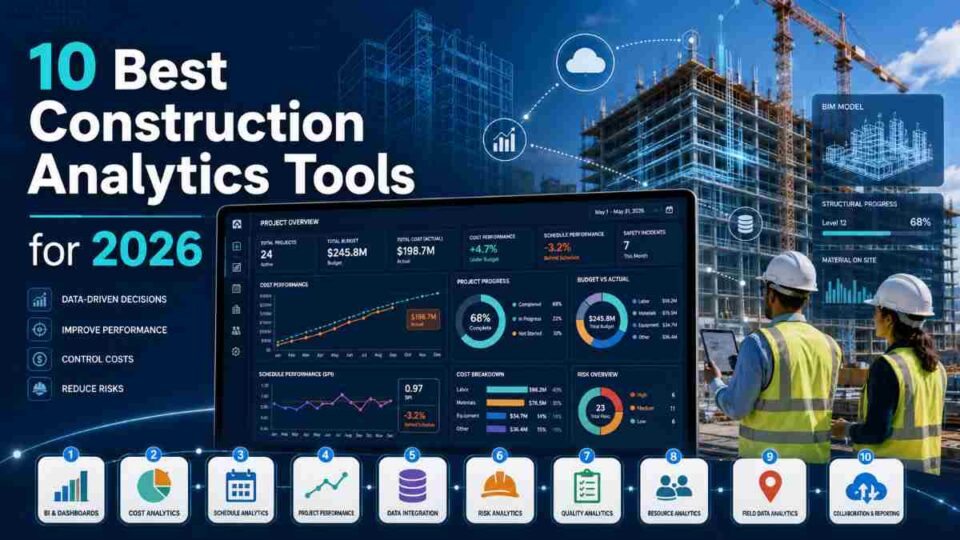
Whether you are a project controls engineer tracking earned value metrics, a construction manager monitoring cost-to-complete forecasts, or a firm owner seeking portfolio-wide visibility, the right analytics platform can transform raw project data into actionable intelligence. This guide evaluates the 10 best construction analytics and dashboard tools for project controls in 2026 — covering features, pricing, strengths, limitations, and who each tool serves best.
For a broader overview of how data is transforming construction workflows, see our comprehensive guide on construction data and its impact on the industry in 2026.
🚀 ConstructionCareerHub App is LIVE — built ONLY for construction careers. Don’t apply with a weak resume. Get ATS-ready Resume Lab + Interview Copilot + Career Planner — in minutes. Explore Smarter Construction Career Tools →
Table of Contents
What Is Construction Analytics Software?
Construction analytics software collects, processes, and visualizes data generated across all phases of a construction project — from preconstruction estimates and scheduling through field execution, cost tracking, and post-project evaluation. These platforms aggregate information from BIM models, IoT sensors, ERP systems, scheduling tools, and daily field reports into unified dashboards that help project teams identify risks, track KPIs, and make proactive decisions rather than reactive ones.
Unlike standalone scheduling or accounting software, analytics tools sit on top of existing project data, connecting cost, schedule, quality, and safety metrics into a single view. The best platforms in 2026 use artificial intelligence and machine learning to surface predictive insights — flagging potential schedule slippage, cost overruns, or safety risks before they materialize on site.
Why Project Controls Teams Need Dedicated Analytics Dashboards
Project controls professionals have always relied on data, but the volume, velocity, and variety of construction data in 2026 has outpaced what manual methods can handle. Here is why dedicated analytics dashboards are no longer optional for serious project controls work:
- Real-time earned value management (EVM): Automated CPI and SPI calculations refresh with every schedule update, replacing monthly manual spreadsheet exercises.
- Cross-project portfolio visibility: Owners and executives can compare performance across dozens or hundreds of projects in a single dashboard view.
- Predictive risk identification: Machine learning models analyze historical patterns to forecast delays, cost escalations, and resource bottlenecks weeks before they become critical.
- Reduced administrative burden: Automated data aggregation from multiple source systems eliminates hours of manual report compilation each week.
- Stronger dispute resolution: Time-stamped, auditable analytics provide the evidentiary trail needed to resolve delay claims and change order disputes.
For professionals looking to build analytics capabilities, our guide on AI skills every construction professional should learn covers foundational competencies in data visualization and predictive analytics for the AEC industry.
How We Evaluated These Tools
Each platform on this list was assessed against criteria that matter most to project controls teams in 2026:
- Dashboard depth and customization: Can users build role-specific views for project engineers, executives, and field teams?
- EVM and cost analytics: Does the platform support planned value, earned value, and actual cost tracking with real-time SPI and CPI?
- Schedule analytics: Can the tool ingest CPM schedules, score quality, and identify delay drivers?
- Predictive capabilities: Does AI or ML power forecasting, anomaly detection, or risk scoring?
- Integration ecosystem: Does it connect natively with Primavera P6, MS Project, Procore, BIM tools, and ERP systems?
- Scalability and deployment: Is it cloud-based? Does it support enterprise-scale portfolios?
- Pricing transparency: Is pricing clearly documented, or does it require custom quoting?
10 Best Construction Analytics and Dashboard Tools for Project Controls
1. Procore Analytics
Best for: General contractors and specialty contractors already using Procore as their primary project management platform.
Procore Analytics is the native reporting and business intelligence layer built on top of Procore’s construction operating system. If your projects, RFIs, submittals, daily logs, budgets, and change orders already live inside Procore, adding Analytics requires no new data connectors. Dashboards refresh in near-real time and include pre-built views for project financials, budget variance, change order trends, safety incident rates, and workforce productivity.
The platform excels at turning Procore’s massive operational dataset into executive-level visualizations. Portfolio dashboards allow leadership to compare financial health, schedule status, and quality metrics across every active project. Custom report builders let project controls teams create tailored views for specific stakeholders.
Key analytics features:
- Real-time budget-to-actual tracking with automated variance alerts
- Change order trend analysis and cost forecasting
- Safety incident dashboards with OSHA-aligned metrics
- Workforce productivity analytics by trade, project, and region
- Portfolio-level financial rollups for multi-project visibility
Pricing: Approximately $500–$1,500/month depending on seat count and add-on modules. Bundled into Procore’s enterprise agreements for larger firms.
Limitations: Analytics depth is confined to data within the Procore ecosystem. If cost data sits in a separate accounting system (Sage, Viewpoint, QuickBooks), or scheduling data lives in Primavera P6, Procore Analytics cannot surface it without custom API integration.
For a full breakdown of Procore and its competitors, see our best construction management software guide for 2026.
2. Autodesk Construction Cloud — Build Insights and Construction IQ
Best for: Design-build firms, infrastructure projects, and organizations with heavy BIM workflows.
Autodesk Construction Cloud (ACC) delivers analytics through two integrated modules: Build Insights for operational dashboards and Construction IQ for AI-powered predictive risk scoring. Together, they create one of the most analytically mature platforms in the AEC industry.
Build Insights provides customizable dashboards covering schedule analytics, quality-control tracking, RFI and submittal cycle times, and issue resolution velocity. According to Autodesk’s 2025 State of Construction Technology report, firms using Build Insights reduced schedule slippage by 14% on average compared to their baseline performance. Construction IQ uses machine learning to scan project data daily, identifying high-risk issues across design quality, safety, and project controls — essentially surfacing the problems your team would not notice until they became expensive.
Key analytics features:
- Construction IQ predictive risk scoring across quality, safety, and design categories
- BIM-integrated analytics linking 3D model data with field progress
- Custom role-based dashboards shareable across project teams
- Third-party data cards from scheduling, estimating, and camera feeds
- 4D/5D schedule and cost visualization linked to BIM geometry
Pricing: Part of Autodesk Construction Cloud subscriptions; enterprise pricing varies by seat count and module selection. Typically $500–$2,000/month for mid-sized teams.
Limitations: Maximum value requires deep investment in the Autodesk ecosystem (Revit, Navisworks, Civil 3D). Firms using non-Autodesk BIM tools will face integration friction.
Professionals looking to deepen their BIM analytics skills should explore our guide to BIM careers in 2026, including salaries, software, and global demand.
3. Oracle Primavera Cloud
Best for: Large-scale infrastructure, energy, transportation, and government projects requiring enterprise-grade scheduling and earned value analytics.
Oracle Primavera Cloud is the cloud-native evolution of the industry-standard Primavera P6 scheduling engine, redesigned for collaborative project controls. It provides integrated scheduling, risk analysis, resource management, and portfolio analytics in a single SaaS platform. For project controls teams that have standardized on earned value management (EVM), Primavera Cloud offers native CPI, SPI, and TCPI calculations tied directly to cost-loaded schedules.
The platform supports portfolio-level dashboards that aggregate schedule health, budget variance, and risk exposure across hundreds of concurrent projects. Role-based views allow schedulers, cost engineers, risk managers, and executives to see the metrics most relevant to their function.
Key analytics features:
- Native EVM with time-phased cost and schedule performance tracking
- Monte Carlo risk simulation integrated with schedule logic
- Portfolio dashboards aggregating performance across project programs
- Resource utilization and capacity planning analytics
- Primavera P6 migration path for firms transitioning to cloud
Pricing: Enterprise pricing, typically custom-quoted based on users and modules. Mid-range deployments generally start at $1,000+/month.
Limitations: Steep learning curve compared to lighter project management tools. Best suited for organizations with dedicated planning and project controls teams. Smaller contractors may find the platform over-engineered for their needs.
For a deep comparison of Primavera P6 and its competitors, see our 10 best construction scheduling software tools compared for 2026.
4. SmartPM
Best for: Project controls teams, schedule analysts, and construction consultants who need automated schedule analytics and delay analysis without building custom reports.
SmartPM is a purpose-built schedule analytics platform that has become one of the most talked-about tools in construction project controls. It ingests CPM schedule files from Oracle P6 and Microsoft Project, then applies automated algorithms to score schedule quality, identify delay drivers, track compression trends, forecast end dates, and generate windows analysis — all within minutes of upload.
The platform is trusted by over 850 companies managing more than $1 trillion in projects worldwide. Its proprietary CPM engine processes schedule data mathematically, going beyond surface-level scoring to provide forensic-grade delay analysis. For firms involved in claims and dispute resolution, SmartPM’s time-stamped, auditable analytics serve as powerful evidentiary tools.
Key analytics features:
- Automated schedule quality scoring aligned with DCMA 14-point assessment standards
- Windows delay analysis with forensic-grade attribution
- Predictive end-date forecasting based on historical performance patterns
- Enterprise portfolio dashboard with schedule health, risk, and compression metrics
- Native integrations with Procore, Power BI, Tableau, Domo, and open API access
- FedRAMP High authorized, SOC 2 Type II and ISO 27001 certified
Pricing: Project-based model starting at approximately $400/project/month. Custom enterprise pricing available for portfolio-scale deployments.
Limitations: Focused primarily on schedule analytics rather than cost or financial analytics. Firms needing integrated cost-schedule controls may need to pair SmartPM with a complementary cost management platform like InEight or Deltek Cobra.
5. Microsoft Power BI for Construction
Best for: Construction firms of all sizes that want maximum dashboard customization and already operate within the Microsoft ecosystem.
Power BI is not a construction-specific tool, but it has become one of the most widely used analytics platforms in the AEC industry because of its flexibility, cost-effectiveness, and deep integration with Microsoft 365, Azure, and hundreds of third-party connectors. Construction firms use Power BI to build custom dashboards that aggregate data from Procore, Primavera P6, Sage, Viewpoint, QuickBooks, Excel, and IoT sensor feeds into a single unified view.
The key advantage is control: Power BI lets project controls teams design exactly the dashboards and reports they need without being constrained by a vendor’s pre-built views. Construction-specific template packs and community connectors have made initial setup significantly faster than building from scratch.
Key analytics features:
- Drag-and-drop dashboard builder with DAX formula language for advanced calculations
- Pre-built connectors for Procore, Sage, Oracle P6, and most construction ERP systems
- Real-time streaming dashboards for IoT sensor data and site monitoring
- Row-level security for role-based data access
- Natural language Q&A querying for non-technical users
- Embedded analytics for sharing dashboards within SharePoint and Teams
Pricing: Power BI Pro at $10/user/month; Power BI Premium starts at $20/user/month or $4,995/month for dedicated capacity. Among the most cost-effective options on this list.
Limitations: Power BI requires configuration effort — it is a platform, not a pre-built construction solution. Firms without in-house BI skills or a willing consultant will face a learning curve. Dashboard quality is entirely dependent on the data connections and report design built by your team.
To build foundational data analytics skills, explore Google’s Data Analytics Professional Certificate, which provides strong competencies applicable to construction analytics dashboards.
6. InEight
Best for: Capital project owners and large contractors in infrastructure, transportation, mining, energy, and water sectors requiring integrated cost-schedule controls.
InEight is trusted by over 850 companies managing more than $1 trillion in global capital projects. Its platform provides a unified suite for estimating, cost management, scheduling, field execution, and document control — all connected through a common analytics layer. For project controls, InEight Control offers budgeting, forecasting, change order management, and actual cost tracking in a single real-time view with built-in EVM capabilities.
The platform’s strength is its depth in cost analytics. Time-phased budgets, what-if scenario modeling, and variance tracking against baseline make it one of the more analytically mature options for capital-intensive project environments. Portfolio dashboards provide drill-down visibility across cost, schedule, and performance metrics.
Key analytics features:
- Built-in EVM with planned value, earned value, and actual cost calculations
- Time-phased cost forecasting with what-if scenario analysis
- Portfolio dashboards with real-time cost and schedule performance
- Work packaging that connects planning to field execution
- AI-powered knowledge management from historical project data
Pricing: Enterprise pricing, custom-quoted based on modules and organizational scale. Typically requires annual contracts.
Limitations: Primarily oriented toward heavy civil, infrastructure, and capital projects. Smaller commercial or residential contractors may find the platform too complex and expensive for their needs.
7. Hexagon EcoSys
Best for: Oil and gas, process, and heavy industrial project owners requiring enterprise portfolio management with deep cost and progress analytics.
Hexagon EcoSys (formerly Ecosys by Hexagon PPM) is an enterprise project portfolio management and controls platform designed for organizations managing large capital programs. It connects budgeting, cost control, funding management, contracts, procurement, and change management across project and asset lifecycles into a unified analytics environment.
EcoSys excels at the intersection of financial controls and project performance — providing CFOs and project directors with the granular visibility needed to manage multi-billion-dollar portfolios. Its analytics capabilities include forecasting accuracy tracking, contract administration dashboards, cash flow control, and multi-currency project financials.
Key analytics features:
- Enterprise-wide project and asset portfolio management
- Forecasting accuracy analytics and trend tracking
- Cash flow and funding management dashboards
- Contract and procurement analytics with change management integration
- Configurable executive dashboards and automated reporting
Pricing: Enterprise licensing, typically six-figure annual contracts for large organizations. Pricing is fully custom.
Limitations: Designed for large enterprise deployments. The setup, configuration, and training investment is significant. Not appropriate for small or mid-sized contractors.
For context on how ERP and enterprise systems fit into construction operations, see our guide on ERP systems for construction companies.
🎯 Preparing for Project Controls Interviews? Practice with the Interview Copilot at ConstructionCareerHub — AI-generated technical questions for project controls, planning, QS, and construction management roles with instant feedback and a 7-day improvement plan.
8. Mastt
Best for: Client-side delivery teams, construction consultants, and program managers overseeing capital project portfolios.
Mastt is an AI-powered project controls and reporting platform specifically designed for the owner’s perspective in construction. Its Template Studio allows teams to create custom dashboards that track budgets, schedules, risks, and construction progress in real time. The platform uses AI to extract data from contracts, invoices, and payment documents, automating manual workflows and flagging compliance requirements.
Where Mastt differentiates itself is in streamlining the monthly reporting process that consumes significant time for project controls consultants. Case studies from firms like Compass Project Consulting — managing a $200 million cinema construction program — demonstrate substantial time savings in project control setup, monthly reporting, and risk management after implementing the platform.
Key analytics features:
- AI-powered document extraction from contracts, invoices, and payment claims
- Template Studio for custom dashboard and report creation
- Real-time budget, schedule, and risk tracking dashboards
- AI assistant for instant natural-language queries on project status
- Automated monthly reporting workflows with stakeholder distribution
Pricing: Subscription-based; pricing available on request. Targets mid-to-large project portfolios.
Limitations: Primarily designed for the owner/consultant side of the table. Contractors and subcontractors may find the platform less suited to their field-execution workflows.
9. Buildots
Best for: General contractors on active construction sites who need AI-powered visual progress tracking tied to BIM-based schedule analytics.
Buildots uses 360-degree site cameras (mounted on hard hats or handheld) and AI-driven computer vision to automatically track construction progress by comparing real-world site conditions against the BIM model and project schedule. The result is a continuously updated analytics dashboard showing exactly which tasks are on track, behind schedule, or at risk — without relying on manual progress updates from field teams.
The platform’s predictive analytics engine flags potential schedule slowdowns before they impact the critical path, giving project managers time to intervene. Its Plan Tracker feature sets weekly task plans grounded in actual progress data, tracks trade commitments, and monitors milestone completion rates across the project. The Dot AI assistant allows users to ask natural-language questions about project progress and receive data-backed answers in seconds.
Key analytics features:
- AI-driven visual progress tracking from 360° site capture
- BIM-to-reality comparison for automated progress quantification
- Predictive delay forecasting with early warning alerts
- Plan Tracker for weekly commitment planning and monitoring
- Dot AI assistant for natural-language project queries
Pricing: Custom pricing based on project size and scope. Typically suited for mid-to-large commercial and infrastructure projects.
Limitations: Requires BIM models as a prerequisite for visual progress tracking. Projects without BIM adoption cannot leverage the platform’s core capabilities. Hardware deployment (cameras) adds an additional setup requirement.
For more on how AI and visual technologies are changing construction, see our guide on smart construction technology transforming the industry.
10. CMiC
Best for: Large general contractors and construction enterprises needing a single-platform ERP with embedded analytics across financials, project management, and field operations.
CMiC is a construction-specific ERP platform that integrates financial management, project management, content management, and field operations into a single database architecture. Its analytics layer pulls from every module in the system — job costing, payroll, accounts payable, project budgets, change orders, and field reports — providing a comprehensive analytics view that eliminates the data silos common in multi-software environments.
The platform’s analytics module supports drill-down dashboards across the project lifecycle, from preconstruction estimates through warranty tracking. Because all data resides in a single database, CMiC avoids the integration challenges that plague firms cobbling together analytics from multiple disconnected systems.
Key analytics features:
- Single-database architecture eliminating cross-system data reconciliation
- Embedded analytics across financial, project, and field modules
- Custom executive dashboards with drill-down to transaction-level detail
- Automated WIP reporting, revenue recognition, and cash flow analytics
- Integration with BIM platforms, document management, and HR systems
Pricing: Enterprise pricing starting at approximately $90,000 as a one-time license fee, with ongoing maintenance and support costs. Cloud deployment options also available.
Limitations: The single-platform approach means CMiC is most effective when adopted as the primary enterprise system. Firms already heavily invested in other ERP or project management platforms face a significant migration effort.
For more on construction accounting and financial tools, see our guide to the best construction accounting software for contractors in 2026.
Quick Comparison Table: Construction Analytics Tools at a Glance
| Tool | Primary Strength | Best For | Starting Price | AI/ML Capabilities |
|---|---|---|---|---|
| Procore Analytics | Unified project operations analytics | GCs using Procore | ~$500/mo | Yes |
| Autodesk Construction Cloud | BIM-integrated analytics + Construction IQ | Design-build firms | ~$500/mo | Yes (Construction IQ) |
| Oracle Primavera Cloud | Enterprise EVM and scheduling analytics | Large infrastructure | ~$1,000/mo | Risk simulation |
| SmartPM | Schedule quality and delay analytics | Schedule analysts, consultants | ~$400/project/mo | Yes |
| Power BI | Custom dashboards, maximum flexibility | All firm sizes | $10/user/mo | AI Insights add-on |
| InEight | Integrated cost-schedule controls | Capital project owners | Custom | Yes |
| Hexagon EcoSys | Portfolio financial analytics | Oil/gas, heavy industrial | Custom (enterprise) | Forecasting models |
| Mastt | Owner-side reporting and AI automation | Consultants, program managers | Custom | Yes (AI extraction) |
| Buildots | AI visual progress tracking | Active construction sites | Custom | Yes (computer vision) |
| CMiC | Single-database ERP analytics | Large GCs, enterprises | ~$90,000 license | Embedded analytics |
Key Trends Driving Construction Analytics Adoption in 2026
Several forces are accelerating the shift toward analytics-first project controls:
AI-powered predictive analytics is becoming mainstream. Platforms like Autodesk Construction IQ and SmartPM are moving beyond descriptive dashboards into predictive territory — using machine learning to forecast delays, cost overruns, and safety risks before they occur. According to industry research from CONEXPO-CON/AGG, predictive maintenance powered by AI reduces equipment downtime by 30–50% and lowers maintenance costs by 25–40% compared to traditional approaches.
IoT sensor networks are expanding the analytics data pipeline. GPS trackers, environmental sensors, concrete curing monitors, wearable safety devices, and smart cameras are continuously streaming field data into cloud-based analytics platforms. This real-time data eliminates the reporting lag that has historically plagued construction project controls. For a deeper dive, see our guide on IoT in construction: connecting equipment, people, and processes.
Digital twins are bridging the gap between BIM and operational analytics. The convergence of BIM models, IoT sensor feeds, and AI-driven analytics is creating live digital replicas of construction projects that update in real time. These digital twins enable scenario modeling, predictive maintenance, and lifecycle performance analysis that extends well beyond project handover. Learn more in our digital twin interview guide for construction professionals.
Cloud-first architectures are replacing desktop-bound tools. Even legacy desktop platforms like Primavera P6 now have cloud-native alternatives (Oracle Primavera Cloud). The shift to SaaS-based analytics ensures real-time access from any device, automatic updates, and easier cross-team collaboration.
How to Choose the Right Construction Analytics Tool
Selecting the right platform depends on where your data lives, what questions you need answered, and how mature your project controls function is. Here is a practical framework:
Start with your data sources. If 80% or more of your project data already lives inside Procore, start with Procore Analytics. If you are a Primavera P6 shop, Oracle Primavera Cloud or SmartPM are natural fits. If your data is scattered across multiple disconnected systems, Power BI offers the flexibility to connect everything into a custom view.
Match the tool to your project controls maturity. Firms just beginning to formalize project controls may benefit most from Procore Analytics or Power BI dashboards that are straightforward to configure. Organizations with dedicated project controls teams running earned value management on complex programs should evaluate InEight, Hexagon EcoSys, or Oracle Primavera Cloud.
Consider the buyer’s perspective. Owners and consultants managing portfolios of third-party contractors should look at Mastt. Schedule-focused consultants and analysts should prioritize SmartPM. Firms with deep BIM maturity should leverage Autodesk Construction Cloud’s integrated analytics.
Factor in total cost of ownership. Subscription fees are just the starting point. Factor in implementation, training, data migration, and the ongoing cost of maintaining dashboards and integrations. A free Power BI license still requires someone to build and maintain the reports.
For a broader view of construction software selection, see our guide to the best construction software to learn for career growth in 2026.
Career Impact: Why Construction Analytics Skills Are in High Demand
Project controls professionals with analytics competencies command premium salaries in 2026. The ability to build dashboards, interpret data trends, and use predictive tools sets candidates apart from those still relying solely on manual spreadsheet methods.
In the United States, construction data analysts earn an average annual salary of approximately $78,200, with senior roles in major metros like New York exceeding $120,000 per year. Project controls specialists who can demonstrate proficiency with platforms like Power BI, SmartPM, or Procore Analytics are routinely shortlisted ahead of candidates with traditional-only credentials.
Key skills to develop for analytics-focused project controls careers include visualization tools (Power BI, Tableau), domain knowledge of construction KPIs (CPI, SPI, delay analysis), statistical analysis and forecasting fundamentals, and at least basic proficiency with Python or SQL for custom analytics work.
Explore our detailed guide on top digital construction careers that do not require coding skills to see how analytics roles fit into the broader landscape of construction technology careers.
📋 Plan Your Project Controls Career Path — Use the Career Planner at ConstructionCareerHub to identify skill gaps, map your progression, and get a personalized development roadmap for construction analytics and project controls roles.
Recommended Courses for Construction Analytics and Project Controls
Investing in structured learning accelerates your ability to use these tools effectively. Here are courses directly relevant to construction analytics and dashboard skills:
- Construction Management Specialization — Columbia University (Coursera): Five-course series covering scheduling, cost control, BIM, and project planning. Over 150,000 enrolled.
- Google Data Analytics Professional Certificate (Coursera): Builds foundational data analytics skills including dashboarding, SQL, and data visualization — directly applicable to construction analytics.
- Construction Management Programs (edX): University-level courses covering construction law, sustainable development, BIM, and cost control.
- Microsoft Power BI Courses (Udemy): Practical, self-paced courses on building dashboards, DAX, and data modeling — essential for firms using Power BI for construction analytics.
Recommended eBooks for Construction Professionals
For practical career guidance and interview preparation in the construction technology space, these resources from our digital library may help:
- Civil Engineering Interview Guide — Comprehensive interview preparation for civil engineering and construction roles.
- Construction Interview Preparation Guide — Covers technical and HR interview questions across construction disciplines.
- High-Demand Construction Career Accelerator — Strategic career planning for construction professionals targeting technology-driven roles.
FAQ — Construction Analytics and Dashboard Tools for Project Controls
What is the best construction analytics tool for small contractors?
For small contractors, Microsoft Power BI offers the best balance of affordability and flexibility. At $10/user/month for Power BI Pro, it connects to most construction software platforms through pre-built connectors and allows teams to build custom dashboards tailored to their specific needs. Buildertrend’s built-in reporting is another strong option for small residential builders already using the platform.
How is construction analytics different from construction project management software?
Project management software handles the execution of construction workflows — task management, document control, RFIs, submittals, and field coordination. Analytics software sits on top of project data to measure, visualize, and predict project performance. Some platforms (like Procore) include both, while others (like SmartPM or Power BI) are dedicated analytics layers that integrate with your existing PM tools.
What KPIs should a construction analytics dashboard track?
Essential KPIs for construction project controls dashboards include Cost Performance Index (CPI), Schedule Performance Index (SPI), budget variance (planned vs. actual), schedule variance, change order volume and value, RFI cycle time, safety incident rates, labor productivity metrics, and estimate-at-completion (EAC) forecasts. The specific KPI mix depends on the project type, contract structure, and stakeholder needs.
Do I need coding skills to use construction analytics dashboards?
Most construction-specific analytics tools (Procore Analytics, SmartPM, Autodesk Build Insights, Mastt) require no coding. Power BI requires learning DAX formulas for advanced calculations but not traditional programming. Python and SQL skills become valuable when building custom analytics beyond what pre-built platforms offer. See our guide to digital construction careers without coding skills for more detail.
How long does it take to implement construction analytics software?
Implementation timelines vary significantly. A simple Power BI dashboard with a pre-built Procore connector can be operational in one to three days. Purpose-built platforms like Procore Analytics typically take two to four weeks to configure properly. Full enterprise deployments of InEight, Hexagon EcoSys, or CMiC often require four to twelve weeks for setup, data migration, training, and stakeholder alignment.
Can construction analytics tools integrate with Primavera P6 and Microsoft Project?
Yes. SmartPM natively ingests .xer (Primavera P6) and .mpp (Microsoft Project) files. Oracle Primavera Cloud provides a migration path from P6. Power BI connects to P6 through database connectors or exported data. Autodesk Construction Cloud and InEight also support scheduling data imports from both platforms.
What is Construction IQ in Autodesk Construction Cloud?
Construction IQ is an AI-powered risk engine within Autodesk Construction Cloud that scans project data daily using machine learning algorithms. It identifies high-risk items across design quality, safety compliance, and project controls — surfacing the issues most likely to cause cost overruns or schedule delays. It assigns risk scores to issues, subcontractors, and project areas, allowing project teams to prioritize interventions.
Is Tableau or Power BI better for construction dashboards?
Both are excellent visualization platforms. Power BI has a cost advantage ($10/user/month vs. Tableau’s higher licensing), better native integration with the Microsoft ecosystem (Excel, SharePoint, Teams), and a growing library of construction-specific connectors. Tableau offers more advanced visualization capabilities and is preferred by dedicated data analysts. For most construction firms, Power BI provides better value and easier adoption.
