

Last Updated on May 19, 2026 by Admin
Artificial intelligence is no longer a boardroom buzzword in construction — it is an operational necessity. The global AI in construction market is projected to reach USD 6.02 billion in 2026, growing at a 24.8% CAGR toward USD 35.5 billion by 2034. Meanwhile, McKinsey research suggests AI can boost construction productivity by up to 20%, and VC investment in construction AI startups surged 75% year-over-year in early 2025.
ConstructionCareerHub App is LIVE — built ONLY for construction careers. Don’t apply with a weak resume.
Get ATS-ready Resume Lab + Interview Copilot + Campus Placement Prep (resume screening, skill gaps, interview readiness) — in minutes & Other advanced features.
Explore Smarter Construction Career Tools →Quick check. Big impact. Start now.
Yet the industry still faces a massive execution gap. Nearly 79% of construction firms have either not implemented AI or are testing in limited pilots, even as 87% expect it to transform how they build. With 499,000 new workers needed in the United States alone in 2026, AI tools are no longer optional — they are the lever that lets smaller teams do bigger work, faster and with fewer errors.
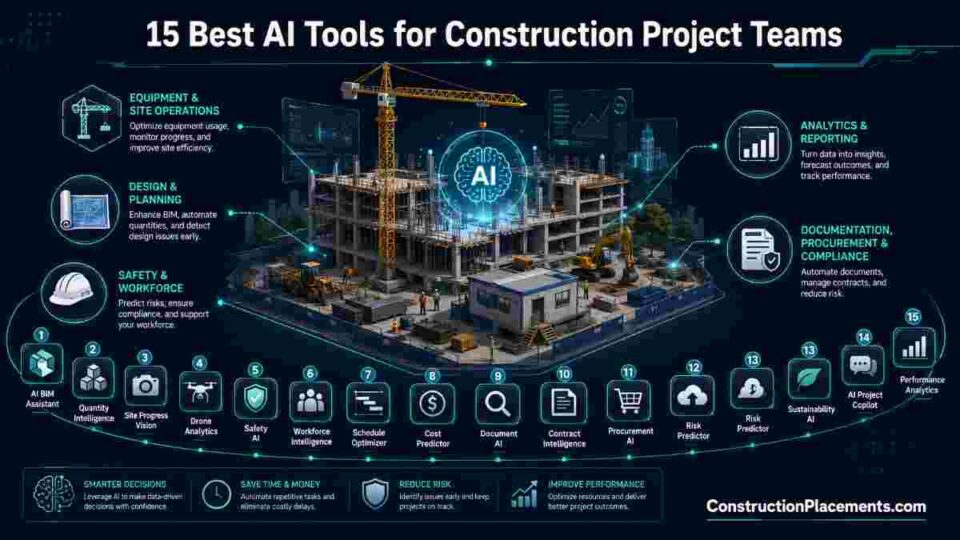
This guide breaks down the 15 best AI tools for construction project teams in 2026, organized by core workflow area. Whether you manage schedules, track site progress, review contracts, or oversee budgets, at least one tool on this list can save your team hundreds of hours this year. Each entry includes what the tool does, its standout AI features, ideal use case, and who it is best for.
Related reading: AI in Construction: 2026 Skills & Tools That Get You Hired
Table of Contents
How We Selected These AI Tools
We evaluated more than 30 AI-powered platforms across the construction technology landscape. Selection criteria included the maturity of AI features (not just a chatbot wrapper), real-world deployment scale, integration with major construction platforms (Procore, Autodesk, Oracle P6), industry-specific design versus generic project management, and verifiable customer results. Tools were grouped by primary workflow function to help teams find the right fit for their specific pain point.
All-in-One AI Project Management Platforms
1. Procore — Enterprise Construction Management with Embedded AI
Procore remains the most widely adopted construction management platform globally, connecting project teams across preconstruction, project execution, and financial management in a single cloud environment. In 2026, Procore’s AI capabilities have expanded significantly — its Copilot feature now auto-summarizes RFIs, daily logs, and submittals so project managers spend less time reading and more time deciding.
Standout AI features:
- AI-powered smart search across drawings, specifications, photos, emails, and change orders — finding the right document in seconds rather than minutes
- Predictive quality and safety analytics through Construction IQ, which flags high-risk observations before incidents occur
- Automated symbol detection for faster takeoffs and suggested submittals within project workflows
- Subcontractor risk scoring based on historical performance data
Best for: Mid-to-large general contractors and owners running multiple concurrent projects who need a unified platform rather than point solutions.
Pricing: Per-user annual contracts; enterprise tiers average approximately $667 per user per month.
Website: procore.com
2. Autodesk Construction Cloud — AI-Enhanced Design-to-Field Workflow
Autodesk Construction Cloud (ACC) brings AI capabilities across the full project lifecycle — from design coordination in Revit to field execution in Autodesk Build. Its Construction IQ module uses machine learning trained on millions of construction issues to surface risk insights and prioritize what needs attention first.
Standout AI features:
- Construction IQ for automated risk prediction across subcontractor performance, safety, and quality metrics
- AI-powered symbol detection that automates takeoff measurement from uploaded plan sets
- Generative design capabilities within Revit for structural and MEP optimization
- Model coordination AI that auto-detects clashes across BIM disciplines
Best for: Design-build firms and large contractors already embedded in the Autodesk ecosystem who want AI capabilities layered into their existing BIM workflows.
Website: construction.autodesk.com
Further reading: BIM 2.0: How AI Will Transform Building Design by 2030
3. ClickUp — AI-Powered General Project Management for Lean Teams
ClickUp is not construction-specific, but its aggressive AI integration makes it a strong choice for smaller construction firms or interior fit-out teams that need flexible project management without the cost of enterprise construction platforms. Its AI Agents execute actions directly within the workspace — auto-generating tasks from meeting notes, summarizing Slack threads into action items, and predicting delays.
Standout AI features:
- AI Notetaker that automatically records, transcribes, and summarizes meetings, linking notes to relevant tasks
- Enterprise AI Search across all connected tools, tasks, documents, and messages
- Pre-built Construction Management Template for Gantt charts, Kanban boards, and dashboards
- AI Creator for auto-generating written reports and visual summaries within the workspace
Best for: Small-to-mid-size contractors, subcontractors, and renovation teams that want AI-powered project management at a fraction of enterprise platform pricing.
Website: clickup.com
AI-Powered Site Monitoring and Progress Tracking
4. OpenSpace — Visual Intelligence Platform for Builders
OpenSpace has evolved from a 360° reality capture tool into a full Visual Intelligence Platform. Field teams capture jobsite progress in minutes using smartphones or 360° cameras, and OpenSpace’s Spatial AI automatically organizes that data against floor plans, creating a navigable visual record of every inch of the site.
In February 2026, OpenSpace launched OpenSpace Field, expanding from a system of visual record into a system of visual action — connecting field-captured reality directly to execution workflows through bi-directional integrations with Procore and Autodesk Construction Cloud.
Standout AI features:
- Spatial AI maps 360° images to floor plans automatically, building a navigable visual record
- OpenSpace Field enables field teams to create and manage punch list items, observations, and issues with full visual context
- AI Image Enhance sharpens 360° imagery with a single click
- BIM+ overlay compares as-built conditions against BIM models for automated deviation detection
Best for: General contractors and owners who want a lightweight capture workflow (smartphones, no specialized hardware) with deep integration into their existing Procore or ACC project management stack.
Website: openspace.ai
5. Buildots — AI-Driven BIM-to-Reality Progress Analytics
Buildots uses 360° cameras and computer vision to automatically capture and analyze site data, comparing it against the BIM model to track installation progress across more than 80 construction stages. The platform has been deployed on projects totaling over $45 billion in construction value worldwide, with documented cases of reducing project delays by up to 50%.
Standout AI features:
- Automated progress tracking comparing 360° site captures against BIM models in real time
- Delay Forecast feature uses AI to predict potential delays and alert teams about pace issues before they cascade
- Productivity analytics covering production rates, labor efficiency, and performance trends
- Centralized collaboration platform for all project stakeholders to access shared data and insights
Best for: Large-scale commercial and infrastructure projects where BIM is already in use and teams need automated, objective progress measurement to reduce disputes and rework.
Pricing: Per-square-foot-scanned model, typically ranging from $0.03 to $0.08 per square foot per scan cycle.
Website: buildots.com
6. Doxel — AI-Powered Real-Time Construction Optimization
Doxel uses 360° cameras and computer vision to automatically measure work-in-place on jobsites, then contextualizes that data against BIM models, schedules, and budgets. The platform provides an objective ground truth with machine-generated risk analysis, guiding teams to the right problems before cost overruns or schedule delays spiral.
Standout AI features:
- Automated daily earned value calculations based on actual work completion percentages
- Critical path analysis with prioritized risk alerts for at-risk and behind-schedule activities
- Real-time progress reporting across multiple trades (plumbing, electrical, mechanical) from a unified dashboard
- Integration with Oracle Primavera P6 and Autodesk Construction Cloud for seamless data flow
Best for: Enterprise-scale owners and contractors managing complex, multi-trade projects where earned value tracking and predictive schedule analytics are critical to financial performance.
Website: doxel.ai
Related guide: Embrace Digital Twins in Construction Project Management
AI-Powered Scheduling and Planning
7. ALICE Technologies — Generative AI for Construction Schedule Optimization
ALICE Technologies takes a fundamentally different approach to construction scheduling. Rather than building a single baseline schedule manually, ALICE uses generative AI to simulate and compare millions of viable construction schedules, allowing planners to run “what-if” scenarios by modifying parameters like crane count, crew sizes, and material delivery timing.
Projects using ALICE report an average 17% reduction in project duration and 14% reduction in labor costs through optimization, according to industry case studies documented on BIM 2.0 research at ConstructionPlacements.
Standout AI features:
- Generative scheduling creates and evaluates millions of schedule scenarios automatically
- Dynamic re-planning tools that respond to real-time delays, change orders, or resource shifts
- Automated resource sequencing recommendations based on project constraints and optimization goals
- Cloud-based collaboration for multi-project portfolio scheduling
Best for: Large infrastructure projects, EPC contractors, and owners managing complex, long-duration builds where schedule optimization directly impacts project ROI.
Website: alicetechnologies.com
8. nPlan — AI-Driven Schedule Risk Analytics
nPlan focuses specifically on schedule risk analysis using AI trained on historical construction project data. Rather than replacing your scheduling tool, nPlan integrates alongside Primavera P6 or Microsoft Project to provide a probabilistic view of your schedule — telling you not just when activities are planned, but how likely they are to finish on time based on thousands of comparable past projects.
Standout AI features:
- Machine learning models trained on billions of task data points from real construction projects worldwide
- Probabilistic schedule forecasting that quantifies completion likelihood for each activity
- Risk heatmaps highlighting the activities most likely to cause delays
- Integration with P6 and MS Project for non-disruptive overlay on existing workflows
Best for: Owners, consultants, and Tier-1 contractors who need independent, data-driven schedule risk assessment to support decision-making and dispute avoidance.
Website: nplan.io
AI-Powered Estimating and Takeoffs
9. Togal.AI — AI-Automated Quantity Takeoffs
Manual takeoffs are one of the most time-consuming tasks in preconstruction. Togal.AI uses advanced AI algorithms to analyze floor plans and drawings, automating the measurement and quantity calculation process that traditionally takes experienced estimators hours or even days.
Standout AI features:
- AI-powered detection of rooms, walls, doors, windows, and other plan elements from PDFs and CAD files
- Automated quantity takeoffs with measurement extraction in seconds rather than hours
- Built-in dashboards for managing multiple bids simultaneously across a portfolio
- Cloud-based collaboration so estimating teams can work together on the same plan set in real time
Best for: Estimators, preconstruction teams, and subcontractors who handle high volumes of bid work and need to accelerate the takeoff process while reducing human error.
Pricing: Per-project fee model, typically $500 to $3,000 per project per month depending on scope.
Website: togal.ai
10. Downtobid — AI Preconstruction and Bid Management
Downtobid streamlines the entire preconstruction workflow from plan upload to subcontractor bid invitation. Its AI reviews uploaded construction plans, identifies all major trades, generates scope summaries, and matches bid packages with qualified local subcontractors — compressing days of manual preconstruction work into minutes.
Standout AI features:
- AI Copilot analyzes hundreds of project documents and identifies scope gaps automatically
- Automated bid package creation with accuracy checks that reduce errors and omissions
- Intelligent subcontractor matching based on trade, location, and verified qualification data
- Centralized bid tracking dashboard to manage all invitations, responses, and follow-ups in one place
Best for: General contractors and estimating teams that manage frequent bid cycles and want to reduce the manual effort of scope analysis, bid packaging, and subcontractor outreach.
Website: downtobid.com
Career insight: Professionals with AI-powered preconstruction skills are among the highest-demand roles in construction. Explore our Careers in Construction Technology Integration guide to map your path.
AI-Powered Contract and Document Intelligence
11. Document Crunch — AI Contract Risk Analysis
Construction contracts contain hundreds of clauses that can individually make or break project profitability. Document Crunch uses natural language processing to review construction contracts and highlight potential risks, translating dense legal language into practical, actionable insights for project teams who are not attorneys.
Standout AI features:
- AI-powered contract review that identifies risk clauses, liability shifts, and unfavorable terms in minutes
- Plain-language summaries that translate legalese into a practical project playbook
- Comparison tools that benchmark contract terms against industry standards
- Integration with major construction management platforms for seamless document flow
Best for: Project managers, preconstruction leaders, and operations teams who review multiple contracts monthly and need rapid risk identification without relying solely on outside legal counsel.
Pricing: Per-document or per-project fee model.
Website: documentcrunch.com
12. Smartsheet — AI-Assisted Workflow Automation for Construction
Smartsheet is a collaborative work management platform that has gained significant traction among construction teams for its flexibility. Its AI features include formula builders, automated approval workflows, and predictive analytics that help project teams manage submittals, change orders, budgets, and schedules without requiring custom software.
Standout AI features:
- AI-assisted formula builder for complex budget tracking and schedule calculations
- Automated approval workflows for routing submittals and change order requests to correct stakeholders
- Real-time dashboards pulling live data from multiple project sheets into a single stakeholder view
- Proofing and annotation tools for reviewing design documents and drawings directly within the platform
Best for: Mid-market contractors and owner’s reps who need a flexible, spreadsheet-familiar tool with AI enhancements for managing construction workflows without the overhead of a full construction management suite.
Website: smartsheet.com
AI for Financial Controls and Field Management
13. SubBase — AI-Powered Material Procurement and Invoice Reconciliation
SubBase automates one of construction’s most tedious back-office tasks: invoice reconciliation. The AI automatically compares purchase orders, invoices, and delivery tickets, extracts data, and reconciles discrepancies — a process that takes the AI an average of 21 seconds compared to 3–5 minutes of manual work per invoice. Since the launch of its AI reconciliation feature, SubBase has processed over 4,000 invoices accounting for millions of dollars in purchases.
Standout AI features:
- Three-way matching of POs, invoices, and delivery tickets with AI-powered data extraction
- One-click invoice approval after AI reconciliation review
- Automatic job cost sync with QuickBooks, Procore, and other project management platforms
- Material ordering and procurement tracking from a centralized dashboard
Best for: Purchasing managers and project accountants at subcontractors and GCs who handle hundreds of invoices weekly and need to reduce manual reconciliation time while improving cost accuracy.
Website: subbase.io
14. Mastt — AI-Powered Project Controls for Capital Projects
Mastt is designed for client-side delivery teams managing large capital construction portfolios. Its AI extracts data from contracts, invoices, and payment documents to automate approval workflows, flag compliance requirements, and provide real-time dashboards tracking budgets, schedules, and construction progress across multiple projects.
Standout AI features:
- AI assistant providing instant updates on budgets, risks, and progress across portfolio projects
- AI-powered payment reviews for accuracy verification and fraud detection
- Template Studio for rapidly building custom dashboards and compliance reports
- Automated workflows for approvals, variations, and compliance tracking
Best for: Government agencies, developer groups, and owner’s representatives overseeing large portfolios of capital construction projects who need centralized visibility and automated compliance.
Website: mastt.com
15. Fieldwire — AI-Driven Field Management and Reporting
Fieldwire (now part of the Hilti Group) brings AI-powered data insights directly to construction field teams. Its intelligent reporting aggregates real-time data from blueprints, tasks, photos, and forms, surfacing trends, bottlenecks, and anomalies so that site teams can act quickly without relying on office-based analysis.
Standout AI features:
- Intelligent reporting that surfaces patterns and anomalies from field data automatically
- Automated issue tracking with custom forms for standardized site observations
- Blueprint-linked task management so every field issue ties back to its exact plan location
- Mobile-first design for on-site crews who need updates without switching tools
Best for: Small-to-mid-size field crews and project managers managing multiple jobsites who need real-time task coordination and site reporting from their mobile devices.
Website: fieldwire.com
Quick Comparison: 15 AI Construction Tools at a Glance
| Tool | Primary Function | AI Core Technology | Best For |
|---|---|---|---|
| Procore | All-in-one project management | Predictive analytics, NLP | Mid-to-large GCs & owners |
| Autodesk Construction Cloud | Design-to-field workflow | ML risk prediction, generative design | Design-build, BIM-heavy firms |
| ClickUp | General project management | AI Agents, NLP search | Small teams, subcontractors |
| OpenSpace | Visual site documentation | Spatial AI, computer vision | GCs wanting lightweight capture |
| Buildots | BIM-to-reality progress tracking | Computer vision, BIM alignment | Large commercial/infrastructure |
| Doxel | Construction optimization | Computer vision, earned value AI | Enterprise owners/contractors |
| ALICE Technologies | Generative scheduling | Generative AI simulation | Complex infrastructure, EPC |
| nPlan | Schedule risk analytics | ML on historical project data | Owners, consultants, Tier-1 GCs |
| Togal.AI | Automated takeoffs | Computer vision, plan analysis | Estimators, preconstruction teams |
| Downtobid | Preconstruction/bidding | NLP document analysis | GCs with frequent bid cycles |
| Document Crunch | Contract risk analysis | NLP, contract intelligence | PMs, preconstruction leaders |
| Smartsheet | Workflow automation | AI formulas, predictive analytics | Mid-market contractors |
| SubBase | Invoice reconciliation | Document AI, data extraction | Purchasing & accounting teams |
| Mastt | Portfolio project controls | Document AI, predictive insights | Government, owners, developers |
| Fieldwire | Field management | Intelligent reporting, pattern detection | Small-mid field crews |
How to Choose the Right AI Tool for Your Construction Team
Not every team needs the same tool. The right choice depends on where your current process breaks down. Here is a framework for making the decision.
Start with your biggest pain point. If schedule delays eat your margins, look at ALICE or nPlan. If you lose hours on manual progress tracking, OpenSpace or Buildots will deliver immediate ROI. If invoice reconciliation creates a bottleneck, SubBase solves that specific problem in weeks, not months.
Consider your existing tech stack. If you already run Procore, tools like OpenSpace and Doxel integrate natively via two-way sync. If your workflows center on Autodesk products, ACC keeps everything in one ecosystem. Avoid forcing a tool into a stack where it creates data silos rather than eliminating them.
Evaluate data readiness. AI tools require clean, structured data to deliver value. According to Bridgit’s 2026 construction AI statistics report, 30% of construction firms say more than half their data is bad or unusable, and 45% lack a formal data strategy. If your data house is not in order, start with a tool that generates its own data (like OpenSpace’s site captures) rather than one that depends on perfect historical inputs.
Factor in team adoption. The most powerful AI tool is useless if your field crews will not use it. Prioritize tools with mobile-first interfaces, minimal training requirements, and integration into workflows people already follow. OpenSpace’s smartphone capture, SubBase’s one-click approval, and Fieldwire’s mobile-native design all excel here.
Explore AI career readiness: Is Your Construction Career AI-Proof? Take the 2026 Test
The Career Impact: Why AI Tool Proficiency Matters in 2026
Construction AI is not just a technology upgrade — it is a career differentiator. According to the AGC 2025 Workforce Survey, 45% of contractors expect AI will positively impact construction jobs, while 47% report difficulty filling AI specialist positions — up from 30% in 2024.
Professionals who can operate, configure, and interpret results from tools like Procore’s AI analytics, ALICE’s generative scheduling, or Buildots’ progress tracking are commanding salary premiums of 15–25% over peers who rely solely on traditional methods. Roles such as Construction Technology Manager, Digital Twin Specialist, and Construction Data Analyst have emerged as distinct career paths that barely existed five years ago.
If you are looking to build AI tool proficiency into your construction career, start with our comprehensive guides:
- AI Skills Every Construction Professional Should Learn
- How Civil Engineers Can Thrive in the Age of AI and AGI
- How to Become a Digital Twin Specialist in Construction
For hands-on career tools built specifically for construction professionals, ConstructionCareerHub.com offers an ATS Resume Lab to optimize your CV for AI and technology roles, an Interview Copilot for real-time mock interview practice, and a Career Planner that maps your progression from current role to target position.
Key AI Trends Shaping Construction Technology in 2026
Understanding the direction of travel helps you make tool investments that age well rather than becoming obsolete. Here are the trends defining AI adoption in construction this year.
Computer vision dominance. Four of the fifteen tools on this list — OpenSpace, Buildots, Doxel, and Togal.AI — rely on computer vision as their core AI technology. The ability to extract structured data from images (site photos, plan sets, 360° captures) is rapidly becoming the primary data-generation mechanism for construction AI.
Generative AI beyond text. ALICE Technologies demonstrates that generative AI in construction goes far beyond writing emails or summarizing documents. Generative scheduling — creating and evaluating millions of possible project plans — represents a fundamentally new approach to planning that was computationally impossible five years ago.
Platform consolidation. Procore and Autodesk are absorbing AI capabilities into their platforms, while point solutions like nPlan and Document Crunch deliver deep, specialized intelligence. The market is splitting between “do-everything” platforms and “do-one-thing-exceptionally” tools, and smart teams are combining both.
Data quality as prerequisite. The industry is learning that AI is only as good as the data feeding it. Construction Dive reported that poor data caused an estimated $1.8 trillion in global construction losses in 2020, with 14% of avoidable rework traced directly to bad data. Tools that generate their own clean data (camera-based capture platforms) are seeing faster adoption than those requiring clean legacy data inputs.
Deep dive: Future Building Construction Technologies 2026 Guide
Recommended Courses to Build Your AI and Construction Tech Skills
If you want to go from reading about these tools to confidently using them, structured learning accelerates the process. Here are top-rated courses worth your time:
- Construction Project Management (Coursera / Columbia University) — Covers project planning, lean delivery, BIM integration, and sustainability across different project types.
- AI Fundamentals (edX) — Builds foundational understanding of machine learning, NLP, and computer vision concepts applicable to construction tech.
- BIM: From Sketch to Digital Twin (Udemy) — Hands-on course using Autodesk Revit and Navisworks to create BIM models, schedule projects, and build digital twins.
- AI for Everyone (Coursera / Andrew Ng) — Non-technical AI literacy course ideal for construction managers who need to evaluate AI tools without writing code
Essential eBooks for Construction Professionals
For practical, downloadable guidance you can reference offline, these ebooks are built specifically for construction career advancement:
- 📘 Civil Engineering Interview Questions & Answers PDF eBook — 102 technical Q&As covering all key civil engineering domains, ideal for freshers and lateral movers.
- 📘 Construction Interview Guide — Comprehensive preparation for technical and HR interview rounds across construction roles.
- 📘 Construction Career eBook Bundle — All-in-one career resource covering resumes, interviews, salary negotiation, and career planning for construction professionals.
Frequently Asked Questions (FAQ)
What are AI tools for construction project management?
AI tools for construction project management are software platforms that use machine learning, computer vision, natural language processing, and predictive analytics to automate repetitive tasks, predict project outcomes, and support faster decision-making across the construction lifecycle — from preconstruction and estimating through field execution and closeout.
Which AI tool is best for construction scheduling?
ALICE Technologies is the leading AI tool for construction schedule optimization. It uses generative AI to simulate millions of schedule scenarios and recommend optimal resource sequencing. For schedule risk analysis, nPlan provides probabilistic forecasting based on historical construction data from thousands of real projects.
How much do AI construction tools cost?
Pricing varies widely by tool category. Point solutions like Document Crunch and Togal.AI typically charge per-project fees ranging from $500 to $3,000 per month. Platform vendors like Procore use per-user annual contracts. Camera-based tools like Buildots and Doxel charge per-square-foot scanned. Many tools offer demo or pilot programs before full commitment.
Can small construction companies afford AI tools?
Yes. Tools like ClickUp, Smartsheet, Fieldwire, and SubBase offer entry-level pricing accessible to small and mid-size firms. Many AI tools also provide free trials or scaled pricing based on project volume. The key is to start with one specific pain point — such as invoice reconciliation or field reporting — and measure ROI before expanding.
Will AI replace construction project managers?
No. AI automates administrative and data-processing tasks, but construction project management requires judgment, relationship management, and field experience that AI cannot replicate. According to AGC survey data, 45% of contractors expect AI to positively enhance jobs, not eliminate them. The role of the project manager is shifting from data collector to decision-maker — and AI tools accelerate that shift.
How do I learn to use AI tools in construction?
Start with structured online courses from platforms like Coursera, edX, and Udemy that combine AI fundamentals with construction applications. Build practical experience by running small pilot projects with one tool. Follow industry publications and communities for the latest updates. For personalized career guidance, explore the tools and resources at ConstructionCareerHub.com.
What data do AI construction tools need to work effectively?
Most AI construction tools require structured project data — schedules, BIM models, budgets, site photos, or contract documents. Camera-based tools (OpenSpace, Buildots, Doxel) generate their own data through site capture, making them easier to deploy without pre-existing data infrastructure. The biggest barrier to AI success in construction is not the AI itself but the quality and accessibility of the data feeding it.
Final Thoughts
The construction industry’s AI adoption is accelerating from pilot projects to production deployments. The 15 tools in this guide represent the most impactful, field-tested AI platforms available to construction project teams in 2026 — spanning everything from generative scheduling and visual site intelligence to contract risk analysis and automated invoice reconciliation.
The firms winning more work, delivering on time, and retaining top talent are treating AI as a practical tool, not a future possibility. Start with your biggest operational bottleneck, choose a tool that integrates with your existing workflow, and measure results rigorously. That is how you turn AI investment into competitive advantage.
For a structured career development approach to building AI proficiency in construction, visit ConstructionCareerHub.com — your AI-powered platform for construction career tools including Resume Lab, Interview Copilot, and Career Planner.
Stay ahead of construction technology trends — explore the full AI in Construction archive at ConstructionPlacements.com.
