

Last Updated on May 22, 2026 by Admin
Oracle Primavera P6 is the scheduling backbone of the world’s largest construction, infrastructure, and EPC projects. From billion-dollar LNG terminals in Qatar to high-speed rail corridors in India, P6 remains the platform that owners, contractors, and lenders trust to plan, track, and control complex construction timelines.
ConstructionCareerHub App is LIVE — built ONLY for construction careers. Don’t apply with a weak resume.
Get ATS-ready Resume Lab + Interview Copilot + Campus Placement Prep (resume screening, skill gaps, interview readiness) — in minutes & Other advanced features.
Explore Smarter Construction Career Tools →Quick check. Big impact. Start now.
The construction scheduling software market hit $2.95 billion in 2025 and is projected to reach $7.32 billion by 2032 (source: Planera / MarketWatch). Despite the rise of newer cloud-native tools, Primavera P6 EPPM continues to dominate enterprise scheduling because no other platform matches its CPM scheduling depth, multi-project resource management, and earned value analytics at scale.
If you are a construction scheduler — or preparing for a scheduler interview — knowing P6 inside out is non-negotiable. According to ZipRecruiter data from April 2026, the average Primavera P6 Scheduler salary in the United States is approximately $114,447 per year, with top earners crossing $150,000 (source: ZipRecruiter). PayScale reports a median of roughly $110,000 for construction schedulers with P6 skills (source: PayScale).
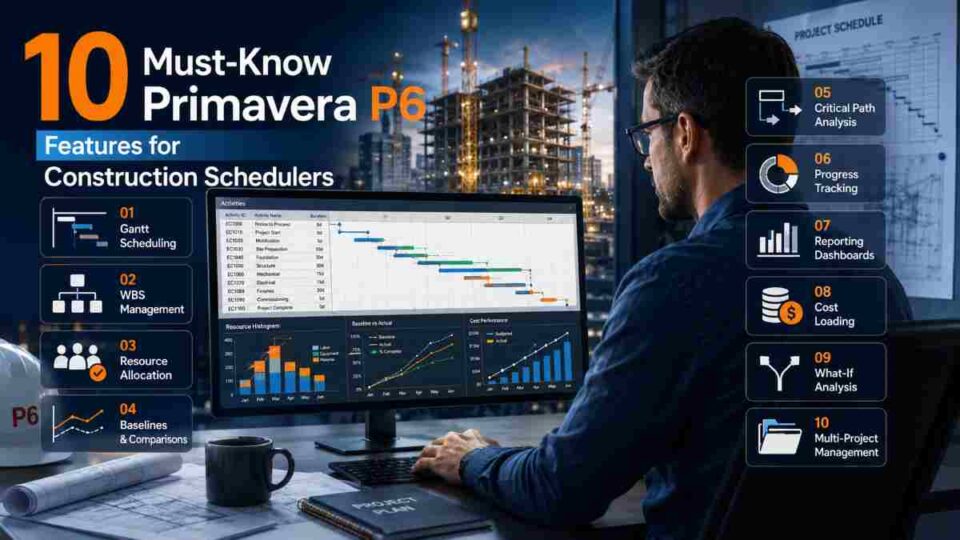
This guide breaks down the 10 features every construction scheduler must master in Primavera P6 — with practical context, career relevance, and real-world application so you can build better schedules, ace interviews, and advance your project controls career.
🚀 ConstructionCareerHub App is LIVE — built ONLY for construction careers. Don’t apply with a weak resume. Get ATS-ready Resume Lab + Interview Copilot + Campus Placement Prep (resume screening, skill gaps, interview readiness) — in minutes & other advanced features. Explore Smarter Construction Career Tools →
Table of Contents
What Is Primavera P6? A Quick Overview

Primavera P6 is an enterprise-class project portfolio management (PPM) software developed by Oracle. It is purpose-built for planning, scheduling, and controlling large, complex projects across construction, engineering, oil and gas, utilities, transportation, and defence sectors.
Oracle’s official documentation describes P6 EPPM as a solution for “projects, programs, and portfolios of any size, with multiuser and multiproject functionality, support for hierarchies, resource scheduling, customizable views, and enterprise-wide planning” (source: Oracle P6 Version 25 Help).
The current production release is Version 25, with documentation published in December 2025, available for both on-premises (EPPM) and cloud (CPPM) deployment.
Key capabilities at a glance:
- Critical Path Method (CPM) scheduling engine
- Multi-project and portfolio management
- Work Breakdown Structure (WBS) and Organisational Breakdown Structure (OBS)
- Resource loading, levelling, and optimisation
- Earned Value Management (EVM)
- Baseline management and variance tracking
- Role-based access, dashboards, and enterprise reporting
For a broader comparison of scheduling platforms, read our detailed guide: Construction Scheduling Software: 10 Best Tools Compared (2026).
10 Must-Know Primavera P6 Features for Construction Schedulers
1. Critical Path Method (CPM) Scheduling Engine
The CPM engine is the beating heart of Primavera P6. It calculates four dates for every activity — Early Start, Early Finish, Late Start, and Late Finish — and identifies which activities have zero or negative float, forming the critical path that directly controls the project’s end date.
Why it matters for schedulers: Every major infrastructure contract — FIDIC, NEC, AIA — requires a CPM-based schedule as a contractual deliverable. Owners, PMCs, and lenders will not accept bar charts or rough timelines. If you cannot produce, defend, and update a CPM schedule in P6, you will not be considered for scheduling roles on large projects.
Practical application:
- P6 supports both float-based and longest path critical path calculations. Float-based identifies activities with zero or negative total float. Longest path traces the driving activity chain from project start to finish, even across inter-project relationships.
- You can set a custom float tolerance — for example, defining activities with three days or less of float as “near-critical” — to catch risk items before they become delays.
- The longest path calculation includes inter-project relationships, which is essential on multi-phase mega-projects where separate P6 projects share handover milestones.
Interview tip: Be prepared to explain the difference between Total Float, Free Float, and the Longest Path method. Interviewers on EPC projects frequently ask how you would identify the true critical path when resource levelling breaks standard float calculations.
2. Work Breakdown Structure (WBS) Hierarchy
A Work Breakdown Structure in P6 is a hierarchical decomposition of the project scope into manageable phases, areas, disciplines, or deliverables. Activities are assigned under WBS nodes, and all cost, schedule, and earned value rollups follow the WBS tree.
Why it matters for schedulers: A poorly structured WBS creates chaos — reports become unreadable, costs cannot be isolated by area or discipline, and earned value analysis produces misleading results. On large EPC projects, the WBS is typically defined in the project execution plan and must align with the cost breakdown structure (CBS), the organisational breakdown structure (OBS), and the contract’s payment milestones.
Best practices in P6:
- Design WBS levels to mirror the project’s physical or contractual structure: Project → Phase → Area → Discipline → Work Package.
- Keep WBS codes consistent across multiple projects so portfolio-level rollups and benchmarking work correctly.
- Use WBS-level earned value settings (percent complete type, EVM technique) to control how progress is measured at each node.
For a deeper dive into project planning roles and their WBS responsibilities, see: Planning Engineer Job Description and Salary Details.
3. Resource Loading, Levelling, and Optimisation
Resource management in P6 goes far beyond assigning labour to activities. The platform supports resource loading (assigning labour, equipment, and material resources with quantities and rates), resource levelling (automatically delaying non-critical activities to resolve over-allocation), and resource optimisation across multiple projects sharing a common resource pool.
Why it matters for schedulers: A schedule that ignores resource constraints is a fantasy, not a plan. Construction projects routinely face crane availability limits, skilled trade shortages, and equipment sharing across work fronts. P6’s levelling engine resolves these conflicts algorithmically by delaying lower-priority activities until resources are available.
How levelling works in P6 (Version 25):
- You can level all resources or selected resources only.
- P6 uses a prioritisation system — you can rank by Project Levelling Priority, Activity Levelling Priority, Total Float, Early Start, or custom fields.
- The levelling log summarises which activities were delayed and any exceptions made for critical activities.
- After levelling, compare the levelled schedule against the original to quantify the resource-driven extension.
Career context: Job descriptions for P6 schedulers on ZipRecruiter consistently list “ability to produce resource-loaded and cost-loaded schedules” as a core requirement. Understanding levelling is what separates a scheduler from someone who merely draws Gantt charts.
4. Baseline Management and Variance Tracking
P6 allows you to save, assign, and compare multiple baselines — snapshots of the approved schedule at specific points in time. The platform supports up to three concurrent baselines (typically the original baseline, the current approved baseline, and a what-if scenario baseline), and you can maintain an unlimited number of saved baselines in the project database.
Why it matters for schedulers: Baselines are the contractual reference. Every progress update, delay analysis, and extension-of-time (EOT) claim is measured against the approved baseline. Without rigorous baseline management, you cannot demonstrate cause-and-effect for schedule deviations — which is a critical requirement under FIDIC, NEC4, and AACE recommended practices.
Key P6 baseline capabilities:
- Baseline assignment: Assign a saved baseline as the Project Baseline, Primary (for Earned Value), or Secondary baseline.
- Variance columns: P6 automatically calculates Start Variance, Finish Variance, Duration Variance, and Cost Variance once a baseline is assigned.
- Baseline bar display: Show baseline bars alongside current schedule bars on the Gantt chart for visual comparison in progress meetings.
5. Activity Relationships and Lag/Lead Logic
P6 supports four relationship types between activities: Finish-to-Start (FS), Start-to-Start (SS), Finish-to-Finish (FF), and Start-to-Finish (SF). Each relationship can carry positive lag (delay) or negative lag (lead/overlap).
Why it matters for schedulers: The schedule logic — the network of relationships — is the intellectual core of a CPM schedule. Getting logic right means the schedule accurately models the real sequence of construction work. Getting it wrong means the critical path is fictional and float values are meaningless.
Common pitfalls to avoid:
- Excessive use of Start-to-Start with lag: While SS relationships with lag are sometimes appropriate (e.g., structural steel erection can start two floors behind concrete curing), overuse obscures the driving logic and makes delay analysis unreliable.
- Open ends: Activities without predecessors or successors are “dangling” activities. P6 flags these in the schedule log. Every activity except the project start milestone should have at least one predecessor, and every activity except the project finish milestone should have at least one successor.
- Negative lag (leads): Many owners and PMCs (including the US Army Corps of Engineers) prohibit negative lags because they create misleading float calculations. Use SS or FF relationships with positive lags instead.
This knowledge is heavily tested in scheduler interviews. For broader construction interview preparation, check: 31 Challenging Interview Questions Specific to the Construction Industry.
6. Earned Value Management (EVM) and Performance Measurement
P6 includes a built-in Earned Value Management module that calculates standard EVM metrics: Planned Value (PV / BCWS), Earned Value (EV / BCWP), Actual Cost (AC / ACWP), Cost Performance Index (CPI), Schedule Performance Index (SPI), and Estimate at Completion (EAC).
Why it matters for schedulers: Earned value is the bridge between schedule and cost. On EPC projects, owners and PMCs use EVM to objectively assess whether the project is ahead or behind schedule and over or under budget — in one integrated framework. AACE International’s Recommended Practice 29R-03 and PMI’s PMBOK Guide both identify EVM as a core competency for project controls professionals.
P6 EVM in practice:
- P6 calculates EVM at the activity, WBS, and project levels.
- You can select different percent-complete types: Duration % Complete, Physical % Complete, or Units % Complete — each suited to different activity types.
- The Earned Value tab in P6 provides at-a-glance performance indices and variance metrics that feed directly into monthly progress reports.
For schedulers looking to visualise EVM data beyond P6’s built-in reports, our guide on Power BI for Planning Engineers covers how to connect P6 data exports to live Power BI dashboards.
7. Multi-Project and Portfolio Management
Primavera P6 EPPM is designed from the ground up for multi-project environments. The Enterprise Project Structure (EPS) organises all projects into a hierarchical tree — by business unit, region, client, or programme — and enables portfolio-level visibility, cross-project resource sharing, and consolidated reporting.
Why it matters for schedulers: Large contractors (Bechtel, Fluor, L&T, Samsung E&C) do not manage projects in isolation. A corporate P6 database may contain dozens or hundreds of active projects. Schedulers must understand how to navigate the EPS, manage inter-project relationships, and produce portfolio-level dashboards and S-curves for senior management.
Key portfolio features:
- Enterprise Project Structure (EPS): Hierarchical project tree with security permissions at each level.
- Cross-project relationships: Milestones in one project can drive activities in another — essential for phased handovers, shared infrastructure, and supply chain dependencies.
- Portfolio dashboards (EPPM): The web-based EPPM interface provides configurable dashboards for executives to monitor KPIs across the entire portfolio.
For context on companies that rely on P6 for portfolio-scale project controls, explore: Top 50 EPC Companies in the World 2026.
8. Activity Codes and User-Defined Fields (UDFs)
Activity Codes in P6 are custom classification tags that you assign to activities for grouping, filtering, and reporting. User-Defined Fields (UDFs) are custom data fields — text, number, date, or indicator — that extend P6’s standard data model to capture project-specific information.
Why it matters for schedulers: Every owner has unique reporting requirements. One project might need activities grouped by responsibility (subcontractor, discipline, area). Another might need a custom field tracking RFI status or permit dependency. Activity Codes and UDFs are how you adapt P6 to these requirements without altering the core schedule logic.
Practical examples:
- Activity Codes: Responsibility (Subcontractor A, Subcontractor B), Area (Zone 1, Zone 2), Phase (Enabling Works, Superstructure, MEP, Finishing), Discipline (Civil, Structural, Mechanical, Electrical).
- UDFs: Permit Required (Yes/No indicator), RFI Number (text), Constraint Reason (text), Productivity Rate (number), Weather Sensitivity (indicator).
- Activity Codes can be Global (shared across all projects in the database), EPS-level, or Project-level. Choose the right scope to avoid clutter.
9. Schedule Reports, Layouts, and the Visualizer
P6 Professional includes a powerful reporting ecosystem: saved layouts (custom column configurations, groupings, filters, and sort orders), the Report Wizard for extracting data into formatted reports, and the Visualizer module for creating time-scaled Gantt chart printouts and logic diagrams.
Why it matters for schedulers: Building the schedule is only half the job. Communicating the schedule to stakeholders — project managers, subcontractors, clients, and site teams — is equally important. A scheduler who can produce clear, targeted reports and presentation-ready Gantt charts earns trust and influence.
Key reporting capabilities:
- Saved layouts: Create and save custom views for different audiences — a two-week look-ahead for site teams, a milestone summary for management, a resource histogram for the PMO.
- Filters: P6 supports simple and combination filters. Filter by critical activities, by specific WBS nodes, by date range, by activity code, or by any UDF.
- Visualizer: Produce time-scaled logic diagrams and formatted Gantt chart outputs directly from P6 for printing or PDF export.
- Custom reports via Report Wizard: Extract any data from the P6 EPPM database into structured tabular or graphical reports.
10. Progress Updating and Schedule Analysis
Progress updating in P6 involves recording actual start dates, actual finish dates, remaining durations, and percent complete for in-progress and completed activities. After updating, you reschedule the project (F9) to recalculate the CPM network and generate updated float values, critical path, and projected completion dates.
Why it matters for schedulers: A schedule that is not regularly updated is a dead document. Weekly or bi-weekly progress updates are contractual requirements on virtually every major construction project. The accuracy and timeliness of your updates directly affect cash flow forecasts, delay notifications, and client confidence.
P6 update workflow:
- Set the Data Date: The Data Date (or Status Date) is the cut-off point — everything before it should reflect actuals, and everything after it should reflect forecasts.
- Record actuals: Enter Actual Start, Actual Finish, Remaining Duration, and Physical % Complete for each activity.
- Reschedule (F9): Run the scheduler to recalculate the network. Review the scheduling log for errors, warnings, and open-ended activities.
- Compare to baseline: Analyse variances and prepare narrative commentary explaining the causes of any slippage.
Advanced analysis techniques: After updating, experienced schedulers use P6 to perform schedule health checks — reviewing the schedule log for logic errors, checking for activities with excessive float, identifying out-of-sequence progress, and validating that the critical path is realistic. AACE International’s Recommended Practice 49R-06 provides a 14-point schedule health assessment framework that aligns well with P6’s diagnostic outputs.
Primavera P6 Scheduler Salary: What You Can Earn
Mastering P6 directly impacts your earning potential. Here is a snapshot of 2026 salary data for Primavera P6 schedulers:
| Region | Annual Salary Range (USD) | Source |
|---|---|---|
| USA (National Average) | $96,000 – $150,000 | ZipRecruiter, Apr 2026 |
| USA (Median – PayScale) | $72,000 – $152,000 | PayScale, 2026 |
| Gulf (UAE, Qatar, KSA) | $60,000 – $120,000 (tax-free) | Industry estimates |
| India | ₹6 – ₹25 LPA | Industry estimates |
The salary premium for P6 expertise is significant. Planning engineers who know only MS Project or Excel-based scheduling typically earn 20–30% less than those with demonstrated P6 proficiency on large infrastructure projects.
For more salary data and career planning tools, visit the Construction Career Path Planner.
Who Should Learn Primavera P6?
P6 is relevant for a wide range of construction professionals, not just dedicated schedulers:
- Planning Engineers and Schedulers — P6 is the primary tool of the trade. Fluency is mandatory.
- Project Managers and Project Directors — Understanding P6 outputs (critical path reports, EVM dashboards, resource histograms) enables better decision-making.
- Project Controls Engineers — Earned value, cost loading, and variance analysis in P6 are core project controls functions.
- Quantity Surveyors and Cost Engineers — Cost-loaded schedules link QS deliverables to the project timeline.
- Construction Managers and Site Engineers — Reading and contributing to P6 look-ahead schedules ensures site-level alignment with the master schedule.
- Civil Engineering Students and Fresh Graduates — Learning P6 before your first job gives you a significant competitive advantage over peers who rely on academic scheduling exercises alone.
For a broader view of how scheduling fits into hybrid construction career paths, read: Hybrid Construction Roles: Site to Screen Career Guide 2026.
How to Learn Primavera P6: Recommended Courses
Structured training accelerates P6 learning far faster than trial-and-error. Here are some of the most reputable online courses available in 2026:
- Primavera P6 Professional Fundamentals — Covers P6 from scratch with a complete construction case study. Best for beginners.
- Construction Planning and Scheduling Masterclass — Covers CPM, resource optimisation, and schedule risk analysis beyond just P6 software mechanics.
- Construction Management Specialisation — Includes scheduling modules and project controls fundamentals from an Ivy League engineering school.
- Project Management MicroMasters — Covers scheduling, risk management, and earned value analysis with academic rigour.
University-level option: UCLA Extension offers a 4-unit, instructor-led course titled Construction Scheduling with Primavera P6 (C&EE X 407.3) that includes hands-on lab work and delay impact analysis — one of the few accredited university courses specifically teaching P6 in a construction context (source: UCLA Extension).
Primavera P6 vs Microsoft Project: Key Differences
Both P6 and MS Project are CPM scheduling tools, but they serve different scales and audiences:
| Feature | Primavera P6 | Microsoft Project |
|---|---|---|
| Activity capacity | 100,000+ activities per project | Practical limit ~10,000–15,000 |
| Multi-project management | Enterprise-level EPS with cross-project relationships | Limited (Project Server required) |
| Earned Value Management | Built-in, WBS-level EVM | Basic EVM fields available |
| Resource levelling | Advanced prioritisation engine | Basic auto-levelling |
| Industry adoption | Standard on mega-projects (EPC, infrastructure) | Common for small-to-mid projects |
| Database | Oracle/SQL Server (centralised) | File-based (.mpp) or Project Server |
Bottom line: MS Project is excellent for smaller projects and general project management. P6 is the industry requirement for large-scale construction, infrastructure, and EPC work. Many schedulers maintain proficiency in both, but P6 certification and experience carry significantly more weight in construction job descriptions.
For a comprehensive look at all construction management software options, see: Best Construction Management Software Guide 2026.
How P6 Skills Boost Your Construction Interview Performance
Primavera P6 proficiency is one of the most frequently listed requirements in construction scheduler, planning engineer, and project controls job descriptions worldwide. Here is how P6 knowledge strengthens your interview performance:
- Technical credibility: You can speak confidently about CPM logic, float analysis, resource levelling, and earned value — the core language of project controls.
- Problem-solving demonstrations: Interviewers often present scenario-based questions (“A critical activity is delayed by two weeks — walk me through your analysis in P6”). P6 fluency lets you answer with specific steps, not vague generalities.
- Portfolio awareness: Understanding P6’s enterprise features shows you can work in large organisations, not just single-project environments.
- Delay analysis capability: Forensic schedule analysis (Time Impact Analysis, As-Planned vs. As-Built, Windows Analysis) relies on P6 baseline and update data. This is a high-value, high-demand skill.
🎯 Want to practise with AI before your real interview? Use the Interview Copilot at ConstructionCareerHub.com to rehearse technical scheduling questions and get instant feedback on your answers.
Future of Primavera P6: AI and Cloud Trends in 2026
Oracle continues to invest in P6, and two major trends are shaping its evolution:
1. AI-Powered Schedule Intelligence: Oracle is integrating AI capabilities into its Primavera ecosystem, including natural language querying (asking schedule questions in plain English), predictive performance analytics (machine learning models trained on millions of project activities to forecast emerging trends), and automated schedule optimisation suggestions. While these features are still maturing, they signal a future where P6 schedulers will need data literacy alongside traditional CPM expertise.
2. Cloud-First Deployment (Oracle Primavera Cloud): Oracle Primavera Cloud (OPC) is being positioned as the next-generation platform, offering browser-based scheduling, real-time collaboration, and integration with Oracle’s broader construction and engineering cloud ecosystem. However, P6 Professional and P6 EPPM remain actively maintained (Version 25 documentation was published December 2025), and the vast majority of enterprise users continue to operate P6 on-premises or in hybrid configurations.
What this means for your career: Learn P6 Professional thoroughly first — it remains the production standard. Then build familiarity with Oracle Primavera Cloud and data analytics tools like Power BI to future-proof your skill set.
Recommended Resources and Digital Tools
- Oracle P6 Official Documentation (Version 25): Oracle Primavera P6 EPPM Version 25 Documentation
- AACE International: AACE Recommended Practices for scheduling, earned value, and cost engineering standards.
- PMI Scheduling Professional (PMI-SP): PMI.org — The PMI-SP credential validates scheduling expertise and pairs well with P6 proficiency.
Career-building ebooks:
- AI Construction Career Blueprint — Career strategies powered by AI for modern construction professionals.
- Construction Interview Master Guide — 210+ interview questions with model answers for planning, scheduling, and project controls roles.
- Complete Construction Career Bundle — Bundled resources covering resumes, interviews, salary negotiation, and career strategy.
- Remote Construction Jobs Guide — How to find and land remote project controls and scheduling positions.
Frequently Asked Questions (FAQ)
What is Primavera P6 used for in construction?
Primavera P6 is used for planning, scheduling, and controlling construction projects using the Critical Path Method (CPM). It manages activity sequences, resource allocations, cost loading, earned value tracking, and multi-project portfolios on large infrastructure, EPC, and heavy civil projects.
Is Primavera P6 better than Microsoft Project for construction?
For large, complex construction projects with thousands of activities and multiple teams, Primavera P6 is the industry standard. Microsoft Project works well for smaller projects and general project management. Most major EPC contractors, infrastructure agencies, and international owners mandate P6 for contractual scheduling.
How long does it take to learn Primavera P6?
A focused beginner can learn P6 fundamentals (creating projects, adding activities, defining relationships, scheduling, and producing reports) in four to six weeks of structured training. Developing proficiency in advanced features like resource levelling, earned value analysis, and delay analysis typically takes six to twelve months of hands-on project experience.
What is the critical path in Primavera P6?
The critical path is the longest sequence of dependent activities that determines the minimum project duration. In P6, it can be calculated using the float method (zero or negative total float) or the longest path method (the driving chain from project start to finish). A delay on any critical path activity directly extends the project completion date.
What salary can a Primavera P6 scheduler expect in 2026?
In the United States, Primavera P6 schedulers earn an average of approximately $114,000 per year, with a range of $96,000 to $150,000 depending on experience, location, and project complexity. In the Gulf region, tax-free packages of $60,000 to $120,000 are common for experienced schedulers. In India, salaries range from ₹6 LPA to ₹25 LPA depending on experience and project scale.
What certifications complement Primavera P6 skills?
The most valuable certifications for P6 schedulers include the PMI Scheduling Professional (PMI-SP), Project Management Professional (PMP), AACE Certified Scheduling Technician (CST), and Planning and Scheduling Professional (PSP). These credentials validate your scheduling expertise and increase your market value alongside P6 proficiency.
Can Primavera P6 integrate with BIM software?
Yes. P6 schedules are commonly integrated with BIM platforms through 4D scheduling — linking P6 activities to 3D model elements in tools like Navisworks, Synchro, or Autodesk Construction Cloud. This enables visual construction sequencing simulations that improve coordination, clash detection, and stakeholder communication. For more on BIM careers, see our guide on BIM Careers in 2026.
Final Takeaway
Primavera P6 is not just software — it is the operating system of construction project controls. Mastering the ten features covered in this guide positions you to build credible schedules, communicate effectively with stakeholders, and compete for the highest-paying scheduler roles in the global construction industry.
Whether you are a fresh civil engineering graduate exploring your first planning role or an experienced scheduler targeting a project controls manager position on a mega-project, investing in P6 proficiency delivers measurable career returns.
Start building your construction career smarter:
- 📄 Build an ATS-ready resume with Resume Lab
- 🎤 Practise scheduling interview questions with Interview Copilot
- 📊 Plan your career path with Career Planner
Disclaimer: This article is for informational and educational purposes. Salary figures and software features are based on the most recent publicly available data as of May 2026 and may vary by region, employer, and individual circumstances.
