


Last Updated on August 2, 2026 by Admin
Jobber is one of the most widely used field service management platforms for home service and light-construction businesses, covering quoting, scheduling, dispatch, client communication, invoicing and payments in a single system. It is a capable product, and for a large number of contractors it remains a sensible choice.
ConstructionCareerHub App is LIVE — built ONLY for construction careers. Don’t apply with a weak resume.
Get ATS-ready Resume Lab + Interview Copilot + Campus Placement Prep (resume screening, skill gaps, interview readiness) — in minutes & Other advanced features.
Explore Smarter Construction Career Tools →Quick check. Big impact. Start now.
But “capable” and “correct for your business” are not the same thing. Contractors look at Jobber alternatives for practical reasons: a team outgrows a user tier, a company needs a permanent free plan rather than a trial, an estimate-driven remodeler needs deeper project visibility than a service-call workflow provides, or a commercial mechanical contractor needs asset histories and service agreements that a residential-first platform was never designed around.
This guide compares 12 alternatives to Jobber for solo operators, small home-service companies, growing multi-crew teams, specialty trades and commercial service contractors. Every price, plan name, user limit, free plan and trial term below was checked against the vendor’s own pricing page or help documentation immediately before publication.
Pricing checked: August 1, 2026. Prices are in USD and exclude sales tax and payment processing fees.
Table of Contents
Quick Answer
There is no single best Jobber alternative. Housecall Pro is the closest like-for-like switch for small home-service companies. Contractor+ suits contractors who mix service calls with estimate-driven projects and want a permanent free entry plan. Contractor Foreman fits general contractors and remodelers needing real project management. Zoho FSM offers the most capable permanent free plan by user count. For larger commercial trade operations, ServiceTitan and BuildOps are the realistic options, both on request-based pricing.
Key Takeaways
- Jobber is still worth considering. Its quoting, client communication and scheduling workflows are mature, its pricing is published, and it runs on both iOS and Android. Switching is only worth the disruption if a specific requirement is not being met.
- Solo contractors have genuinely cheap options. Jobber Core is $29/month on annual billing for one user. ServiceM8 starts at $29/month with unlimited users but caps job volume, and Joist covers estimating and invoicing from $10/month.
- Free plans are rarer than most comparison articles suggest. Kickserv and Joist have both discontinued their free tiers. Contractor+, Zoho FSM and ServiceM8 do currently publish permanent free plans, each with hard usage caps.
- Several major platforms no longer publish prices. Workiz, FieldPulse, ServiceTitan and BuildOps all require a sales conversation. Budget for a demo cycle before you can compare real numbers.
- Deeper project work needs a different category of tool. Contractor Foreman is built around projects, change orders and job costing rather than service tickets.
- Verify data portability before you commit. Jobber does not offer a single bulk export of every record type, so plan the migration before cancelling anything.
Jobber Alternatives Compared at a Glance
The Jobber competitors below are ranked by breadth of fit for a contractor already using Jobber, not by price alone. Apps like Jobber differ widely in how they count and charge for users, so check the included user count before comparing headline figures.
| Software | Best for | Starting price | Free plan or trial | Key advantage | Main consideration |
|---|---|---|---|---|---|
| Housecall Pro | Small home-service companies | $59/mo, 1 user (annual); $79 monthly | 14-day trial, no card | Closest like-for-like switch from Jobber | Route optimisation only on MAX |
| Contractor+ | Contractor estimating and project visibility | $0 free; Pro from $49/mo monthly ($348/yr) | Permanent free plan | Service and project workflows in one system | Scheduling and job costing sit on paid tiers |
| Contractor Foreman | General contractors and remodelers | $49/mo, 1 user (annual billing) | 30-day trial, no card | Unlimited users at $332/mo flat | Broad feature set means a real learning curve |
| ServiceM8 | Apple-first teams with variable volume | $0 free; $29/mo Starter | Free plan and trial | Unlimited users; priced by job count | Full app is iOS-only; Android is a Lite app |
| Workiz | Dispatch-heavy service businesses | Available by request | 7-day trial, no card | Integrated phone system and call tracking | Prices no longer published; phone sold separately |
| Service Fusion | Teams that need unlimited users | $208/mo (annual); $245 monthly | Demo only, no trial | Flat rate, unlimited users on every plan | Expensive for very small teams; no self-serve trial |
| FieldPulse | Growing multi-crew service teams | Available by request | Demo; trial availability varies | Seat types priced separately for field staff | No published pricing; add-ons billed separately |
| Kickserv | QuickBooks-centric small teams | $60/mo, 5 users | 30-day trial on every plan | QuickBooks Desktop and Online sync | Free plan discontinued; Desktop sync is $50/mo extra |
| Zoho FSM | Free plans and Zoho users | $0 free; $30/mo (billed monthly) | Free plan; 15-day trial | Free tier allows up to 20 users | Priced by monthly appointment volume, not seats |
| Joist | Solo estimating and invoicing | $10/mo Basics | 14-day trial; free plan discontinued | Fast mobile estimate-to-invoice workflow | No scheduling or dispatch; QuickBooks sync costs extra |
| ServiceTitan | Large residential and commercial trades | Available by request | Demo only | Depth of reporting and dispatch at scale | Implementation weight and cost suit larger operations |
| BuildOps | Commercial service contractors | Available by request | Demo only | Asset histories, service agreements, multi-site work | Built for commercial; overkill for residential-only |
Prices reflect the lowest published entry tier for each product as of August 1, 2026. Where a lower figure requires annual prepayment, both rates are shown. Products listed as “available by request” do not publish prices on their websites.
Why Contractors Look for Jobber Alternatives
Most contractors who research alternatives to Jobber are not unhappy with the software. They have hit a specific constraint. The reasons below come up repeatedly, and each one points toward a different replacement.
Team-size pricing. Jobber prices by plan tier and included user count, with additional users at $29/month each. Core includes one user only. A solo operator who hires a first employee moves to a team tier, and the monthly cost changes materially. Businesses that expect to add several field staff quickly may prefer flat-rate unlimited-user pricing.
A permanent free plan rather than a trial. Jobber offers a 14-day free trial on the Grow plan with no credit card required, but no free tier. Contractors who want to run a small volume of work indefinitely at no cost need a product with a genuine free plan.
Deeper project management. Jobber is organised around jobs, visits and invoices. Contractors running multi-phase projects with change orders, submittals, punch lists, subcontractor schedules and budget-versus-actual tracking may prefer a construction-oriented platform. This is a category difference rather than a criticism.
More estimating depth. Some businesses need assemblies, live local cost data, takeoff-style line-item building or AI-assisted estimate drafting from photos and plans. Businesses with this requirement may prefer a platform where estimating is the centre of the product.
Commercial service workflows. Commercial mechanical, electrical and fire-protection contractors typically need asset-level service histories, equipment hierarchies at customer sites, service agreements with scheduled maintenance, and quoted repair pipelines. Commercial-first platforms handle this natively.
Accounting connectivity. Jobber syncs with QuickBooks Online and Xero. Contractors still running QuickBooks Desktop need a platform that supports it directly, which narrows the field considerably.
Integrated phone and call handling. Businesses where inbound calls drive most revenue sometimes want call recording, call flows, call masking and source tracking inside the same system as the schedule.
Add-on costs. Several Jobber capabilities are sold separately on lower tiers, including Marketing Suite at $79/month, Pipeline at $49/month and Receptionist at $29/month. All are included on Plus. A business that needs two or three add-ons should compare the all-in figure against competitors rather than the headline plan price.
Mobile platform requirements. Jobber runs full apps on both iOS and Android. That is an advantage over Apple-first competitors, and a reason Jobber may remain the stronger fit for mixed-device crews.
For a wider view of this category, see our guide to field service management software for contractors.
What Jobber Does Well
Whether Jobber is worth it depends on what you’re actually asking it to do. An honest comparison has to acknowledge where the incumbent is strong. Several things about Jobber are difficult for competitors to match at the same price.
- Published, comparable pricing. Jobber lists every tier, every user count and all three billing options publicly. Four of the twelve products in this guide do not publish prices at all.
- Quoting and client-facing polish. Quotes support optional add-ons and markups, automated follow-ups, high-value quote alerts and rich customisation with images. Client Hub gives customers a self-serve place to approve quotes, check appointments and pay invoices.
- Client communication. Automated notifications, two-way text messaging in the US, Canada and the UK, and a custom automation builder cover the communication workload that consumes small-business admin time.
- Online booking and requests. Custom request forms can be published to a website, social media or Client Hub, and bookings schedule automatically according to your preferences.
- Payments. Card processing at 2.9% + 30¢, Tap to Pay at 2.7% + 30¢, ACH at 1%, progress invoicing, automatic payments for recurring work and instant payouts for an extra 1%.
- Integrations. The App Marketplace covers 100+ tools, with QuickBooks Online and Xero sync, Zapier, Gusto and a Home Depot integration that pulls live product pricing into quotes.
- Cross-platform mobile. Full iOS and Android apps, with the mobile app available in Spanish for team members other than administrators and account owners.
- Onboarding and support. Unlimited chat, phone and email support on all plans, with two to three onboarding sessions on mid-tiers and unlimited white-glove onboarding on Plus.
If your business is a residential home-service company that quotes, schedules, invoices and collects payment, and you are not hitting a specific wall, Jobber is likely to remain the lower-risk option.
How This Guide Was Researched
Research for this article was completed on August 1, 2026. No hands-on testing was performed, and no product in this guide has been trialled by the author. Every factual claim comes from documentation, not from usage.
Sources used, in order of priority:
- Official product pages, pricing pages and help-centre documentation
- Official Apple App Store and Google Play listings where mobile capability mattered
- Independent software directories including Capterra, G2, GetApp and Software Advice for market-segment context
- Credible independent publishers for corroboration where vendor documentation was incomplete
How products were shortlisted. Sixteen platforms were researched. Twelve were selected on the basis of active availability in the United States, sufficient verifiable public information, and coverage of a distinct use case not already represented. Products were excluded where they duplicated another entry’s audience, or where too little could be confirmed from primary sources to write a fair entry.
How pricing was standardised. Where a vendor advertises a lower rate that requires annual prepayment, both the annual effective monthly rate and the no-commitment monthly rate are shown. User counts included in each tier are stated. Additional-user charges, payment processing rates and separately billed add-ons are identified where published. Where a vendor does not publish prices, this guide states that pricing is available by request rather than estimating a figure.
Free plans versus free trials. These are treated as different things throughout. A free plan continues indefinitely subject to usage caps. A free trial expires. Two products in the wider candidate pool have discontinued previously advertised free plans, and this guide reflects the current position rather than the historical one.
Criteria applied. Core field-service workflow, CRM and property records, estimating depth, scheduling and dispatch, job and project management, invoicing and payments, job costing, mobile field experience, accounting integrations, pricing and value, free plan or trial availability, suitability by trade and team size, data migration, support options, and product transparency.
No numerical scores are published, because assigning scores without repeatable hands-on testing would imply a rigour this research does not have. Rankings reflect breadth of fit for a contractor currently using Jobber. “Best for” labels indicate use-case suitability, not universal superiority. No single platform is best for every contractor, Jobber remains the better option for some businesses, and placement here is based on workflow fit rather than commercial arrangements.
The 12 Best Jobber Alternatives for Contractors
1. Housecall Pro — Best for Small Home-Service Companies
Best for: Residential home-service businesses that want the closest like-for-like replacement for Jobber’s day-to-day workflow.
Website: housecallpro.com
Housecall Pro competes with Jobber more directly than anything else in this guide. It covers online booking, scheduling and dispatch, estimates and invoicing, payments with consumer financing, a price book, job costing and review management from the entry tier. The company reports more than 200,000 businesses on the platform, concentrated in HVAC, plumbing, electrical, cleaning and landscaping.
Why consider it as a Jobber alternative? The feature overlap is high enough that switching does not require rethinking how the business runs. Two capabilities stand out against Jobber: consumer financing is available across plans to help close larger tickets, and the platform bundles payroll, bookkeeping and business coaching as separate products for companies that want to consolidate vendors.
Key features
- Scheduling, dispatch and employee GPS tracking on Essentials and above
- Estimates, invoicing, price book and job costing on all plans
- Consumer financing and business financing access
- QuickBooks Online sync from the Essentials tier
- Sales proposal tool, recurring service plans and route optimisation on MAX
- Open API and dedicated onboarding specialist on MAX
Advantages
- Card processing rates start at 2.59%, lower than Jobber’s published 2.9% + 30¢
- Essentials includes five users at $149/month, undercutting comparable five-user tiers
- Live phone and chat support on every plan
- Apps for iOS and Android, both available in Spanish
Considerations
- Basic is capped at a single user, and the step to Essentials is a significant increase
- QuickBooks sync and GPS tracking are not available on Basic
- Route optimisation requires MAX; lower tiers offer job sequencing only
- No permanent free plan
Pricing: Basic $59/month annual or $79 monthly for one user. Essentials $149/month annual or $189 monthly, including five users. MAX $299/month annual or $329 monthly, including eight users, with additional users at $35/month. A 14-day free trial gives full access to MAX features with no credit card required. Bank payments carry a 1% fee.
Ideal users: HVAC, plumbing, electrical and cleaning businesses with two to ten staff that want a mature residential platform and are comfortable with published per-tier pricing.
2. Contractor+ — Best for Contractor-Focused Estimating and Project Visibility
Best for: Solo operators and small-to-midsize build or service contractors that want customer, property, estimate, job, and payment records connected.
Website: Contractor+
Contractor+ combines CRM, estimating, scheduling, job and crew management, contracts, client communication, invoicing, payments, and mobile field activity in a contractor-focused operating system. Its records are organized around customers, properties, and service addresses, helping a team preserve the context behind each opportunity and job.
Estimatic, the platform’s built-in AI estimating capability, can prepare an editable estimate draft from a job description and supporting photos, plans, drawings, or an existing quote. After review and approval, that estimate can stay connected as the work moves into contracts, scheduling, job execution, invoicing, and payment.
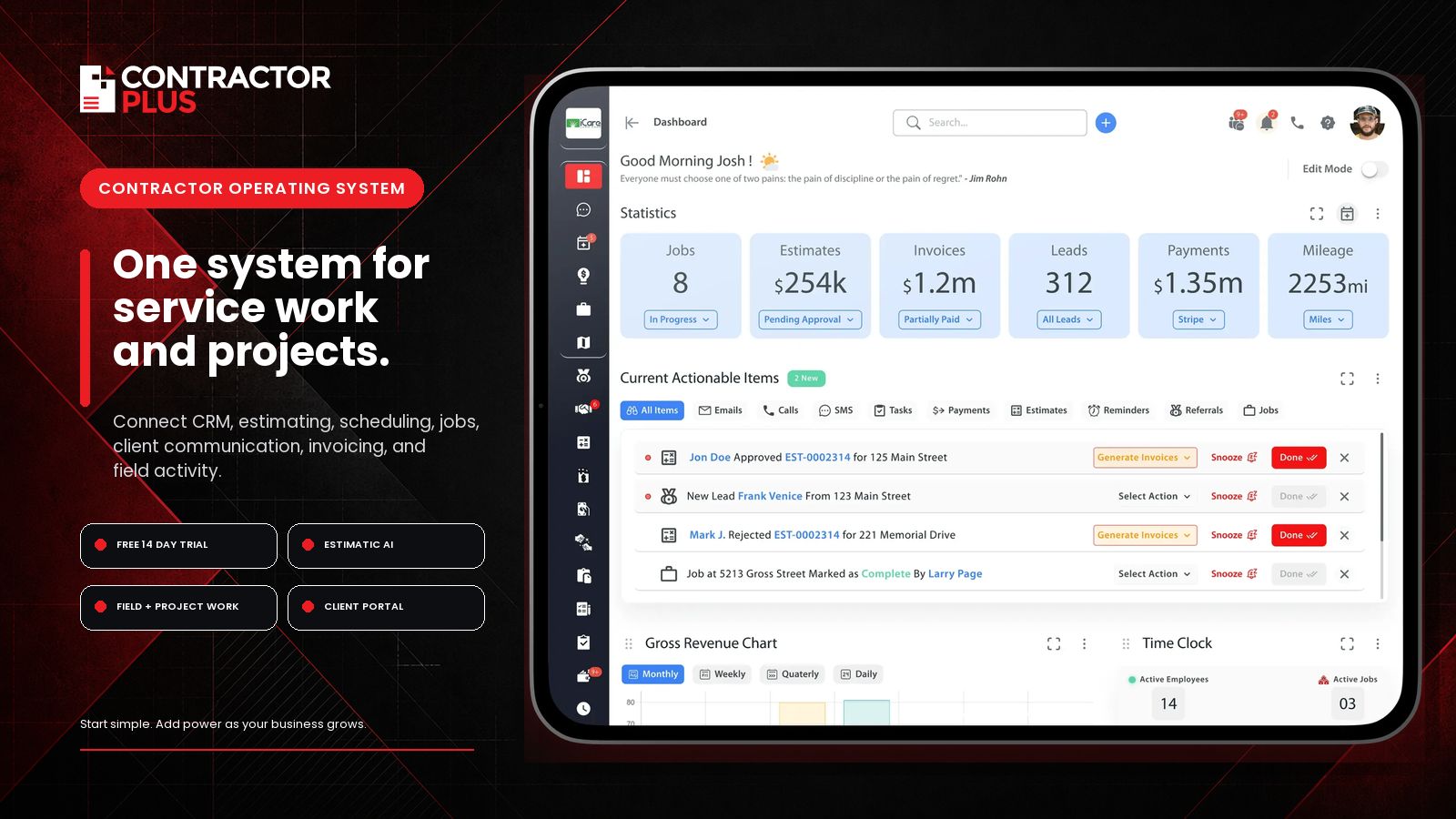
Why consider it as a Jobber alternative? Contractor+ is a strong fit when a company handles a mix of service calls and estimate-driven projects, or wants a permanent entry plan before committing to a larger paid deployment. Its Pro Team tier also adds advanced CRM, job costing and profitability, business phone, team chat, a branded client portal, QuickBooks Online, Zapier, and API access.
Key features
- Client, property, and service-address CRM records
- Opportunities, reminders, calls, texts, emails, notes, files, and tasks
- Estimatic AI estimate drafting with editable line items
- Scheduling, crew coordination, job management, and mobile access
- Contracts, client portal, invoices, payments, and field communication
- Job costing, profitability, and integrations on Pro Team
Advantages
- Permanent free plan for core CRM and limited monthly documents
- Supports service and project workflows in the same platform
- Customer and estimate data remain connected to downstream operations
- Available on web, iOS, and Android
Considerations
- Scheduling, automated contracts, live local cost data, and Estimatic credits require Pro or above
- Advanced collaboration, job profitability, integrations, and unlimited Estimatic use require Pro Team
- Jobber may remain the better fit for teams that specifically prioritize its app marketplace, Pipeline and Marketing tools, AI Receptionist, onboarding options, or premium support packages; businesses should test their highest-priority workflows in both products
Pricing: Freedom is $0. Pro starts at $49 per month for one user, or $348 per year. Pro Team starts at $98 per month for the first two users. New accounts receive a 14-day Pro trial without a credit card.
Ideal users: Residential and commercial contractors that combine sales, estimating, field service, and project execution and want those records in one operating system.
3. Contractor Foreman — Best for General Contractors and Remodelers
Best for: Small and mid-size general contractors, remodelers and specialty subs whose work is project-shaped rather than ticket-shaped.
Website: contractorforeman.com
Contractor Foreman sits in a different category from most of this list. It is construction management software with service capability attached, rather than field service software with project features bolted on. The module set covers estimating, project management, scheduling with Gantt views, daily logs, submittals, change orders, purchase orders, safety documentation, equipment tracking, time tracking and job costing.
Why consider it as a Jobber alternative? If work involves multi-week projects, subcontractors, retainage, budget-versus-actual tracking and change orders, a service-call platform will feel structurally wrong regardless of how polished it is. Contractor Foreman also publishes all five tiers openly, which is unusual in construction software, and its Unlimited plan removes user-count pressure entirely.
Key features
- Estimating with a cost-item database, plus proposals and change orders
- Project scheduling, daily logs, punch lists and document management
- Job costing, purchase orders and budget tracking
- Time tracking, crew scheduling and safety meeting library
- Client portal and CRM with lead tracking
- QuickBooks Online and QuickBooks Desktop integration, plus Zapier and CompanyCam
Advantages
- Unlimited users at $332/month is unusually strong value for larger crews
- All tier prices are published without a sales gate
- 30-day free trial with no credit card, plus a 100-day money-back guarantee on higher tiers
- Covers a wider functional footprint than any other product at this price
Considerations
- Breadth comes with a learning curve; setup takes real time before it pays off
- Lower tiers have firm user caps, so the effective price depends heavily on headcount
- Quarterly billing costs roughly 25% more per month than annual
- Its service-dispatch workflow is less refined than dedicated field service tools
Pricing (annual billing): Basic $49/month for one user, Standard $105/month for three users, Plus $166/month for eight users, Pro $221/month for 15 users, Unlimited $332/month for unlimited users. Quarterly billing is available on selected tiers at a higher effective monthly rate.
Ideal users: Remodelers, custom builders and general contractors under roughly $10M in annual volume who need estimating and project controls alongside basic service work. Our roundup of construction project management software covers this category in more depth.
4. ServiceM8 — Best for Apple-First Teams and Variable Job Volume
Best for: Small trade businesses running iPhones and iPads whose monthly job count fluctuates.
Website: servicem8.com
ServiceM8 prices by the number of jobs created each month rather than by user seat, and every paid plan includes unlimited users. For a business with six field staff running 120 jobs a month, that pricing axis produces a very different bill from per-user platforms. The product is built deeply for Apple hardware, and the company is an official Apple Mobility Partner.
Why consider it as a Jobber alternative? Two reasons. The unlimited-user model removes the cost penalty for adding office staff or part-time crew, and the free tier lets a very small operation run indefinitely at no cost. Seasonal businesses in particular benefit from a bill that falls in quiet months.
Key features
- Job management, scheduling, dispatch and quoting with unlimited users on paid plans
- Forms, asset management, bundles and proposals from the Growing tier
- Job costing and markup billing from the Premium tier
- Xero, QuickBooks Online, Stripe, Deputy and Zapier integrations
- AI assists included on paid plans
Advantages
- Genuine free plan for one user at 30 jobs per month
- Unlimited users on every paid tier, starting at $29/month
- Cost scales with actual work volume rather than headcount
- Deep iOS integration including Apple Watch and document capture
Considerations
- The full app is iOS-only. Android users get ServiceM8 Lite, which the vendor describes as limited to core functionality for technicians and subcontractors without a management role
- Exceeding a tier’s job cap moves you up a plan, and Premium Plus adds a per-job charge beyond its allowance
- SMS credits are capped per tier and some forms carry an additional cost
- Originally built for the Australian market, so verify US-specific behaviour during a trial
Pricing: Free at 30 jobs per month for one user. Starter $29/month for 50 jobs. Growing $79/month for 150 jobs. Premium $149/month for 500 jobs. Premium Plus $349/month for 1,500+ jobs. All paid tiers include unlimited users. Confirm currency and rates for your region at signup.
Ideal users: Electricians, plumbers, solar installers and similar trades with all-Apple crews, especially those with seasonal or uneven job volume.
5. Workiz — Best for Dispatch-Heavy Businesses That Want an Integrated Phone System
Best for: Service businesses where inbound phone calls drive most bookings, such as garage door, locksmith, appliance repair and junk removal.
Website: workiz.com
Workiz’s distinguishing feature is a phone system built into the platform rather than integrated alongside it. Call recording, call flows, call masking, two-way texting and advertising source tracking all attach to the customer and job record, which makes it possible to trace revenue back to specific campaigns. The company reports more than 120,000 users.
Why consider it as a Jobber alternative? For businesses buying leads, the ability to see which ad source produced which booked job, from within the same system that holds the schedule, is a real operational advantage. Workiz also layers AI answering and AI lead capture on top of the phone product for after-hours coverage.
Key features
- Scheduling, dispatch, estimates, invoices and online payments across all tiers
- Service areas, custom fields, subcontractor management and QuickBooks Online sync on Standard
- Performance pay, Genius Leads and Genius Scheduling on Pro
- Service plans, sales proposals, inventory, flat rate, multi-day jobs and franchise management on Ultimate
- Automation limits of 5, 10 and 30 by tier
Advantages
- Phone, texting and ad-source attribution in one record
- All three published tiers include the first five users
- 7-day free trial with no credit card required
- Strong fit for trades that live on inbound call volume
Considerations
- Workiz no longer publishes plan prices. Its pricing page now routes all three tiers to a “request pricing” form
- The phone system and AI answering are sold separately from the base subscription
- Additional users are $55/month on Standard and $65/month on Pro with annual payment, which is high relative to peers
- Automation counts are capped by tier rather than unlimited
Pricing: Available by request. Workiz publishes plan features for Standard, Pro and Ultimate but not their prices, and directs prospects to a demo. Additional-user rates and the 7-day trial are published. Independent directories report figures in the low-to-mid hundreds per month, but these are not vendor-confirmed and should not be relied on for budgeting.
Ideal users: Two to fifteen-person service companies in call-driven trades that are actively buying leads and want attribution built in.
6. Service Fusion — Best for Teams That Need Unlimited Users at a Flat Rate
Best for: Established service companies with 10 or more staff who want everyone in the system without per-seat charges.
Website: servicefusion.com
Service Fusion charges per company rather than per user. Every plan includes unlimited users, which changes the cost calculation for larger teams. A 25-person operation pays the same subscription as a five-person one, so the effective per-user cost falls as the business grows.
Why consider it as a Jobber alternative? The unlimited-user model is the entire argument. Once headcount reaches the point where Jobber’s tier plus additional-user charges exceed a few hundred dollars a month, flat-rate pricing becomes competitive. Service Fusion also supports both QuickBooks Online and QuickBooks Desktop.
Key features
- Customer management with multiple service locations and service history
- Drag-and-drop scheduling and dispatch board
- Estimates, invoicing and integrated payment processing
- Job costing, inventory management and job photos on the Plus tier
- eSignatures, customer web portal, custom documents and API access on Pro
- QuickBooks Online, Desktop and Enterprise integration
Advantages
- Unlimited users on every tier, including the entry plan
- Predictable subscription cost as the team grows
- Personalised onboarding and support by phone, email and live chat included
- QuickBooks Desktop support, which many competitors have dropped
Considerations
- No free trial and no free plan. Access requires a paid subscription following a demo
- Poor value for very small teams, since a three-person shop pays the same as a fifteen-person one
- Job costing, inventory and job photos require the Plus tier
- GPS fleet tracking and the VoIP product are billed separately
Pricing: Starter $208/month on annual billing or $245 month-to-month. Plus approximately $325/month annual or $382 monthly. Pro $533/month annual or $627 monthly. All tiers include unlimited users; annual billing is charged upfront.
Ideal users: HVAC, plumbing and electrical companies with 10 to 40 staff that have outgrown per-seat pricing and can commit without trialling first.
7. FieldPulse — Best for Growing Multi-Crew Service Teams
Best for: Service businesses scaling past a handful of technicians that want field-only seats priced differently from office seats.
Website: fieldpulse.com
FieldPulse occupies the space between small-business tools and enterprise platforms. It covers CRM, scheduling and dispatch, estimating, invoicing, payments, custom forms, price book management and multi-location support, with a seat model that distinguishes full-access users from field-only users. That distinction matters for companies with many technicians and few administrators.
Why consider it as a Jobber alternative? The tiered seat model can be more economical than paying a flat per-user rate for technicians who only need job access. FieldPulse also layers an AI voice receptionist and website chat capture on top of the core platform, addressing missed-call revenue directly.
Key features
- CRM, scheduling, dispatch, estimating and invoicing
- Custom forms, price book and multi-location management on higher tiers
- QuickBooks Online sync on the Professional tier and above
- Operator AI voice answering and Chat AI lead capture as add-ons
- Engage VoIP phone system as a separate product
Advantages
- Differentiated seat pricing suits technician-heavy teams
- Reviewers consistently rate its customer support highly
- Broad integration range relative to similarly sized competitors
- Apps available for iOS and Android
Considerations
- No published pricing at all. Every quote requires a sales conversation
- QuickBooks Online sync is not available on the entry tier
- GPS fleet tracking, the phone system and AI features are separately billed add-ons
- Some reviewers report information spread across multiple screens within a job record
Pricing: Available by request. FieldPulse uses a quote-based model combining a base subscription with per-seat charges and optional add-ons, with full-access and field-only seats priced differently. Third-party estimates circulate widely but vary by a factor of four, so treat any published figure as unverified. Trial availability appears to vary by account; confirm directly with the vendor.
Ideal users: Growing HVAC, plumbing and electrical companies with five to twenty-five field staff that are comfortable negotiating a quote.
8. Kickserv — Best for QuickBooks-Centric Small Teams
Best for: Small service businesses whose accounting sits in QuickBooks, including QuickBooks Desktop users.
Website: kickserv.com
Kickserv has been in this market for over twenty years and is now part of the EverCommerce group. It covers leads, estimates, scheduling, dispatch, invoicing, payments and time tracking, with two-way QuickBooks synchronisation as its most-cited strength. The interface is deliberately simple, and independent review platforms consistently rate it well for ease of setup and quality of support.
Why consider it as a Jobber alternative? QuickBooks Desktop support is the clearest reason. Jobber syncs with QuickBooks Online and Xero, so contractors still running Desktop have a narrow set of options. Kickserv’s user counts per tier are also generous relative to price, with five users at $60/month and twenty at $199/month.
Key features
- Lead, estimate, job and invoice management with shared calendar
- Embeddable contact form, automated email and text reminders
- Time tracking, expense tracking and 20+ business reports
- Dispatch mapping, GPS check-ins, custom fields and custom reports on Run
- Custom templates and reviews on Scale
- QuickBooks Online included; QuickBooks Desktop available as a paid add-on
Advantages
- Generous included user counts relative to price
- 30-day free trial on every plan
- Two-way sync for both QuickBooks Online and Desktop
- Kickback programme discounts the subscription by 5% at defined monthly payment volumes
Considerations
- The free plan that many comparison articles still reference is no longer listed on Kickserv’s pricing page
- QuickBooks Desktop sync costs an additional $50/month on the Run tier
- Dispatch mapping and GPS check-ins require the Run tier
- Feature depth is narrower than larger platforms; it is a competent core, not an expansive one
Pricing: Start $60/month for five users. Run $119/month for ten users. Scale $199/month for twenty users. Annual subscription saves 20%. Every plan includes a 30-day free trial.
Ideal users: Plumbing, HVAC, electrical, landscaping and restoration businesses with two to twenty staff that want straightforward software and tight QuickBooks connectivity.
9. Zoho FSM — Best Free Plan and Best for Zoho Users
Best for: Businesses already using Zoho products, and contractors who need a permanent free plan supporting more than one or two users.
Website: zoho.com/fsm
Zoho FSM prices on monthly appointment volume with a fixed base price, not per seat. The free edition supports up to 20 users with 30 appointments and 30 invoices per month. That combination is unusual: most free tiers restrict users heavily, while Zoho restricts throughput instead.
Why consider it as a Jobber alternative? Cost, and ecosystem. A small contractor running under 30 appointments a month can operate at no cost with a full team in the system. For businesses already using Zoho CRM, Books or Desk, the native synchronisation removes duplicate data entry across the stack.
Key features
- Requests, estimates, work orders and service appointments
- Dispatch console with technician scheduling
- Service and part line items with per-tier limits per work order
- Trip management, multi-currency and workforce management on Standard
- Maintenance plans, asset management and multi-day appointments on Professional
- Native integration with Zoho CRM, Zoho Books, Zoho Inventory and Zoho Desk
Advantages
- Free edition allows up to 20 users, the most generous free tier in this comparison
- Base pricing is fixed rather than per seat, so headcount does not drive cost
- 15-day free trial on paid editions with no credit card
- Strong value for organisations already invested in Zoho
Considerations
- Appointments do not carry over month to month; unused allowance is lost
- 60 appointments per month on paid base tiers is low for a busy service business, requiring paid volume increases
- The product is generalist rather than construction-specific; there is no trade price book equivalent
- Getting full value generally means adopting more of the Zoho suite
Pricing: Free edition at $0 with 30 appointments, 30 invoices and up to 20 users. Standard $30/month billed monthly or $300/year. Professional $45/month monthly or $420/year. Premium $55/month monthly or $480/year. Paid editions include 60 appointments per month, with additional volume purchased separately. Standard and Professional support up to 200 users; Premium supports 500.
Ideal users: Low-volume service businesses, contractors testing a system before committing budget, and any company already standardised on Zoho.
10. Joist — Best Lightweight Estimating and Invoicing for Solo Contractors
Best for: One-person contracting businesses that need to quote on site and get paid, without scheduling or dispatch overhead.
Website: joist.com
Joist is deliberately narrow. It handles estimates, invoices, payments and client records on mobile and web, and does not attempt scheduling, dispatch or crew management. For a solo remodeler or handyman whose main problem is turning a walkthrough into a professional quote before leaving the driveway, that focus is the point.
Why consider it as a Jobber alternative? Price and simplicity. Joist Basics at $10/month is a fraction of any full field service platform, and the learning curve is measured in minutes. Contractor-specific touches such as cost markups, deposit requests and payment schedules are built in rather than approximated.
Key features
- Mobile estimate creation with sections for labour, materials and project stages
- Estimate-to-invoice conversion with deposit requests and payment schedules
- Online card payments and homeowner financing options
- Client management and estimate view notifications
- Change orders and business reports on the Elite tier
- QuickBooks sync available as a separate paid subscription
Advantages
- Lowest entry price of any product in this guide
- Apps for both iOS and Android
- Annual billing includes two months free
- Purpose-built for trade contractors rather than adapted from generic invoicing
Considerations
- Joist confirms on its pricing page that its free plan is no longer available
- Basics is limited to five documents per month, which most active contractors will exceed
- No scheduling, dispatch, route planning or crew management
- Reports and change orders sit behind the Elite tier, and QuickBooks sync is charged separately
Pricing: Basics $10/month with a five-document monthly cap. Pro $17/month with unlimited estimates and invoices. Elite $32/month adding reports, change orders and deeper client organisation. Annual billing includes two months free. A 14-day free trial provides full Elite access. App Store listings show comparable monthly rates plus a separate QuickBooks Sync subscription.
Ideal users: Solo handymen, remodelers, painters and specialty trades who need quoting and invoicing only. Compare against our list of construction estimating software if estimating depth is the priority.
11. ServiceTitan — Best for Large Residential and Commercial Trade Operations
Best for: Established trade businesses with substantial revenue, multiple crews and dedicated dispatch and marketing functions.
Website: servicetitan.com
ServiceTitan is the enterprise end of this market. It covers call booking, dispatch, capacity planning, technician performance scoring, membership programmes, marketing attribution, inventory, payroll and detailed financial reporting. It is used by companies where a percentage point of conversion rate translates into meaningful revenue.
Why consider it as a Jobber alternative? Reporting depth and operational control at scale. Businesses that need to manage a call centre, track marketing spend to booked revenue, run membership programmes and hold technicians to performance targets will find capability here that mid-market tools do not attempt.
Key features
- Call booking, dispatch board and capacity planning
- Technician scorecards and performance management
- Membership and service agreement management
- Marketing attribution and campaign reporting
- Inventory, purchasing and payroll modules
- Extensive financial and operational reporting
Advantages
- The most operationally detailed platform in this comparison
- Purpose-built for high-volume residential trades, with commercial capability
- Mature ecosystem of integrations and implementation partners
- Strong independent review ratings for meeting business requirements
Considerations
- Pricing is not published anywhere and requires a sales process
- Independent reviewers consistently rate ease of setup lower than smaller competitors
- Implementation is a project, not a signup, and typically requires internal ownership
- Substantially more platform than a small contractor needs or will use
Pricing: Available by request. ServiceTitan does not publish rates and quotes per business following a demo. Reported figures vary widely across third-party sources and should not be used for budgeting.
Ideal users: HVAC, plumbing and electrical companies with mature operations, dedicated dispatch staff and the internal capacity to run an implementation.
12. BuildOps — Best for Commercial Service Contractors
Best for: Commercial mechanical, electrical, plumbing, refrigeration and fire-protection contractors managing service agreements across multiple customer sites.
Website: buildops.com
BuildOps is built specifically for commercial service rather than adapted from a residential product. Its data model centres on customer sites, the equipment assets installed at those sites, the service agreements covering them, and the quoted repair work that flows from inspections. That is a materially different structure from the client-and-visit model most home-service platforms use.
Why consider it as a Jobber alternative? If your customers are property managers and facilities teams rather than homeowners, the requirements change entirely. You need asset histories that survive technician turnover, agreement renewal visibility, multi-site dispatch and project-aware billing. Residential-first platforms generally cannot represent that structure without workarounds.
Key features
- Asset and equipment tracking with service history by site
- Service agreement management with scheduled maintenance
- Standalone quoting with multiple versions and adjustable margins
- Multi-site dispatch and technician scheduling
- Project management alongside service work
- Configurable reporting and KPI dashboards
Advantages
- Purpose-built for commercial workflows rather than retrofitted
- Quotes can exist independently of jobs and be revised through negotiation
- Preventive maintenance parts can be predefined and pre-ordered
- Configurable at company and user level
Considerations
- Pricing is not published and requires a demo and quote
- Poorly matched to residential-only businesses
- Implementation and data setup are substantial, particularly asset and agreement configuration
- Data export is available in CSV format but is typically requested through an account manager
Pricing: Available by request. BuildOps quotes per business following a demo and does not publish rates.
Ideal users: Commercial-only service contractors with recurring maintenance agreements, multi-site customers and asset-level reporting obligations.
Jobber vs Contractor+: Which One Fits Your Business?
These two products are frequently compared because they overlap on quoting, scheduling, invoicing and payments while approaching the contractor’s data model differently. The table below reflects information verified from each vendor’s own documentation on August 1, 2026.
| Comparison factor | Jobber | Contractor+ |
|---|---|---|
| Best suited to | Residential home-service businesses running quotes, visits and invoices | Contractors mixing service calls with estimate-driven projects |
| Free plan | None | Freedom plan at $0, capped at 250 leads and clients and 5 documents per month |
| Starting paid price | $29/month annual, $39/month on a one-year commitment, $49/month no commitment | $49/month for one user, or $348 per year |
| Users included | 1 on Core; 5, 10 or 15 by tier; extra users $29/month | 1 on Pro; first 2 included on Pro Team; $20/month per additional user |
| Customer CRM | Client manager with tags, custom fields and lead tagging | Basic CRM on Freedom; advanced CRM on Pro Team |
| Property and service-address records | Properties attached to clients with job history | Client, property and service-address records |
| Quoting and estimating | Quotes with optional add-ons, markups and automated follow-ups | Estimates with optional line items and add-ons; live local cost data on Pro |
| AI-assisted estimating | Auto-drafted quotes from requests and a draft-for-me option | Estimatic AI drafting from descriptions, photos, plans or existing quotes; 10 credits monthly on Pro, unlimited on Pro Team |
| Scheduling and dispatch | Scheduling, routing, Find a Time and GPS tracking | Scheduling and calendar sync from Pro upward |
| Job and project visibility | Job details, attachments, checklists and media library | Job and crew management with records connected from estimate to payment |
| Job costing | Job costing on Grow; automated job costing on Plus | Automated job costing and profitability tracking on Pro Team |
| Marketing tools | Marketing dashboard and website included; Marketing Suite $79/month add-on | PRO website included; no equivalent marketing suite |
| App marketplace | App Marketplace with 100+ integrations | QuickBooks Online, Zapier and developer API on Pro Team |
| Client portal | Client hub for quote approval, appointments and payment | Self-hosted client portal with custom URL and branding on Pro Team |
| QuickBooks integration | QuickBooks Online and Xero sync from the Connect tier | QuickBooks Online on Pro Team |
| Web, iOS and Android | Yes, with the mobile app available in Spanish | Yes, across web, iOS and Android |
| Best reason to choose it | Mature client-facing workflow, published pricing at every tier and the widest integration marketplace | A permanent free entry point and connected records across estimating, service and project work |
A blank or narrower entry above does not necessarily mean a product cannot perform a function. It means the vendor’s own documentation did not confirm equivalent capability at the time of checking.
Choose Jobber when…
- Your work is predominantly residential service calls and recurring visits
- You want every price visible before you talk to anyone
- The App Marketplace, Pipeline, Marketing Suite or Receptionist match a specific need
- You value structured onboarding sessions and unlimited phone support
- Your crews run a mix of iOS and Android devices and you need identical capability on both
Choose Contractor+ when…
- You quote projects as often as you dispatch service calls
- You want to run a low volume of work at no subscription cost while you evaluate
- You want estimating, contracts, jobs and payments held against the same customer and property record
- Per-user cost matters and $20 per additional user materially changes your budget
Test both platforms when…
- Your work is genuinely split between service and project revenue
- You are unsure whether you will need job costing, and at what tier each product provides it
- Your decision depends on whether AI estimate drafting produces usable output for your trade
- You have an existing quote template or estimating format that must survive the move
Best Jobber Alternatives by Company Size and Trade
Best for a solo contractor. Joist at $10/month if you only need estimating and invoicing, or ServiceM8’s free tier if you want scheduling included and run 30 or fewer jobs a month. Contractor+ Freedom suits solo contractors who want CRM records alongside a small volume of documents.
Best for a two-to-five-person team. Housecall Pro Essentials at $149/month includes five users with GPS tracking and QuickBooks sync. Kickserv Start at $60/month for five users is the lower-cost option if you can live without GPS and dispatch mapping.
Best for a growing home-service company. Housecall Pro MAX or Workiz. Housecall Pro publishes its pricing and includes eight users at $299/month; Workiz suits businesses where call handling and lead attribution are the operational bottleneck.
Best for general contractors and remodelers. Contractor Foreman. Estimating, change orders, daily logs, submittals and job costing are core rather than peripheral, and the Unlimited tier removes user-count pressure.
Best for HVAC contractors. Housecall Pro for residential-focused shops under about fifteen staff, ServiceTitan for larger operations with dedicated dispatch, and BuildOps for commercial-only mechanical service.
Best for plumbing contractors. Housecall Pro or Kickserv for small teams. Service Fusion becomes compelling once headcount passes roughly ten and per-seat pricing starts to dominate the bill.
Best for electrical contractors. ServiceM8 for Apple-equipped crews needing compliance forms and certificates, Workiz for call-driven service work, and Contractor Foreman where projects rather than service calls dominate.
Best for commercial service contractors. BuildOps. Asset histories, service agreements and multi-site dispatch are structural requirements that residential platforms handle poorly.
Best free Jobber alternative. Zoho FSM’s free edition supports up to 20 users at 30 appointments and 30 invoices per month, which is the most generous free tier here by user count. Contractor+ Freedom and ServiceM8’s free plan are better matched to a single operator.
Best lower-cost Jobber alternative. Joist at $10/month for estimating and invoicing only, ServiceM8 Starter at $29/month with unlimited users, or Contractor Foreman Basic at $49/month for construction-oriented functionality.
Best for advanced scheduling and dispatch. ServiceTitan at the top end, Workiz for call-driven dispatch with source attribution, and Service Fusion for teams that need every dispatcher and technician in the system without per-seat charges.
Best for estimating and project visibility. Contractor+ where AI-assisted estimate drafting and connected records matter, and Contractor Foreman where change orders, budgets and project controls matter more. Our guide to AI estimating software for construction covers the specialist tools in this space.
How to Switch From Jobber to Another Platform
Migration is where switching decisions go wrong. Jobber does not provide a single bulk export containing every record type. Client lists export as structured files, most reports export to CSV, and some documents must be retrieved individually. Plan accordingly, and complete every export before you cancel anything.
- Audit what you actually have in Jobber. Count clients, properties, active quotes, unpaid invoices, recurring jobs, custom fields, products and services, and job attachments. This determines how much work the migration is.
- List every integration and payment workflow. Note your accounting sync, any Zapier automations, payroll connections and saved client payment methods. Saved cards do not transfer between platforms, so plan to re-collect them.
- Export the client list. Go to Clients, then More Actions, then Export Clients, and choose CSV or vCard. The export includes tags, property addresses, contact information and custom fields. CSV exports handle up to 1,500 rows per file, so accounts with more than 1,499 clients receive multiple files by email. Only admin users can export clients, and client exporting is available on select plans.
- Export the reports you need. Jobber includes over 20 built-in reports covering clients, requests, one-off jobs, invoices, payments and expenses. Each supports an Export to CSV or Email CSV option, with a choice of all columns or currently visible columns. Note that not every report is exportable: the Taxation, Waypoints and Job Follow-ups reports are not in CSV format and cannot be exported.
- Download documents and attachments individually. Quote and invoice PDFs, job photos and file attachments generally need to be retrieved from the records themselves rather than in bulk. Budget real time for this if you have years of history.
- Document what does not export cleanly. Recurring job schedules, custom field configurations, product and service line items, quote templates and automation rules usually need to be rebuilt rather than imported. Screenshot or write these down.
- Clean the data before importing. Merge duplicates, remove inactive clients and standardise address formatting while the data is in a spreadsheet. Importing dirty data means living with it.
- Confirm what the new platform can import. Ask specifically which record types accept a CSV import, which fields map, and whether historical jobs and invoices can be brought in or only current clients.
- Run a small test import. Load 20 to 50 clients first and check that addresses, custom fields and tags land correctly before committing the full file.
- Rebuild templates, automations and integrations. Recreate quote and invoice templates, reminder automations, job forms and checklists, and reconnect accounting and payment processing.
- Train the office and the field separately. Office staff and technicians use these systems very differently. Run through a real job end to end with each group.
- Run both systems briefly where practical. Keeping Jobber active for two to four weeks after go-live gives you a reference point when something looks wrong.
- Verify the open items. Reconcile every outstanding quote, unpaid invoice and scheduled recurring job against the new system before you stop using the old one.
- Cancel only after exports and backups are confirmed. Access ends according to your billing terms. Jobber’s monthly no-commitment plans can be cancelled at any time with access to the end of the period. One-year commitment plans continue billing monthly to the end of the term. Annual prepaid plans retain access until the term ends, but the initial payment is non-refundable.
Migration Checklist
- Client list exported as CSV, with all files received if you exceeded 1,499 rows
- All exportable reports downloaded, including quotes, jobs, invoices, payments and expenses
- Quote and invoice PDFs saved for open and recent work
- Job photos and attachments downloaded
- Recurring jobs, custom fields, products and services documented
- Duplicate and inactive records cleaned
- Test import completed and field mapping verified
- Templates, automations, job forms and checklists rebuilt
- Accounting sync and payment processing reconnected and tested
- Client payment methods re-collected for recurring billing
- Office and field teams trained on a real job
- Open quotes, unpaid invoices and recurring work reconciled
- Backups stored outside both platforms
- Cancellation timed against your billing terms
Verify the current export and cancellation procedures in Jobber’s Help Center before you begin, since these can change.
Frequently Asked Questions
What is the best alternative to Jobber?
There is no single best alternative. Housecall Pro is the closest like-for-like replacement for residential home-service companies. Contractor+ suits contractors mixing service calls with estimate-driven projects. Contractor Foreman fits general contractors needing project management. Zoho FSM offers the most generous free plan by user count, and BuildOps or ServiceTitan handle larger commercial and high-volume residential operations. The right answer depends on team size, trade and whether your revenue is service-shaped or project-shaped.
Is there a free alternative to Jobber?
Yes, three of the products here publish permanent free plans. Zoho FSM’s free edition supports up to 20 users with 30 appointments and 30 invoices per month. Contractor+ Freedom is free for one user with up to 250 leads and clients and five documents per month. ServiceM8’s free plan covers one user at 30 jobs per month. Note that Kickserv and Joist have both discontinued the free plans that older comparison articles still reference.
What is the best Jobber alternative for a solo contractor?
It depends on what you need beyond quoting. If estimating and invoicing are the whole job, Joist at $10 per month is the cheapest credible option. If you want scheduling included and run modest volume, ServiceM8’s free tier or its $29 per month Starter plan works well. If you want CRM records and project context alongside estimates, Contractor+ Freedom lets you start at no cost.
What is the cheapest Jobber alternative?
Among paid plans, Joist Basics at $10 per month is the lowest published price, though it caps you at five documents monthly and excludes scheduling. ServiceM8 Starter at $29 per month is the cheapest option that includes scheduling and unlimited users. Among free plans, Zoho FSM’s free edition delivers the most capability at no cost, though its 30-appointment monthly ceiling limits busier businesses.
Is Jobber worth it for a small business?
For most residential home-service businesses, yes. Jobber Core is $29 per month on annual billing for one user, and the quoting, scheduling, invoicing and client communication workflows are mature. It becomes harder to justify when you need several paid add-ons, when your work is project-based rather than service-based, or when headcount pushes you into a higher tier faster than your revenue supports.
How much does Jobber cost per month?
As of August 1, 2026, Core is $49 per month with no commitment, $39 on a one-year commitment, or $29 billed annually, for one user. Connect ranges from $99 to $299 and Grow from $149 to $399 depending on user count and billing. Plus runs from $399 to $529 billed annually. Add-ons are separate: Marketing Suite $79, Pipeline $49 and Receptionist $29 per month.
Does Jobber charge per user?
Partly. Each plan includes a set number of users, and additional users cost $29 per month each. Core includes one user only. Connect, Grow and Plus are sold in configurations including 1, 5, 10 or 15 users depending on tier. Teams above 15 users are directed to sales for custom pricing.
Is Contractor+ better than Jobber?
The Jobber vs Contractor+ table above breaks this down in detail. Neither is universally better. Contractor+ has a permanent free plan, AI-assisted estimate drafting through Estimatic, and records organised around customers, properties and service addresses, which suits contractors combining estimating with field service. Jobber has published pricing at every tier, a larger app marketplace, more mature client-facing communication tools, and full-capability apps on both mobile platforms. Test both against your highest-priority workflows.
Which is better: Jobber or Housecall Pro?
They are close competitors with different strengths. Housecall Pro has lower card processing rates starting at 2.59% versus Jobber’s 2.9% plus 30 cents, includes consumer financing broadly, and bundles adjacent services like payroll and bookkeeping. Jobber offers route optimisation at lower tiers, Xero support alongside QuickBooks, and a wider integration marketplace. Compare the five-user tiers directly, since that is where most small teams land.
Can I export my data from Jobber?
Partially, and not in a single file. You can export your client list as CSV or vCard, including tags, addresses, contact details and custom fields, in batches of up to 1,500 rows. Most of Jobber’s 20-plus built-in reports export to CSV, though the Taxation, Waypoints and Job Follow-ups reports cannot be exported. Quote and invoice PDFs and job attachments generally need to be downloaded individually. Complete all exports before cancelling.
How difficult is it to switch from Jobber?
Moderately difficult, and the effort scales with your history. Client records transfer reasonably well by CSV. Recurring job schedules, custom fields, quote templates, automations and job forms typically need rebuilding rather than importing. Saved client payment methods do not transfer and must be re-collected. Allow two to four weeks of overlap between systems, and run a small test import before committing the full dataset.
Which Jobber alternative is best for construction contractors?
Contractor Foreman for general contractors and remodelers who need estimating, change orders, daily logs, submittals and job costing. Contractor+ for contractors combining estimate-driven projects with service work who want customer, property and job records connected. BuildOps for commercial mechanical and electrical service contractors managing assets and service agreements across multiple sites.
Which alternatives include estimating and invoicing?
All twelve include both. The meaningful differences are in depth. Joist and Contractor+ centre on estimating. Contractor Foreman adds a cost-item database, change orders and budget tracking. Housecall Pro, Workiz and Service Fusion include flat-rate price books for standardised service pricing. Zoho FSM and Kickserv cover competent core estimating without specialist construction features.
Which Jobber alternatives work on iOS and Android?
Housecall Pro, Contractor+, Contractor Foreman, Workiz, Service Fusion, FieldPulse, Kickserv, Zoho FSM, Joist, ServiceTitan and BuildOps all provide apps for both platforms. ServiceM8 is the exception: its full app is iOS-only, and Android users get ServiceM8 Lite, which the vendor describes as limited to core functionality for technicians and subcontractors without a management role.
What should I check before choosing field-service software?
Confirm the total annual cost including every user you need and every add-on you will actually use. Verify whether a free plan is permanent or a trial. Check whether your accounting system is supported, especially QuickBooks Desktop. Test the mobile app on the devices your crew actually carries. Confirm what data can be exported if you leave, and compare payment processing rates, which often cost more annually than the subscription itself.
Final Recommendation: Which Jobber Competitor Fits Your Business
Jobber earns its market position. Published pricing at every tier, mature quoting and client communication, full apps on both mobile platforms and unlimited support are not small things, and for a residential home-service business without a specific unmet requirement, staying put is often the right call.
The best Jobber alternative is the one that matches how your revenue is actually generated. If you run residential service calls, Housecall Pro is the closest substitute and the easiest transition. If you quote projects as often as you dispatch technicians, Contractor+ or Contractor Foreman will fit the shape of the work better. If you need a permanent free plan, Zoho FSM supports the most users at no cost. If per-seat pricing is the problem, Service Fusion’s flat rate or ServiceM8’s job-based model changes the maths. If your customers are property managers rather than homeowners, BuildOps is built for that world and most of this list is not.
Shortlist two or three products, not eight. Then test them properly: run three real jobs end to end through each, from initial enquiry to collected payment, using the phones your crew actually carries. Demos are designed to look good. Your own messy data and your own technicians are the only reliable test. Before you commit, confirm the total annual cost including every user and add-on, verify your accounting integration works both directions, and check what you can take with you if it does not work out.
Before You Choose a Jobber Alternative
- Team size: Count everyone who needs access, including office staff and part-time crew, and price at that number rather than the entry tier
- Trade: Confirm the platform supports your trade’s specific documentation, certificates and compliance requirements
- Service versus project work: Establish which generates most of your revenue, because it determines the category of tool you need
- Estimating depth: Decide whether you need line items, assemblies, cost databases or AI-assisted drafting
- Scheduling requirements: Separate basic calendar scheduling from route optimisation, capacity planning and GPS tracking
- Mobile operating system: Verify full capability on the devices your crew carries, not just that an app exists
- CRM and property history: Check whether records attach to customers, properties or service addresses, and whether history survives
- Job costing: Confirm which tier includes it, since it is frequently gated to higher plans
- Accounting integration: Verify direction of sync and whether QuickBooks Desktop is supported if you need it
- Payment processing costs: Compare card, ACH and instant payout rates, which often exceed the subscription cost annually
- Data migration: Ask what imports, what must be rebuilt, and what you can export later
- Support and onboarding: Check what is included versus sold separately, and what response times you can expect
- Full annual cost: Add subscription, extra users, add-ons, processing fees and any setup charges before comparing
For related comparisons, see our guides to roofing software for contractors and construction accounting software.
