

Last Updated on July 5, 2026 by Admin
Table of Contents
Quick Answer: What Is Robot-Ready BIM?
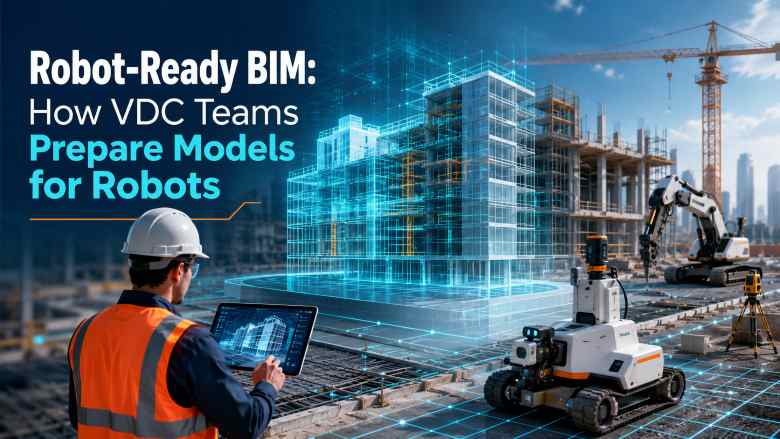
Robot-ready BIM is the practice of structuring Building Information Models so that construction robots, robotic total stations, layout automation tools, autonomous equipment, and digital twin systems can consume model data directly. Unlike traditional BIM — which is primarily built for human designers, coordinators, and document production — robot-ready BIM ensures that every object in the model carries the coordinates, metadata, naming conventions, tolerances, and data structure that machines need to act on the information autonomously.
For VDC teams, this represents a significant shift in how models are authored, coordinated, and exported. A model that looks correct on screen and passes clash detection can still fail catastrophically when a layout robot tries to read its data, a robotic total station attempts to position elements, or a machine control system tries to grade a surface based on model geometry. Robot-ready BIM closes that gap.
Why Robot-Ready BIM Matters in 2026
The construction industry is moving past the stage where BIM was simply a design-phase coordination tool. In 2026, model data is being consumed directly by field hardware: robotic layout printers mark floor plans on concrete slabs, robotic total stations guide MEP installation, autonomous dozers grade sites to model-defined surfaces, and quadruped robots capture reality data that feeds back into digital twins.
This shift is driven by several converging forces. Labour shortages across the United States, Europe, the Middle East, and parts of Asia are accelerating automation adoption. According to the Associated Builders and Contractors, the US construction sector needs 349,000 new workers in 2026 alone. Simultaneously, the accuracy demands of modern construction — prefabricated components, tight MEP coordination, and modular assembly — require precision that manual layout simply cannot match at scale. And as construction robotics companies like Dusty Robotics, Hilti, HP, and Boston Dynamics mature their products, the question is no longer whether robots will use BIM data, but whether your BIM data is ready for them.
For construction technology professionals, robot-ready BIM is not a future concept — it is a present-day workflow requirement on projects deploying automated equipment.
What Is Machine-Readable BIM?
Machine-readable BIM refers to a BIM model whose data is structured, classified, and formatted so that software systems and robotic hardware can parse it without manual interpretation. Where a human BIM coordinator can look at a model and understand intent despite inconsistent naming, missing parameters, or approximate coordinates, a machine cannot. A robot reads exactly what the data says.
Machine-readable BIM requires consistent object naming conventions (often aligned with buildingSMART IFC classifications), accurate georeferenced coordinates tied to verified survey control, complete attribute data on every relevant element, clearly defined Level of Development (LOD) appropriate for the intended use, and export formats that preserve data fidelity — primarily IFC, but also proprietary formats for specific robotic platforms.
If you think of traditional BIM as a model built for human eyes and robot-ready BIM as a model built for machine execution, machine-readable BIM is the data quality standard that makes the second possible.
What Is a Robot-Ready Digital Twin?
A digital twin becomes robot-ready when it can serve as both the source of instructions for robotic systems and the destination for data those robots capture. In a robot-ready digital twin workflow, the design BIM model feeds coordinates and specifications to field robots. Those robots execute tasks (layout, drilling, inspection) and simultaneously capture as-built data — point clouds, photographs, sensor readings — that flows back into the digital twin. The twin updates in near-real-time, reflecting actual site conditions rather than design assumptions.
Platforms like Autodesk Tandem and Bentley iTwin are building toward this vision, connecting IoT sensors, reality capture, and BIM data into a single environment. The critical requirement for VDC teams is that the underlying BIM model must be structured for machine consumption from the start — a digital twin built on messy model data will produce unreliable robotic output and inaccurate as-built records.
Traditional BIM vs Robot-Ready BIM
The following comparison highlights the practical differences VDC teams and BIM coordinators need to understand when transitioning from standard design-phase workflows to robot-ready model preparation.
| Aspect | Traditional BIM | Robot-Ready BIM |
|---|---|---|
| Primary audience | Human designers, coordinators, and document reviewers | Robotic systems, autonomous equipment, and digital twin platforms alongside humans |
| Coordinate accuracy | Adequate for drawing production and visual coordination | Georeferenced to verified survey control with millimetre-level precision |
| Naming conventions | Often project-specific or inconsistent across disciplines | Standardised, machine-parseable naming aligned with IFC classification |
| Metadata and attributes | Primarily for schedules, quantity takeoffs, and documentation | Includes installation tolerances, sequencing data, material codes, and robot-specific parameters |
| Export format quality | Often default export settings; data loss acceptable for drawings | Validated IFC/API exports with zero data loss; tested against target robotic platform |
| Level of Development (LOD) | Defined per design phase (LOD 200–350 typical) | Must reach LOD 350–400 for elements that robots will position or install |
| Coordinate system | Internal project coordinates; may not match site survey | Tied to site survey control points; verified transformation to real-world coordinates |
| Clash detection focus | Design coordination and spatial clearance | Includes constructability, access paths for robots, and installation sequence feasibility |
| Quality validation | Visual review, clash reports, design sign-off | Automated model checking, point cloud comparison, robotic dry-run testing |
| Data flow | Mostly one-directional: model → drawings → field | Bi-directional: model → robot → reality capture → digital twin → updated model |
How Construction Robots Use BIM Data
Understanding how robots consume model data is essential for VDC teams preparing robot-ready models. Here is how BIM data flows into the major categories of construction automation.
Robotic Layout
Layout robots like Dusty Robotics FieldPrinter and HP SitePrint read 2D plan data exported from BIM models and autonomously print full-scale layout lines, text annotations, and positioning marks directly onto concrete slabs and floors. The robot needs clean 2D geometry with accurate coordinates referenced to site control points. If the BIM model’s coordinate system does not match the surveyed control network on site, every layout mark will be offset — and the error compounds across the floor plate.
Robotic Total Station Workflows
Robotic total stations from Trimble FieldLink, Leica Geosystems, and Topcon use BIM-derived point data to guide field crews in positioning structural elements, MEP hangers, embed plates, and anchor points. The model must export clean point coordinates with elevation data, element identifiers, and installation sequence metadata. VDC teams typically extract these points from Autodesk Revit using Trimble’s or Leica’s plug-in tools, but the quality of the output depends entirely on the model’s coordinate accuracy and data structure.
Machine Control for Earthwork and Grading
GPS and GNSS-guided machine control systems on bulldozers, graders, and excavators use 3D surface models derived from BIM or civil design software. The machine’s blade or bucket follows the model-defined surface, cutting and filling to design grade with centimetre precision. The model must provide a continuous, closed surface with correct vertical datums and no gaps or overlapping faces. Civil 3D or similar software typically generates these surfaces, but the data must be validated against survey control before deployment.
MEP Robotic Installation
Hilti Jaibot is an example of an MEP drilling robot that reads installation point data from the BIM model — hanger positions, anchor locations, ceiling drill points — and autonomously drills holes at the specified coordinates. The model must contain precise 3D coordinates for every drill point, the correct drill diameter and depth, and the element reference that links each drill point to the pipe, duct, or tray it supports. If the MEP model lacks this data or positions hangers approximately rather than precisely, the robot cannot function.
Autonomous Reality Capture
Boston Dynamics Spot equipped with 360-degree cameras and LiDAR scanners autonomously traverses construction sites on preset routes, capturing reality data that is compared against the BIM model to track progress, detect deviations, and update digital twins. Platforms like OpenSpace and Buildots use AI-driven analysis to compare captured imagery against the BIM model, identifying installed, missing, or incorrectly placed elements. For this comparison to work, the BIM model must have accurate element positions, consistent naming, and proper classification so the AI can match physical objects to their digital counterparts.
Prefabrication and Modular Construction
In prefabrication workflows, BIM models drive CNC machines, robotic welders, and automated cutting systems in factory settings. The model defines the exact geometry, connection details, and material specifications for each prefabricated component. When those components arrive on site, robotic total stations and layout robots position them according to the same model data. Any discrepancy between the fabrication model and the site model means components will not fit — a costly failure that robot-ready BIM practices are designed to prevent.
ConstructionCareerHub App is LIVE — built ONLY for construction careers. Don’t apply with a weak resume. Get ATS-ready Resume Lab + Interview Copilot + Campus Placement Prep (resume screening, skill gaps, interview readiness) — in minutes & other advanced features.
What Data Do Robots Need from BIM Models?
The specific data requirements vary by robot type, but every robotic system consuming BIM data needs the following foundational information from the model.
Georeferenced coordinates: All model geometry must be tied to a verified site coordinate system. Internal Revit project coordinates are insufficient unless they have been explicitly transformed to match the project’s survey control network. This is the single most common failure point in robot-ready BIM.
Accurate elevation data: Robots position elements in three dimensions. Floor-to-floor heights, slab elevations, ceiling heights, and finished floor levels must be precisely defined and consistent across all model disciplines.
Standardised object naming and classification: Robotic systems and AI-driven progress tracking platforms parse element names and classifications to identify what each object represents. Non-standard or inconsistent naming causes misclassification and processing failures.
Installation tolerances: Robots need to know acceptable deviation ranges. A hanger position might have a tolerance of ±5mm, while a partition wall layout might allow ±10mm. If tolerances are not embedded in the model data, the robot either uses its own defaults or reports false errors.
Element sequencing and phasing: For robots that work in sequences — installing hangers before running pipes, for example — the model must contain phase or sequence information that the robotic system can read.
Material and specification data: Drilling robots need to know substrate material (concrete, steel, wood) to select the correct drill bit and speed. Machine control systems need soil type data to calibrate cut-and-fill operations.
Clean, validated export files: Whether the output is IFC, DXF, proprietary CSV, or API-delivered JSON, the export must be validated to ensure no data is lost or corrupted during conversion. The best model in the world is useless if the export strips out the data the robot needs.
How VDC Teams Should Prepare Robot-Ready Models: Step-by-Step
Preparing BIM models for robotic consumption is a disciplined process. Here is a practical workflow that BIM professionals and VDC teams can follow.
Step 1: Establish the Coordinate System from Day One
Work with the project surveyor to define the shared coordinate system before any modelling begins. Set the Revit project base point and survey point to match the site’s control network. Document the coordinate transformation and distribute it to all discipline modellers. If this step is skipped or done approximately, every downstream robotic workflow will fail or require manual correction.
Step 2: Define Naming Conventions and Classification Standards
Adopt a classification system — Uniclass 2015, OmniClass, or the project’s BEP-defined standard — and enforce it from model setup. Every element type, family, and instance must follow the convention. This is not optional for robot-ready models: it is how robotic systems and AI platforms identify elements.
Step 3: Set LOD Requirements Per Element Type
Elements that robots will position, install, or inspect must reach LOD 350 or LOD 400. This means geometry is construction-accurate (not schematic), coordinates are precise, and fabrication-level data is embedded. Not every element in the model needs this level — focus LOD investment on elements that interface with robotic workflows.
Step 4: Embed Robot-Specific Metadata
Add shared parameters or custom properties for tolerances, installation sequences, substrate types, drill specifications, and any other data the target robotic platform requires. Consult the robot manufacturer’s data requirements documentation. For Dusty Robotics, this means clean 2D plan lines with layer organisation. For Hilti Jaibot, this means 3D drill point coordinates with diameter and depth. Requirements differ by platform.
Step 5: Run Constructability and Access Reviews
Standard clash detection catches spatial conflicts between building systems. Robot-ready preparation adds a constructability review that considers: Can the robot physically access the installation location? Is there sufficient clearance for the robot’s dimensions? Are there obstacles in the robot’s path? Is the installation sequence feasible for the robotic workflow? These reviews often require input from the robotics vendor or operator.
Step 6: Validate Coordinate Accuracy Against Survey Control
Before exporting model data for any robotic system, validate the model’s coordinates against the project’s survey control points. Place known control points in the model and compare their coordinates to the surveyor’s data. Any deviation beyond the robotic system’s tolerance must be corrected. This step is non-negotiable.
Step 7: Configure and Test Exports
Configure the IFC export (or the platform-specific export) to include all required data classes. Export, then inspect the output file to verify that coordinates, names, classifications, and attributes survived the conversion. If the target platform has a test or simulation mode, run the export through it before deploying to the field. Many IFC exports lose data silently — the export looks fine until the robot rejects it on site.
Step 8: Establish a Feedback Loop with Reality Capture
Once field robots are executing work based on model data, establish a systematic process for comparing as-built reality capture data against the model. Use DroneDeploy, OpenSpace, FARO scanners, or Spot-captured point clouds to validate installed positions. Feed deviations back into the model or digital twin. This closes the loop and ensures the model remains a reliable source of truth throughout construction.
The Robot-Ready BIM Software and Technology Ecosystem
Robot-ready BIM involves an ecosystem of tools across several categories. No single platform covers the entire workflow — VDC teams typically integrate tools from multiple vendors. Here is how the ecosystem is organised in 2026.
BIM Authoring Tools
Autodesk Revit remains the dominant BIM authoring platform for building projects. For robot-ready workflows, Revit’s shared coordinates, IFC export configurability, and plug-in ecosystem (Trimble FieldLink, Hilti Profis, Dusty Robotics integration) make it the primary model source. VDC teams should use Revit’s shared coordinates and survey point tools rigorously. Read our complete BIM software comparison for alternatives and detailed feature analysis.
Limitations: Revit’s default IFC export settings often strip out data that robotic systems need. Custom export configurations and third-party IFC exporters are frequently required. Performance degrades on very large models, which may need to be split for robotic data extraction.
VDC Coordination Platforms
Autodesk Construction Cloud and Trimble Connect serve as coordination hubs where federated models are reviewed, clashes are managed, and model data is distributed to field teams and robotic systems. For robot-ready workflows, the CDE (Common Data Environment) must support structured data exchange — not just visual model review. Trimble Connect has strong integration with Trimble’s robotic total stations and FieldLink, making it a natural choice for projects using Trimble field hardware.
Robotic Layout Tools
Dusty Robotics FieldPrinter autonomously prints full-scale floor plans, MEP routing, hanger positions, and annotation text directly onto concrete floors. It reads 2D plan data exported from the BIM model and positions it using its onboard positioning system referenced to site control points. The FieldPrinter has been adopted by major US contractors and reportedly reduces layout time by up to 90% compared to manual methods while improving accuracy. VDC teams prepare data by exporting clean, layered 2D plans from Revit with correct coordinate referencing.
HP SitePrint is another autonomous layout robot that prints floor plans on site. It integrates with BIM workflows through standard file imports and is designed for large commercial construction projects. HP SitePrint uses robotic total station coordination for positioning, so the same coordinate accuracy requirements apply.
Limitations: Layout robots require flat, clean surfaces and clear sightlines to control points. They cannot print on wet surfaces, uneven ground, or areas with heavy obstructions. The BIM data must be perfectly clean — any stray lines, duplicate elements, or incorrect layers will be printed on the floor.
Robotic Total Stations and Field Positioning
Trimble FieldLink connects BIM models directly to Trimble robotic total stations, allowing field crews to lay out points from the model with millimetre accuracy. FieldLink reads model data (typically from Revit via Trimble’s plug-in), displays it on a handheld controller, and guides the prism holder to each point. This is the most widely deployed BIM-to-field positioning workflow in construction.
Leica Geosystems offers similar field layout solutions with their iCON and ConX platforms, connecting Leica robotic total stations to BIM data for construction positioning, stake-out, and as-built verification.
Topcon provides positioning solutions for construction including GNSS receivers, robotic total stations, and machine control systems that integrate with model data for earthwork, paving, and structural layout.
MEP Installation Robots
Hilti Jaibot is a semi-autonomous ceiling drilling robot designed for MEP installation. It reads drill point coordinates from the BIM model (via Hilti’s Profis Engineering software) and autonomously navigates to each location, drills the hole, and marks it. The Jaibot handles overhead drilling — one of the most physically demanding tasks in MEP construction — and executes it with greater precision and safety than manual methods. VDC teams must ensure the MEP coordination model contains exact 3D coordinates for every anchor and hanger point.
Canvas provides a robotic drywall finishing system. While less dependent on BIM coordinate data than layout or drilling robots, Canvas represents the broader trend of automation in finishing trades where model data can guide surface coverage areas and quality standards.
Reality Capture and Progress Tracking
OpenSpace uses 360-degree cameras (often mounted on workers’ hard hats or on Spot robots) to capture site imagery that is automatically mapped to the floor plan and compared against the BIM model. AI analysis identifies installed, in-progress, and missing elements, giving project teams an objective progress picture.
Buildots takes a similar approach using hard hat-mounted cameras and AI to compare as-built conditions against the BIM model, tracking progress across every room and floor.
DroneDeploy provides drone-based site mapping, orthomosaic generation, and 3D model creation for exterior and large-area reality capture. Drone surveys can be compared against design models to track earthwork progress, structural steel erection, and façade installation.
FARO produces high-precision laser scanners used for as-built documentation, quality control, and point cloud generation. FARO point clouds registered to the project coordinate system can be overlaid on BIM models for deviation analysis — a critical validation step for robot-ready workflows.
Digital Twin Platforms
Autodesk Tandem is Autodesk’s digital twin platform designed to connect design BIM data with operational data from IoT sensors, building systems, and reality capture. For robot-ready workflows, Tandem can serve as the centralised twin that receives both model updates and field-captured data, providing a continuously updated view of the project.
Bentley iTwin is an open digital twin platform focused on infrastructure projects. It connects engineering data from multiple authoring tools with IoT, reality capture, and analytical applications. iTwin’s open API approach makes it well-suited for projects integrating robotic systems from multiple vendors.
Limitations: Digital twin platforms are still evolving. Real-time bi-directional data flow between the twin and field robots is not yet seamless on most projects. Integration requires significant configuration work from the VDC team, and data latency can be an issue on large, fast-moving projects.
Benefits of Robot-Ready BIM for Contractors and Project Teams
When BIM models are properly prepared for robotic consumption, construction teams gain measurable advantages across project delivery.
Layout accuracy and speed: Robotic layout eliminates the transcription errors inherent in manual layout from 2D drawings. Layout robots working from validated BIM data achieve millimetre-level accuracy at speeds that are orders of magnitude faster than traditional chalk-line and tape methods. Dusty Robotics reports its FieldPrinter can complete a floor layout in hours that would take a crew days.
Reduced rework: When as-built positions match the model precisely, downstream trades install their systems without discovering that the preceding work is in the wrong location. The cost of rework — one of the largest waste categories in construction — decreases substantially.
Improved safety: Autonomous robots performing overhead drilling, layout in active construction zones, and reality capture in hazardous areas reduce worker exposure to falls, ergonomic injuries, and struck-by incidents. Robot-ready BIM enables this safety benefit by providing the data robots need to operate independently.
Objective progress tracking: AI-driven comparison of reality capture against BIM models provides project managers with data-backed progress reports rather than subjective site walk assessments. This improves schedule management, payment verification, and stakeholder communication.
Stronger prefabrication integration: When the fabrication model and the site model share the same robot-ready data structure, prefabricated components are manufactured and positioned with matching precision. This is critical for modular construction where tolerances are tight and field adjustments are expensive.
Digital twin value: A robot-ready model that feeds a continuously updated digital twin provides long-term asset value beyond construction — supporting facility management, maintenance planning, and future renovation design.
Limitations, Risks, and Implementation Challenges
Robot-ready BIM is not without obstacles. VDC teams and construction companies should approach adoption with a clear understanding of the following challenges.
Upfront modelling effort: Preparing robot-ready models requires more time, discipline, and expertise than standard design BIM. Coordinates must be verified, naming must be enforced, metadata must be complete, and exports must be validated. This increases modelling costs, particularly on the first few projects before workflows are established.
Skill gaps: Many BIM modellers and coordinators have not been trained in field survey coordination, IFC export optimisation, or robotic system data requirements. Bridging this gap requires targeted training and, in some cases, new hires with hybrid BIM and field technology skills.
Interoperability issues: Despite progress with open standards like IFC, data exchange between BIM authoring tools and robotic platforms is not frictionless. Proprietary data formats, incomplete IFC implementations, and vendor-specific export requirements create integration challenges that VDC teams must navigate project by project.
Hardware limitations: Construction robots have physical constraints — surface requirements, clearance needs, environmental conditions (dust, rain, temperature) — that limit where and when they can operate. The BIM model alone does not solve these logistical challenges; site planning and robot deployment coordination remain necessary.
Cybersecurity considerations: As BIM data flows through cloud platforms, APIs, and connected robotic systems, the attack surface expands. Construction cybersecurity becomes more important when model data directly controls physical equipment on site. Securing data pipelines and access controls is a real concern.
Cost of robotic systems: Layout robots, drilling robots, and autonomous reality capture systems represent significant capital or rental costs. Smaller contractors may find the investment difficult to justify until project volumes or sizes reach a threshold where automation returns exceed the cost.
Building a career in digital construction? Whether you’re a BIM Modeller, VDC Engineer, or site professional looking to upskill, ConstructionCareerHub.com gives you ATS-optimised resume tools, mock interview coaching, and personalised career roadmaps — built exclusively for construction industry professionals.
Skills VDC Professionals Need for Robot-Ready BIM
The transition to robot-ready BIM creates a new skill profile that blends traditional BIM design competencies with field technology, data management, and robotics awareness. Here are the skills VDC professionals should develop.
Advanced Revit modelling with field-grade accuracy: Moving beyond schematic and coordination-level modelling to construction-accurate, fabrication-detail-level work. Understanding how model precision affects downstream robotic execution.
Coordinate system management and georeferencing: Setting up shared coordinates, linking Revit models to survey control, performing coordinate transformations, and validating accuracy. This is a surveying-adjacent skill that most BIM professionals need to develop. Our guide on civil engineering surveying covers the fundamentals.
IFC export configuration: Understanding IFC schema, configuring model view definitions (MVDs) for specific robotic platforms, validating exports, and troubleshooting data loss.
Point cloud processing and registration: Working with scan data from LiDAR scanners, structured-light scanners, and photogrammetry to register point clouds against the BIM model for validation and as-built comparison.
Robotic total station workflows: Understanding how field layout tools like Trimble FieldLink extract and position model data. This does not mean the VDC engineer operates the total station — but they must understand the data pipeline to deliver usable output.
API and data exchange competency: As robotic platforms increasingly use APIs for data exchange, VDC professionals benefit from understanding REST APIs, JSON data structures, and basic scripting (Python or Dynamo) for automating data preparation tasks.
Digital twin platform experience: Working with platforms like Autodesk Tandem or Bentley iTwin to connect BIM data with IoT, reality capture, and operational systems.
Construction robotics awareness: Knowing the capabilities and data requirements of current robotic systems — layout robots, drilling robots, autonomous scanners, machine control — even without operating them directly. Visit our guide on construction robotics companies for an overview of the current landscape.
Career Roles That Benefit from Robot-Ready BIM Skills
Robot-ready BIM skills add career value across a range of construction roles. The following positions are most directly affected.
BIM Modeller and BIM Coordinator: The core model authors and coordinators must adopt robot-ready standards into their daily workflows. Professionals with these skills command a salary premium over peers limited to design-phase BIM. Read our BIM Specialist career guide for more on this path.
VDC Engineer and VDC Manager: These roles own the BIM-to-field data pipeline and are directly responsible for ensuring model data is robot-ready. VDC teams that deliver robot-ready output consistently are the most valuable partners for contractors deploying automation. Explore digital construction careers that leverage these skills.
Digital Construction Engineer: A growing title covering professionals who integrate BIM, IoT, reality capture, and automated systems on construction projects. Robot-ready BIM is a core competency for this role.
Reality Capture Engineer: Professionals who capture, process, and deliver point cloud and photogrammetric data that validates robot-ready models and feeds digital twins. See our article on emerging construction roles for more on this career path.
Construction Technology Manager: Leaders responsible for evaluating, implementing, and managing construction technology across projects or organisations. Robot-ready BIM knowledge is essential for informed decision-making on automation investments. Our construction technology jobs guide covers the full landscape.
Planning Engineer: Professionals managing project schedencing benefit from understanding how robotic workflows affect installation sequences and programme logic. A robot-ready model with embedded phasing data supports more accurate schedule development.
MEP Coordinator: With tools like Hilti Jaibot directly consuming MEP model data, coordinators who can deliver robot-ready MEP models are increasingly valuable to mechanical and electrical contractors.
Site Engineer: Field professionals who interface between the VDC team and site execution need to understand how robot-delivered layout, drilling, and scanning data translates to their daily work.
Quantity Surveyor: While not directly preparing models, quantity surveyors benefit from understanding how robot-ready BIM improves quantity accuracy, reduces rework costs, and changes procurement workflows for prefabricated components.
Project Manager: Managers on technology-forward projects need sufficient understanding of robot-ready BIM to make informed decisions about technology deployment, schedule impact, and resource allocation. Our construction project management guide covers broader PM competencies.
Robot-Ready BIM Implementation Checklist
Use this checklist when setting up a project for robot-ready BIM workflows. It is designed for VDC leads, BIM managers, and construction managers establishing project standards.
- Coordinate system defined and documented in the BIM Execution Plan (BEP) with survey control reference
- Revit project base point and survey point verified against site survey data
- Naming conventions established per classification standard (Uniclass, OmniClass, or project-specific)
- LOD requirements defined per element type, with LOD 350–400 for robot-interfacing elements
- Shared parameters created for robot-specific metadata (tolerances, sequences, substrate types)
- IFC export mapping verified and tested with target robotic platform
- Robotic vendor data requirements documented and distributed to discipline modellers
- Constructability review process includes robot access, clearance, and path analysis
- Coordinate accuracy validation procedure established (model vs. survey control check)
- Reality capture feedback loop defined — scan schedule, comparison workflow, deviation threshold
- Digital twin platform configured to receive both model and field data
- Data security and access controls established for robotic data pipelines
- Training completed for BIM team on robot-ready standards and export procedures
- Pilot test run completed — export, load into robotic system, verify on site — before full deployment
Common Mistakes When Preparing BIM Models for Robots
VDC teams new to robot-ready BIM often encounter predictable failures. Avoiding these mistakes saves significant time and cost.
Ignoring coordinate system verification: This is the number one cause of robotic workflow failure. A model that is internally consistent but does not match the site’s survey control will produce mispositioned layout, drilling, and grading. Always verify coordinates against physical control points before any robotic deployment.
Assuming design-phase models are field-ready: Design BIM models serve a different purpose than construction BIM models. Approximate element positions, schematic routing, and LOD 200 geometry are adequate for design coordination but will cause robotic systems to fail or produce inaccurate results.
Using default IFC export settings: Default Revit IFC exports frequently exclude data classes that robotic systems need. Always configure IFC exports to the specific model view definition required by the target platform. Test every export before deploying to the field.
Inconsistent naming and classification: A single discipline using non-standard naming in a federated model can break AI-driven progress tracking and robotic element identification for the entire project. Enforce naming standards in every model audit.
Neglecting the feedback loop: Deploying robots without systematically comparing their output against the model means errors accumulate undetected. Reality capture validation should begin immediately and continue throughout the project.
Treating robot-ready preparation as a one-time task: Models change throughout construction. Every model revision that affects robot-interfacing elements must go through the same coordinate validation, export configuration, and testing process. Build this into the model management workflow, not as an afterthought.
Over-modelling everything to LOD 400: Robot-ready does not mean every element needs fabrication-level detail. Focus LOD investment on elements that directly interface with robotic workflows. Over-modelling slows the project, inflates model size, and wastes modelling resources.
The Role of IFC, APIs, Open Data, and Data Exchange
Data exchange is the bridge between BIM authoring tools and robotic execution systems. Understanding the current state of construction data standards is important for VDC teams preparing robot-ready models.
IFC (Industry Foundation Classes): IFC, maintained by buildingSMART International, is the primary open standard for BIM data exchange. IFC 4.3 (the current release) supports a broad range of building and infrastructure elements with rich property data. For robot-ready workflows, IFC serves as the lingua franca between BIM authoring tools and platforms that are not from the same vendor ecosystem. However, IFC implementations vary between software vendors, and data fidelity is not guaranteed across all conversions. VDC teams must test IFC exports rigorously.
APIs (Application Programming Interfaces): Increasingly, robotic platforms and digital twin systems expose APIs that allow direct data exchange from BIM models. Autodesk’s Forge (now Autodesk Platform Services) and Trimble’s Connect APIs enable programmatic access to model data. VDC teams with scripting skills (Python, Dynamo, or custom integrations) can build automated data pipelines that extract, transform, and deliver model data to robotic systems without manual export steps.
COBie (Construction Operations Building Information Exchange): COBie provides a structured data format for asset information handover. While primarily used for facility management, COBie data structures — equipment types, locations, attributes — overlap with what robotic installation and inspection systems need. Projects that maintain COBie data during construction have a head start on robot-ready data organisation.
Point cloud formats: Reality capture data flows in formats like E57, LAS/LAZ, and RCP/RCS. VDC teams must be proficient in registering point clouds to the project coordinate system and using them for model validation. Point cloud comparison against the BIM model is the primary quality assurance method for robot-ready workflows.
Recommended Courses for Robot-Ready BIM Skills
The following courses provide a foundation for BIM professionals looking to develop the skills required for robot-ready construction workflows.
- Building Smarter: BIM in Practice Specialization (Coursera) — Comprehensive BIM training covering modelling, coordination, and project delivery.
- BIM-Revit Architecture 2026: From Zero to Advanced (Udemy) — Practical Revit course for modelling proficiency.
- Introduction to Construction Technology (Coursera) — Broad overview of construction technology trends including automation and digital construction.
- BIM Application for Engineers — BIM fundamentals for engineering professionals.
For broader skill development, explore the best construction software to learn in 2026 and the top skills that construction companies want.
Recommended Career Resources
These ebooks from the ConstructionPlacements digital store are designed for construction professionals looking to accelerate their career growth.
- 📘 Construction Career Ebook — Comprehensive career guidance covering civil engineering, BIM, and construction management career paths.
- 📘 BIM & Civil Engineering Interview Guide — Prepare for BIM interview questions with structured Q&A covering Revit, Navisworks, and BIM coordination.
- 📘 Complete Career Bundle — Combined career resources for construction professionals at all levels.
- 📘 Remote & International Construction Jobs Guide — For professionals targeting global construction roles where digital skills command a premium.
Future Trends: Where Robot-Ready BIM Is Heading
Several developments will shape how robot-ready BIM evolves over the next three to five years.
AI-driven model preparation: Machine learning tools will increasingly automate the checking and correction of models for robot-readiness — flagging coordinate mismatches, inconsistent naming, missing metadata, and export errors before humans review them. AI tools for construction are already moving in this direction.
Real-time model-to-robot data streaming: The current workflow of exporting files and loading them into robotic systems will evolve toward direct API connections where robots receive model updates in near-real-time. This reduces the risk of robots working from outdated data.
Expanded robotic capabilities: As construction robots become more capable — handling more trades, operating in more challenging conditions, and requiring less human supervision — the range of model data they consume will grow. VDC teams will need to prepare data for an expanding fleet of automated systems.
Digital twin as command centre: The digital twin will evolve from a monitoring tool to an active coordination platform that dispatches tasks to robots, processes their feedback, and adjusts plans dynamically. This requires robot-ready models to be even more structurally rigorous and data-rich.
Standardisation of robot-ready BIM requirements: Industry bodies, including buildingSMART, are likely to develop formal standards or information delivery specifications for robot-ready BIM, similar to how ISO 19650 standardised information management. This will reduce the current project-by-project variation in robotic data requirements.
Integration with augmented reality: AR headsets and mobile devices overlaying BIM data on the physical site will work alongside robotic systems — AR for human verification and guidance, robots for execution. Both consume the same model data, reinforcing the need for robot-ready quality standards.
Final Recommendation
Robot-ready BIM is not a separate discipline — it is an evolution of how BIM and VDC work is done. The core principle is straightforward: if your model data will be consumed by a machine, it must be structured for machine consumption. That means verified coordinates, consistent classification, complete metadata, validated exports, and a feedback loop with reality capture.
For VDC teams, adopting robot-ready practices is the most direct path to remaining essential as construction automation accelerates. For contractors and project owners, investing in robot-ready model preparation is what unlocks the productivity, accuracy, and safety benefits of construction robotics. The technology is here. The question is whether your models — and your team — are ready for it.
If you are looking to build the career skills that construction companies increasingly demand, start with the foundations: master coordinate management, understand IFC data exchange, learn how field robotic systems consume model data, and invest time with at least one robotic platform’s documentation. The professionals who bridge the gap between BIM authoring and field automation will define the next chapter of digital construction.
Ready to future-proof your construction career? ConstructionCareerHub.com helps BIM professionals, VDC engineers, and site teams build job-winning resumes, practice interview questions with an AI Interview Copilot, and plan career transitions — all tailored to the construction industry. Start free today.
Frequently Asked Questions (FAQ)
What is robot-ready BIM?
Robot-ready BIM is the practice of structuring Building Information Models so that construction robots, robotic total stations, layout automation tools, autonomous equipment, and digital twin systems can consume model data directly. It goes beyond standard design-phase BIM by ensuring models contain accurate coordinates, structured metadata, machine-readable object classifications, defined tolerances, and clean export formats that field robots require.
How do construction robots use BIM models?
Construction robots consume BIM data for several purposes: robotic layout printers mark floor plans on slabs from model geometry, robotic total stations position structural and MEP elements from model coordinates, autonomous grading equipment follows model-defined surfaces, MEP drilling robots read anchor point coordinates, and reality capture systems compare site conditions against the model for progress tracking and quality control.
What is the difference between traditional BIM and robot-ready BIM?
Traditional BIM focuses on design visualisation, documentation, clash detection, and coordination for human interpretation. Robot-ready BIM adds machine-readable structure: verified georeferenced coordinates, standardised naming conventions, embedded tolerances, clean IFC/API exports, structured element metadata, and field-validated control points — everything a robotic system needs to act on the data autonomously.
What skills do VDC engineers need for robot-ready BIM?
VDC engineers working with robot-ready BIM need advanced Revit modelling with field-grade accuracy, IFC export configuration, coordinate system management and georeferencing, point cloud processing and registration, understanding of robotic total station workflows, API and data exchange knowledge, digital twin platform experience, and basic understanding of construction robotics hardware capabilities.
Which software tools support robot-ready BIM workflows?
Key tools include Autodesk Revit for BIM authoring, Dusty Robotics FieldPrinter and HP SitePrint for robotic layout, Trimble FieldLink and robotic total stations for field positioning, Autodesk Tandem and Bentley iTwin for digital twins, DroneDeploy, OpenSpace, and Buildots for reality capture and progress tracking, Hilti Jaibot for MEP drilling, FARO for laser scanning, and Boston Dynamics Spot for autonomous site scanning.
Can existing BIM models be made robot-ready?
Yes, but it requires structured work. VDC teams need to audit and verify coordinate systems, clean up naming conventions, add missing metadata and tolerances, validate the model against survey control points, configure proper IFC export settings, and test data exports against the target robotic platform before field deployment. Starting robot-ready from project setup is significantly more efficient than retrofitting an existing model.
Is robot-ready BIM only for large construction projects?
No. While large commercial and infrastructure projects benefit most from construction automation, mid-size projects using robotic total stations, layout robots, or drone-based progress tracking also need robot-ready models. Any project that uses automated field equipment — and that includes a growing number of mid-market commercial projects — will benefit from properly structured BIM data.
What career roles benefit from robot-ready BIM skills?
Roles that benefit include BIM Modeller, BIM Coordinator, VDC Engineer, VDC Manager, Digital Construction Engineer, Reality Capture Engineer, Construction Technology Manager, Planning Engineer, MEP Coordinator, Site Engineer, Digital Twin Specialist, and Prefabrication Coordinator. These skills are also valuable for Project Managers and Quantity Surveyors involved in technology-forward projects.
How does robot-ready BIM relate to prefabrication?
In prefabrication workflows, BIM models drive CNC machines and robotic fabrication systems in factories. When prefabricated components arrive on site, robotic total stations and layout robots position them using the same model data. Robot-ready BIM ensures that the fabrication model and the site model produce matching results, preventing costly fit-up problems.
What is the cost of implementing robot-ready BIM?
The additional cost lies primarily in extended modelling time (stricter standards, metadata, coordinate verification), staff training, and potentially new software licences or plug-ins for robotic platform integration. These costs are typically recovered through reduced rework, faster layout, improved accuracy, and the productivity gains that construction robots deliver when fed proper data. The investment case strengthens on larger projects and on portfolios where workflows are reused.
For more construction career guides, technology insights, and industry resources, explore ConstructionPlacements.com.
