

Last Updated on July 3, 2026 by Admin
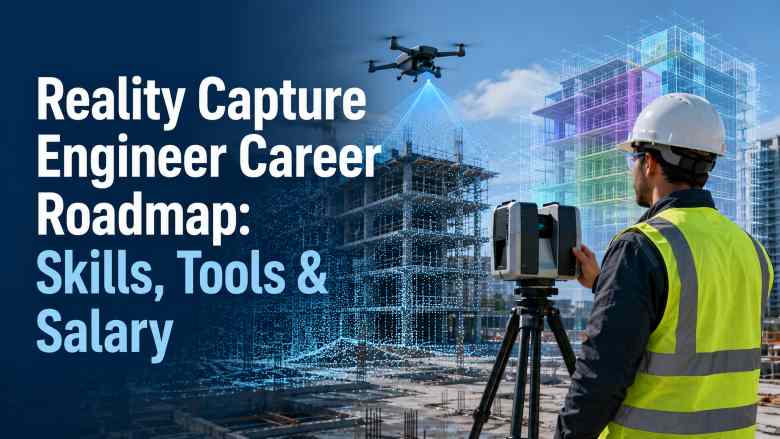
Construction is becoming a data-driven industry, and the professionals capturing that data on site are among the most sought-after in the entire AEC sector. Reality Capture Engineers sit at the intersection of field technology and digital project delivery — flying drones, operating LiDAR scanners, deploying 360-degree cameras, processing point clouds, and feeding verified spatial data into BIM models and digital twin platforms.
ConstructionCareerHub App is LIVE — built ONLY for construction careers. Don’t apply with a weak resume.
Get ATS-ready Resume Lab + Interview Copilot + Campus Placement Prep (resume screening, skill gaps, interview readiness) — in minutes & Other advanced features.
Explore Smarter Construction Career Tools →Quick check. Big impact. Start now.
Whether you are a civil engineering graduate, a land surveyor, a BIM professional, or a QA/QC engineer looking for a technology-forward career shift, this guide provides a complete, step-by-step roadmap for entering and growing in reality capture — one of the fastest-expanding construction technology careers in 2026.
Table of Contents
Quick Answer: What Is a Reality Capture Engineer?
A Reality Capture Engineer is a construction technology professional who uses drones, LiDAR scanners, terrestrial laser scanners, 360-degree cameras, and photogrammetry to collect accurate spatial data from construction and infrastructure sites. They process this data into point clouds, 3D meshes, orthomosaics, and digital surface models, then integrate the outputs into BIM models for progress tracking, as-built verification, clash detection, QA/QC documentation, quantity verification, and digital twin development.
This role combines field data collection with office-based data processing and BIM coordination, making it a hybrid position that requires both site knowledge and software proficiency.
Is Reality Capture a Good Career in 2026?
Yes. Reality capture is one of the highest-growth specialisations in construction technology. Several factors are driving this demand:
- The global construction drone services market is projected to grow at 25%+ CAGR through 2030, with the FAA projecting over 800,000 registered commercial drones in the US by 2027.
- BIM mandates in the UK, Singapore, the Middle East, and parts of Europe are driving scan-to-BIM adoption on both new-build and renovation projects.
- Digital twin investments are surging, with the global digital twin market projected to exceed $110 billion by 2029, according to industry research.
- AI-powered progress monitoring platforms like OpenSpace and Cupix are becoming standard on large-scale projects, creating demand for professionals who can capture, validate, and interpret reality data.
- Construction firms across India, the GCC, the US, the UK, and Australia are actively hiring for drone survey specialists, LiDAR operators, point cloud engineers, and scan-to-BIM modelers.
If you are exploring future-proof construction career paths, read our detailed analysis on 7 signs a construction career is future-proof in 2026.
Why Reality Capture Matters in Construction
Traditional construction site documentation relies on manual measurements, 2D as-built sketches, tape measures, and periodic site walk-throughs. This approach is time-consuming, error-prone, and creates information gaps that lead to rework, disputes, and schedule delays.
Reality capture changes this by creating accurate, comprehensive, and time-stamped digital records of physical site conditions. Here is how it compares to manual approaches:
| Parameter | Manual Documentation | Reality Capture |
|---|---|---|
| Speed | Days to weeks per area | Hours per area |
| Accuracy | ±10–50 mm typical | ±1–5 mm (LiDAR), ±10–30 mm (photogrammetry) |
| Coverage | Spot measurements only | Full spatial coverage — millions of data points |
| Repeatability | Difficult to reproduce exactly | Fully repeatable scans at any interval |
| As-built record | Selective sketches and photos | Complete 3D record of every surface |
| BIM integration | Manual redrawing required | Direct point cloud import into Revit, Navisworks |
| Progress tracking | Subjective visual assessment | Automated 4D comparison against schedule |
| Safety impact | Workers enter hazardous areas | Drones and scanners reduce human risk exposure |
For a broader perspective on how technology is reshaping construction workflows, see our guide on AI in construction: 2026 skills, tools, and use cases.
What Does a Reality Capture Engineer Do?
The role spans field operations, data processing, BIM integration, and project coordination. Here are the typical responsibilities:
Field Data Collection
- Planning and executing drone survey missions for aerial mapping, orthomosaic generation, and 3D model creation
- Operating terrestrial laser scanners (FARO, Leica, Trimble) for interior and exterior scanning
- Deploying 360-degree cameras (Ricoh Theta, Insta360) for walk-through documentation and progress capture
- Establishing and maintaining survey control points and ground control points (GCPs) for georeferenced accuracy
- Coordinating with site teams to schedule scans around active construction activities
Data Processing
- Processing drone imagery into orthomosaics, digital elevation models (DEMs), and 3D point clouds using Pix4D, DroneDeploy, or DJI Terra
- Registering and cleaning laser scan point clouds using FARO SCENE, Leica Cyclone, or Trimble RealWorks
- Merging multiple scan stations into a unified coordinate system
- Removing noise, outlier points, and irrelevant objects from raw point cloud data
- Generating deliverables such as floor plans, sections, elevation views, and volumetric calculations from processed data
BIM Integration & QA/QC
- Importing processed point clouds into Autodesk ReCap Pro and linking to Revit or Navisworks
- Performing scan-to-BIM modelling — creating intelligent BIM elements by tracing point cloud geometry
- Overlaying point clouds onto design BIM models for as-built verification and deviation analysis
- Identifying clashes between installed work and the design model using Navisworks or Revizto
- Generating deviation reports, heatmaps, and visual comparison documentation for QA/QC teams
- Supporting quality control documentation with measurable, verifiable spatial data
Progress Monitoring & Digital Twin
- Capturing periodic reality data (weekly or bi-weekly scans) and comparing against the 4D BIM schedule
- Using platforms like OpenSpace or Cupix to create time-stamped 360-degree site records linked to floor plans
- Feeding reality data into digital twin platforms for lifecycle asset management
- Generating automated progress reports for project managers, clients, and stakeholders
- Supporting remote project monitoring by making site reality data accessible to distributed teams
Handover & Facility Management
- Producing final as-built point clouds and BIM models for project handover
- Ensuring as-built data meets the client’s information requirements for facility management
- Creating COBie-compliant deliverables where required
- Archiving reality capture datasets for future reference, renovation planning, or dispute resolution
Drone vs LiDAR vs 360 Photo vs Photogrammetry
Reality Capture Engineers need to understand the strengths and limitations of each capture technology to recommend the right approach for each project scenario.
| Technology | Best For | Accuracy | Speed | Cost | Limitations |
|---|---|---|---|---|---|
| Drone Photogrammetry | Large outdoor areas, earthworks, roofs, progress monitoring | ±10–30 mm with GCPs | Fast — covers large areas quickly | Moderate (drone + software) | Weather dependent; requires airspace clearance; less effective indoors |
| Drone LiDAR | Terrain mapping through vegetation, corridor surveys, infrastructure | ±5–15 mm | Fast | High (LiDAR payload is expensive) | Heavy payload reduces flight time; higher processing complexity |
| Terrestrial Laser Scanning | Interior spaces, MEP-dense areas, facades, structural elements | ±1–3 mm | Moderate — multiple stations needed | High (scanner + software) | Line-of-sight limitations; requires many scan positions in complex spaces |
| 360-Degree Photo | Visual documentation, walk-throughs, progress tracking, punch lists | Visual reference (not survey-grade) | Very fast | Low | Not dimensionally accurate; limited to visual comparison |
| Ground-Based Photogrammetry | Facades, heritage structures, small objects | ±5–20 mm | Moderate | Low (camera + software) | Requires overlap discipline; texture-dependent accuracy |
In practice, most projects use a combination of these technologies. For example, a large commercial building project might use drone photogrammetry for external progress monitoring, terrestrial laser scanning for MEP-dense areas, and 360-degree cameras for weekly walk-through documentation.
What Is Point Cloud Processing?
A point cloud is a dataset of millions (or billions) of 3D coordinate points captured by a laser scanner, LiDAR sensor, or photogrammetry software. Each point has XYZ coordinates and may include colour (RGB), intensity, and classification data.
Point cloud processing involves registering multiple scans into a single coordinate system, cleaning the data by removing noise and unwanted objects, classifying points (ground, vegetation, building, MEP), decimating (reducing density where full resolution is unnecessary), and exporting to formats compatible with BIM and CAD tools such as RCP, E57, LAS, or PLY.
Common point cloud processing software includes FARO SCENE, Leica Cyclone, Trimble RealWorks, Autodesk ReCap Pro, and the open-source tool CloudCompare. Proficiency in at least one of these tools is essential for any Reality Capture Engineer.
What Is Scan-to-BIM?
Scan-to-BIM converts laser scan or photogrammetry point cloud data into intelligent BIM model elements. The typical workflow is:
- Capture: Scan the site using a terrestrial laser scanner, mobile scanner, or drone LiDAR.
- Register: Align all scan stations into a single, georeferenced coordinate system.
- Clean: Remove noise, people, temporary objects, and irrelevant data.
- Import: Load the cleaned point cloud into BIM software (typically Autodesk Revit via ReCap Pro).
- Model: Trace the point cloud geometry to create parametric BIM elements — walls, floors, columns, beams, ducts, pipes, and equipment.
- Validate: Check the model against the point cloud for completeness and accuracy.
- Deliver: Export the as-built BIM model for design verification, renovation planning, or facility management.
Scan-to-BIM is particularly valuable for renovation projects, heritage buildings, facility management, and any scenario where accurate as-built documentation of existing conditions is required. For more on BIM workflows and coordination, see our 100+ BIM interview questions and answers.
How BIM QA Uses Reality Capture Data
BIM QA (quality assurance) is the process of verifying that the physical construction matches the approved design BIM model. Reality capture data makes this process measurable and objective rather than subjective.
Here is how reality capture supports BIM QA:
- Design-to-field comparison: Overlaying point clouds onto the design model in Navisworks or Revizto to identify deviations, misalignments, and installation errors.
- Deviation heatmaps: Software like CloudCompare or Autodesk ReCap generates colour-coded heatmaps showing where built elements deviate from the design, with tolerance thresholds.
- Clash verification: Confirming that clashes resolved in the coordination model have actually been fixed on site.
- Dimensional verification: Checking that structural openings, floor levels, column positions, and MEP routes match specified dimensions within acceptable tolerances.
- Progress verification: Confirming that claimed progress percentages match the physical reality captured in scans.
- Handover documentation: Providing verified as-built data that meets the client’s facility management requirements.
If you are exploring QA/QC careers in construction, our detailed QA/QC engineer career guide covers salary, roles, and career progression.
How Reality Capture Improves Construction Progress Tracking
Traditional progress tracking relies on site engineers visually estimating completion percentages, taking photographs, and writing narrative reports. This approach is inherently subjective and inconsistent.
Reality capture transforms progress tracking by providing:
- Time-stamped 3D records: Each scan or drone flight captures the exact state of construction at a specific date and time, creating an immutable record.
- Automated comparison: AI-powered platforms like OpenSpace and Cupix automatically compare 360-degree images or point clouds against the 4D BIM model to calculate completion percentages.
- Visual evidence: Stakeholders — including remote teams, clients, and lenders — can virtually walk through the site without being physically present.
- Dispute resolution: Time-stamped reality data provides evidence for delay claims, change order justifications, and contractual disputes.
- Earned value verification: Comparing physical progress against planned progress using spatial data rather than subjective assessments.
For professionals interested in project controls and data-driven construction management, our article on how construction data is revolutionising the industry provides additional context.
How Reality Capture Supports Digital Twins
A construction digital twin is a live, data-connected virtual replica of a physical asset. Reality capture provides the spatial foundation for this virtual replica.
The relationship works like this: drones and scanners periodically capture the physical state of the asset, this data is processed into updated 3D models, the models are connected to IoT sensor data (temperature, humidity, occupancy, energy use), and the combined dataset creates a digital twin that enables real-time monitoring, predictive maintenance, and performance optimisation.
Reality Capture Engineers who understand digital twin workflows are positioned for some of the highest-paying roles in construction technology. The global digital twin market is projected to grow at a 33.7% CAGR, reaching nearly $30 billion by 2032 in the US alone.
Career Roadmap: How to Become a Reality Capture Engineer in 2026
The following roadmap applies to professionals from different starting points — fresh graduates, site engineers, surveyors, BIM professionals, and QA/QC engineers.
Step 1: Build Your Construction Foundation (Months 1–3)
Before specialising in reality capture, you need to understand how construction projects work. If you are a civil engineering graduate, you already have this. If you are transitioning from outside construction, invest time in learning construction sequencing, reading drawings, understanding specifications, and familiarising yourself with BIM concepts.
Actions:
- Understand construction phases — from earthworks to finishing. See our guide on phases of the construction project life cycle.
- Learn to read architectural, structural, and MEP drawings
- Familiarise yourself with BIM fundamentals — what a model contains, how disciplines coordinate, what LOD means. Explore free BIM courses to get started.
- Understand surveying basics — coordinate systems, datums, control points, and measurement accuracy
Step 2: Learn Drone Operations (Months 2–4)
Drone piloting is a core skill for Reality Capture Engineers working on outdoor projects. You need both the legal certification and practical flying competence.
Actions:
- Obtain your country’s drone pilot certification — FAA Part 107 in the US, DGCA Remote Pilot Certificate in India, CAA certification in the UK, or CASA RePL in Australia
- Practice flight planning and mission execution using DJI or Autel platforms
- Learn ground control point (GCP) placement for georeferenced accuracy
- Understand airspace regulations, no-fly zones, and site safety protocols for drone operations
Our detailed drone operator in construction guide covers certifications, salary data, and career progression for drone professionals.
Step 3: Master Photogrammetry & Drone Mapping Software (Months 3–6)
Actions:
- Learn Pix4D (Pix4Dmapper or Pix4Dcloud) — the industry standard for photogrammetric processing
- Explore DroneDeploy for cloud-based mapping and progress monitoring workflows
- Practise creating orthomosaics, digital elevation models, 3D point clouds, and volumetric measurements from drone imagery
- Understand accuracy metrics — GSD (ground sample distance), RMSE (root mean square error), and how GCP density affects output quality
Step 4: Learn LiDAR & Laser Scanning (Months 4–8)
Actions:
- Study terrestrial laser scanner operation — FARO Focus, Leica RTC360, or Trimble X7 are the most widely used on construction sites
- Learn scan registration using FARO SCENE, Leica Cyclone, or Trimble RealWorks
- Practise point cloud cleaning, classification, and export to industry-standard formats (E57, RCP, LAS)
- Understand registration accuracy — target-based vs targetless, loop closure, and georeferencing
- If possible, get hands-on access to a scanner through a rental, employer, or training programme
Step 5: Develop 360-Degree Photo Documentation Skills (Months 5–7)
Actions:
- Learn to use 360-degree cameras like Ricoh Theta Z1 or Insta360 X-series for construction documentation
- Practise with platforms like OpenSpace, Cupix, or Matterport to create linked walk-throughs tied to floor plans
- Understand how 360-degree photo data integrates with BIM for visual progress verification
- Build a capture workflow — consistent capture routes, naming conventions, and storage protocols
Step 6: Build Point Cloud & BIM Integration Skills (Months 6–10)
Actions:
- Master Autodesk ReCap Pro for point cloud import, editing, and export to Revit and Navisworks
- Learn scan-to-BIM modelling in Revit — tracing point cloud geometry into intelligent model elements
- Practise as-built vs design comparison using Navisworks, Revizto, or CloudCompare
- Learn to generate deviation reports and heatmaps
- Explore Common Data Environment (CDE) platforms for managing reality capture deliverables
Step 7: Build BIM QA & Verification Skills (Months 8–12)
Actions:
- Learn model-checking tools — Solibri for rule-based validation and Navisworks for coordination
- Understand how point cloud data feeds into QA/QC documentation workflows
- Practise generating progress verification reports that compare reality data against 4D schedules
- Develop skills in communicating findings to non-technical stakeholders through visual reports
Step 8: Build Your Portfolio & Get Certified (Months 10–14)
Actions:
- Complete at least 2–3 sample projects (personal, volunteer, or freelance) that demonstrate end-to-end reality capture workflows
- Document each project with before/after visuals, point cloud screenshots, BIM overlays, and deviation reports
- Obtain relevant certifications — Autodesk Certified Professional (Revit), Pix4D certification, FAA Part 107 (if not already done)
- Create a professional portfolio on a personal website or LinkedIn showcasing your reality capture work
- Explore top BIM certifications in 2026 to identify which credentials add the most value for your target market
Career Roadmap by Background
| Your Current Background | Existing Strengths | Key Skills to Add | Estimated Transition Time |
|---|---|---|---|
| Fresh Civil Engineering Graduate | Construction fundamentals, drawing interpretation, basic surveying | Drone piloting, photogrammetry software, point cloud processing, BIM integration | 10–14 months |
| Civil Site Engineer | Field experience, site coordination, construction sequencing, safety awareness | Drone certification, LiDAR operation, Pix4D/DroneDeploy, ReCap Pro | 6–10 months |
| Land Surveyor | Survey accuracy, coordinate systems, GNSS, total stations | Drone mapping, photogrammetry processing, scan-to-BIM, BIM QA tools | 4–8 months |
| BIM Modeler/Coordinator | Revit proficiency, Navisworks, model coordination, BIM standards | Drone piloting, LiDAR scanning, point cloud registration, field operations | 5–9 months |
| QA/QC Engineer | Quality systems, inspection documentation, standards compliance | Drone operations, point cloud software, scan-to-BIM, deviation analysis tools | 8–12 months |
| Planning Engineer | Scheduling, 4D BIM, progress tracking, project controls | Drone mapping, 360-degree capture, reality-vs-plan comparison tools | 6–10 months |
| Drone Enthusiast | Piloting skills, drone hardware knowledge | Construction knowledge, photogrammetry processing, BIM fundamentals, scan-to-BIM | 10–16 months |
If you want a structured tool to map your career transition, try the Construction Career Path Planner on ConstructionPlacements.
Skills Needed for Reality Capture Engineers in 2026
| Skill Category | Specific Skills |
|---|---|
| Field Operations | Drone piloting (multi-rotor and fixed-wing), terrestrial laser scanner operation, 360-degree camera deployment, GCP placement, survey control |
| Data Processing | Photogrammetry (Pix4D, DroneDeploy, DJI Terra), point cloud registration (FARO SCENE, Leica Cyclone), point cloud cleaning and classification, mesh generation |
| BIM & Design Software | Autodesk ReCap Pro, Revit (scan-to-BIM), Navisworks (coordination/clash), AutoCAD, Civil 3D (for infrastructure) |
| QA/QC & Verification | Deviation analysis, heatmap generation, model checking (Solibri, Revizto), BIM validation, as-built documentation |
| Digital Twin & AI | 360-degree documentation platforms (OpenSpace, Cupix), digital twin integration (Bentley iTwin, Autodesk Tandem), AI progress monitoring interpretation |
| Technical Knowledge | Coordinate reference systems, georeferencing, GNSS, accuracy standards, construction regulations, construction abbreviations |
| Professional Skills | Technical report writing, client communication, project coordination, health and safety awareness, data management |
For a comprehensive view of which software skills are most in-demand, see our guide on top construction software skills to get hired in 2026.
Best Reality Capture Software & Tools for Construction in 2026
The following tools are the most relevant and widely used for drone mapping, LiDAR processing, 360-degree documentation, point cloud processing, scan-to-BIM, and BIM QA in construction.
Best Tools for Drone Mapping & Photogrammetry
DroneDeploy
Best for: Cloud-based drone mapping, progress monitoring, and AI-powered site analytics.
DroneDeploy is one of the most widely adopted drone mapping platforms in construction. It offers automated flight planning, orthomosaic generation, 3D model creation, volumetric measurements, and AI-based progress tracking that compares drone imagery against BIM models. Its cloud-native architecture means no heavy local processing is required.
Key features: Automated flight planning, real-time map processing, 360-degree walk-through integration, AI progress reports, annotation and measurement tools, integration with Autodesk and Procore.
Pros: Easy to learn, strong construction integrations, no local processing required, good mobile app.
Limitations: Requires internet for processing; advanced analytics are on higher-tier plans.
Pricing: Subscription-based; individual plans start at approximately $499/month. Enterprise pricing is quote-based.
Ideal for: General contractors, project managers, site teams, and drone operators who need fast, cloud-based deliverables.
Website: dronedeploy.com
Pix4D
Best for: Professional-grade photogrammetric processing with high accuracy and flexibility.
Pix4D is the gold standard for photogrammetric processing in construction and surveying. Pix4Dmapper handles desktop processing, while Pix4Dcloud offers a cloud option. It produces survey-grade orthomosaics, point clouds, digital surface models, and 3D textured meshes from drone imagery.
Key features: Survey-grade accuracy, GCP integration, volume calculations, contour generation, thermal mapping, multispectral processing, quality reports with accuracy metrics.
Pros: Industry-leading accuracy, detailed quality reports, extensive documentation, strong community support.
Limitations: Steeper learning curve than DroneDeploy; desktop processing requires capable hardware.
Pricing: Pix4Dmapper perpetual licence starts at approximately $4,990. Subscription and cloud options also available.
Ideal for: Survey firms, engineering consultancies, infrastructure projects, and professionals needing survey-grade accuracy.
Website: pix4d.com
DJI Terra
Best for: DJI drone users needing integrated flight planning and photogrammetric processing.
DJI Terra is DJI’s own mapping and modelling software, designed to work seamlessly with DJI drones. It handles mission planning, 2D mapping, 3D reconstruction, and LiDAR point cloud processing (for DJI LiDAR payloads).
Key features: Native DJI drone integration, real-time 2D mapping, 3D reconstruction, LiDAR processing, terrain-follow flight planning.
Pros: Seamless DJI hardware integration, fast processing, included free with some DJI Enterprise drones.
Limitations: Only works with DJI drones; fewer third-party integrations than Pix4D or DroneDeploy.
Pricing: Free version with basic features; Pro and Electricity editions available by annual subscription or perpetual licence (pricing varies by region).
Ideal for: DJI drone fleet operators, construction companies standardised on DJI platforms.
Website: dji.com/dji-terra
Best Tools for LiDAR & Laser Scan Processing
FARO SCENE
Best for: Registration and processing of FARO laser scanner data with industry-leading workflow automation.
FARO SCENE is purpose-built for processing data from FARO Focus series laser scanners. It handles scan registration, colourisation, point cloud cleaning, and export to standard formats. Its automated registration features significantly reduce processing time.
Key features: Automatic scan registration (target-based and targetless), point cloud colourisation, WebShare for cloud-based viewing, VR integration, export to E57/RCP/LAS.
Pros: Fast automated registration, excellent FARO hardware integration, VR viewing capability.
Limitations: Optimised for FARO scanners; licence cost is significant.
Pricing: Perpetual licence (contact FARO for pricing). Subscription options also available.
Ideal for: Scanning service providers, contractors with FARO scanners, scan-to-BIM teams.
Website: faro.com
Leica Cyclone
Best for: Enterprise-grade point cloud registration and processing, particularly for Leica scanners.
Leica Cyclone is a comprehensive point cloud processing suite that includes Cyclone REGISTER 360 for registration, Cyclone 3DR for meshing and modelling, and Cyclone ENTERPRISE for cloud-based collaboration. It supports data from Leica scanners (RTC360, BLK series) and third-party sources.
Key features: Visual registration with automatic alignment, HDR panoramic linking, cloud-based collaboration, integration with Leica TruView for web viewing.
Pros: High accuracy, strong for large-scale projects, good multi-user workflow support.
Limitations: Higher cost; learning curve for the full suite.
Pricing: Quote-based. Contact Leica Geosystems for current pricing.
Ideal for: Large survey firms, infrastructure projects, heritage documentation, and enterprise-level scanning teams.
Trimble RealWorks
Best for: Survey-grade point cloud processing and deliverable generation for Trimble scanner users.
Trimble RealWorks processes point cloud data from Trimble scanners (X7, X9, SX series) and other sources. It offers registration, meshing, extraction of planes and cylinders, and direct export to CAD and BIM formats.
Key features: Automated registration, feature extraction, cross-section generation, volume calculations, tank and pipe modelling.
Pros: Excellent for survey deliverables, strong Trimble ecosystem integration, reliable accuracy.
Limitations: Primarily optimised for Trimble hardware; fewer construction-specific workflows than some competitors.
Pricing: Quote-based through Trimble resellers.
Ideal for: Survey companies, infrastructure engineers, and Trimble scanner operators.
Website: trimble.com
Best Tools for 360-Degree Photo Documentation
OpenSpace
Best for: AI-powered construction progress documentation using 360-degree cameras.
OpenSpace automates site documentation by letting workers walk through a site wearing a 360-degree camera on their hard hat. The platform automatically maps photos to the floor plan, creating a time-stamped visual record. Its AI analyses images to track progress against the BIM model.
Key features: Automated photo-to-plan mapping, AI-based progress tracking, BIM overlay, CDE integration, visual timeline comparison.
Pros: Extremely fast capture (just walk the site), powerful AI analytics, integrates with Procore and Autodesk.
Limitations: Not a survey tool — visual documentation only; requires subscription.
Pricing: Quote-based. Enterprise pricing depends on project count and features.
Ideal for: General contractors, construction managers, owners, and project teams on medium-to-large commercial projects.
Website: openspace.ai
Cupix
Best for: 3D digital twin creation from 360-degree photos with BIM comparison.
Cupix transforms 360-degree photos into navigable 3D digital twins, enabling remote site inspections and progress tracking. It supports side-by-side comparison of different capture dates and can overlay BIM models for visual verification.
Key features: 3D digital twin from 360 photos, timeline comparison, BIM overlay, measurement tools, annotation and issue tracking.
Pros: Creates immersive 3D walk-throughs from simple 360 photos, good BIM overlay capability.
Limitations: 3D reconstruction quality depends on capture consistency; not survey-grade.
Pricing: Subscription-based. Contact Cupix for current plans.
Ideal for: Project managers, remote stakeholders, and QA teams needing visual site records.
Website: cupix.com
Matterport
Best for: Creating immersive 3D virtual tours and digital twins of interior spaces.
Matterport is widely used for creating detailed 3D digital twins of buildings. While it originated in real estate, its construction applications include pre-construction documentation, progress tracking, and facility handover. It supports capture from Matterport cameras, LiDAR-equipped smartphones, and third-party 360 cameras.
Key features: Immersive 3D walk-throughs, automatic floor plans, measurement tools, schematic floor plans, integration with BIM.
Pros: Excellent visual quality, supports multiple capture devices, easy sharing.
Limitations: Not survey-grade; best for visual documentation rather than precision engineering.
Pricing: Free tier available; Pro plans from $69/month; Business and Enterprise plans for larger teams.
Ideal for: Facility managers, real estate developers, renovation projects, and smaller construction teams.
Website: matterport.com
NavVis IVION
Best for: Large-scale indoor mapping and reality capture for complex buildings and facilities.
NavVis specialises in mobile indoor mapping using its VLX wearable scanner. NavVis IVION is the cloud platform for managing, viewing, and sharing the captured data. It is particularly strong for large facilities, factories, and complex buildings.
Key features: Mobile indoor mapping at walking speed, panoramic imagery, point cloud generation, measurement tools, enterprise-grade cloud platform.
Pros: Extremely fast indoor capture, high visual quality, scalable to very large facilities.
Limitations: Hardware investment is significant; less common in traditional construction than on facility management projects.
Pricing: Quote-based for both hardware and software.
Ideal for: Facility managers, industrial plant operators, large commercial building owners.
Website: navvis.com
Best Tools for Point Cloud Processing & Analysis
Autodesk ReCap Pro
Best for: Point cloud preparation for the Autodesk BIM ecosystem (Revit, Navisworks, AutoCAD).
ReCap Pro is Autodesk’s dedicated point cloud tool. It imports scan data from virtually any scanner, allows you to clean, crop, and prepare point clouds, and exports to RCP/RCS format for direct use in Revit, Navisworks, and AutoCAD.
Key features: Multi-format import, point cloud editing, automatic scan registration, limit box tools, project-based organisation, direct link to Autodesk BIM tools.
Pros: Essential for Autodesk-based BIM workflows; included in many Autodesk subscriptions.
Limitations: Registration features are less advanced than FARO SCENE or Leica Cyclone for complex projects.
Pricing: Included in Autodesk AEC Collection; standalone subscription approximately $415/year.
Ideal for: BIM teams, scan-to-BIM modelers, and anyone working within the Autodesk ecosystem.
Website: autodesk.com/products/recap
CloudCompare
Best for: Free, open-source point cloud analysis, comparison, and deviation measurement.
CloudCompare is a powerful open-source tool for 3D point cloud and mesh processing. It is widely used for cloud-to-cloud comparison, deviation analysis, and heatmap generation. While it lacks the polish of commercial tools, its analytical capabilities are impressive and it handles very large datasets efficiently.
Key features: Cloud-to-cloud and cloud-to-mesh comparison, deviation heatmaps, segmentation, registration, volume computation, statistical analysis, support for dozens of file formats.
Pros: Completely free, handles large point clouds, powerful analysis tools, active development community.
Limitations: No built-in BIM modelling; user interface is less intuitive than commercial alternatives.
Pricing: Free and open-source.
Ideal for: Beginners learning point cloud analysis, academics, and professionals who need deviation analysis without commercial software costs.
Website: cloudcompare.org
Bentley iTwin Capture (formerly ContextCapture)
Best for: Large-scale photogrammetric 3D reconstruction for infrastructure and city-scale projects.
Bentley iTwin Capture creates highly detailed 3D reality meshes from photographs. It excels at large-scale projects — bridges, highways, transmission corridors, and entire site campuses — producing meshes that integrate with Bentley’s iTwin digital twin platform.
Key features: Automatic 3D mesh generation from photos, scalable to city-level datasets, integration with Bentley iTwin, cloud processing option.
Pros: Handles massive datasets, produces high-quality 3D meshes, strong integration with Bentley infrastructure tools.
Limitations: Licensing is Bentley’s virtualisation model; less common in building construction than infrastructure.
Pricing: Bentley uses a consumption-based virtualisation licence model. Contact Bentley for details.
Ideal for: Infrastructure engineers, transportation agencies, and large-scale construction projects.
RealityCapture
Best for: High-speed photogrammetric reconstruction with exceptional detail and texture quality.
RealityCapture (by Epic Games / Capturing Reality) is known for its speed and quality in photogrammetric reconstruction. It can combine photos and laser scans in a single project, producing detailed 3D meshes and point clouds.
Key features: Ultra-fast photogrammetric processing, combined photo + LiDAR input, high-quality textured meshes, automatic registration.
Pros: Extremely fast processing, excellent mesh quality, combines multiple data sources.
Limitations: Windows only; less construction-specific workflow integration than Pix4D or DroneDeploy.
Pricing: Free for non-commercial use (via Epic Games); pay-per-input pricing for commercial use.
Ideal for: Heritage documentation, detailed façade modelling, and projects requiring high-fidelity 3D reconstruction.
Website: capturingreality.com
Best Tools for BIM QA, Coordination & Verification
Autodesk Construction Cloud (ACC)
Best for: Unified construction management with integrated BIM coordination, document management, and field collaboration.
ACC connects design and construction data across the Autodesk ecosystem. For Reality Capture Engineers, it provides the platform for sharing point clouds, managing scan-to-BIM deliverables, and running model coordination reviews.
Key features: Model coordination with clash detection, document management, RFI and submittal tracking, design collaboration, field management tools.
Pros: Comprehensive platform, native Revit and Navisworks integration, widely adopted by large contractors.
Limitations: Can be expensive for small teams; full value requires adoption across the project team.
Pricing: Quote-based for enterprise. Contact Autodesk for pricing.
Ideal for: Large contractors, design-build firms, and BIM-mandated projects. See our construction management software guide 2026 for a full comparison.
Navisworks
Best for: 3D model review, clash detection, 4D scheduling, and coordination on complex multi-discipline projects.
Navisworks is the industry-standard tool for federating multi-discipline BIM models and running clash detection. Reality Capture Engineers use it to overlay point clouds onto design models for visual verification and to generate clash and deviation reports.
Key features: Multi-format model aggregation, automated clash detection, 4D simulation, point cloud support, markup and annotation tools.
Pros: The coordination standard in many markets, handles very large federated models, strong clash management workflows.
Limitations: Desktop-only; interface shows its age compared to newer tools.
Pricing: Included in Autodesk AEC Collection; standalone subscription approximately $580/year.
Ideal for: BIM coordinators, VDC managers, and Reality Capture Engineers doing design-to-field verification.
Revizto
Best for: Real-time BIM collaboration, issue tracking, and multi-discipline coordination with point cloud support.
Revizto creates a unified 3D environment where all project stakeholders can navigate the model, place issues, and track resolution. It supports point cloud import, making it useful for reality-vs-design verification workflows.
Key features: Real-time 3D model navigation, issue tracking and assignment, point cloud overlay, federated model support, cross-platform access (desktop, mobile, VR).
Pros: Excellent collaboration interface, intuitive issue tracking, supports VR walk-throughs.
Limitations: Requires model export/preparation; less granular deviation analysis than dedicated tools.
Pricing: Quote-based. Contact Revizto for current plans.
Ideal for: Multi-discipline project teams, BIM coordinators, and Reality Capture Engineers managing issue resolution.
Solibri
Best for: Rule-based BIM model checking, quality assurance, and code compliance verification.
Solibri is a model-checking tool that validates BIM models against customisable rule sets — checking for clashes, missing elements, code compliance, accessibility, and information completeness. While it does not directly process point clouds, it plays a key role in the BIM QA workflow that reality capture data ultimately feeds into.
Key features: Rule-based model checking, information takeoff, presentation and reporting, IFC support, role-based rulesets.
Pros: Powerful automated QA checks, strong reporting, widely used in Europe and markets with openBIM mandates.
Limitations: Primarily IFC-based; no native point cloud support.
Pricing: Quote-based. Contact Solibri for current plans.
Ideal for: BIM QA managers, design reviewers, and teams on projects requiring formal model validation.
Software Comparison Summary
| Category | Best for Beginners | Best for BIM Teams | Best for Survey Teams | Best for Enterprise |
|---|---|---|---|---|
| Drone Mapping | DroneDeploy | Pix4D | Pix4D | DroneDeploy (Enterprise) |
| LiDAR/Laser Scan | Autodesk ReCap Pro | Autodesk ReCap Pro | FARO SCENE / Leica Cyclone | Leica Cyclone ENTERPRISE |
| 360 Photo | Matterport | OpenSpace | — | OpenSpace / Cupix |
| Point Cloud Analysis | CloudCompare (free) | Autodesk ReCap Pro | Trimble RealWorks | Bentley iTwin Capture |
| BIM QA | Navisworks | Revizto | — | Solibri |
Salary and Career Outlook
Reality Capture Engineer salaries vary by experience level, location, and specialisation. The following ranges are based on 2026 industry data from job boards, salary surveys, and employer postings.
| Experience Level | USA | India | Gulf/Middle East | UK | Australia |
|---|---|---|---|---|---|
| Entry-Level (0–2 years) | $55,000–$75,000 | ₹4–8 LPA | $45,000–$65,000 (tax-free) | £28,000–£40,000 | AUD $65,000–$85,000 |
| Mid-Level (3–5 years) | $80,000–$110,000 | ₹10–18 LPA | $65,000–$95,000 | £42,000–£60,000 | AUD $90,000–$120,000 |
| Senior/Lead (6+ years) | $115,000–$150,000+ | ₹20–30+ LPA | $95,000–$130,000+ | £60,000–£85,000+ | AUD $125,000–$160,000+ |
Specialists who combine reality capture with strong BIM management skills, digital twin expertise, or AI-based analytics command premiums at the upper end of these ranges. For a broader salary perspective, see our guide on highest-paying construction jobs in the US and our BIM salary trends report.
Career Progression Paths
- Entry-level: Junior Reality Capture Technician, Drone Survey Operator, Scan Technician
- Mid-level: Reality Capture Engineer, Scan-to-BIM Specialist, Point Cloud Engineer, 3D Survey Engineer
- Senior-level: Senior Reality Capture Engineer, Reality Capture Team Lead, Digital Twin Engineer, VDC Manager
- Leadership: Head of Digital Delivery, Director of Survey Technology, Chief Technology Officer (construction technology firms)
Freelancing and Consulting
Reality capture is one of the most freelance-friendly specialisations in construction technology. Many professionals build successful independent practices offering drone surveys, scanning services, scan-to-BIM modelling, or 360-degree documentation to contractors, architects, and facility owners on a project-by-project basis. Freelance rates range from $75–$200/hour in Western markets depending on the service and equipment used.
Portfolio Building Guide
A strong portfolio is critical for landing reality capture roles because employers want to see your practical output, not just your certifications. Here is how to build one:
- Start with accessible projects: Offer to scan a friend’s building, a community centre, or an academic project. If you have drone certification, fly a mapping mission on open land and process the data into a deliverable.
- Document the full workflow: For each project, show the planning (flight plan, scan plan), the raw capture (photos, scan positions), the processing (software screenshots, settings), the output (orthomosaic, point cloud, 3D model), and the analysis (deviation report, BIM overlay).
- Show BIM integration: Import a point cloud into Revit and create even a simple scan-to-BIM model. Overlay it in Navisworks with a deviation analysis. This demonstrates the full pipeline.
- Use CloudCompare for analysis projects: Download publicly available point cloud datasets, run cloud-to-cloud comparisons, and create deviation heatmaps. This costs nothing and demonstrates strong analytical skills.
- Present professionally: Create a personal website or well-structured PDF portfolio with project descriptions, annotated visuals, and technology/software used. Share on LinkedIn with relevant hashtags.
Certifications and Training
The following certifications and training programmes add significant value to a Reality Capture Engineer’s profile:
| Certification / Training | Provider | Best For |
|---|---|---|
| FAA Part 107 Remote Pilot Certificate | FAA | US-based drone operators (legally required for commercial drone operations) |
| DGCA Remote Pilot Certificate (RPC) | DGCA India via approved RTOs | India-based drone operators |
| Autodesk Certified Professional (Revit) | Autodesk | Scan-to-BIM modellers and BIM professionals |
| Pix4D Certification | Pix4D | Photogrammetry specialists and drone mappers |
| buildingSMART Professional Certification | buildingSMART International | Professionals working on openBIM projects with IFC/ISO 19650 standards |
| FARO Training Certifications | FARO | FARO scanner operators and service providers |
| Trimble Certified Courses | Trimble | Trimble scanner and software users |
For a comprehensive overview of BIM and construction certifications, see our dedicated guides on top BIM certifications in 2026 and free construction certifications you can get online.
Recommended Courses
- Construction Management Specialization — Columbia University on Coursera — covers project planning, cost management, and digital delivery
- BIM Fundamentals for Engineers — Autodesk on Coursera — hands-on BIM training with Revit and Navisworks
- Revit & Advanced BIM Tools — Udemy — practical Revit modelling for construction professionals
- Drone Mapping with Pix4D — Udemy — photogrammetric processing workflows for construction and surveying
Common Mistakes Beginners Make
- Ignoring construction knowledge: Mastering drone software without understanding construction sequencing, drawing interpretation, or BIM coordination limits your career ceiling. Reality capture is a construction role first and a technology role second.
- Skipping survey fundamentals: Not understanding coordinate reference systems, GCPs, RMSE, and accuracy standards leads to data that looks impressive but is not usable for engineering or QA purposes.
- Over-investing in hardware before skills: Do not buy a $10,000 scanner or $5,000 drone before you have developed processing skills. Start with free datasets, trial software, and affordable 360 cameras to build competence first.
- Neglecting data management: Reality capture generates terabytes of data. Without proper file naming, folder structures, backup protocols, and storage strategies, projects quickly become unmanageable.
- Only learning one technology: Specialists in only drones or only laser scanning limit their value. The best Reality Capture Engineers understand when to use each technology and can deliver multi-source data workflows.
- Not building a portfolio: Certifications without demonstrated project work will not get you hired. Employers want to see your outputs — point clouds, orthomosaics, deviation reports, scan-to-BIM models.
- Forgetting about safety and regulations: Flying a drone without proper certification, or operating a scanner without understanding site safety protocols, creates legal and safety risks.
Future Trends in Reality Capture and BIM QA
The following trends will shape the Reality Capture Engineer role over the next 3–5 years:
- AI-powered automated progress monitoring: Platforms like OpenSpace and DroneDeploy are integrating computer vision models that automatically compare site imagery against BIM models, reducing the manual interpretation burden on Reality Capture Engineers while increasing demand for professionals who can validate and act on AI outputs.
- Autonomous drone fleets: Drone-in-a-box solutions from companies like Skydio, DJI, and Percepto enable scheduled, autonomous flights without an on-site pilot. This shifts the drone operator role toward fleet management, flight programme design, and data quality assurance.
- Mobile and wearable scanning: Handheld LiDAR devices (like Leica BLK2GO, iPhone/iPad with LiDAR) and wearable scanners (NavVis VLX) are making scanning faster and more accessible, lowering the barrier to entry for reality capture while increasing data volume.
- Digital twin convergence: Reality capture data is becoming the primary input for operational digital twins that serve throughout the asset lifecycle — not just during construction but for decades of facility operation.
- Edge computing and real-time processing: On-device processing on drones and scanners is reducing the turnaround time from capture to deliverable, enabling same-day results for time-critical QA decisions.
- Integration with GIS and geospatial platforms: Reality capture data is increasingly fed into GIS platforms for infrastructure management, urban planning, and environmental monitoring — expanding career opportunities for professionals with combined reality capture and GIS skills.
For a comprehensive view of where construction technology is heading, read our in-depth guide on how civil engineers can thrive in the age of AI and our high-demand careers in BIM, tech management, and drone operations.
Who Should Consider This Career?
Reality capture is relevant for professionals from many backgrounds. If you recognise yourself in any of these descriptions, this career path is worth exploring:
- Civil engineers who enjoy fieldwork but want a technology edge — see our civil engineering career guide
- BIM professionals who want to connect digital models to physical site reality — explore BIM careers in 2026
- Land surveyors transitioning from traditional surveying to 3D scanning and drone mapping — review surveying interview questions for career preparation
- QA/QC engineers looking for data-driven quality verification methods
- Planning engineers interested in 4D progress verification using reality data
- Drone enthusiasts seeking a professional career path in construction
- Construction project managers who want to lead digital delivery programmes
Recommended Career eBooks
These digital resources from the ConstructionPlacements team provide structured guidance for career transitions, interview preparation, and professional development:
- Civil Engineering Interview Questions & Answers PDF eBook — 102 Q&A covering core technical and HR questions for civil engineering roles
- Construction Job Interview Preparation Guide — strategies, sample answers, and frameworks for construction interviews
- Remote & International Construction Jobs eBook — for professionals targeting Gulf, international, or remote construction technology roles
- Complete Construction Career eBook Bundle — comprehensive resource pack covering resume building, interview preparation, salary negotiation, and career planning
Final Recommendation
Reality Capture Engineering is not a niche role — it is becoming a fundamental function in modern construction delivery. As BIM mandates expand, digital twin investments grow, and construction firms worldwide prioritise data-driven project execution, the demand for professionals who can bridge the gap between physical site reality and digital project information will only increase.
The professionals who will succeed are those who combine solid construction fundamentals with practical proficiency in multiple reality capture technologies — drones, scanners, 360 cameras — and can integrate the resulting data into BIM models and digital twin platforms in ways that drive real project value: fewer errors, faster decisions, better documentation, and stronger QA/QC.
Start building these skills today. The construction industry’s digital transformation is not waiting, and the career opportunities for Reality Capture Engineers have never been stronger.
Frequently Asked Questions
What is a Reality Capture Engineer?
A Reality Capture Engineer is a construction technology professional who uses drones, LiDAR scanners, laser scanners, 360-degree cameras, and photogrammetry to collect spatial data from construction sites. They process this data into point clouds, 3D meshes, and orthomosaics, then integrate the outputs into BIM models for progress tracking, as-built verification, clash detection, QA/QC documentation, and digital twin development.
Is Reality Capture a good career in 2026?
Yes. Reality capture is one of the fastest-growing construction technology specialisations. The global construction drone market is growing at 25%+ CAGR, BIM mandates are expanding worldwide, and digital twin investments are surging. Salaries range from $55,000 to $150,000+ depending on experience and location, with strong demand across the US, UK, Middle East, India, and Australia.
What software does a Reality Capture Engineer use?
Common tools include DroneDeploy and Pix4D for drone mapping, FARO SCENE and Leica Cyclone for laser scan processing, Autodesk ReCap Pro for point cloud management, OpenSpace and Cupix for 360-degree documentation, Navisworks and Revizto for BIM coordination, Solibri for model checking, CloudCompare for open-source point cloud analysis, and Bentley iTwin Capture for large-scale photogrammetry.
What is the salary of a Reality Capture Engineer?
In the US, entry-level positions pay $55,000–$75,000, mid-level roles pay $80,000–$110,000, and senior/lead positions pay $115,000–$150,000+. In India, ranges are ₹4–8 LPA (entry), ₹10–18 LPA (mid), and ₹20–30+ LPA (senior). Gulf markets offer $45,000–$130,000+ tax-free.
What qualifications do you need to become a Reality Capture Engineer?
Most professionals hold a degree in civil engineering, surveying, geomatics, or construction management. Key requirements include drone pilot certification (FAA Part 107 or equivalent), proficiency in photogrammetry or LiDAR processing software, BIM skills (Revit, Navisworks), and understanding of point cloud workflows and scan-to-BIM processes.
Can a civil engineer transition to a Reality Capture career?
Yes. Civil engineers already have the construction knowledge, site understanding, and technical skills that form the foundation. The transition involves adding drone piloting, photogrammetry/LiDAR processing, point cloud software, and scan-to-BIM capabilities. Most civil engineers can make this transition within 6–12 months of focused upskilling.
What is scan-to-BIM?
Scan-to-BIM converts point cloud data from laser scans or photogrammetry into intelligent BIM model elements in software like Revit. It involves capturing as-built conditions, registering and cleaning the point cloud, importing into BIM software, and modelling building elements by tracing the point cloud geometry. It is essential for renovation, facility management, and as-built documentation.
What is the difference between LiDAR and photogrammetry?
LiDAR uses laser pulses to create highly accurate point clouds, working well in low-light conditions and through vegetation. Photogrammetry uses overlapping photographs to reconstruct 3D geometry algorithmically. LiDAR is typically more accurate for indoor and complex structural scanning, while photogrammetry via drones is more cost-effective for large outdoor areas.
What certifications help Reality Capture Engineers?
Valuable certifications include FAA Part 107 (or equivalent), Autodesk Certified Professional (Revit/ReCap), Pix4D certification, buildingSMART Professional Certification, and vendor-specific training from FARO, Leica, or Trimble. Additional credentials in GIS, PMP, or OSHA safety strengthen the overall profile.
How does reality capture support digital twins in construction?
Reality capture provides the spatial data layer for digital twins. Drones and scanners periodically capture the physical state of an asset, this data updates the digital twin model, and when combined with IoT sensor data and BIM information, creates a live virtual replica for monitoring, maintenance, and performance optimisation throughout the asset lifecycle.
