

Last Updated on June 15, 2026 by Admin
If you are a mechanical engineer, electrical engineer, civil engineer, diploma holder, or BIM learner looking for a high-demand career that combines technical depth with strong global employability, MEP BIM is one of the most practical career directions you can choose in 2026. The intersection of MEP engineering and Building Information Modeling has created a growing category of roles — from BIM modelers and coordinators to BIM leads and managers — that are consistently in demand across India, the Gulf (UAE, Saudi Arabia, Qatar, Oman, Kuwait, Bahrain), and global construction markets.
ConstructionCareerHub App is LIVE — built ONLY for construction careers. Don’t apply with a weak resume.
Get ATS-ready Resume Lab + Interview Copilot + Campus Placement Prep (resume screening, skill gaps, interview readiness) — in minutes & Other advanced features.
Explore Smarter Construction Career Tools →Quick check. Big impact. Start now.
This is not a vague overview. This article is a complete, step-by-step MEP BIM career roadmap designed for students, freshers, and working professionals. It covers the exact skills you need in HVAC, electrical, plumbing, and firefighting BIM, the software you must learn, how to build a portfolio, how to prepare for interviews, and where the jobs actually are. If you are serious about building a career in MEP BIM, read this guide from start to finish and follow the actionable roadmap at the end.
For a broader understanding of the MEP engineering field, read the complete MEP engineering guide published on ConstructionPlacements.
Table of Contents
What Is MEP BIM?
MEP BIM is the practice of using Building Information Modeling software — primarily Autodesk Revit MEP and Navisworks — to design, model, coordinate, and document Mechanical, Electrical, and Plumbing systems in 3D for construction projects. MEP BIM goes beyond traditional 2D CAD drafting by creating intelligent, data-rich 3D models where every duct, pipe, cable tray, and sprinkler carries real engineering data, including size, material, system assignment, elevation, and connection logic.
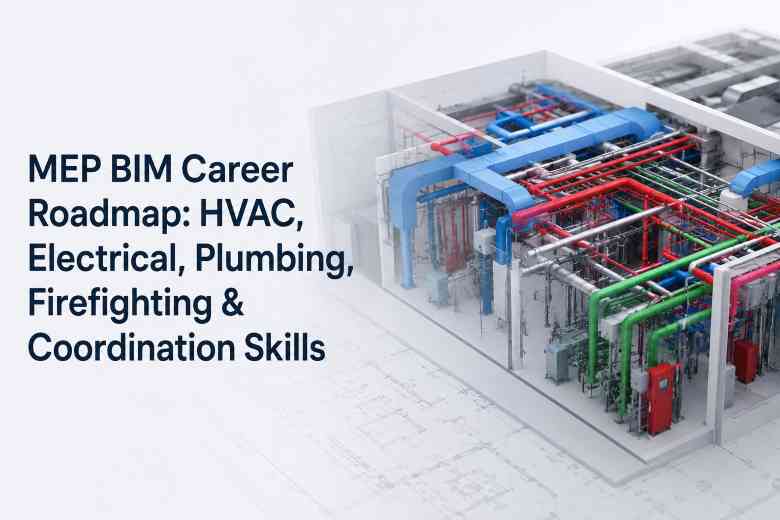
In a practical MEP BIM workflow, an engineer or modeler creates 3D models of HVAC ducts, chilled water pipes, electrical cable trays, conduits, plumbing supply and drainage lines, and firefighting sprinkler systems inside the same building model. These models are then federated with the architectural and structural models for clash detection, coordination, shop drawing preparation, and quantity extraction.
To understand the full scope of Building Information Modeling, including its applications across architecture, structure, and MEP, explore the detailed BIM overview on ConstructionPlacements.
Why MEP BIM Is a High-Demand Career in 2026
Several factors are driving sustained demand for MEP BIM professionals in 2026 and beyond. The global construction industry continues to mandate BIM adoption on large-scale projects, particularly in the GCC, UK, Singapore, Australia, and across government infrastructure programs. The data center construction boom — projected to be worth hundreds of billions of dollars globally — requires precise MEP coordination for power distribution, cooling systems, and fire protection at a level that only BIM-driven workflows can deliver reliably. Hospitals, airports, metro rail projects, industrial plants, and high-rise commercial buildings all depend on MEP BIM for coordinating complex building services and reducing costly on-site rework.
Additionally, the shift from 2D CAD-based MEP design to model-based coordination means that employers increasingly expect engineers to have Revit MEP and Navisworks proficiency as a baseline, not an optional skill. BIM mandates in countries like the UK (ISO 19650 compliance), Saudi Arabia (Vision 2030 mega-projects), and the UAE (Dubai Municipality BIM requirements) have further accelerated hiring of MEP BIM specialists. For a closer look at how data center demand is reshaping MEP careers, read the data center construction jobs guide.
Who Can Build a Career in MEP BIM?
MEP BIM is accessible to a wider range of engineering backgrounds than many people realize. Below are the profiles that typically enter this field:
Mechanical engineers have the strongest natural fit because HVAC — the largest MEP discipline by modeling volume — is fundamentally a mechanical systems domain. If you are a mechanical engineering graduate, MEP BIM lets you apply thermodynamics, fluid mechanics, and HVAC design knowledge directly. See the role of mechanical engineers in construction for more context.
Electrical engineers can specialize in electrical BIM — cable tray routing, conduit modeling, panel placement, lighting layout coordination, power distribution, and ELV systems. Electrical BIM is a growing specialization, especially in data center and industrial projects.
Civil engineers can enter MEP BIM through the coordination route. Civil engineers who learn Revit MEP and Navisworks often move into BIM coordinator roles where they manage multi-discipline model federation, clash detection, and resolution workflows. Read Civil Engineering vs. Mechanical Engineering to understand how both backgrounds converge in MEP BIM.
Diploma engineers and ITI/draughtsman holders can enter as BIM technicians or junior BIM modelers. Many successful MEP BIM professionals in India and the Gulf started with a diploma and advanced through software proficiency, project experience, and a strong portfolio.
Architecture and BIM learners who want to move beyond architectural modeling into the services coordination side can transition into MEP BIM coordination roles, particularly if they understand how MEP systems interact with ceiling grids, shafts, and structural openings.
Main MEP BIM Career Roles
The MEP BIM career landscape includes several distinct roles. Understanding the difference between them helps you target the right position based on your experience level. For a comprehensive list of all construction roles, see the 150+ construction job titles guide.
MEP BIM Modeler — Creates 3D Revit MEP models for one or more disciplines (HVAC, electrical, plumbing, firefighting). This is the most common entry-level MEP BIM role. You work from 2D design drawings or design intent documents and build accurate 3D models in Revit.
HVAC BIM Modeler — Specializes in modeling duct systems, chilled water piping, AHU/FCU placement, VAV boxes, diffusers, and HVAC equipment. This is the most in-demand single-discipline MEP BIM role because HVAC systems typically occupy the most ceiling space and generate the most coordination clashes.
Electrical BIM Modeler — Models cable trays, conduits, lighting layouts, power systems, switchgear, transformers, and panel boards in Revit MEP. Growing specialization in data center and industrial projects.
Plumbing BIM Modeler — Models water supply piping, drainage, soil and waste systems, pump rooms, water tanks, and associated fittings with accurate slope coordination.
Firefighting BIM Modeler — Models sprinkler layouts, fire protection piping, hydrant systems, fire pump room equipment, and coordinates fire alarm device placements.
MEP BIM Coordinator — Federates multi-discipline models (architecture + structure + all MEP trades) in Navisworks, runs clash detection, assigns and tracks clash resolution, prepares coordination drawings, and manages RFIs. This role requires strong communication skills and the ability to lead coordination meetings with architects, structural engineers, and MEP subcontractors. Learn more about MEP engineer roles and responsibilities.
BIM Engineer / BIM Technician — A hybrid role that combines modeling, coordination, documentation (shop drawings, BOQs, schedules), and sometimes family creation or template management.
BIM Lead / BIM Manager — Senior roles that involve defining BIM standards, managing BIM teams, preparing BIM Execution Plans (BEPs), enforcing LOD requirements, and overseeing model quality across projects.
Scan-to-BIM MEP Specialist — A newer role involving point cloud processing and creating as-built MEP models from laser scan data. In demand for retrofit, renovation, and facility management projects.
MEP BIM Career Roadmap: Step by Step
This is the practical sequence you should follow to build an MEP BIM career from scratch. Whether you are a fresher or an experienced professional transitioning into BIM, this roadmap applies.
Step 1: Understand basic construction drawings. Before you touch any BIM software, learn how to read architectural plans, sections, elevations, and MEP layout drawings. If you cannot interpret a GA (General Arrangement) drawing, you will struggle with Revit modeling. Practice reading floor plans, reflected ceiling plans, and riser diagrams.
Step 2: Learn MEP fundamentals. Understand how HVAC, electrical, plumbing, and firefighting systems work in a building. Know what an AHU does, how a chilled water loop operates, what a riser is, how drainage slope works, and why sprinkler spacing matters. You do not need to be a design expert, but you must understand system logic. Read the complete MEP engineer career guide for a thorough overview.
Step 3: Learn AutoCAD basics. Most MEP design offices still use AutoCAD for 2D detailing, as-builts, and reference drawings. Knowing AutoCAD commands, layers, blocks, and plotting is a baseline expectation.
Step 4: Learn Revit MEP. This is the core of your MEP BIM career. Start with Revit fundamentals — interface, project setup, levels, grids, views, sheets — then move to MEP-specific tools. Learn duct modeling, pipe modeling, electrical systems, plumbing fixtures, and firefighting layout tools. Practice creating mechanical, electrical, and plumbing systems in a single Revit project. Explore Autodesk Revit features and capabilities.
Step 5: Practice discipline-wise modeling. After learning the tools, model a complete small project (apartment building, small commercial building, or office floor) with all four MEP disciplines — HVAC, electrical, plumbing, and firefighting. This is where you build real competence.
Step 6: Learn family creation and templates. Employers expect intermediate to advanced Revit MEP users to know how to create custom families (equipment, fittings, accessories) and set up project templates with correct system types, pipe types, and duct types. This separates a competent modeler from a button-clicker.
Step 7: Learn Navisworks clash detection. Model federation and clash detection in Navisworks is a critical skill for any MEP BIM professional aiming beyond junior modeler roles. Learn how to append models, set up clash tests, apply clash rules and tolerances, group and assign clashes, generate reports, and track resolution status. Read the BIM interview questions guide on Revit, Navisworks, and BIM coordination for practical context on how employers evaluate these skills.
Step 8: Learn BIM coordination workflows. Understand how coordination meetings work, how to prepare coordination drawing sheets, how to raise and track RFIs from clashes, and how to communicate model issues to architects, structural engineers, and site teams. This is where soft skills — clear writing, meeting facilitation, and cross-discipline communication — become career-defining.
Step 9: Understand shop drawings and BOQs. Learn to generate shop drawing sheets from Revit, prepare equipment schedules, create pipe and duct quantity takeoffs, and understand how fabrication teams use BIM outputs.
Step 10: Build a portfolio. Compile your best project work into a visual portfolio showing 3D model views, coordination sections, clash detection screenshots (before/after resolution), Revit sheet layouts, and quantity schedules. This is your most important job application asset.
Step 11: Prepare your resume and LinkedIn profile. Use role-specific keywords (Revit MEP, Navisworks, clash detection, MEP coordination, LOD 300/350, BIM 360) in your resume and LinkedIn headline. Tools like the Resume Lab on ConstructionCareerHub.com can help you build an ATS-friendly resume tailored to MEP BIM roles.
Step 12: Apply for MEP BIM jobs. Target BIM consultancies, MEP contractors, EPC companies, and design firms in India, the Gulf, and global markets. Use LinkedIn, Naukri, GulfTalent, Bayt, and company career pages. For Indian engineers targeting the Gulf, the India-to-Gulf construction career kit is essential reading.
HVAC BIM Skills
HVAC (Heating, Ventilation, and Air Conditioning) typically generates the most modeling and coordination work in an MEP BIM project because duct systems and chilled water piping consume significant ceiling and shaft space. HVAC BIM modelers need the following skills:
Duct modeling — rectangular, round, and oval duct creation in Revit using the correct system types (supply air, return air, exhaust air). Understanding of duct sizes, transitions, tees, elbows, and damper placement. Knowledge of duct insulation requirements.
Pipe modeling — chilled water supply and return (CHWS/CHWR), hot water, condenser water, and refrigerant piping. Correct pipe sizes, fittings, valves, and insulation.
Equipment placement — modeling and placing AHUs (Air Handling Units), FCUs (Fan Coil Units), VAV boxes, chillers, cooling towers, pumps, and diffusers/grilles with correct clearance zones for access and maintenance.
Airflow basics — while detailed HVAC design calculations are often done by design engineers, BIM modelers should understand airflow direction, CFM/CMH requirements, duct velocity limits, and how supply/return air distribution works.
Coordination with structure and architecture — ensuring ducts fit within available ceiling space, routing around beams, coordinating with ceiling grid layouts, and maintaining required clearances above false ceilings.
HVAC shop drawings and schedules — generating duct layout plans, sections through plant rooms and risers, diffuser schedules, duct quantity takeoffs, and equipment schedules from the Revit model. Read the HVAC engineer interview questions guide for practical questions you might face in HVAC BIM interviews.
Electrical BIM Skills
Electrical BIM is the second-most common MEP BIM specialization and has growing importance in data center, industrial, and infrastructure projects. Key electrical BIM skills include:
Cable tray modeling — creating cable tray systems (ladder type, perforated, wire mesh) with correct sizes, supports, bends, and tee connections. Cable tray routing is one of the most coordination-intensive tasks in electrical BIM because trays compete for the same ceiling space as HVAC ducts.
Conduit routing — modeling conduit runs from panels to distribution boards, switches, and equipment. Understanding conduit fill ratios and routing logic.
Lighting layout coordination — placing lighting fixtures on the reflected ceiling plan and coordinating with architectural ceiling grids, HVAC diffusers, and sprinkler heads.
Power systems — modeling main switchboards (MSB), sub-main distribution boards (SMDB), distribution boards (DB), UPS systems, and transformer/generator placements within electrical rooms.
ELV systems — Extra Low Voltage systems including data cabling, CCTV, access control, PA systems, and nurse call systems. While detailed ELV design is often handled by specialists, electrical BIM modelers should understand basic ELV tray routing and coordination.
Clash-free routing — ensuring cable trays and conduits do not clash with HVAC ducts, plumbing pipes, structural beams, or firefighting sprinkler lines. This requires close coordination with other MEP disciplines.
Plumbing BIM Skills
Plumbing BIM involves modeling water supply and drainage systems with careful attention to pipe slopes, fixture connections, and coordination with building shafts and structural openings. For a deeper understanding of why plumbing coordination matters, read how improved plumbing coordination helps avoid expensive construction delays.
Water supply piping — domestic cold water, hot water, and treated water systems with correct pipe sizes, valves, and insulation.
Drainage systems — soil pipes, waste pipes, vent pipes, and rainwater downpipes. Understanding gravity-based drainage slope requirements (typically 1:40 to 1:80 depending on pipe diameter and code requirements) is essential.
Pump rooms — modeling domestic water pumps, booster pumps, sump pumps, and associated piping within pump room layouts.
Water tanks — overhead tanks and underground tanks, including connections, overflow, and vent piping.
Slope coordination — drainage pipes require gravity slopes, which means they consume vertical space as they travel horizontally. Coordinating drain slopes with available ceiling heights, beam depths, and other MEP services is one of the most challenging aspects of plumbing BIM.
Coordination with ceilings, shafts, and structural openings — plumbing risers pass through floor slabs and require builder’s work openings (BWOs). BIM modelers must coordinate slab penetrations with structural engineers early in the design process.
Firefighting BIM Skills
Firefighting (fire protection) BIM covers the modeling of fire suppression and alarm systems. While this is often the smallest MEP discipline by modeling volume, it has strict code compliance requirements. Key skills include:
Sprinkler layout modeling — placing sprinkler heads at code-required spacing (NFPA 13 or local fire codes), connecting to branch lines, cross mains, and feed mains. Understanding sprinkler types (pendant, upright, sidewall, concealed) and their application areas.
Fire pump room coordination — modeling fire pumps (electric and diesel), jockey pumps, pressure tanks, and associated piping within fire pump room layouts.
Hydrant systems — modeling fire hydrant risers, landing valves, hose reels, and wet/dry riser systems with correct pipe sizes.
Fire alarm coordination — while fire alarm is technically an electrical/ELV system, firefighting BIM modelers often coordinate smoke detector, heat detector, and manual call point placements with ceiling grids and HVAC diffusers.
Code and safety coordination basics — understanding NFPA standards, local fire codes (NBC Part 4 in India), and coordination requirements with fire consultants and local authority approvals.
BIM Coordination Skills for MEP Professionals
BIM coordination is the skill set that transforms a BIM modeler into a BIM coordinator — and it is where the strongest salary growth and career advancement happen. If you learn only modeling without coordination, you will plateau early. Here are the critical coordination skills:
Clash detection — running interference checks in Navisworks (or Revit’s built-in Interference Check for quick reviews) to identify hard clashes (physical intersections), soft/clearance clashes (insufficient maintenance access or insulation space), and workflow/4D clashes (scheduling conflicts).
Clash resolution — not just finding clashes, but leading the resolution process. This means assigning clashes to responsible parties, proposing routing alternatives, and tracking closure. A competent coordinator reduces project clashes iteratively through coordination cycles.
Coordination meetings — facilitating regular BIM coordination meetings where architects, structural engineers, and MEP subcontractors review the federated model, discuss clash reports, and agree on routing priorities and resolution actions.
RFI preparation — raising Requests for Information when design information is missing, ambiguous, or when a coordination issue requires a design decision. Good RFIs include a clear description, model screenshots, and proposed alternatives.
Model federation — combining multi-discipline Revit models (architecture, structure, HVAC, electrical, plumbing, firefighting) into a single Navisworks file for review. Understanding file exchange formats (NWC, IFC, RVT linking) and coordinate alignment.
Coordination drawings — producing combined MEP coordination sections at critical areas (corridors, plant rooms, shafts, risers, lobbies) showing all services with elevations, clearances, and routing priorities.
Builder’s work openings (BWOs) — identifying and documenting all slab and wall penetrations required for MEP services to pass through structural elements. BWO drawings are typically generated from the coordinated BIM model and submitted to the structural engineer for approval.
4D/5D basics — understanding how BIM models can be linked to construction schedules (4D) and cost data (5D) for sequencing MEP installations and generating quantity-based cost estimates.
Best Software for MEP BIM Careers
Knowing which software to learn — and in what order — is one of the most common questions from MEP BIM beginners. Here is a practical breakdown, ranked by industry relevance. For a comprehensive comparison, see the best BIM software guide and the best construction software to learn for a better career.
Autodesk Revit MEP — The non-negotiable core tool. Approximately 70% of AEC firms globally use Revit. All MEP BIM modeling, documentation, scheduling, and family creation happens here. Learn Revit MEP first and learn it well.
Autodesk Navisworks Manage — The industry standard for model federation, clash detection, 4D simulation, and project review. If you want to move into coordination roles, Navisworks proficiency is essential.
AutoCAD MEP — While Revit has replaced AutoCAD MEP for most 3D modeling tasks, AutoCAD is still used for 2D detailing, as-built drawings, and some schematic layouts. Basic AutoCAD fluency remains a job requirement.
Autodesk Construction Cloud (formerly BIM 360) — Cloud-based Common Data Environment (CDE) for document management, model viewing, issue tracking, and field coordination. Increasingly required on large-scale projects, especially in the Gulf and for international EPC contractors.
Bluebeam Revu — PDF markup, review, and quantity takeoff tool widely used by MEP contractors and coordinators for shop drawing review, punch lists, and document collaboration.
Dynamo — Visual programming tool integrated with Revit for automating repetitive tasks such as placing fixtures at regular intervals, renaming elements, or extracting data to Excel. A growing differentiator for intermediate to advanced BIM professionals.
Excel — Often overlooked, but critical for BOQs (Bills of Quantities), equipment schedules, submittal logs, clash resolution tracking, and project data management. Learn how Excel is used in the construction industry.
Optional/specialized tools — MagiCAD (popular in Nordic and European markets for MEP Revit workflows), Trimble Connect (model coordination), and Revizto (issue tracking and model review) are worth knowing if you see them listed in job descriptions for your target market.
MEP BIM Skills Matrix
| Skill Area | Beginner Level | Intermediate Level | Advanced Level | Tools to Learn | Connected Roles |
|---|---|---|---|---|---|
| Drawing Reading | Read floor plans, sections | Interpret MEP GA drawings, risers, SLDs | Review design vs. coordination drawings | AutoCAD, Bluebeam | All MEP BIM roles |
| HVAC BIM Modeling | Simple duct and pipe routing | Full HVAC system with equipment, sizing | Complex plant rooms, custom families | Revit MEP | HVAC BIM Modeler, MEP BIM Modeler |
| Electrical BIM Modeling | Cable tray routing, basic lighting | Power distribution, panel schedules | Complex HV/LV rooms, ELV coordination | Revit MEP | Electrical BIM Modeler |
| Plumbing BIM Modeling | Basic piping, fixture placement | Drainage with slope, pump rooms | Complex risers, water treatment piping | Revit MEP | Plumbing BIM Modeler |
| Firefighting BIM | Sprinkler layout, basic piping | Complete fire protection systems | Code-driven design, fire pump rooms | Revit MEP | Firefighting BIM Modeler |
| Clash Detection | Run basic clash tests | Set up clash matrices, tolerances, grouping | Lead clash resolution cycles, report to design | Navisworks Manage | MEP BIM Coordinator, BIM Lead |
| Coordination | Attend coordination meetings | Prepare coordination sections, track RFIs | Lead multi-discipline coordination, manage BEP | Navisworks, BIM 360, Revizto | BIM Coordinator, BIM Manager |
| Documentation | Generate basic Revit sheets | Shop drawings, BOQs, schedules | As-builts, project templates, standards | Revit, AutoCAD, Excel, Bluebeam | BIM Engineer, BIM Technician |
| Automation | Basic Dynamo awareness | Create simple scripts for Revit tasks | Custom Dynamo/Python workflows for data | Dynamo, Python | BIM Lead, BIM Manager |
India and Gulf Career Opportunities for MEP BIM Professionals
MEP BIM roles are available across multiple geographies, but India and the Gulf (GCC) remain the two largest hiring markets for Indian and South Asian engineers.
India
India’s construction and infrastructure sector — driven by data center expansion, smart city projects, metro rail programs, hospital construction, and industrial manufacturing facilities — has created consistent demand for MEP BIM professionals. Cities like Hyderabad, Bengaluru, Pune, Mumbai, Delhi-NCR, and Chennai are major hiring hubs. BIM consultancies (such as those listed in the top MEP consultants in India guide), MEP contractors, EPC firms, and international design consultancies all hire MEP BIM modelers and coordinators. Read the MEP engineer in India guide for detailed role and salary insights.
UAE and Saudi Arabia
The UAE (Dubai, Abu Dhabi) and Saudi Arabia (Riyadh, Jeddah, NEOM, The Line) are the two largest Gulf markets for MEP BIM professionals. Saudi Arabia’s Vision 2030 giga-projects alone require thousands of MEP BIM specialists over the next decade. The UAE’s data center expansion and hospitality/commercial construction sector continues to hire. These markets typically offer tax-free salaries, accommodation benefits, and project-based contracts ranging from 2 to 5 years.
Qatar, Oman, Kuwait, Bahrain
These smaller Gulf states have active construction markets in infrastructure, commercial buildings, oil and gas facilities, and government projects. While hiring volumes are lower than UAE and Saudi Arabia, competition is also lower, and these markets offer strong entry points for engineers with 2 to 5 years of experience.
For a complete guide on how to move from India to the Gulf for construction jobs — including documents, resume formatting, salary expectations, and recruiter strategies — read the India-to-Gulf construction career kit and the Gulf construction boom jobs guide for 2026.
Project Sectors Driving MEP BIM Demand
The following project sectors consistently require MEP BIM professionals: data centers, airports, metro rail and transit, hospitals and healthcare, commercial high-rise buildings, industrial plants and warehouses, oil and gas facilities, smart cities, mixed-use developments, and mega infrastructure projects. Among these, data center construction is currently the fastest-growing sector for MEP BIM hiring globally. Explore the data center construction jobs guide for specific roles and salary ranges.
MEP BIM Salary and Career Growth
Important disclaimer: Salaries in MEP BIM vary significantly based on country, city, years of experience, project type, company size, software proficiency, certifications, and portfolio quality. The ranges below are indicative and based on publicly available salary data from sources like Glassdoor, AmbitionBox, Naukri, GulfTalent, and LinkedIn. Treat these as guidance, not guarantees.
India (approximate annual ranges in INR): Junior MEP BIM Modeler (0–2 years): ₹2.5–5 LPA. MEP BIM Modeler (2–5 years): ₹5–10 LPA. MEP BIM Coordinator (3–7 years): ₹8–15 LPA. BIM Lead/BIM Manager (7+ years): ₹15–30 LPA. Salaries at international consultancies and data center projects tend to be at the higher end of these ranges.
Gulf / GCC (approximate monthly ranges in AED/SAR equivalent): MEP BIM Modeler: AED 5,000–10,000/month. MEP BIM Coordinator: AED 8,000–18,000/month. BIM Manager: AED 15,000–35,000/month. Gulf salaries are typically tax-free and often include housing, transport, and annual flight allowances, which significantly increases total compensation compared to Indian market rates.
Career growth path: MEP BIM Modeler → MEP BIM Coordinator → BIM Engineer → BIM Lead → BIM Manager → Head of BIM/Digital Construction. Some professionals also transition laterally into related roles such as commissioning engineering, digital twin specialization, or MEP design engineering.
Best Certifications and Courses for MEP BIM
Structured learning accelerates your MEP BIM career, but be selective. Choose courses that teach practical project workflows — not just software button clicks. Below are recommended courses and certifications. For a broader list of free BIM learning resources, read free BIM online courses and free construction certifications online.
Recommended Courses
BIM Fundamentals for Engineers — L&T EduTech (Coursera) — Covers BIM principles, Revit basics for architecture, structure, and MEP, with alignment to ISO 19650 standards. Strong foundation course from an industry-backed provider.
Building Smarter: BIM in Practice Specialization — L&T EduTech (Coursera) — Multi-course specialization covering design coordination, engineering analysis, visualization, clash detection, LOD, and field BIM. Includes capstone project work.
Revit MEP Complete: Electrical, Plumbing and HVAC — AulaGEO (Udemy) — Hands-on Revit MEP course covering electrical systems, plumbing, and HVAC modeling from configuration to documentation. Good for beginners who want discipline-specific practice.
Efficient HVAC Systems — Delft University of Technology (edX) — Covers HVAC system design principles, energy efficiency, and thermal comfort. Useful for HVAC BIM professionals who want to understand the engineering logic behind what they model.
Key Certifications
Autodesk Certified Professional (ACP) in Revit for Mechanical Design — Validates advanced Revit proficiency for mechanical/HVAC workflows. Requires approximately 400–1200 hours of real-world Revit experience. Available through Autodesk Certification and administered by Pearson VUE. There are also ACP certifications for Revit Electrical Design and Revit Structural Design.
buildingSMART Professional Certification — Validates understanding of open BIM standards, IFC, and interoperability workflows. Available through buildingSMART International. Valuable for BIM coordinators and managers working on international projects with open BIM requirements.
For more course recommendations, read the best MEP engineer courses for 2026 and the best online courses for civil engineers.
Build Your MEP BIM Career Faster — ConstructionCareerHub.com offers an AI-powered Resume Lab, Interview Copilot, and Career Planner designed specifically for construction and BIM professionals. Get your resume ATS-ready, practice MEP BIM interview questions with instant feedback, and map your career progression — all in one platform.
Portfolio, Resume, and LinkedIn Tips for MEP BIM Jobs
Your portfolio, resume, and LinkedIn profile are the three assets that determine whether you get interviews. Here is how to optimize each one.
MEP BIM Portfolio
A strong MEP BIM portfolio should include 3D isometric and perspective views of your best Revit MEP models (HVAC duct systems, electrical cable tray routing, plumbing risers, firefighting sprinkler layouts), coordination section views showing multiple MEP services with elevations, clash detection screenshots from Navisworks showing before-and-after resolution, Revit sheet layouts (floor plans, reflected ceiling plans, sections), equipment and pipe schedules generated from the model, and a brief project description for each sample (project type, your role, software used, coordination scope). Keep the portfolio to 8–15 pages in a PDF format. Sanitize all project-specific client information.
Resume Optimization
Use an ATS-friendly format (clean layout, no graphics-heavy designs). Include role-specific keywords such as: Revit MEP, Navisworks Manage, clash detection, MEP coordination, model federation, LOD 300/350, BIM 360, Autodesk Construction Cloud, shop drawings, coordination drawings, BOQs, RFI, HVAC modeling, electrical cable tray routing, plumbing slope coordination, sprinkler layout, BIM Execution Plan, ISO 19650. Tailor your resume to each application — a BIM coordinator resume should emphasize coordination workflows and clash resolution metrics, while a BIM modeler resume should emphasize modeling speed, accuracy, and discipline range.
LinkedIn Profile Tips
Your LinkedIn headline should state your current/target role with key skills, e.g., “MEP BIM Coordinator | Revit MEP, Navisworks, Clash Detection | HVAC & Electrical Coordination.” Add your portfolio as a featured section. Include all relevant software skills. Post project screenshots (with client permission) and insights about MEP BIM workflows to build visibility. Follow relevant LinkedIn construction pages and resources to stay connected with industry opportunities.
Interview Preparation
Prepare for MEP BIM interviews by reviewing the 100+ BIM interview questions and answers guide, the Revit interview questions guide, and the 100+ MEP engineer interview questions guide. Practice explaining your coordination workflow end-to-end: model exchange → federation → clash run → issue assignment → verification → publish. Employers in 2026 value candidates who can describe outcomes (e.g., “reduced plant room clashes by 60% over three coordination cycles”) over those who simply list software names. You can also take the free MEP engineer practice test to self-assess your technical readiness.
Ready to Practice for Your MEP BIM Interview? — The Interview Copilot on ConstructionCareerHub.com generates AI-powered technical and HR interview questions for BIM, MEP, and coordination roles. Get instant feedback, improved answers, and a personalized 7-day improvement plan.
Recommended eBooks for MEP BIM Job Readiness
These downloadable career resources on Gumroad can help you prepare for MEP BIM job applications and interviews:
- Civil Engineering Career eBook — career planning and growth strategies for construction professionals
- BIM & Construction Interview Preparation Guide — interview questions, answers, and preparation frameworks
- Complete Construction Career Bundle — comprehensive career kit covering resume, interview, and salary negotiation
- Remote & Global Construction Jobs Kit — strategies for applying from India to the Gulf and global markets
30-60-90 Day MEP BIM Learning Roadmap
If you are starting from scratch or transitioning from a non-BIM role, follow this structured 90-day plan. Adjust timelines based on your starting skill level and available study hours (aim for 2–3 hours daily).
Days 1–30: Foundations
Learn to read architectural and MEP construction drawings (floor plans, reflected ceiling plans, sections, risers, SLDs). Understand MEP system fundamentals — how HVAC, electrical, plumbing, and firefighting systems work in a building. Learn AutoCAD basics if you do not already know them. Start Revit MEP fundamentals — interface navigation, project setup, levels, grids, views, sheets, and basic modeling commands. Complete at least one structured Revit MEP beginner course (Coursera or Udemy recommendations listed above).
Days 31–60: Discipline Modeling and Project Practice
Model a complete small building project with all four MEP disciplines in Revit. Practice HVAC duct and pipe modeling with correct system assignments. Practice electrical cable tray routing and lighting layout. Practice plumbing piping with drainage slopes. Model a basic sprinkler layout for firefighting. Learn to create equipment schedules and pipe/duct quantity takeoffs from the model. Begin learning Revit family creation — start with simple parametric families for MEP fittings and equipment.
Days 61–90: Coordination, Documentation, Portfolio, and Job Applications
Learn Navisworks Manage — model federation, clash detection, clash grouping, reporting, and 4D simulation basics. Practice creating coordination sections showing combined MEP services with elevations. Generate shop drawing sheets from Revit and export clash reports from Navisworks. Build your portfolio with project screenshots, clash detection examples, and coordination drawings. Prepare your resume with MEP BIM keywords and get it reviewed (use the Resume Lab on ConstructionCareerHub.com). Optimize your LinkedIn profile. Start applying for MEP BIM Modeler positions in India or the Gulf.
Common Mistakes Beginners Make in MEP BIM
Avoiding these mistakes will save you months of wasted effort and significantly improve your job readiness:
Learning only software without understanding MEP systems. If you can model a duct in Revit but do not understand what an AHU does or why drainage pipes need slope, you will struggle in any real project. Learn the engineering logic first or in parallel with the software.
Ignoring drawing reading skills. Many beginners jump straight to Revit without learning how to read 2D construction drawings. On real projects, you will receive design drawings in AutoCAD or PDF format and need to interpret them accurately before you can model in Revit.
Not learning coordination. If you stop at modeling and never learn clash detection, model federation, or coordination workflows, you will remain in junior roles with limited salary growth. Coordination is where the real career advancement happens.
Not building a portfolio. Submitting a resume with “Revit MEP — 2 years” and no visual evidence of your work is a common mistake. Employers want to see what you have modeled. Always maintain an updated portfolio.
Not understanding project standards. Every large project has naming conventions, file organization rules, view templates, LOD requirements, and a BIM Execution Plan. Beginners who ignore standards produce models that are technically correct but practically unusable in a team environment.
Applying without a role-specific resume. Sending the same generic resume for a “BIM Modeler” role and a “BIM Coordinator” role is a common mistake. Each role requires different keyword emphasis and experience framing.
Ignoring communication skills. MEP BIM coordination is fundamentally a communication-intensive role. If you cannot clearly explain a clash issue, write a concise RFI, or lead a coordination meeting discussion, your technical skills alone will not drive career growth.
Future Scope of MEP BIM
The MEP BIM career path is becoming more valuable over time, not less. Several trends are expanding the scope and sophistication of MEP BIM roles. Explore these trends in more detail through the top construction technology jobs guide and the BIM career opportunities overview.
Digital twins — the creation of live, data-connected replicas of buildings that integrate BIM models with IoT sensor data for real-time facility monitoring and predictive maintenance. MEP systems (HVAC performance, energy consumption, water flow) are primary data sources for digital twins. Read the digital twin specialist career guide.
AI-assisted BIM — machine learning tools that automate repetitive tasks like clash grouping, duct routing optimization, and automated design suggestions. AI is augmenting BIM workflows, not replacing BIM professionals.
Data center MEP demand — the global data center construction boom continues to drive high demand for MEP BIM specialists who understand mission-critical cooling, power distribution, and fire protection systems.
Modular construction and prefabrication — offsite manufacturing of MEP assemblies (prefabricated pipe racks, pre-assembled plant rooms, modular chillers) requires highly accurate BIM models that directly drive fabrication. This is creating new specialist roles in fabrication-level BIM modeling.
Scan-to-BIM — laser scanning and point cloud processing for creating as-built MEP models in renovation and retrofit projects. This specialization is growing rapidly as building owners digitize existing facilities.
Sustainability and energy modeling — MEP BIM professionals who can combine modeling skills with energy analysis, LEED documentation, and green building compliance have a significant competitive advantage.
Cloud-based BIM collaboration — the shift to Common Data Environments (Autodesk Construction Cloud, Trimble Connect, BIM Track) means that BIM coordination increasingly happens in cloud platforms with real-time multi-user access.
GCC mega-projects — Saudi Arabia’s NEOM, The Line, Jeddah Tower, and other Vision 2030 projects, along with continued UAE infrastructure investment, will sustain Gulf demand for MEP BIM professionals through at least 2035.
BIM-led facility management — post-construction handover of BIM models for facility operations is creating career opportunities at the intersection of MEP engineering and facility management.
Conclusion
Building a career in MEP BIM is one of the most practical and rewarding paths available to mechanical, electrical, civil, and diploma engineers in 2026. The career combines strong technical depth (HVAC, electrical, plumbing, firefighting systems knowledge), high-demand software skills (Revit MEP, Navisworks), and growing global employability (India, Gulf, international markets). Unlike many construction roles that are location-dependent, MEP BIM skills are transferable across countries and project types.
The roadmap is clear: learn MEP fundamentals, master Revit MEP, develop coordination and clash detection skills, build a strong portfolio, optimize your resume and LinkedIn profile, and apply strategically to the right markets. Whether you are a fresher just starting out or an experienced professional looking to pivot into BIM, the steps in this guide give you a clear, actionable path forward.
Start today. Pick the first step you have not yet completed, and work through the 30-60-90 day plan. The demand is real, the career growth is strong, and the opportunities are global.
Your Next Step — Visit ConstructionCareerHub.com to build your ATS-ready MEP BIM resume, practice interview questions with the Interview Copilot, and plan your career progression using the AI-powered Career Planner. Built exclusively for construction professionals.
Frequently Asked Questions (FAQ)
What is MEP BIM?
MEP BIM is the use of Building Information Modeling software, primarily Autodesk Revit MEP and Navisworks, to design, model, coordinate, and document Mechanical, Electrical, and Plumbing systems in 3D for construction projects. It enables clash detection, coordination, shop drawing production, and quantity extraction from intelligent 3D models.
Is MEP BIM a good career in 2026?
Yes. MEP BIM professionals are in consistent demand across India, the Gulf, and international markets. The growth of data center construction, BIM mandates in government projects, and the shift from 2D CAD to model-based coordination have created strong and sustained hiring demand for MEP BIM modelers, coordinators, and managers.
Who can become an MEP BIM engineer?
Mechanical engineers, electrical engineers, civil engineers, diploma engineers, ITI/draughtsman holders, and architecture/BIM learners can all build careers in MEP BIM. Mechanical and electrical engineers have the strongest natural fit due to their understanding of building services systems.
Which software is best for MEP BIM?
Autodesk Revit MEP is the primary modeling tool, used by approximately 70% of AEC firms globally. Autodesk Navisworks Manage is the standard tool for clash detection and coordination. AutoCAD is still used for 2D detailing. Autodesk Construction Cloud (BIM 360) is used for cloud-based document management and collaboration.
Is Revit MEP enough to get a job?
Revit MEP proficiency is the most important software skill for entry-level MEP BIM jobs. However, for career growth beyond junior modeler roles, you also need Navisworks proficiency, coordination workflow knowledge, drawing reading skills, and an understanding of MEP system fundamentals. Software alone is not enough — project understanding and communication skills are equally important.
What is the salary of an MEP BIM engineer?
Salaries vary significantly by country, experience, project type, and company. In India, MEP BIM modelers with 0–2 years experience typically earn ₹2.5–5 LPA, while experienced coordinators with 3–7 years can earn ₹8–15 LPA. In the Gulf, MEP BIM modelers typically earn AED 5,000–10,000/month, while coordinators earn AED 8,000–18,000/month. These figures are indicative and based on publicly available salary data.
Is MEP BIM useful for Gulf jobs?
Very useful. The Gulf construction market, particularly UAE and Saudi Arabia, has strong and sustained demand for MEP BIM professionals. BIM mandates, mega-projects (NEOM, The Line, various data centers and airports), and the need for coordinated MEP design on complex buildings make MEP BIM skills highly valuable in GCC job markets.
What is the difference between MEP BIM Modeler and MEP BIM Coordinator?
An MEP BIM Modeler creates 3D Revit MEP models for one or more disciplines based on design drawings. An MEP BIM Coordinator federates multi-discipline models in Navisworks, runs clash detection, leads clash resolution, prepares coordination drawings, manages RFIs, and facilitates coordination meetings. The coordinator role requires broader project knowledge, stronger communication skills, and is typically a more senior position with higher salary.
How long does it take to learn MEP BIM?
With dedicated daily practice (2–3 hours), you can achieve basic Revit MEP modeling competence in 30–45 days and job-ready modeling plus basic coordination skills in 90 days. Reaching coordinator-level proficiency typically requires 6–12 months of combined learning and project experience.
Which is better: HVAC BIM, Electrical BIM, or Plumbing BIM?
HVAC BIM typically offers the most job opportunities because HVAC systems generate the highest modeling and coordination volume on most building projects. Electrical BIM is growing strongly, especially in data center and industrial sectors. Plumbing BIM has consistent demand but fewer standalone roles. The best approach is to learn all four disciplines (HVAC, electrical, plumbing, firefighting) and specialize based on project opportunities.
Can freshers get MEP BIM jobs?
Yes. Many BIM consultancies and MEP contractors in India hire freshers for MEP BIM Modeler and BIM Technician positions. The key differentiator for freshers is a strong portfolio showing Revit MEP project work, clash detection screenshots, and coordination drawings. A structured course, practical project practice, and a role-specific resume significantly improve fresher hiring chances.
What should I include in my MEP BIM portfolio?
Include 3D model views of your best MEP projects (HVAC, electrical, plumbing, firefighting), coordination sections showing combined services with elevations, clash detection screenshots from Navisworks (before and after resolution), Revit sheet layouts, equipment and pipe schedules, and a brief description of each project (type, your role, software, scope). Keep it to 8–15 pages in PDF format.
Is MEP BIM good for mechanical engineers?
Yes. Mechanical engineers have the strongest natural advantage in MEP BIM because HVAC — the largest MEP modeling discipline — is a mechanical systems domain. HVAC BIM modelers and coordinators are among the most in-demand MEP BIM roles globally.
Is MEP BIM good for electrical engineers?
Yes. Electrical engineers can specialize in electrical BIM, focusing on cable tray routing, conduit modeling, lighting coordination, power distribution, and ELV systems. This specialization is growing rapidly, especially in data center and industrial construction projects.
What skills are required for MEP BIM jobs?
Core skills include Revit MEP modeling, Navisworks clash detection, AutoCAD proficiency, MEP system fundamentals (HVAC, electrical, plumbing, firefighting), construction drawing reading, coordination workflow knowledge, shop drawing preparation, and communication skills for coordination meetings and RFI management.
Which country has demand for MEP BIM jobs?
India, UAE, Saudi Arabia, Qatar, Oman, Kuwait, Bahrain, UK, Australia, Singapore, and the USA all have active MEP BIM job markets. The Gulf (GCC) and India are the two largest markets for Indian engineers. Saudi Arabia and UAE currently have the highest absolute demand due to ongoing mega-projects and data center construction.
