

Last Updated on May 26, 2026 by Admin
With the U.S. construction industry needing an estimated 349,000 net new workers in 2026 just to keep pace with demand — a figure projected to jump to 456,000 in 2027 — workforce management has moved from a back-office concern to the top of every contractor’s priority list (Construction Dive). Spreadsheets and clipboard-based scheduling simply cannot keep up with today’s multi-site, multi-crew operations.
ConstructionCareerHub App is LIVE — built ONLY for construction careers. Don’t apply with a weak resume.
Get ATS-ready Resume Lab + Interview Copilot + Campus Placement Prep (resume screening, skill gaps, interview readiness) — in minutes & Other advanced features.
Explore Smarter Construction Career Tools →Quick check. Big impact. Start now.
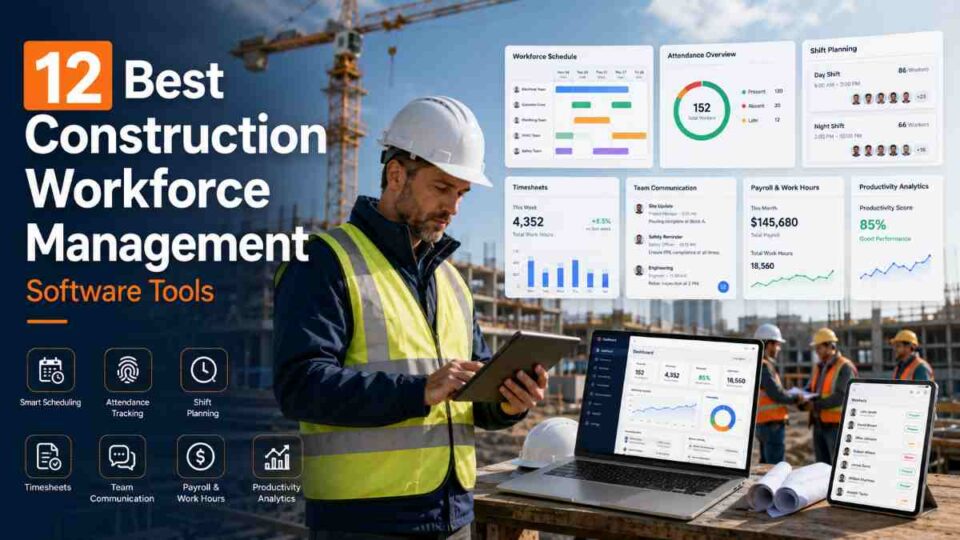
The right construction workforce management software eliminates guesswork from crew scheduling, automates time tracking with GPS accuracy, enforces compliance across every jobsite, and feeds real-time labor data directly into your payroll and job-costing systems. Whether you run a five-person specialty trade crew or a 500-worker general contracting operation, the platforms covered in this guide represent the best options available in 2026.
This guide compares twelve leading tools across features, pricing, ideal company size, and integration capabilities so you can make an informed decision without spending weeks on demos.
Related reading: List of the Best Construction Project Management Software for 2026
Table of Contents
What Is Construction Workforce Management Software?
Construction workforce management software is a category of digital tools designed to help contractors, subcontractors, and construction companies plan, schedule, track, and optimize how their labor resources are deployed across projects and jobsites. Unlike generic HR platforms built for office environments, these solutions are purpose-built for the unique realities of construction — shifting crews, multiple subcontractors, changing jobsites, weather disruptions, and complex compliance requirements.
Core capabilities typically include crew scheduling and dispatching, GPS-enabled time and attendance tracking, labor forecasting based on project pipelines, job costing tied to individual tasks and cost codes, safety compliance monitoring, certification tracking, and payroll integration. More advanced platforms now incorporate AI-powered scheduling optimization, geofencing for automated clock-in and clock-out, and real-time productivity dashboards.
According to TrustRadius, this type of software is particularly useful for organizations with many employees, subcontractors, and trade partners in their labor forces, where manual workforce coordination creates bottlenecks that directly impact project timelines and budgets.
Explore related software: Best Construction Management Software Guide 2026
Why Construction Companies Need Workforce Management Software in 2026
Several converging forces make workforce management software essential rather than optional for construction firms in 2026:
The Labor Shortage Is Structural, Not Cyclical
According to Associated Builders and Contractors (ABC), the construction industry must attract approximately 349,000 net new workers in 2026 beyond normal hiring to meet demand. Deloitte estimates a potential shortage of over two million skilled craft professionals by 2028 if current trends persist. With 41% of the current workforce projected to retire by 2031, workforce management tools that maximize productivity from existing teams are no longer optional.
Deep dive: Construction Labour Shortage 2026: Are You Underpaid?
Rising Labor Costs Demand Precision
The National Association of Home Builders estimates that workforce constraints cost the U.S. economy $2.7 billion annually due to project delays. Some markets are reporting wage increases of 9% to 11% for specialized trades. When labor costs are climbing this steeply, even small inefficiencies in time tracking or crew allocation translate to thousands of dollars in budget overruns per project.
Compliance Is Getting More Complex
From certified payroll requirements on federally funded projects to OSHA safety documentation and state-level prevailing wage laws, compliance obligations are increasing. Workforce management software automates break monitoring, tracks worker certifications and license renewals, and ensures that the correct number and type of workers are scheduled at each jobsite.
Related: Construction Safety Jobs: Ensuring Site Safety
Multi-Site Visibility Is Non-Negotiable
Contractors managing multiple projects simultaneously need real-time visibility into which crews are where, who is available, and which certifications are expiring. Cloud-based workforce platforms provide this visibility from a single dashboard, eliminating the phone-call chains and text-message coordination that slow down operations.
Key Features to Look for in Workforce Management Software
Before comparing individual platforms, it helps to understand which features matter most for construction-specific workflows. Not every tool does everything well, so knowing your priorities will narrow the field quickly.
Scheduling and Dispatching
Look for drag-and-drop visual scheduling boards, conflict detection when assigning the same worker to overlapping shifts, and the ability to schedule based on skills, certifications, and availability. Recurring shift templates save significant time for ongoing projects.
GPS Time Tracking and Geofencing
Mobile-first time clocks with GPS verification ensure that workers are clocking in from the correct jobsite. Geofencing can automate clock-in reminders when workers enter a designated perimeter and flag when someone attempts to log time from an off-site location.
Job Costing Integration
The software should tie every tracked labor hour to a specific project, cost code, and task. This integration enables accurate job costing without manual data entry, helping project managers keep labor budgets on track in real time.
Payroll and Accounting Integration
Native integrations with payroll providers (ADP, Gusto, QuickBooks) and accounting software eliminate duplicate data entry and reduce payroll errors. Look for certified payroll reporting capabilities if you work on government-funded projects.
Compliance and Certification Tracking
The platform should alert managers when worker licenses, safety certifications, or training requirements are due for renewal. Automated compliance documentation reduces the risk of regulatory violations and project shutdowns.
Mobile Accessibility
Field workers need an intuitive mobile app that works reliably in low-connectivity environments. Offline functionality that syncs when connection is restored is critical for remote construction sites.
Reporting and Analytics
Labor productivity reports, overtime tracking, absence patterns, and utilization dashboards help managers make data-driven decisions about staffing levels and identify inefficiencies before they impact budgets.
See also: Finding the Right Construction Technology Solutions for Your Project
12 Best Construction Workforce Management Software Tools (2026)
The following tools have been selected based on feature depth, construction-specific functionality, user reviews, pricing accessibility, and 2026 relevance. They are organized from all-in-one platforms to specialized solutions.
1. Connecteam
Best for: Small to mid-sized contractors seeking an affordable all-in-one platform
Connecteam is a mobile-first workforce management platform that combines scheduling, GPS time tracking, task management, training modules, and internal communication in a single app. Its construction-specific features include geofence-based time tracking, digital forms for safety checklists and daily reports, and a document hub for managing worker certifications.
What sets Connecteam apart for smaller construction firms is its pricing model: the Small Business Plan is free for up to 10 users with full feature access, while the Basic plan starts at $29 per month for up to 30 users — working out to less than $1 per employee per month. Additional users can be added for as little as $0.50 each.
Key strengths: Free plan available, intuitive mobile apps for Android and iOS, built-in training and onboarding modules, digital forms with auto-fill logic, shift scheduling with conflict detection.
Limitations: May lack the depth of project management features needed by large general contractors. Reporting is functional but not as advanced as enterprise-grade platforms.
Pricing: Free for up to 10 users; Basic plan at $29/month for 30 users; Advanced at $49/month; Expert at $99/month. 14-day free trial available.
Website: connecteam.com
2. Procore
Best for: Mid-to-large general contractors needing workforce tools integrated into a full project lifecycle platform
Procore is one of the most established names in construction technology, supporting everything from preconstruction and bidding through workforce management, financial oversight, and project closeout. Its workforce features include a Resource Planning module with drag-and-drop scheduling, a My Time mobile time tracker with cost code tagging, and geofencing reminders.
Workers clock in from their phones and log details such as project, cost code, sub-job, location, and pay type, creating a direct link between labor hours and job costing. However, Procore’s scheduling is more geared toward workforce planning than shift-building, and it lacks auto-scheduling templates and timeclock kiosk functionality.
Key strengths: Comprehensive project lifecycle coverage, robust reporting and analytics, massive integration marketplace (over 500 partner apps), strong document management and quality controls.
Limitations: Custom quote-based pricing that can be steep for smaller firms. Steep learning curve. Scheduling requires some workarounds for full-shift coverage.
Pricing: Custom enterprise pricing based on project volume. Contact sales for a quote.
Website: procore.com
3. Workyard
Best for: Field-heavy contractors who prioritize GPS-verified time tracking and job costing
Workyard focuses on the essentials that field-oriented construction companies need most: precise GPS time tracking, job costing, scheduling, and payroll integration. Its mobile app works offline — a significant advantage for crews working in low-coverage areas — and features an AI-powered form editor for creating custom field reports and inspection checklists.
The scheduling interface is color-coded for easy visibility, and recurring shifts can be set up to avoid weekly re-creation. However, Workyard does not include built-in communication or HR management tools, which limits its scope as a full workforce management platform.
Key strengths: High-accuracy GPS tracking with breadcrumb trails, offline functionality, AI-assisted form creation, strong payroll integrations.
Limitations: No built-in team messaging or communication tools. Limited HR and onboarding features.
Pricing: Starts at $6/user per month plus a $50/month base fee. 14-day free trial available.
Website: workyard.com
4. Buildertrend
Best for: Residential builders, remodelers, and specialty contractors
Buildertrend is a comprehensive construction management platform designed specifically for residential and specialty construction. Its workforce features include a visual Scheduling Board with drag-and-drop crew assignments, mobile time cards, daily logs with photo capture, and real-time dispatching notifications.
What makes Buildertrend particularly strong for its target market is the tight integration between workforce scheduling and project financials. Crew scheduling feeds directly into job costing, change orders, and client-facing portals, creating a seamless workflow from crew assignment through invoicing.
Key strengths: Visual scheduling board with real-time updates, conflict detection for crew assignments, integrated client portal, strong financial management tools for residential projects.
Limitations: Primarily designed for residential and remodeling workflows. May not suit large commercial or infrastructure projects.
Pricing: Starts at approximately $199/month for the Essential plan. Higher tiers available for growing firms.
Website: buildertrend.com
5. Autodesk Construction Cloud (ACC)
Best for: Large firms already invested in the Autodesk ecosystem needing enterprise workforce tools
Autodesk Construction Cloud connects workforce management to the broader Autodesk ecosystem, including BIM 360, Revit, and PlanGrid. For firms already using Autodesk products for design and project management, ACC provides a unified environment where workforce scheduling, time tracking, and safety management are integrated with model-based workflows and document control.
The platform is particularly strong for managing large, multi-stakeholder projects where workforce planning needs to be tightly coordinated with design changes, RFIs, and construction sequencing.
Key strengths: Deep BIM and design tool integration, enterprise-grade security and compliance, comprehensive project management, robust API for custom integrations.
Limitations: High price point. Can be overly complex for smaller teams that do not need full project lifecycle management.
Pricing: Starts at approximately $85/user per month for Autodesk Build. Enterprise tiers available.
Website: construction.autodesk.com
Related reading: BIM Careers in 2026: Your Complete Guide to Roles, Salaries, Software, and Global Demand
6. Fieldwire
Best for: Field teams needing mobile-first task management and daily coordination
Fieldwire excels at day-to-day field coordination, making it a strong choice for subcontractors and project teams that need to keep crews organized on active jobsites. Its mobile-first approach emphasizes task management, plan viewing, punch lists, and field reporting rather than back-office workforce planning.
For firms that already have a higher-level project management platform but need a field coordination layer, Fieldwire fills the gap effectively. It integrates with Procore and other construction management platforms.
Key strengths: Excellent mobile experience, plan markup and annotation, task management with accountability tracking, strong punch list functionality.
Limitations: Narrower workforce management scope than all-in-one platforms. Time tracking and scheduling are less robust than dedicated workforce tools.
Pricing: Starts at approximately $54/user per month. Free plan available for limited use.
Website: fieldwire.com
7. Bridgit Bench
Best for: General contractors and multi-project firms focused on portfolio-level workforce planning
Bridgit Bench is a dedicated workforce planning platform that helps general contractors allocate people across a portfolio of projects rather than managing day-to-day time tracking. It provides visibility into team capacity, skill gaps, and upcoming availability across all active and pipeline projects.
This portfolio-level view is invaluable for operations managers and executives who need to make strategic hiring and subcontracting decisions months in advance. Bridgit Bench integrates with project management tools to pull in project timelines and automatically highlight resource conflicts.
Key strengths: Portfolio-level resource planning, utilization dashboards, skills and certification matching, scenario planning for upcoming projects.
Limitations: Not a time-tracking or payroll tool — designed specifically for high-level planning. Requires integration with other tools for day-to-day workforce management.
Pricing: Custom pricing based on company size. Request a demo for details.
Website: bridgit.com/bench
8. Raken
Best for: Small to mid-sized firms that need digital daily reporting and time tracking without complexity
Raken has built a strong reputation for simplifying field reporting in construction. Its daily report functionality — with photo and video capture, weather logging, and work summaries — is among the best in the industry. Raken also includes time tracking with GPS verification and basic crew management features.
For firms that want to digitize their field documentation and time tracking without adopting a full-scale project management platform, Raken offers a focused and user-friendly solution. It integrates with Procore and QuickBooks for data flow into broader systems.
Key strengths: Industry-leading digital daily reports, photo and video documentation, GPS time tracking, robust Procore and QuickBooks integrations.
Limitations: Limited advanced scheduling or workforce forecasting. Not a full project management solution.
Pricing: Pro plan at $19/user per month (billed annually); Business plan at $39/user per month; Enterprise pricing available. 14-day free trial.
Website: rakenapp.com
9. BusyBusy
Best for: Construction companies that want free, reliable GPS time tracking and job costing
BusyBusy is a mobile-first time tracking solution tailored for construction crews. Its core offering is GPS-enabled time capture with job costing, equipment tracking, and payroll integration — and it offers a genuinely usable free plan that many small contractors find sufficient for basic needs.
The platform is deliberately focused on doing time tracking and job costing well rather than expanding into full project management, which keeps the interface clean and the learning curve minimal for field workers.
Key strengths: Free plan with core features, GPS breadcrumb trails for location verification, equipment time tracking, clean mobile interface.
Limitations: Limited scheduling capabilities. No built-in communication tools or document management.
Pricing: Free plan available; paid plans start at $9.99/user per month.
Website: busybusy.com
10. Buddy Punch
Best for: Small operations looking for affordable, reliable time tracking with payroll integration
Buddy Punch delivers straightforward time tracking with GPS, geofencing, and overtime calculations — all at a price point that makes sense for small contractors. It includes scheduling features, PTO management, and integrations with popular payroll platforms including QuickBooks, ADP, Gusto, and Paychex.
While not construction-specific in its design, Buddy Punch has developed a significant following among small contractors and specialty trade firms because it solves the time tracking and payroll integration problem without adding unnecessary complexity.
Key strengths: Simple and intuitive interface, flexible clock-in methods (mobile, web, kiosk), strong payroll integrations, affordable pricing.
Limitations: Not purpose-built for construction. Limited job costing depth. No daily reporting or field documentation features.
Pricing: Starts at $3.99/user per month plus a base fee. Free trial available.
Website: buddypunch.com
11. Kwant.ai
Best for: Large-scale projects needing AI-powered workforce analytics and real-time site monitoring
Kwant.ai uses artificial intelligence and IoT sensor data to provide real-time workforce tracking and productivity analytics on construction sites. Unlike traditional time-tracking tools that rely on manual clock-in, Kwant uses camera systems and sensors to automatically detect worker presence, zone activity, and movement patterns across the jobsite.
This AI-driven approach provides a level of workforce visibility that manual systems simply cannot match, making it particularly valuable for large infrastructure projects, data center construction, and high-security jobsites where accurate headcounts and zone tracking are critical.
Key strengths: Automated workforce tracking without manual clock-in, zone-level activity monitoring, productivity analytics tied to specific areas and tasks, and safety compliance monitoring.
Limitations: Requires IoT infrastructure installation on-site. Higher setup cost than software-only solutions. Best suited for large-scale projects.
Pricing: Custom pricing based on project size and sensor requirements.
Website: kwant.ai
12. Lumber
Best for: Contractors who need workforce management combined with automated certified payroll
Lumber (formerly Busybusy’s enterprise product) is designed specifically for construction contractors who need to manage time tracking, scheduling, and certified payroll compliance in a single platform. It automates the generation of certified payroll reports required for Davis-Bacon Act and prevailing wage projects, which is a significant time-saver for contractors working on government-funded jobs.
The platform also includes field-level time tracking, crew scheduling, and compliance documentation, creating a streamlined workflow from field to payroll to regulatory reporting.
Key strengths: Automated certified payroll generation, prevailing wage compliance, field time tracking, union reporting capabilities.
Limitations: Primarily focused on the U.S. market and federal compliance requirements. Less suitable for international contractors.
Pricing: Custom pricing. Request a demo for details.
Website: lumber.dev
Quick Comparison Table
| Software | Best For | Starting Price | Free Plan | Key Differentiator |
|---|---|---|---|---|
| Connecteam | Small–mid contractors | $29/mo for 30 users | Yes | All-in-one at lowest cost |
| Procore | Large GCs | Custom | No | Full project lifecycle |
| Workyard | Field-heavy crews | $6/user/mo + $50 base | No | GPS accuracy + offline |
| Buildertrend | Residential builders | ~$199/mo | No | Residential workflow focus |
| Autodesk CC | Enterprise / BIM firms | ~$85/user/mo | No | BIM ecosystem integration |
| Fieldwire | Field task management | ~$54/user/mo | Yes (limited) | Mobile-first field coordination |
| Bridgit Bench | Portfolio workforce planning | Custom | No | Multi-project resource planning |
| Raken | Daily reporting + time tracking | $19/user/mo | No | Best-in-class daily reports |
| BusyBusy | Budget-friendly time tracking | $9.99/user/mo | Yes | Free GPS time tracking |
| Buddy Punch | Small crews | $3.99/user/mo + base | No | Simple payroll integration |
| Kwant.ai | Large-scale AI monitoring | Custom | No | AI-automated worker tracking |
| Lumber | Certified payroll compliance | Custom | No | Automated certified payroll |
How to Choose the Right Workforce Management Software
Selecting the right platform depends on your company size, project types, budget, and existing technology stack. Here is a decision framework:
Step 1: Define Your Primary Pain Point
Are you mostly struggling with inaccurate time tracking? Crew scheduling chaos? Certified payroll compliance? Portfolio-level visibility? The answer narrows your shortlist immediately. A contractor fighting time theft needs GPS accuracy (Workyard, BusyBusy). A GC managing dozens of concurrent projects needs portfolio planning (Bridgit Bench).
Step 2: Assess Your Team Size and Budget
A 10-person specialty contractor has very different needs and budget constraints than a 300-person general contractor. Connecteam’s free plan and Buddy Punch’s low per-user cost make sense for small teams. Procore and Autodesk CC justify their premium pricing for firms that need full lifecycle integration.
Step 3: Check Integration Requirements
List the software you already use — accounting (QuickBooks, Sage), payroll (ADP, Gusto), project management (Procore, PlanGrid), and BIM tools (Revit, Navisworks). Choose a workforce platform that integrates natively with your existing stack to avoid data silos and manual re-entry.
Step 4: Evaluate Mobile Experience
Have your field workers test the mobile app. If it takes more than two taps to clock in, or if the interface confuses workers who are not tech-savvy, adoption will be low regardless of how good the back-end features are. Offline functionality is essential for remote jobsites.
Step 5: Run a Pilot
Most platforms offer free trials ranging from 14 to 30 days. Run a pilot on one active project before committing to an annual contract. Track adoption rates, error reduction, and time saved during the trial period.
Career tools for your team: ConstructionCareerHub offers an AI-powered Resume Lab and Interview Copilot — useful for hiring managers evaluating candidate resumes and for team members preparing for career advancement.
Industry Trends Shaping Workforce Management Software in 2026
AI-Powered Scheduling and Forecasting
AI algorithms are increasingly being integrated into workforce platforms to optimize crew assignments based on historical productivity data, weather forecasts, and project complexity. According to recent industry surveys, 83% of construction professionals now trust AI to improve productivity, and platforms like Kwant.ai are demonstrating how automated workforce tracking can replace manual processes entirely.
Wearable Integration
Smart helmets, GPS-enabled vests, and biometric wearables are feeding real-time data into workforce management platforms. These integrations enable automated attendance, fatigue monitoring, and safety alerts without requiring workers to interact with a phone or tablet.
Predictive Workforce Analytics
Advanced platforms are moving beyond descriptive reporting (what happened) to predictive analytics (what will happen). By analyzing historical labor patterns, weather data, and project pipelines, these tools can forecast labor needs weeks in advance, helping firms plan hiring and subcontracting more strategically.
Integration with BIM and Digital Twins
As BIM adoption becomes standard practice across the industry, workforce management tools are beginning to integrate with 3D models and digital twins. This enables project managers to visualize crew deployment in the context of the physical structure, identifying bottlenecks and optimizing task sequencing.
Further reading: Digital Transformation in Construction: The Next Level of Efficiency
Career Implications: Why Workforce Management Skills Matter
Understanding workforce management software is increasingly a core competency for construction professionals seeking career advancement. Project managers, site engineers, operations managers, and even estimators are expected to be proficient with these tools.
Professionals who can demonstrate experience with platforms like Procore, Autodesk CC, or dedicated workforce tools like Bridgit Bench stand out in a competitive job market. According to industry compensation data, construction technology proficiency — including workforce management platforms — can add 15–25% to base salary offers, particularly for project management and operations roles.
For those looking to build construction technology skills, these online courses provide a strong foundation:
- Construction Project Management on Coursera (Columbia University)
- Project Management courses on edX
- Construction Management courses on Udemy
More resources: Free Construction Certifications You Can Get Online in 2026 | Construction Management Career Guide for 2026
Looking to strengthen your resume before applying? ConstructionCareerHub’s Resume Lab can help you build an ATS-optimized resume that highlights your tech skills.
Common Mistakes When Implementing Workforce Management Software
Even the best software fails when implementation is poorly handled. Here are the most frequent pitfalls construction companies encounter:
Choosing features over adoption. A platform with 50 features that your field workers refuse to use is worth less than a simpler tool with 90% adoption. Always prioritize ease of use for the people who will interact with it daily.
Skipping the training phase. Rolling out new software without structured training sessions for both office and field staff leads to inconsistent usage, bad data, and eventual abandonment. Budget at least two weeks of hands-on training before going live.
Ignoring integration requirements. Adopting a workforce tool that does not connect to your existing payroll or accounting system creates more manual work, not less. Always map your integration needs before purchase.
Failing to enforce consistent usage. If some superintendents use the software while others stick to paper timesheets, the data is unreliable and the ROI diminishes. Establish clear policies requiring all crews to use the system from day one.
Not reviewing data regularly. Workforce management software generates valuable data, but it is only useful if someone is analyzing it. Assign an operations manager or project coordinator to review labor reports weekly and act on the insights.
Explore more: Construction Project Management Career Guide for 2025 | Job Market Trends in Construction: Analysis of 2026 and Beyond
Recommended Digital Resources
For construction professionals looking to deepen their industry knowledge, these ebooks provide practical, career-focused guidance:
- AI Construction Career Blueprint — Comprehensive guide to building a modern construction career with AI-era skills
- Construction Interview Preparation Guide — Expert strategies for landing construction management and engineering roles
- Construction Career Bundle — Complete career toolkit including resume templates, interview prep, and career planning resources
- Remote Construction Jobs Guide — Navigate the growing market for remote-capable construction technology and management roles
Frequently Asked Questions
What is the best free construction workforce management software?
Connecteam offers the most feature-complete free plan, providing full access to scheduling, time tracking, task management, and communication tools for up to 10 users. BusyBusy also offers a free tier focused on GPS time tracking and job costing. For very small crews, these free plans may cover all essential needs without requiring a paid upgrade.
How much does construction workforce management software cost?
Pricing ranges widely based on features and company size. Budget-friendly options like Buddy Punch start at $3.99 per user per month, while mid-tier platforms like Workyard run $6–$13 per user per month. Enterprise platforms like Procore and Autodesk Construction Cloud use custom pricing that can reach $85 or more per user per month. Most vendors offer free trials to help evaluate value before committing.
Can workforce management software help with certified payroll?
Yes. Platforms like Lumber specialize in automated certified payroll reporting for Davis-Bacon Act and prevailing wage projects. Procore and Connecteam also offer payroll integrations that support certified payroll workflows, though dedicated platforms like Lumber provide more automated compliance documentation.
What is the difference between workforce management software and project management software?
Project management software covers the full lifecycle of a construction project — scheduling, budgeting, document management, RFIs, and change orders. Workforce management software focuses specifically on labor — crew scheduling, time tracking, payroll, compliance, and productivity analytics. Some platforms like Procore and Buildertrend combine both in a single system, while others like Bridgit Bench and BusyBusy focus exclusively on workforce functions.
How does GPS time tracking work on construction sites?
Workers clock in and out using a mobile app on their phone. The app records GPS coordinates at each clock event, verifying that the worker is at the correct jobsite. Geofencing takes this further by creating a virtual boundary around the site — automatically prompting clock-in when a worker enters the zone and flagging missed clock-outs when they leave. Some platforms also record GPS breadcrumb trails throughout the shift for continuous location verification.
Is workforce management software suitable for subcontractors?
Absolutely. Many of the tools in this guide — particularly Connecteam, Workyard, BusyBusy, and Fieldwire — are designed with subcontractors and specialty trade firms in mind. These platforms typically offer lower price points, simpler interfaces, and focused feature sets that match the operational needs of smaller teams without the overhead of enterprise project management functionality.
How does workforce management software improve safety on construction sites?
These platforms improve safety by tracking worker certifications and training expirations, ensuring properly qualified personnel are assigned to high-risk tasks, monitoring labor hours to prevent fatigue-related accidents from excessive overtime, and maintaining digital safety checklists and incident reports. The AGC 2025 Workforce Survey confirmed that labor shortages cause project delays for 45% of firms, and understaffed projects face compounding safety risks.
What integrations should I look for in workforce management software?
At minimum, look for integrations with your payroll provider (QuickBooks, ADP, Gusto, Sage), accounting software, and any project management platform you already use (Procore, PlanGrid, Autodesk). For firms working on government projects, integration with certified payroll reporting tools is essential. BIM tool integration (Revit, Navisworks) is increasingly valuable for firms using model-based workflows.
This article is published on ConstructionPlacements.com — your trusted source for construction career guides, industry insights, and technology reviews. For AI-powered career tools, including resume optimization, interview preparation, and career planning, visit ConstructionCareerHub.com.
Explore more construction career and technology content: 25 Top Construction Technology Companies | 150+ Construction Job Titles & Descriptions | 15 Best Construction Careers for Beginners | What Qualifications Do I Need to Work in Construction?
