

Last Updated on May 20, 2026 by Admin
Quality failures in construction are expensive. According to a 2022 Autodesk–FMI study, contractors who captured real-time field data reduced total project costs by 14–16 percent and logged 30 percent fewer disputes. And yet, defects and rework still account for roughly 10–15% of total project costs across the global construction industry — a staggering waste that the right inspection software can dramatically reduce.
ConstructionCareerHub App is LIVE — built ONLY for construction careers. Don’t apply with a weak resume.
Get ATS-ready Resume Lab + Interview Copilot + Campus Placement Prep (resume screening, skill gaps, interview readiness) — in minutes & Other advanced features.
Explore Smarter Construction Career Tools →Quick check. Big impact. Start now.
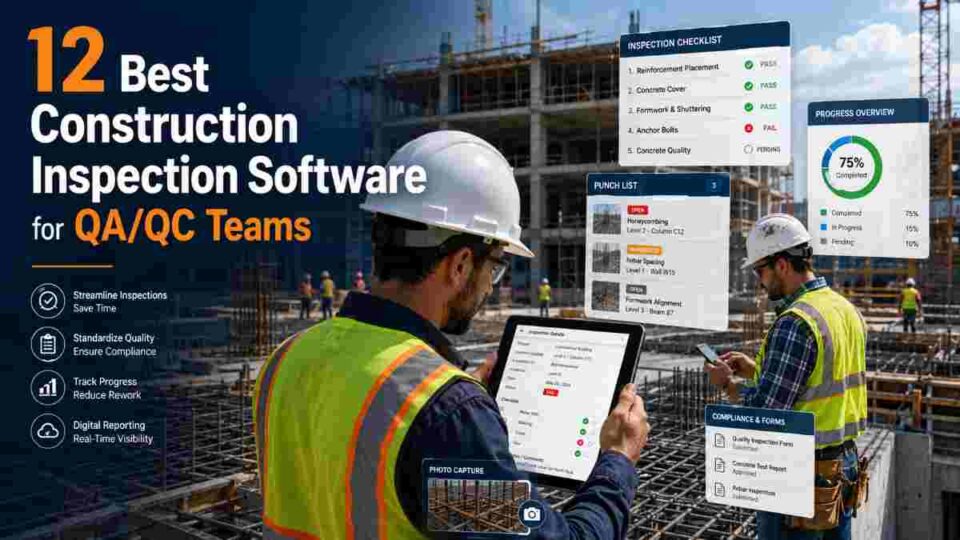
If you are a QA/QC engineer, site quality manager, or construction project lead looking to replace paper checklists and scattered spreadsheets with a professional digital system, this guide is for you. We have evaluated the leading construction inspection software platforms available in 2026 based on feature depth, mobile performance, QA/QC-specific capabilities, integration options, pricing transparency, and actual user feedback.
Whether you manage a single residential project or oversee quality across a portfolio of large-scale infrastructure programmes, these platforms can help you standardize inspections, document defects with photo evidence, track corrective actions to closure, and generate audit-ready reports — all from your phone or tablet on the jobsite.
Related: QA/QC Engineer: Salary, Roles & Career Guide 2026
ConstructionCareerHub Tip: QA/QC professionals who demonstrate proficiency in digital inspection platforms are commanding 15–20% higher salaries than their paper-based counterparts. Build your digital quality skills with the ConstructionCareerHub Resume Lab and Interview Copilot to highlight these competencies on your CV.
Table of Contents
What Is Construction Inspection Software?
Construction inspection software is a digital platform that enables site teams to plan, conduct, and document quality inspections across construction projects. These tools replace paper forms and spreadsheets with mobile-ready checklists, real-time defect tracking, photo and annotation capture, corrective action workflows, and automated reporting. The goal is consistent data collection, faster issue resolution, and a verifiable audit trail that satisfies clients, regulators, and internal quality standards alike.
For QA/QC teams specifically, the best platforms go further — offering inspection template libraries aligned to ISO 9001 frameworks, non-conformance report (NCR) management, inspection and test plan (ITP) tracking, punch list workflows, and integration with BIM models and construction management ecosystems such as Procore or Autodesk Construction Cloud.
Why QA/QC Teams Need Dedicated Inspection Software in 2026
The business case for moving beyond paper-based quality processes has never been stronger. Here is why dedicated inspection software has become a baseline requirement for professional QA/QC teams:
Rework costs are rising, not falling.
With material prices elevated and skilled labour in short supply globally, every defect caught before concrete cures or steel is erected translates directly to cost savings. Well-implemented QA/QC software suites can deliver a 30 percent reduction in defects and rework and a 25 percent cut in modification costs, according to industry analysts at Build News.
Regulatory and client expectations are intensifying.
From ISO 19650 digital delivery standards to LEED documentation requirements and OSHA compliance records, QA/QC teams must maintain increasingly granular audit trails. Software that generates timestamped, geotagged inspection records with photo evidence meets these demands far more reliably than handwritten logs.
AI and cloud adoption are accelerating.
Nearly 74% of AEC firms now use AI-enabled or cloud-based tools somewhere in their workflow. Inspection platforms in 2026 are incorporating AI-powered defect detection, predictive analytics for recurring quality issues, and automated report generation, making early adopters significantly more productive.
Remote and multi-site oversight is the new norm.
QA/QC managers overseeing multiple jobsites need real-time dashboards that show inspection completion rates, open corrective actions, and quality trends across the entire project portfolio — not spreadsheets emailed once a week.
Related: Construction Quality Control Checklist: A Comprehensive List
How We Evaluated These Platforms
Every platform in this guide was assessed against criteria that matter most to QA/QC professionals:
- QA/QC feature depth: Inspection templates, NCR workflows, ITP tracking, punch lists, defect annotation, and compliance documentation
- Mobile and offline performance: Ability to run inspections in areas with poor connectivity and sync automatically when back online
- Reporting and analytics: Automated report generation, trend analysis, dashboard visibility, and export options (PDF, CSV, Excel)
- Integration ecosystem: Connectivity with Procore, Autodesk, BIM 360, ERP systems, and other construction platforms
- Ease of deployment: How quickly teams can get started without extensive training or IT support
- Pricing transparency: Whether pricing is publicly available and reasonable for the team size
- User reviews and industry adoption: Ratings from G2, Capterra, and real-world construction project usage
12 Best Construction Inspection Software for QA/QC Teams
Below is a detailed evaluation of each platform, organised so you can quickly identify the best fit for your team size, project type, and budget.
1. PlanRadar — Best Overall for Construction QA/QC Inspection
Website: planradar.com
PlanRadar is a documentation, communication, and inspection platform designed specifically for construction and real estate teams. Founded in Vienna in 2013, it has grown into one of the most widely deployed QA/QC platforms globally, with particular strength in Europe, the Middle East, and Asia-Pacific markets.
Key QA/QC Features:
- Customisable inspection checklists and templates that can be linked directly to floor plans and BIM models
- Defect and snag tracking with photo annotations, priority tagging, and assignable corrective actions
- Unlimited external subcontractor access (included free on most plans), enabling cross-team quality collaboration without additional licensing costs
- Automated PDF report generation with branded templates
- Offline mobile inspection capability with automatic sync
- Real-time analytics dashboard showing inspection completion, open issues, and quality trends
Pricing: Starts at approximately €29/user/month (Starter plan). Pro and Enterprise tiers available with advanced reporting and API access. Free trial available.
Best For: Mid-to-large QA/QC teams managing multiple sites who need rapid deployment, strong mobile adoption, and predictable per-user pricing without surprises.
Limitations: Not a full financial project management suite — teams needing deep cost control and contract management may need to pair it with Procore or an ERP system.
2. Procore Quality & Safety — Best for Enterprise-Scale Quality Management
Website: procore.com
Procore is one of the world’s most widely used construction management platforms, and its Quality & Safety module offers a comprehensive inspection and quality management system tightly integrated with the rest of the Procore ecosystem (RFIs, submittals, change orders, cost tracking).
Key QA/QC Features:
- Configurable inspection templates with pass/fail/N.A. fields and automatic deficiency creation
- Observations module for logging field quality and safety issues with photos and drawings markup
- Punch list management with detailed tracking through to closeout
- Comprehensive submittal and RFI tracking that ties quality documentation to project controls
- Robust reporting and analytics with customisable dashboards
- Extensive integration marketplace (over 500 partner apps)
Pricing: Revenue-based pricing model; typically $667+/month per user for enterprise packages. Annual contracts required. Implementation costs of $20,000–$50,000 are common for larger deployments.
Best For: Large general contractors and enterprises that want inspection, quality, safety, and full project lifecycle management within a single platform.
Limitations: High cost and longer implementation timeline make it less practical for small-to-mid-size firms or specialty subcontractors focused solely on QA/QC.
Related: Free Construction Certifications You Can Get Online in 2026 (includes free Procore certifications)
3. SafetyCulture (formerly iAuditor) — Best Mobile-First Inspection App
Website: safetyculture.com
SafetyCulture (formerly known as iAuditor) is a mobile-first inspection and operations platform trusted by over 70,000 organisations globally. It powers over a billion checks per year and is particularly strong in construction, manufacturing, and facilities management.
Key QA/QC Features:
- Drag-and-drop template builder to create customised inspection forms in minutes
- Library of over 54,000 shared templates, including 10,000+ specific to construction
- Offline inspection capability on iOS, Android, and web
- Smart logic fields that show or hide questions based on responses, speeding up inspections
- Corrective action assignment with due dates, priority levels, and evidence tracking
- AI-powered template generation — describe your inspection purpose, and the platform suggests questions
- Integration with Tableau, Power BI, SAP, and other enterprise platforms
Pricing: Free for teams of five or fewer. Paid plans start at $24/user/month (Premium). Enterprise pricing available.
Best For: QA/QC teams that need a quick-to-deploy, highly customisable mobile inspection tool without a large upfront investment. Excellent for subcontractors and smaller firms.
Limitations: Primarily an inspection and audit tool — it does not include project management features like scheduling, cost control, or contract administration. Some users report that the platform can be complex to configure initially.
4. Fieldwire by Hilti — Best for Field-First Punch Lists and Task Management
Website: fieldwire.com
Fieldwire, acquired by Hilti in January 2022, is a field management platform built for superintendents, foremen, and QA/QC teams who need lightweight but powerful task tracking and inspection capabilities directly on construction drawings.
Key QA/QC Features:
- Task-based inspection workflow pinned to plan sheets — quality issues are located visually on blueprints
- Punch list management with photo documentation, priority tags, and status tracking
- Form builder for custom inspection checklists
- Real-time plan viewing and markup with version control
- Offline support with automatic sync
- Hyperlinking between tasks, plans, and photos for full quality traceability
Pricing: Free Basic plan available. Pro plan at $39/user/month; Business at $59/user/month; Business Plus at $89/user/month.
Best For: Small-to-mid-size contractors and specialty subcontractors who prioritise fast, drawing-centric quality tracking over full project management.
Limitations: Reporting and analytics capabilities are less comprehensive than competitors like Procore or PlanRadar. Not ideal for firms needing deep QA/QC-specific modules (NCR management, ITP tracking).
5. Autodesk Build (ACC) — Best for BIM-Integrated Quality Workflows
Website: construction.autodesk.com
Autodesk Build is the construction execution module within Autodesk Construction Cloud (ACC). It offers issue tracking, inspection, and quality management features that are natively connected to BIM models, 2D sheets, and the broader Autodesk design ecosystem (Revit, Civil 3D, Navisworks).
Key QA/QC Features:
- Issue tracking linked directly to BIM models and 2D drawings — pinpoint quality defects in 3D
- Configurable inspection templates with checklist items, pass/fail scoring, and photo capture
- Automated issue routing and notification workflows
- Native integration with Autodesk Design, BIM Collaborate, and Autodesk Docs
- Comprehensive RFI and submittal management
- Analytics dashboards for quality and safety trends
Pricing: Part of Autodesk Construction Cloud subscription packages. Pricing varies based on modules and seats — contact Autodesk for a quote. Generally mid-to-premium pricing.
Best For: Firms already invested in the Autodesk ecosystem (Revit, BIM 360) that want seamless model-to-field inspection continuity, particularly on complex projects requiring BIM Level 2+ delivery.
Limitations: Requires Autodesk ecosystem buy-in to unlock full value. Less practical for teams not using BIM workflows or those needing a standalone inspection-only tool.
Related: Exploring BIM Careers: Top Opportunities for Engineers and Architects
6. Dalux — Best for BIM-Based QA on European and Infrastructure Projects
Website: dalux.com
Dalux is a Danish construction management platform with a strong focus on BIM-based quality assurance, field collaboration, and digital handover. It is particularly popular across Scandinavia, the UK, and European infrastructure programmes where BIM mandates are well established.
Key QA/QC Features:
- Native 3D BIM viewer — conduct inspections directly on 3D models on a tablet
- QA checklists integrated with model elements (e.g., link an inspection to a specific wall, MEP component, or structural element)
- Field issue tracking with photo evidence and drawing markup
- Digital handover and operations module (Dalux FM) for as-built quality documentation
- IFC model support and integration with Revit, ArchiCAD, and other BIM authoring tools
Pricing: Free BIM Viewer app available. Quality and Field modules are priced per project or subscription — contact Dalux for a quote.
Best For: QA/QC teams on BIM-mandatory projects (especially in Europe and the Middle East) that need inspection workflows tightly linked to 3D models and digital twin delivery requirements.
Limitations: Less established in North American markets. BIM-centric approach may be more than needed for teams on simpler residential or small commercial projects.
7. GoAudits — Best Budget-Friendly Inspection Platform
Website: goaudits.com
GoAudits is a mobile inspection and auditing platform designed for teams that need a straightforward, affordable way to digitise quality inspections across multiple industries, including construction. It offers customisable checklists, offline mobile functionality, and automated report generation.
Key QA/QC Features:
- Customisable inspection checklists with scoring, photo capture, and conditional logic
- Offline mobile inspections on iOS and Android with automatic cloud sync
- Automated, branded PDF report generation shared instantly after inspection completion
- Corrective action tracking with assignment, priority, and due date management
- Interactive analytics dashboards for performance trend tracking across sites
- Free template library including construction-specific inspection forms
Pricing: Starts at approximately $10/user/month. Free trial available. Competitive pricing for small teams and growing firms.
Best For: Budget-conscious QA/QC teams, small contractors, and emerging-market firms that need a reliable, low-cost digital inspection tool without enterprise complexity.
Limitations: Lacks deep construction-specific features like BIM integration, punch list management, or RFI tracking. Best suited as a standalone inspection tool rather than an all-in-one construction platform.
8. InspectAll — Best for Industrial and Regulated Construction Inspections
Website: inspectall.com
InspectAll is a mobile-first inspection platform designed for service providers and teams operating in highly regulated industries, including construction, oil and gas, and manufacturing. It emphasises compliance, flexible scheduling, and detailed inspection reporting.
Key QA/QC Features:
- Flexible scheduling and assignment of inspections across sites and departments
- Offline inspection capability with data sync when connectivity is restored
- Custom workflows and inspection templates tailored for regulatory compliance
- Centralised reporting for consolidated oversight across multiple projects
- Client-facing real-time progress tracking for transparency
- Integration-ready API for connecting with existing enterprise systems
Pricing: Contact InspectAll for pricing. Plans are typically project or team based.
Best For: QA/QC teams working on regulated industrial construction (power plants, refineries, infrastructure, oil and gas) where compliance documentation and client reporting are mission-critical.
Limitations: Smaller user community than SafetyCulture or Procore. Less construction-specific ecosystem integration than purpose-built platforms.
9. GoCanvas — Best for Custom Field Data Collection
Website: gocanvas.com
GoCanvas is a digital field data collection platform that enables teams to build custom inspection forms, dispatch field workers, capture geotagged data, and generate instant reports — all without coding. It is used broadly across construction, utilities, and field services.
Key QA/QC Features:
- Drag-and-drop form builder for creating any inspection type without developer support
- GPS and geolocation tagging on every inspection record
- Photo, signature, and barcode capture embedded in inspection workflows
- Dispatch and scheduling to assign inspections to specific team members
- Workflow automation for routing completed inspections to reviewers and approvers
- Integration with cloud storage, CRM, and project management tools
Pricing: Pricing available on request. Typically mid-range, with team and enterprise options.
Best For: QA/QC teams that need highly customised inspection forms for specialised workflows (concrete testing, MEP commissioning, material receiving inspections) and want full control over form design.
Limitations: Not purpose-built for construction — lacks native plan viewing, BIM integration, and construction-specific project management features.
10. Bluebeam Revu — Best for PDF-Based Inspection Markup and Review
Website: bluebeam.com
Bluebeam Revu is the industry-standard PDF markup and collaboration tool in construction. While it is not a dedicated inspection management platform, its powerful annotation, measurement, and collaborative review features make it a core QA/QC tool for many teams — especially for plan review, specification compliance, and punchlist documentation.
Key QA/QC Features:
- Advanced PDF markup tools with custom stamps, callouts, measurement tools, and cloud-based layers
- Bluebeam Studio for real-time collaborative document review across distributed teams
- Customisable tool sets for standardised QA/QC markup (e.g., defect stamps, status tags)
- Batch processing for applying standard markups across multiple drawings
- Summary extraction to compile all markup data into structured CSV or XML reports
- Integration with Procore, Autodesk, and other construction platforms
Pricing: Bluebeam Basics at $240/year; Bluebeam Core at $300/year; Bluebeam Complete at $400/year per user.
Best For: QA/QC teams that work heavily with construction drawings, specifications, and submittal documents and need a powerful markup and review tool to complement their inspection software.
Limitations: Not a field inspection management platform — no mobile checklists, corrective action tracking, or inspection scheduling. Best paired with a dedicated inspection tool.
Related: List of the Best Construction Project Management Software for 2026
11. Xenia — Best for Combined Safety and Quality Inspection Management
Website: xenia.team
Xenia is a construction-focused safety and inspection management platform that integrates daily safety operations, inspection workflows, and compliance tracking into a single system accessible on desktop, tablets, and mobile devices.
Key QA/QC Features:
- Scheduled and ad-hoc inspection workflows with custom checklists
- Safety incident reporting and corrective action management
- Compliance tracking with automated reminders and deadline alerts
- Photo evidence capture and annotation for documenting defects and safety issues
- Detailed reporting with analytics for identifying recurring quality and safety trends
- User-friendly interface designed for minimal training requirements
Pricing: Free starter plan available. Premium plans start at $15/user/month.
Best For: QA/QC and HSE teams that want a single platform to manage both quality inspections and safety compliance — particularly mid-size contractors where safety and quality responsibilities overlap.
Limitations: Smaller ecosystem and fewer third-party integrations than established platforms. Less suited for teams needing BIM integration or complex multi-stakeholder quality workflows.
12. ComplianceQuest — Best for ISO-Driven Enterprise Quality Management
Website: compliancequest.com
ComplianceQuest is a Salesforce-native enterprise quality management system (EQMS) that extends beyond construction to cover manufacturing, life sciences, and other regulated industries. For construction firms operating under ISO 9001, ISO 45001, or sector-specific quality frameworks, ComplianceQuest offers a mature, audit-ready quality management platform.
Key QA/QC Features:
- Full CAPA (Corrective and Preventive Action) management lifecycle
- Document-controlled inspection procedures with version management and electronic signatures
- Non-conformance report (NCR) tracking and root cause analysis (5 Why, Fishbone, etc.)
- Supplier quality management for evaluating subcontractor and material supplier performance
- Audit management with scheduled audits, findings tracking, and closure verification
- Built on Salesforce, enabling deep CRM and enterprise integration
Pricing: Enterprise pricing — contact ComplianceQuest for a custom quote. Higher cost range suited to large organisations.
Best For: Large construction firms, EPC contractors, and asset owners with formal ISO-based quality management systems that require enterprise-grade document control, NCR management, and CAPA processes.
Limitations: Enterprise complexity and cost may be prohibitive for small-to-mid-size contractors. Salesforce dependency adds a platform requirement. Not as field-mobile or construction-specific as PlanRadar or Fieldwire.
Related: Best Construction Management Software Guide 2026
Quick Comparison Table: Construction Inspection Software at a Glance
| Software | Best For | Starting Price | Mobile Offline | BIM Integration | Free Plan/Trial |
|---|---|---|---|---|---|
| PlanRadar | Overall QA/QC inspection | ~€29/user/mo | Yes | Yes | Free trial |
| Procore | Enterprise quality management | $667+/user/mo | Yes | Yes | Free trial |
| SafetyCulture | Mobile-first inspections | Free / $24/user/mo | Yes | No | Free plan |
| Fieldwire | Field punch lists & tasks | Free / $39/user/mo | Yes | Limited | Free plan |
| Autodesk Build | BIM-integrated quality | Custom quote | Yes | Native | Free trial |
| Dalux | BIM QA on European projects | Custom quote | Yes | Native | Free viewer |
| GoAudits | Budget-friendly inspections | ~$10/user/mo | Yes | No | Free trial |
| InspectAll | Regulated industrial QA | Custom quote | Yes | No | Contact vendor |
| GoCanvas | Custom field data forms | Custom quote | Yes | No | Free trial |
| Bluebeam Revu | PDF markup and review | $240/user/yr | Limited | No | Free trial |
| Xenia | Combined safety + quality | Free / $15/user/mo | Yes | No | Free plan |
| ComplianceQuest | ISO enterprise QMS | Custom quote | Limited | No | Demo available |
How to Choose the Right Inspection Software for Your QA/QC Team
With twelve strong options on the table, selecting the right platform comes down to matching the tool to your team’s specific reality. Here is a practical decision framework:
Start With Your Team Size and Budget
Small teams (under 10 users) or solo QA/QC engineers should look at SafetyCulture, GoAudits, Fieldwire, or Xenia — all offer free plans or low-cost entry points. Enterprise teams managing a portfolio of projects with formal ISO quality systems should evaluate Procore, ComplianceQuest, or Autodesk Build.
Consider Your BIM Requirements
If your projects require BIM Level 2 delivery or digital twin handover, Autodesk Build and Dalux offer native model-to-inspection workflows that no other platforms match. PlanRadar also offers BIM integration at a more accessible price point.
Evaluate Integration Needs
If your organisation already uses Procore for project management, adding the Quality & Safety module is the path of least resistance. Autodesk users should evaluate Autodesk Build. Teams using standalone inspection tools should check API availability for connecting to their scheduling, cost, and ERP platforms.
Prioritise Mobile Offline Performance
Construction sites frequently lack reliable internet. Platforms like SafetyCulture, PlanRadar, Fieldwire, and GoAudits have proven offline performance — critical for jobsite inspections in tunnels, basements, rural areas, or developing markets.
Related: Master Construction Software for a Career in Digital Construction
Key Features Every QA/QC Inspection Software Must Have
Regardless of which platform you choose, ensure it delivers these non-negotiable capabilities:
- Customisable inspection templates: Ability to build checklists matching your ITP, NCR, and project-specific quality requirements
- Photo and annotation capture: Timestamped, geotagged photos with on-image markup for unambiguous defect documentation
- Corrective action tracking: Assign, track, and close out quality issues with evidence of resolution
- Automated report generation: One-click PDF or branded report creation for client, regulatory, and internal audit purposes
- Offline mobile capability: Full inspection functionality without internet connectivity
- Role-based access control: Separate permissions for inspectors, QA managers, project managers, and clients
- Analytics and trend dashboards: Identify recurring defect types, high-risk subcontractors, and quality performance trends across projects
- Integration with construction ecosystem: API or native connections to project management, BIM, and ERP platforms
How AI Is Transforming Construction Inspection in 2026
Artificial intelligence is no longer a future promise in construction quality — it is actively reshaping inspection workflows in 2026. Here are the key developments QA/QC professionals should understand:
AI-powered defect detection: Platforms are beginning to use computer vision to automatically identify common defects (cracking, misalignment, surface imperfections) from inspection photos, reducing human oversight gaps.
Predictive quality analytics: By analysing historical inspection data, AI models can flag subcontractors, trade activities, or project phases that are statistically more likely to produce quality failures — enabling proactive QA intervention rather than reactive defect fixing.
Automated template generation: SafetyCulture already offers AI-generated inspection templates. Describe the purpose of your inspection in a few words, and the platform generates suggested checklist questions as a starting point.
Natural language reporting: Emerging tools can convert inspection data into structured narrative reports, reducing the administrative burden on QA/QC engineers who currently spend significant time writing inspection summaries.
Related: Future Building Construction Technologies 2026 Guide
Career Impact: Why Inspection Software Skills Matter for QA/QC Engineers
For QA/QC professionals, digital inspection proficiency is no longer optional — it is a career differentiator. Here is why it matters:
Higher salaries: According to 2026 salary data, QA/QC engineers in the US earn an average of $99,216 (Glassdoor), with senior professionals commanding $130,000–$175,000+. Professionals who demonstrate expertise in digital quality platforms consistently earn in the upper range.
Faster career progression: QA/QC engineers who can implement and manage inspection software systems are often promoted to Quality Manager or Digital Construction Lead roles more quickly than peers relying on manual processes.
International mobility: Global contractors, EPC firms, and infrastructure developers increasingly require digital inspection capability as part of their quality management standards. Proficiency in platforms like Procore, PlanRadar, or Autodesk Build makes your skills transferable across markets.
AI-readiness: Understanding how inspection data is collected, structured, and analysed prepares QA/QC professionals for the AI-augmented quality management workflows that are rapidly becoming standard.
Related: 2026 Construction Career Blueprint: Skills & Roles That Matter
ConstructionCareerHub Tip: Use the ConstructionCareerHub Interview Copilot to practise answering questions about your experience with quality management software — it is one of the most common interview topics for QA/QC roles in 2026.
Recommended Courses to Build QA/QC and Inspection Software Skills
Investing in structured learning accelerates your ability to deploy and manage inspection platforms professionally. Here are top-rated courses to consider:
- Introduction to Continuous Improvement Process (Coursera) — Covers PDCA, SPC, and ISO implementation fundamentals
- Construction Management Professional Certificate (edX – University of Maryland) — Comprehensive construction management skills including quality systems
- Civil QA/QC – Construction Quality Control Masterclass (Udemy) — Real-world project experience with ITPs, NCRs, and checklists
- Quality Control & Assurance for Construction Project Managers (Udemy) — Practical construction QA/QC strategies
Related: High-Demand Careers: BIM, Tech Managers & Drone Operators
Recommended Resources
For QA/QC professionals looking to deepen their knowledge of construction quality management, digital inspection workflows, and career growth strategies, these resources provide practical, actionable guidance:
- Civil Engineering Career eBook — Comprehensive career roadmap for civil engineers, including QA/QC specialisation paths
- Construction Interview Preparation Guide — 225+ interview questions with expert answers covering QA/QC, site engineering, and project management roles
- Complete Construction Career Bundle — All construction career resources in one discounted package
- Remote Construction Jobs eBook — Guide to finding remote and hybrid roles in construction technology, BIM, and digital quality management
Frequently Asked Questions (FAQ)
What is the best free construction inspection software?
SafetyCulture (formerly iAuditor) offers the most feature-rich free plan, supporting teams of up to five members with unlimited inspections. Fieldwire and Xenia also provide functional free plans suitable for small teams.
Can inspection software replace a QA/QC engineer?
No. Inspection software is a tool that amplifies a QA/QC engineer’s productivity and documentation quality, but it cannot replace the professional judgment, technical knowledge, and decision-making that qualified quality engineers provide. The software handles data collection and reporting; the engineer provides the expertise.
What is the difference between inspection software and construction management software?
Inspection software focuses specifically on planning, conducting, and documenting quality and safety inspections — checklists, defect tracking, corrective actions, and reports. Construction management software covers a broader scope, including scheduling, cost management, contracts, RFIs, submittals, and resource allocation. Many teams use both, often integrated.
Do I need BIM integration in my inspection software?
It depends on your project requirements. If your projects deliver under BIM Level 2 or require digital twin handovers, BIM-integrated inspection tools like Autodesk Build or Dalux add significant value by linking quality data to model elements. For simpler projects, a strong mobile inspection tool without BIM integration is sufficient.
How long does it take to deploy construction inspection software?
Lightweight platforms like SafetyCulture, GoAudits, and Fieldwire can be deployed in a day or less. Mid-range platforms like PlanRadar typically take one to two weeks. Enterprise systems like Procore or ComplianceQuest may require four to twelve weeks depending on configuration, training, and integration requirements.
What certifications help QA/QC engineers demonstrate inspection software competency?
Procore offers free digital certifications that verify platform proficiency. ASQ’s Certified Quality Engineer (CQE) credential demonstrates broader quality management expertise. ISO Lead Auditor certification adds credibility for firms operating under ISO 9001 quality management systems. Platform-specific training certifications from Autodesk and SafetyCulture also carry value.
Is construction inspection software suitable for small contractors?
Yes. Platforms like SafetyCulture, GoAudits, Fieldwire, and Xenia offer free or low-cost plans specifically designed for small teams. Even a solo QA/QC inspector benefits from digital checklists, photo documentation, and automated reporting compared to paper-based processes.
How does inspection software improve regulatory compliance?
Inspection software creates timestamped, geotagged, photographic records of every quality check, forming a verifiable audit trail. Automated reminders ensure inspections happen on schedule. Corrective action tracking provides documented evidence that issues were identified and resolved — all of which strengthens compliance during audits by regulators, clients, or certification bodies.
Final Thoughts
The gap between construction teams using digital inspection software and those still relying on paper is widening rapidly. In 2026, the platforms reviewed in this guide are not luxury tools — they are professional necessities for QA/QC teams committed to reducing rework, meeting compliance requirements, and delivering higher-quality projects.
Start with a clear understanding of your team size, budget, BIM requirements, and integration needs. Take advantage of free trials — most platforms offer them. And invest in learning the software properly, because the value of any inspection platform depends entirely on how consistently and competently your team uses it.
Your quality standards define your reputation. Make sure your tools match your ambitions.
Related: 150+ Construction Job Titles & Descriptions [2026 Guide] | Construction Safety Jobs: Ensuring Site Safety | 12 Reasons Why Every Construction Company Needs Project Management Software
Disclaimer: Pricing and features referenced in this article are based on publicly available information as of May 2026. Always verify current pricing directly with the software vendor before making purchase decisions. Some links in this article may be affiliate links.
