

Last Updated on June 2, 2026 by Admin
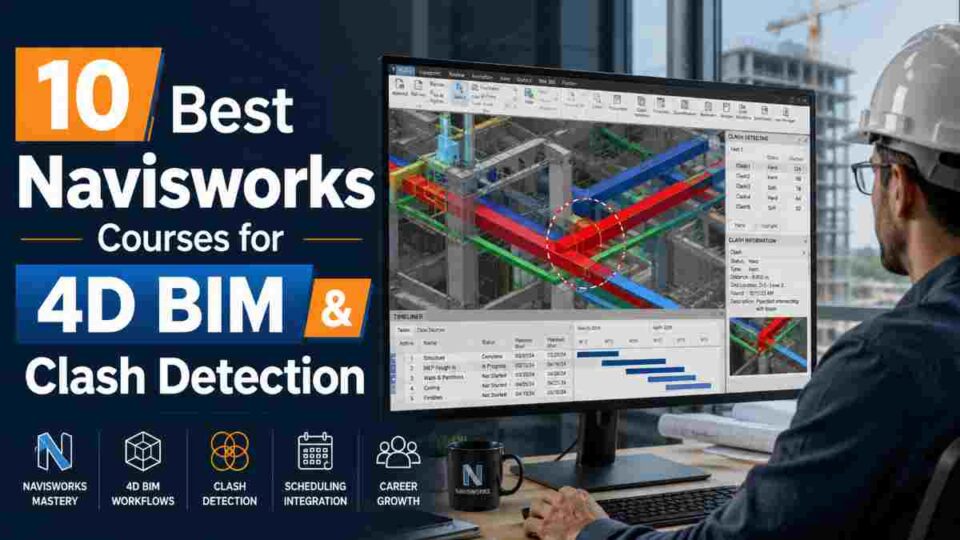
Navisworks is the industry-standard software for BIM coordination, clash detection, and 4D construction simulation — and in 2026, mastering it is no longer optional for construction professionals who want to stay competitive. With the global BIM market projected to grow rapidly through the decade and governments worldwide mandating BIM workflows on public infrastructure projects, the demand for professionals who can run Clash Detective tests, build 4D TimeLiner sequences, and coordinate multi-discipline models has never been higher.
ConstructionCareerHub App is LIVE — built ONLY for construction careers. Don’t apply with a weak resume.
Get ATS-ready Resume Lab + Interview Copilot + Campus Placement Prep (resume screening, skill gaps, interview readiness) — in minutes & Other advanced features.
Explore Smarter Construction Career Tools →Quick check. Big impact. Start now.
According to Salary.com, the average annual salary for a BIM Coordinator in the US reached $78,166 as of April 2026, with senior-level BIM Managers commanding $110,000–$135,000+ depending on geography and specialization. Navisworks proficiency is consistently listed as a core skill requirement alongside Revit in BIM coordinator and BIM manager job postings across North America, Europe, and the Middle East.
Whether you are a civil engineer looking to transition into BIM coordination, a project manager seeking to understand construction simulation, or a Revit user ready to take your models through clash detection and scheduling — this guide covers the 10 best Navisworks courses available right now, curated for practical career impact and real-world project readiness.
For a broader view of BIM career trajectories and salary benchmarks, see our comprehensive guide on BIM Careers in 2026: Salaries, Software, and Global Demand.
🎯 Not sure which BIM skill to learn first? The AI Career Planner on ConstructionCareerHub.com generates a personalized career roadmap based on your experience, target role, and location — including recommended Navisworks learning paths.
Table of Contents
What Is Autodesk Navisworks and Why Should You Learn It?
Autodesk Navisworks is a BIM project review and coordination platform that allows construction professionals to aggregate 3D models from multiple design disciplines — architecture, structure, MEP, fire protection — into a single unified environment. Unlike authoring tools like Revit, which focus on model creation, Navisworks focuses on what happens after models are built: coordination, conflict identification, construction sequencing, and stakeholder review.
The software comes in two main versions. Navisworks Manage is the full-featured edition with Clash Detective (automated interference detection), TimeLiner (4D scheduling simulation), Quantification (material takeoffs), and Animator/Scripter tools. Navisworks Simulate includes TimeLiner and model review features but lacks Clash Detective. For professional BIM coordination roles, Manage is the standard.
Here is what you can do with Navisworks that makes it indispensable on modern construction projects:
- Clash Detection (Clash Detective): Identify hard clashes (physical overlaps between building elements), soft clashes (clearance violations), and workflow/4D clashes (scheduling conflicts) before a single foundation is poured. According to United-BIM, early clash detection prevents costly rework that can add 5–10% to total project cost.
- 4D Simulation (TimeLiner): Link the 3D model to a project schedule (from Microsoft Project or Primavera P6) to create a visual construction sequence — the “fourth dimension” of BIM. This helps identify logistical bottlenecks and optimize construction phasing.
- 5D Cost Integration: Combine quantity takeoff data with the schedule to visualize cost flow alongside the build sequence.
- Model Aggregation: Import and combine models in formats including RVT, DWG, IFC, DGN, and over 60 other file types into one coordination environment.
- Stakeholder Communication: Create animated walkthroughs, rendered views, and NWD files that clients and non-technical stakeholders can view for free using Navisworks Freedom.
For a deeper technical overview of the software and its role in BIM workflows, see Essential BIM Skills and Career Insights.
How We Selected These Courses
Every course in this list was evaluated based on five criteria that matter for career-oriented learners:
- Curriculum depth: Does it cover Clash Detective, TimeLiner 4D, Quantification, and model aggregation — or just surface-level navigation?
- Practical application: Are there project-based exercises with real RVT/NWC files, or is it purely lecture-based?
- Instructor credibility: Is the instructor an active BIM professional, Autodesk Certified Instructor, or industry veteran?
- Current relevance: Does the course cover Navisworks 2025 or 2026 versions with up-to-date workflows?
- Learner validation: Verified ratings, reviews, and enrollment numbers from each platform.
10 Best Navisworks Courses for 4D BIM & Clash Detection in 2026
1. BIM – Autodesk Navisworks Manage 2026: From Zero to Advanced (Udemy)
This is the most comprehensive project-based Navisworks course available in 2026. Unlike click-by-click tutorials, this course teaches professional BIM coordination workflows — from setting up Clash Detective tests with the Rules Tab, generating shareable coordination reports through the Report Tab, to building complete 4D simulations with TimeLiner including Configure and Simulate tabs.
The course covers Navisworks Manage 2026 and includes downloadable RVT project files across architecture, structure, and MEP disciplines so you can practice clash detection on real multi-discipline models. It also covers Microsoft Project (MSP) linking for schedule integration — a critical workflow for real-world 4D simulation that many courses skip.
Platform: Udemy
Duration: Comprehensive (project-based modules)
Level: Beginner to Advanced
Key Topics: Clash Detective workflow, Rules & Report tabs, 4D TimeLiner simulation, MSP linking, model coordination
Best For: Aspiring BIM Coordinators and professionals who need repeatable, professional-grade clash detection workflows
Link: Enroll on Udemy
2. Navisworks Essential Training 2023 (LinkedIn Learning)
Taught by Eric Wing, a veteran with over 20 years of experience in the AEC training industry, this 3-hour 45-minute course is the gold standard entry point for Navisworks. With over 25,000 learners enrolled, it covers the full Navisworks workflow: file system and model management, navigation, viewpoints, object selection and sorting, Clash Detective, TimeLiner, and Quantification.
What sets this course apart is Wing’s efficiency — each video drills directly into specifics without padding. The course also covers Navisworks and BIM 360 integration, which is increasingly relevant as firms adopt Autodesk Construction Cloud. A completion certificate is included with your LinkedIn Learning subscription.
Platform: LinkedIn Learning
Duration: 3h 45m
Level: Beginner to Intermediate
Key Topics: Interface navigation, file management, clash detection, TimeLiner 4D, quantification, BIM 360 integration
Best For: Professionals who need a structured, efficient foundation in Navisworks from a trusted instructor
Link: Access on LinkedIn Learning
3. The Complete Autodesk Navisworks Course – BIM Tool (Udemy)
This Udemy course is designed for BIM engineers, planning engineers, project coordinators, and construction professionals who need practical Navisworks skills for real project coordination. It takes you through 3D construction model management, clash detection test configuration, 4D and 5D simulation creation, and material takeoff using the Quantification workbook.
The course also covers the Animator and Scripter tools for creating interactive animations — a capability that is valuable for client presentations and construction planning meetings. Practical tips for improving coordination meetings and project reporting round out the curriculum.
Platform: Udemy
Duration: Comprehensive
Level: Beginner to Advanced
Key Topics: Model management, clash detection, 4D/5D simulation, quantification, animation, project reporting
Best For: Engineers and construction professionals who want end-to-end Navisworks skills with emphasis on project reporting
Link: Enroll on Udemy
4. BIM Application for Engineers (Coursera – National Taiwan University)
This university-level course on Coursera from National Taiwan University teaches BIM applications using both Revit and Navisworks through a practical case study — building a 6-story BIM model from CAD drawings and then applying three core Navisworks applications: clash detection, quantity takeoff, and 4D simulation.
The course can be audited for free, making it the most accessible option for learners on a budget. It is particularly strong at bridging the gap between Revit authoring and Navisworks coordination, teaching you the full design-to-coordination pipeline that BIM coordinators use daily. The academic rigor adds credibility that self-paced courses sometimes lack.
Platform: Coursera (National Taiwan University)
Duration: 1–3 months (self-paced)
Level: Beginner
Key Topics: Revit modeling, clash detection, quantity takeoff, 4D simulation, model-building workflow
Best For: Engineering students and early-career professionals who want university-backed BIM education with free audit access
Link: Enroll on Coursera
5. Navisworks 2025: For Clash Detection (Udemy)
If your primary goal is mastering clash detection specifically, this focused course delivers exactly that. It teaches the entire clash detection pipeline: preparing and importing models from various design software, setting up and configuring clash tests, identifying and analyzing different clash types, and generating professional reports for coordination meetings.
This course is laser-focused rather than trying to cover every Navisworks feature, which makes it ideal for professionals who already have basic Navisworks navigation skills and need to go deep on Clash Detective. It covers the 2025 version with workflows applicable to the 2026 release.
Platform: Udemy
Duration: Focused (clash detection module)
Level: Intermediate
Key Topics: Model preparation, clash test configuration, conflict analysis, clash reporting, BIM coordination
Best For: Professionals specifically targeting clash detection expertise for MEP coordination and construction coordination roles
Link: Enroll on Udemy
6. Autodesk Navisworks 2026 – From Zero to BIM Coordination (Udemy)
This course covers Navisworks Manage with a strong focus on four pillars: Clash Detection and Conflict Resolution, 4D Simulation and Scheduling, Quantification and Cost Estimation, and Model Aggregation from multiple sources. It teaches you how to integrate project schedules with 3D models for 4D simulations, resolve clashes across disciplines, perform cost estimation, and generate professional reports.
The curriculum includes search sets, collaboration tools for improved project management, and model aggregation techniques that are essential for coordinating large projects with inputs from multiple design teams. The course title references 2026 and covers current-version workflows.
Platform: Udemy
Duration: Comprehensive
Level: Beginner to Advanced
Key Topics: Clash detection, 4D simulation, quantification, cost estimation, model aggregation, collaboration
Best For: BIM modelers and coordinators who want an all-in-one course covering every major Navisworks capability
Link: Enroll on Udemy
📝 Preparing for a BIM Coordinator interview? The Interview Copilot on ConstructionCareerHub.com generates AI-powered technical and HR interview questions tailored to BIM coordination roles — covering Navisworks, Revit, clash workflows, and coordination processes.
7. Navisworks Advanced (LinkedIn Learning)
For professionals who already know the Navisworks basics and want to master advanced features, this LinkedIn Learning course by Jim Cowan covers search sets (creating, reusing, and managing them), advanced animation creation, and a deep dive into Clash Detective — including configuring intelligent clash tests, filtering results, and generating HTML clash reports for distribution.
With over 31,000 learners, this course is the go-to for professionals stepping up from basic navigation to production-grade coordination workflows. The search sets module is particularly valuable — search sets are foundational to efficient clash management on large projects but are often undertaught.
Platform: LinkedIn Learning
Duration: 3h 13m
Level: Advanced
Key Topics: Search sets, advanced Clash Detective, animations, NWF file management, coordination workflows
Best For: Intermediate users who want to master search sets and advanced clash management for large-scale projects
Link: Access on LinkedIn Learning
8. Navisworks 101: BIM Coordination & Clash Detection (ThinkParametric)
ThinkParametric’s Navisworks fundamentals course is designed for architects, engineers, and construction professionals who need to combine and analyze integrated BIM models during preconstruction phases. The course covers model coordination, clash detection, and construction visualization with a focus on how Navisworks shrinks large Revit models into manageable review files.
A distinguishing feature is the emphasis on stakeholder communication — teaching you how to use Navisworks Freedom and NWD files to allow clients to interact with and visualize the project model in real time. This is a skill that separates coordinators who can run clash tests from those who can lead coordination meetings effectively.
Platform: ThinkParametric
Duration: Focused fundamentals
Level: Beginner to Intermediate
Key Topics: Model coordination, clash detection, construction visualization, stakeholder communication, NWD workflows
Best For: Architects and engineers entering BIM coordination who need strong communication and presentation skills alongside technical competence
Link: Enroll on ThinkParametric
9. Navisworks Manage: Clash Detection, 4D, 5D, BOQ & Walkthrough (Udemy)
This Udemy course covers the five pillars of production Navisworks use — clash detection (including clash matrix, hard clashes, and soft clashes), 4D time-based simulation, 5D cost simulation, quantity takeoffs (BOQ), and photorealistic rendering with walkthroughs. It is built around case studies in mechanical, electrical, and piping systems — the MEP disciplines where clash detection is most critical.
The BOQ and walkthrough modules add capabilities that pure coordination courses miss. If you need to extract quantities for estimation or create rendered walkthroughs for client approval, this course delivers both alongside the core coordination skills.
Platform: Udemy
Duration: Comprehensive
Level: Beginner to Advanced
Key Topics: Clash matrix, 4D/5D simulation, BOQ quantification, rendering, walkthroughs, MEP coordination
Best For: MEP engineers and construction professionals who need the full Navisworks toolkit including cost estimation and visualization
Link: Enroll on Udemy
10. Navisworks Online Training Course (Edoxi – Autodesk Authorized Training Center)
Edoxi’s 10-hour Navisworks course is delivered as a live online instructor-led training from an Autodesk Authorized Training Center (ATC). This is significant because Autodesk ATCs must meet strict quality standards for curriculum, instructor certification, and facility requirements set by Autodesk directly.
The course covers model coordination, clash detection with professional reporting, 4D simulation for construction sequencing, and BIM collaboration methods. The live format means you get real-time Q&A, hands-on exercises, and interactive clash detection workshops — something self-paced courses cannot replicate. Corporate training options with customized curriculum are also available.
Platform: Edoxi (Autodesk ATC)
Duration: 10 hours (live online)
Level: Beginner to Intermediate
Key Topics: Model integration, clash detection reporting, 4D simulation, BIM collaboration, coordination methods
Best For: Professionals who prefer live instructor-led training with the credibility of an Autodesk Authorized Training Center
Link: Enroll on Edoxi
Quick Comparison: Choosing the Right Navisworks Course
| Course | Platform | Level | Best Feature |
|---|---|---|---|
| Navisworks Manage 2026: Zero to Advanced | Udemy | Beginner–Advanced | Project-based with RVT files + MSP linking |
| Navisworks Essential Training | LinkedIn Learning | Beginner–Intermediate | Trusted instructor, efficient delivery |
| Complete Navisworks Course (BIM Tool) | Udemy | Beginner–Advanced | Animator/Scripter tools + reporting |
| BIM Application for Engineers | Coursera (NTU) | Beginner | Free audit, university-backed |
| Navisworks 2025: Clash Detection | Udemy | Intermediate | Laser-focused on Clash Detective |
| Navisworks 2026: Zero to BIM Coordination | Udemy | Beginner–Advanced | All four pillars: clash, 4D, 5D, aggregation |
| Navisworks Advanced | LinkedIn Learning | Advanced | Search sets + advanced Clash Detective |
| Navisworks 101 (ThinkParametric) | ThinkParametric | Beginner–Intermediate | Stakeholder communication focus |
| Navisworks Manage: 4D, 5D, BOQ | Udemy | Beginner–Advanced | MEP focus + BOQ + walkthroughs |
| Navisworks Training (Edoxi ATC) | Edoxi | Beginner–Intermediate | Live instructor-led, Autodesk ATC |
Which Navisworks Course Should You Choose? A Decision Framework
Your ideal course depends on where you are in your career and what you need to accomplish:
If you are completely new to Navisworks and need a structured introduction, start with the Navisworks Essential Training on LinkedIn Learning. Eric Wing’s efficient delivery covers all core features in under 4 hours, and the LinkedIn certificate adds value to your profile.
If you are on a tight budget or a student, the BIM Application for Engineers on Coursera (National Taiwan University) is auditable for free and teaches Navisworks within the context of a real Revit-to-coordination workflow — exactly how the software is used in practice.
If you need professional-grade clash detection skills for a BIM Coordinator role, the Navisworks Manage 2026: From Zero to Advanced on Udemy is the strongest option. Its project-based approach with RVT files and MSP linking teaches repeatable workflows, not just feature clicks.
If you already know the basics and want advanced skills, the Navisworks Advanced course on LinkedIn Learning covers search sets and advanced Clash Detective configuration — skills that separate entry-level coordinators from production-ready professionals.
If you prefer live instruction with real-time Q&A, the Edoxi Navisworks Training from an Autodesk Authorized Training Center provides the classroom experience with professional certification backing.
For professionals building a complete BIM toolkit beyond Navisworks, our guide on the 10 Best Online Courses for Civil Engineers in 2026 covers Revit, Primavera P6, AutoCAD Civil 3D, and other essential software courses with career ROI analysis.
Navisworks Careers: Salary Data and Job Demand in 2026
Understanding the career value of Navisworks proficiency helps justify your investment in training. Here is the current salary landscape based on 2026 data from major compensation databases:
According to Salary.com, the average BIM Coordinator salary in the US is $78,166/year (April 2026), with the range spanning $68,520 to $99,330 depending on experience and location. The 90th percentile reaches $99,330.
PayScale reports that BIM Coordinators with Autodesk Navisworks listed as a skill command a salary premium over those with only Revit or AutoCAD. Entry-level BIM Coordinators start around $53,828, with compensation climbing steadily with experience. BIM Managers with Navisworks expertise reach $74,000–$128,000.
In the international market, the picture is equally strong. In the UAE and Middle East, BIM Coordinators with Navisworks and Revit skills earn AED 8,000–15,000+ per month. In India, entry-level BIM professionals start at ₹4–6 lakhs annually, with experienced professionals earning ₹12–18+ lakhs. In Singapore, BIM coordinators earn approximately SGD 55,000 annually, while Australia offers AUD 70,000–120,000+ depending on seniority.
For in-depth salary benchmarks by region and role level, see our guide on Top 12 Construction Technology Jobs in 2026.
Navisworks vs. Other BIM Coordination Tools: Where It Fits in 2026
Navisworks does not operate in isolation. In 2026, construction professionals have several coordination tools available, and understanding where Navisworks fits helps you prioritize your learning:
Navisworks Manage vs. Autodesk Construction Cloud (ACC): ACC has added cloud-based model coordination and basic clash detection, but Navisworks Manage remains the standard for complex, rule-based clash analysis on large projects. Most firms use both — ACC for cloud-based team access and Navisworks for detailed desktop coordination.
Navisworks vs. Solibri: Solibri excels at code compliance checking and rule-based model validation. Navisworks is stronger for multi-format model aggregation, 4D scheduling, and quantification. Many firms use Solibri for design validation and Navisworks for construction coordination.
Navisworks vs. Synchro Pro: Synchro Pro (now part of Bentley Systems) is increasingly popular for 4D construction simulation, particularly on infrastructure projects. However, Navisworks still dominates in the building construction sector and offers tighter integration with the Autodesk ecosystem (Revit, Civil 3D, ACC).
For a comprehensive comparison of BIM software and how certification pathways differ, see our Top BIM Certifications in 2026: How to Choose guide.
Key Navisworks Skills Every Course Should Cover
Regardless of which course you choose, ensure it covers these production-essential skills:
Clash Detective Mastery: Beyond running a basic clash test, you should learn how to configure intelligent test rules (using search sets to test specific systems against each other), group and filter results to eliminate false positives, assign clashes to responsible disciplines, and generate HTML or tabular reports that drive coordination meetings. A good course teaches the clash matrix approach — systematically testing architectural vs. structural, structural vs. MEP, and MEP vs. fire protection models.
TimeLiner and 4D Simulation: Linking a construction schedule (typically from Microsoft Project .mpp or Primavera P6 .xer files) to model elements is the core of 4D BIM. You should learn how to map schedule tasks to model objects, configure simulation parameters (appearance, start/end behavior), and run the simulation to identify workflow clashes — situations where two trades are scheduled to work in the same area simultaneously.
Search Sets: These are the backbone of efficient Navisworks use. Search sets let you isolate specific building systems (all ductwork, all structural columns, all sprinkler piping) for targeted clash testing and model review. Without search set proficiency, clash detection on large projects generates thousands of irrelevant results.
Quantification: Navisworks can extract material quantities directly from the 3D model for cost estimation and procurement. This skill bridges the gap between coordination and commercial management roles.
File Format Management: Understanding the NWC (cache), NWD (published), and NWF (reference) file formats and when to use each is fundamental to professional Navisworks workflows. NWC files are generated automatically from Revit exports; NWD files are standalone packages for distribution; NWF files reference source models and maintain live links.
How to Maximize Your Learning: Tips for Navisworks Students
Taking a course is just the starting point. Here is how to translate course completion into real career value:
Practice on real project models. Ask your employer for decommissioned project files, or download sample multi-discipline models from Autodesk or BIM community resources. Running clash detection on a single-discipline model teaches you clicks; running it on a 200MB multi-discipline model teaches you workflow.
Build a coordination portfolio. Document your clash detection workflows: screenshots of your clash matrix setup, sample reports, 4D simulation recordings, and resolved clash summaries. This tangible evidence is far more valuable in interviews than a course certificate alone.
Pair Navisworks with Revit. Most BIM Coordinator roles require proficiency in both Revit (model authoring) and Navisworks (model coordination). If you only know one, learn the other. Our guide on Exploring BIM Careers: Top Opportunities for Engineers and Architects covers the full skill stack.
Pursue Autodesk certification. While not mandatory, the Autodesk Certified Professional credential validates your Navisworks skills to employers globally and can strengthen your resume — particularly for international roles in the Gulf region and Europe.
Understand ISO 19650. BIM coordination does not happen in a vacuum. Understanding the ISO 19650 information management framework — including Common Data Environments (CDEs), information delivery milestones, and naming conventions — makes you a complete BIM professional, not just a software user.
🚀 Fast-track your BIM career transition: Use the Resume Lab on ConstructionCareerHub.com to build an ATS-optimized resume highlighting your Navisworks and BIM coordination skills. Pair it with the Civil Engineering Career Blueprint eBook for a structured career development plan.
Recommended Resources for Navisworks Learners
Supplement your Navisworks course with these carefully selected resources for a well-rounded construction career development plan:
eBooks for Career Development:
- Civil Engineering Career Blueprint — Structured career planning for construction professionals, including BIM specialization paths
- Construction Job Interview Guide (300 Q&A) — Comprehensive interview preparation covering BIM coordination, project management, and technical roles
- Complete Construction Career Bundle — All career resources combined at a discounted rate
- Remote Job Hunting System for Construction Professionals — For BIM professionals targeting remote coordination roles
Related Guides on ConstructionPlacements.com:
- BIM Careers in 2026: Complete Guide to Salaries, Software, and Global Demand
- Top BIM Certifications in 2026: How to Choose
- BIM Technician Job Description and Salary
- Top 12 Construction Technology Jobs in 2026
- High-Demand Careers: BIM, Tech Managers & Drone Operators
Frequently Asked Questions (FAQ)
What is the best Navisworks course for beginners in 2026?
For beginners, the Navisworks Essential Training on LinkedIn Learning by Eric Wing offers a structured 3h 45m introduction covering the interface, file management, clash detection, TimeLiner 4D simulation, and quantification. It is efficient, well-reviewed with 25,000+ learners, and includes a professional certificate.
Is Navisworks still relevant in 2026?
Yes. Navisworks remains the industry standard for desktop-based BIM coordination and clash detection. While Autodesk Construction Cloud has added cloud-based coordination features, Navisworks Manage continues to be the primary tool for complex multi-discipline clash detection, 4D scheduling, and quantification workflows on large building and infrastructure projects worldwide.
Can I learn Navisworks for free?
Yes. The BIM Application for Engineers course on Coursera by National Taiwan University can be audited for free and includes Navisworks-based clash detection, quantity takeoff, and 4D simulation modules. LinkedIn Learning also offers a one-month free trial that provides full access to both the Essential Training and Advanced Navisworks courses.
What salary can I expect after learning Navisworks?
BIM Coordinators with Navisworks skills earn an average of $78,166/year in the US according to Salary.com (2026). Mid-career professionals earn $85,000–$105,000, and senior BIM Managers reach $110,000–$135,000+. In India, BIM professionals with Navisworks skills earn ₹4–18+ lakhs annually depending on experience. In the Middle East, salaries range from AED 8,000–15,000+ per month.
What is the difference between Navisworks Manage and Navisworks Simulate?
Navisworks Manage is the full-featured version including Clash Detective (automated clash detection), TimeLiner (4D simulation), Quantification (material takeoffs), and animation tools. Navisworks Simulate includes TimeLiner and model review but omits Clash Detective. For BIM coordination roles, Navisworks Manage is required.
How long does it take to learn Navisworks?
Basic navigation and model review take 5–10 hours. Developing production-ready clash detection and 4D simulation skills requires 30–60 hours of structured learning plus hands-on practice on multi-discipline project models. Most courses in this list range from 3 to 20 hours of video content.
Do I need to know Revit before learning Navisworks?
Revit knowledge is not strictly required to learn Navisworks, since the software can import models from many sources. However, in professional practice, the vast majority of models coordinated in Navisworks originate from Revit. Understanding Revit model structure, families, and export workflows makes you significantly more effective at model coordination.
Which industries use Navisworks the most?
Navisworks is most widely used in commercial building construction, healthcare facility design, data center construction, industrial/process engineering, and large infrastructure projects. MEP (Mechanical, Electrical, and Plumbing) coordination is the single largest use case, as these systems produce the majority of clashes in typical building projects.
Last Updated: June 2026. Course details, availability, and pricing are subject to change. We recommend verifying directly on each platform before enrolling.
