

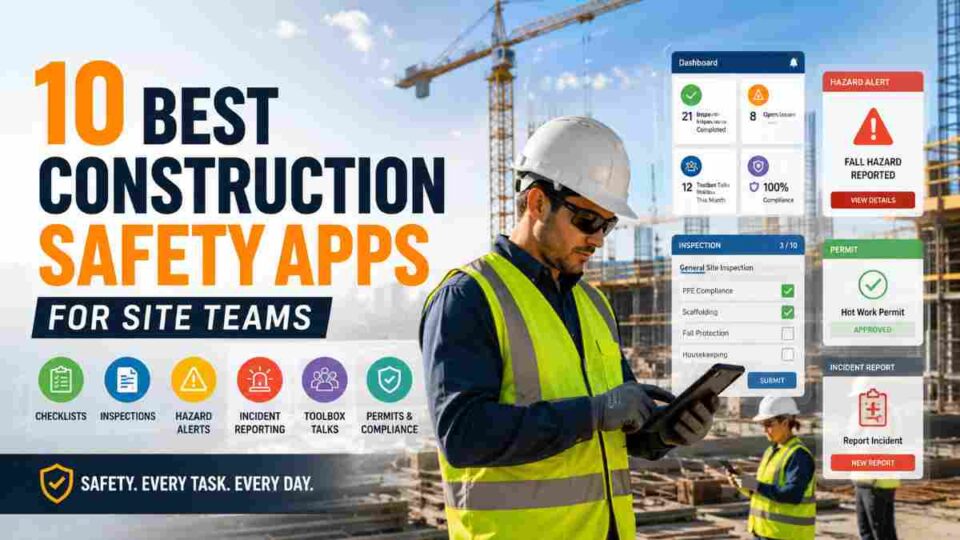
Last Updated on May 27, 2026 by Admin
Construction remains one of the most hazardous industries worldwide. In the United States alone, 1,032 construction and extraction workers lost their lives on the job in 2024, according to the Bureau of Labor Statistics. Falls, struck-by incidents, electrocutions, and caught-in/between hazards — known as OSHA’s Fatal Four — account for nearly 60% of all construction fatalities each year, per CPWR data.
ConstructionCareerHub App is LIVE — built ONLY for construction careers. Don’t apply with a weak resume.
Get ATS-ready Resume Lab + Interview Copilot + Campus Placement Prep (resume screening, skill gaps, interview readiness) — in minutes & Other advanced features.
Explore Smarter Construction Career Tools →Quick check. Big impact. Start now.
Yet here is a statistic that should reshape how every contractor thinks about technology: firms using digital safety platforms report 73% fewer OSHA citations compared to those still relying on paper-based systems, according to AGC’s 2025 safety performance data. The construction safety technology market grew 28% year-over-year to $2.1 billion in 2025, yet 41% of mid-size general contractors still manage safety through clipboards and spreadsheets.
If your site team is still running paper-based toolbox talks, chasing down expired certifications manually, or scrambling to pull documentation when an inspector arrives, it is time to upgrade. This guide compares the 10 best construction safety apps for site teams in 2026 — covering features, pricing, pros, cons, and the specific use cases each app serves best — so you can pick the right tool for your crew size and compliance requirements.
Table of Contents
What Is a Construction Safety App?
A construction safety app is a mobile-first digital platform that helps contractors manage inspections, incident reports, safety training, hazard tracking, certification compliance, and regulatory documentation directly from the field. These apps replace paper checklists, manual logs, and disconnected spreadsheets with timestamped, GPS-tagged, cloud-synced records that are audit-ready at all times.
The best construction safety apps share several critical features: offline functionality for remote job sites, OSHA 29 CFR 1926 compliance support, mobile incident reporting with photo and video capture, automated training and certification tracking, integration with project management platforms, and real-time analytics dashboards. The specific platform matters less than the transition from paper to digital — but choosing one built specifically for construction (rather than general industry) ensures your workflows align with trade-specific hazards and regulatory requirements.
For a broader understanding of why safety management matters at the organizational level, read our detailed guide on the importance of construction safety management.
How We Evaluated These Construction Safety Apps
We assessed each app across five criteria that matter most in the field:
- Field-first design: Does the app work reliably for foremen and field crews, or was it designed primarily for office-based project managers?
- Offline functionality: Can crews complete inspections, log incidents, and access training content without cellular connectivity?
- OSHA compliance depth: Does the platform support 29 CFR 1926 construction-specific standards, including the Fatal Four hazard categories?
- Integration ecosystem: Does it connect with Procore, Autodesk, ERP, HR, and payroll systems?
- Pricing accessibility: Is the cost structure reasonable for small-to-mid-size contractors, not just enterprise GCs?
We also referenced G2, Capterra, and Software Advice ratings, alongside industry survey data from ENR and AGC, to ground our assessments in verified user feedback rather than vendor marketing.
10 Best Construction Safety Apps for Site Teams in 2026
1. SafetyCulture (iAuditor) — Best Free Entry Point for Small Crews
SafetyCulture, formerly known as iAuditor, is the default recommendation for small crews getting started with digital safety. Its free plan covers up to 10 users with unlimited inspections, making it a zero-risk entry point. The mobile app is strong: offline-capable, fast, and intuitive enough that a foreman can adopt it within minutes.
The platform includes over 1,500 pre-built inspection templates, real-time analytics dashboards, photo and annotation capabilities, and a “Heads Up” communication tool for sending video safety messages to your workforce. SafetyCulture integrates with Procore, Microsoft Teams, Google Drive, and Zapier, making it flexible across different tech stacks.
Where it falls short: certification tracking is limited on the free plan, there is no prequalification integration with ISNetworld or Avetta, and it is built for inspections first — not comprehensive safety management. For contractors needing training management alongside inspections, pairing SafetyCulture with a dedicated training platform provides the most cost-effective two-tool stack.
Pricing: Free for up to 10 users; Premium from $24–$29/user/month; Enterprise pricing on request.
Best for: Small-to-mid-size contractors (under 50 workers) starting their digital safety journey.
G2 Rating: 4.6/5 (253+ reviews)
Platforms: iOS, Android, Web
2. Procore Safety — Best for Firms Already on the Procore Ecosystem
If your organization already runs Procore for project management, the appeal of Procore Safety is clear: one login, one platform, and safety workflows tied directly to project data. Procore Safety includes incident tracking, inspection management, safety observations, and action item assignment — all integrated within the broader Procore project lifecycle.
The depth of integration is Procore Safety’s greatest strength. Safety observations link to specific project locations, trade partners, and drawing sets. Incident reports flow into project records automatically. For general contractors managing multiple large-scale projects simultaneously, this consolidation eliminates the data silos that lead to compliance gaps.
The trade-off is cost. Procore uses custom pricing based on annual construction volume and is generally 3–5× more expensive than standalone safety platforms. For firms that are not already in the Procore ecosystem, the cost-to-benefit ratio tilts against adoption purely for safety functionality.
Pricing: Custom pricing based on annual construction volume (enterprise-level cost).
Best for: Large GCs and ENR-ranked firms already using Procore for project management.
Platforms: iOS, Android, Web
For a full comparison of project management platforms, see our best construction project management software guide.
3. HammerTech — Best All-in-One Safety Platform for Enterprise Projects
HammerTech is built as a complete safety management system for large commercial and infrastructure projects. It covers pre-qualification, worker inductions, permits to work, incident management, inspections, safety observations, SDS management, and worker competency tracking — all within a single unified platform.
What sets HammerTech apart is its subcontractor management capability. On complex projects where dozens of trade partners overlap, HammerTech manages the prequalification, orientation, and ongoing compliance of every subcontractor worker entering the site. The platform integrates with CMiC and Procore for enterprise-grade workflows.
The learning curve and cost make HammerTech overkill for small residential contractors. But for commercial GCs running projects with 100+ workers across multiple trade partners, it is one of the most comprehensive options available.
Pricing: From $89/user/month; custom enterprise pricing available.
Best for: Large commercial contractors and infrastructure projects with complex subcontractor networks.
G2 Rating: 4.3/5 (55+ reviews)
Platforms: iOS, Android, Web
4. Safesite — Best Freemium Model for Budget-Conscious Contractors
Safesite offers a genuinely useful freemium tier that includes hazard observations, inspection management, safety meeting logs, and basic incident reporting — making it one of the few options where small contractors can start managing safety digitally without any financial commitment.
The app’s standout feature is its hazard observation workflow, which encourages field workers to report near-misses and unsafe conditions through a streamlined mobile interface. This proactive approach to hazard identification aligns with modern safety culture principles that prioritize leading indicators over lagging ones. Safesite also provides safety scoring that benchmarks your site’s performance against industry averages.
Limitations include fewer integrations than enterprise competitors and more basic reporting compared to platforms like HammerTech or Procore Safety. For contractors whose primary need is moving from paper to digital without breaking the budget, Safesite delivers strong value.
Pricing: Free tier available; paid plans on request.
Best for: Small contractors and subcontractors with tight budgets who want to build a proactive safety culture.
Platforms: iOS, Android, Web
5. GoCanvas — Best for Custom Digital Forms and Paperwork Elimination
GoCanvas is the strongest option for contractors drowning in paperwork. The platform allows you to create fully custom digital forms — for work orders, waivers, estimates, inspections, toolbox talks, and safety checklists — without any coding knowledge. Completed forms can be converted to PDF, shared with stakeholders, and stored in the cloud for audit retrieval.
The flexibility is GoCanvas’s defining feature. Unlike rigid safety-only apps, it adapts to any form-based workflow your crew needs. If your biggest pain point is that every project generates a different combination of paper forms, checklists, and sign-off sheets, GoCanvas brings all of them into one digital system.
GoCanvas works both offline and online, which is critical for remote job sites. However, it is a forms platform first and a safety management system second — it lacks built-in incident analytics, certification tracking, and compliance scoring that dedicated safety apps offer.
Pricing: From $49/user/month (standard plan); $79/user/month (advanced plan).
Best for: Contractors who need maximum flexibility in creating custom safety forms and checklists.
Platforms: iOS, Android, Web
6. SiteDocs — Best Mobile-First Platform for On-Site Documentation
SiteDocs is designed around a single principle: everything the safety team needs should be accessible on a mobile device, at the point of work, even without internet. The platform covers safety meetings, hazard assessments, inspections, incident reports, orientations, and competency tracking with a clean mobile-first interface.
The app’s orientation module is particularly strong for sites with high worker turnover. New workers can complete site-specific orientations on a tablet at the gate, capturing digital signatures and photo verification before they step onto the job site. SiteDocs also offers a dashboard that shows real-time compliance status across multiple projects.
SiteDocs is widely adopted in Canada and has strong alignment with both OSHA and Canadian OHS regulatory frameworks. Its pricing is on request, which typically signals mid-market to enterprise cost levels.
Pricing: Custom pricing on request.
Best for: Contractors prioritizing mobile-first documentation and multi-site compliance visibility.
Platforms: iOS, Android, Web
7. Safety Meeting App — Best for Toolbox Talks and Daily Safety Meetings
The Safety Meeting App does one thing exceptionally well: it simplifies the planning, delivery, and documentation of daily safety meetings. The app uses participant photographs to verify attendance, provides a library of construction-relevant safety topics in both English and Spanish, and generates shareable meeting reports in seconds.
The app also includes a comprehensive hazard checklist builder. You select hazards relevant to your trade and job site, and it generates a ready-to-use safety checklist for your crew. This focused approach makes it the go-to tool for foremen and superintendents who want to run better toolbox talks without wrestling with complex software.
It is not a full safety management suite — you will still need separate tools for incident reporting, certification tracking, and compliance analytics. But as a dedicated toolbox talk solution, it is hard to beat.
Pricing: From $199/user/year; 15-day free trial available.
Best for: Foremen and site supervisors running daily toolbox talks and safety meetings.
Platforms: iOS, Android
For practical site-level safety guidance, explore our list of construction site safety tips.
8. Raken — Best for Combining Daily Reports with Safety Logs
Raken bridges the gap between daily reporting and safety documentation. Superintendents and field teams can capture daily logs, time tracking, production quantities, weather conditions, safety observations, and toolbox talks — all within a single daily workflow. This integration means safety data does not live in a separate silo from production data.
The app’s voice-to-text daily reporting feature is popular with field workers who find typing on a phone tedious. Raken also offers automatic weather logging and time-lapse photo capture, which adds context to safety observations and incident timelines.
Raken integrates with Procore, Autodesk BIM 360, Sage, and other project management and accounting platforms. For contractors who want a single daily field app that covers both productivity and safety, Raken is a strong contender.
Pricing: Subscription-based; custom pricing per project or per user on request.
Best for: Superintendents who want daily reporting and safety logging in one app.
Platforms: iOS, Android, Web
9. eMOD Safety — Best for Safety Observations and Incident Analytics
eMOD Safety focuses on turning safety observations into actionable data. The platform captures field safety observations, near-misses, hazard reports, and incident data with GPS and time stamps — then uses analytics to identify patterns, high-risk trades, repeat hazards, and trending safety issues across your project portfolio.
The analytics dashboard is where eMOD differentiates itself. Rather than just collecting safety data, it surfaces insights: which subcontractor has the most repeat observations, which hazard category is trending upward this month, and which project sites are falling behind on corrective actions. For safety directors managing multiple projects, this visibility is invaluable.
eMOD integrates with Autodesk Build and other construction platforms, extending its data ecosystem. The platform earned a Constructech Award in 2021 for its approach to construction safety technology.
Pricing: Custom pricing on request.
Best for: Safety directors and GCs who want data-driven safety management across multiple projects.
Platforms: iOS, Android, Web
10. FallSafety — Best Wearable-Integrated Fall Detection App
FallSafety takes a different approach by integrating wearable technology with fall detection and emergency response. The app uses smartphone and smartwatch sensors to detect falls and automatically alert designated emergency contacts with GPS location data. For workers operating at height — the number one cause of construction fatalities — this provides an additional layer of protection.
The one-time payment model is unusual in a market dominated by subscriptions, making FallSafety appealing for contractors who want fall-specific protection without ongoing licensing costs. The app also includes safety checklists and awareness resources focused specifically on fall prevention.
FallSafety is a specialized tool, not a comprehensive safety management platform. It works best as a complement to a broader safety app, providing that critical extra safety net (literally) for crews working at elevation.
Pricing: One-time payment model.
Best for: Contractors with significant at-height work (roofing, steel erection, scaffolding) who need fall detection and emergency alerting.
Platforms: iOS, Android, Wearable devices
Quick Comparison Table: Best Construction Safety Apps 2026
| App | Best For | Free Tier | Offline Mode | Starting Price |
|---|---|---|---|---|
| SafetyCulture (iAuditor) | Small crews, inspections | Yes (10 users) | Yes | Free / $24/mo |
| Procore Safety | Enterprise GCs on Procore | No | Yes | Custom |
| HammerTech | Large commercial projects | No | Yes | $89/user/mo |
| Safesite | Budget-conscious contractors | Yes | Yes | Free / Custom |
| GoCanvas | Custom forms, paperwork | No | Yes | $49/user/mo |
| SiteDocs | Mobile-first documentation | No | Yes | Custom |
| Safety Meeting App | Toolbox talks | No (15-day trial) | Partial | $199/user/yr |
| Raken | Daily reports + safety | No | Yes | Custom |
| eMOD Safety | Safety analytics | No | Yes | Custom |
| FallSafety | Fall detection, at-height work | No | Yes | One-time fee |
How to Choose the Right Construction Safety App for Your Team
Selecting a construction safety app is not about picking the one with the most features — it is about matching the tool to your team’s actual workflow, crew size, and compliance requirements. Here is a practical framework:
Start with your biggest pain point. If OSHA documentation is your primary concern, prioritize apps with strong compliance tracking and audit-ready reports. If your foremen refuse to adopt complex software, choose the app with the simplest mobile interface — SafetyCulture and Safesite lead here. If you manage dozens of subcontractors across large projects, HammerTech’s prequalification and worker management features become essential.
Evaluate offline capability honestly. If your projects include rural sites, underground work, or multi-storey structures with dead zones, the app must function fully offline. Test this during the trial period with your actual crew on your actual job site — not in the office on Wi-Fi.
Consider your existing tech stack. If you already use Procore, Autodesk, Sage, or specific ERP/HR platforms, prioritize safety apps that integrate natively with those systems. Data that lives in a silo is data that gets ignored. For a comprehensive view of construction software ecosystems, our guide on best construction software to learn for better career in 2026 covers the broader landscape.
Budget realistically. Free tiers from SafetyCulture and Safesite work well for small crews. Mid-size firms ($2M–$20M revenue) should budget $20–$90/user/month depending on feature depth. Enterprise GCs will invest in Procore Safety or HammerTech where the per-user cost is higher but the integrated value justifies the spend.
Why Construction Safety Apps Matter More Than Ever in 2026
Several converging trends are making digital safety management non-optional for construction firms of every size:
OSHA penalties are at historic highs. Willful violation fines reached $165,514 per incident in 2024, with repeat violation penalties climbing further. A single inspection finding can cost more than a year’s subscription to any safety app on this list. Reference: OSHA penalty adjustments.
Insurance carriers are demanding digital documentation. An increasing number of construction insurance providers offer premium discounts for firms using digital safety platforms that demonstrate proactive hazard management and lower incident rates. Paper documentation no longer meets the evidentiary standard that underwriters expect.
Worker expectations are shifting. Younger workers entering the construction workforce expect digital tools. A safety program that runs on clipboards and carbon-copy forms signals to prospective employees that your firm is behind the curve — affecting both recruitment and retention.
AI-powered safety is emerging. Several platforms are beginning to integrate predictive risk modeling, computer vision for hazard detection, and AI-driven compliance gap analysis. Contractors who establish digital safety infrastructure now will be positioned to adopt these capabilities as they mature.
To understand the broader digital transformation landscape, explore our guide on best construction management software in 2026.
Career Impact: How Safety App Proficiency Boosts Your Construction Career
Proficiency with construction safety technology is becoming a differentiator for career advancement across multiple construction roles. Safety officers, superintendents, project managers, and even field engineers who can implement and manage digital safety systems are more valuable to employers navigating an increasingly regulated environment.
According to the Bureau of Labor Statistics, occupational health and safety specialists earned a median annual salary of approximately $81,140 in 2024, with the top 10% earning over $112,000. Construction-specific safety roles — particularly those requiring OSHA certification, CHST credentials, and digital platform proficiency — command premium compensation.
If you are looking to move into a construction safety career or upgrade your credentials, consider these steps: complete OSHA training courses, earn industry-recognized construction safety certifications, and build hands-on experience with at least two of the platforms listed in this guide.
For detailed career pathways, explore our guides on construction safety jobs and qualifications needed to work in construction.
Build a standout resume for safety roles using the ConstructionCareerHub Resume Lab — an AI-powered tool that creates ATS-optimized resumes specifically for construction professionals. The platform also offers an Interview Copilot and Career Planner to help you prepare for safety officer interviews and map your long-term career trajectory.
Recommended Courses to Build Safety and Technology Skills
Strengthening your construction safety knowledge alongside technology proficiency will make you a more competitive candidate. Here are relevant courses from trusted platforms:
- Construction Safety on Coursera — covers fundamental principles of construction safety management.
- Occupational Safety and Health Administration (OSHA) Basics — university-level courses covering risk assessment, hazard identification, and regulatory compliance.
- OSHA Training Courses on Udemy — affordable, self-paced OSHA 10-hour and 30-hour courses for construction workers and supervisors.
For comprehensive career preparation resources, our construction career ebooks provide practical, field-tested guidance:
- Civil Engineering Career eBook — covers career pathways, certifications, and industry insights for construction professionals.
- Construction Interview Guide — prepare for safety officer, superintendent, and project manager interviews.
- Construction Career Bundle — complete resource pack for construction career advancement.
- Remote Construction Jobs Guide — explore emerging remote and hybrid opportunities in construction safety management and compliance.
Frequently Asked Questions (FAQ)
What is the best free construction safety app?
SafetyCulture (iAuditor) offers the strongest free tier for construction safety, covering up to 10 users with unlimited inspections, 1,500+ templates, and full offline capability. Safesite also provides a useful free tier with hazard observation, inspection management, and safety meeting tools. For small crews just starting with digital safety, either option provides a zero-cost entry point that covers fundamental compliance needs.
Which construction safety app is best for OSHA compliance?
For dedicated OSHA compliance tracking, platforms like HammerTech, Procore Safety, and SafetyCulture offer built-in support for OSHA 29 CFR 1926 construction standards. The key compliance features to look for include automated citation tracking, digital audit-ready documentation with timestamps and GPS tags, training record management, and incident reporting that aligns with OSHA 300/301 log requirements.
Do construction safety apps work offline?
Most leading construction safety apps — including SafetyCulture, Safesite, GoCanvas, HammerTech, and SiteDocs — offer full or partial offline functionality. This is critical for remote sites, underground work, and multi-storey buildings where cellular connectivity is unreliable. Data syncs automatically once the device reconnects. Always test offline capability on your actual job site during a trial period before committing.
How much do construction safety apps cost?
Pricing ranges from free (SafetyCulture, Safesite) to $24–$89/user/month for mid-tier platforms, to custom enterprise pricing for Procore Safety and HammerTech. FallSafety uses a unique one-time payment model. Most vendors offer free trials or demo periods. For a team of 20 field workers, expect to budget $500–$1,800/month for a mid-range platform with comprehensive safety features.
Can construction safety apps replace a safety officer?
No. Safety apps are tools that make safety officers, superintendents, and site teams more effective — they do not replace the human judgment, experience, and leadership that professional safety management requires. What they do is eliminate paperwork bottlenecks, provide real-time visibility into site conditions, automate compliance tracking, and free up safety professionals to focus on high-value activities like training, culture building, and hazard analysis.
What should I look for when choosing a construction safety app?
Focus on five factors: offline reliability, mobile-first design that field workers will actually adopt, construction-specific compliance features (not general industry), integration with your existing project management and accounting tools, and pricing that scales with your crew size. Test any shortlisted app with your field crew for at least two weeks before making a purchasing decision.
Final Thoughts
The gap between construction firms using digital safety tools and those still relying on paper is widening every year — in compliance outcomes, in insurance costs, in worker recruitment, and in OSHA inspection readiness. Every app on this list can meaningfully improve how your site team manages safety, but the best choice depends on your crew size, budget, existing tech stack, and the specific safety challenges your projects face.
Start with a free trial from SafetyCulture or Safesite if you are new to digital safety. Evaluate Procore Safety or HammerTech if you need enterprise-grade integration. And whichever platform you choose, invest the time to train your field crews properly — because the best construction safety app is the one your workers actually use every morning.
For a comprehensive construction site safety checklist to complement your new digital safety tools, download our ultimate construction site safety checklist. And if you are building a career in construction safety, visit ConstructionCareerHub.com to access AI-powered career tools designed exclusively for the construction industry.
