

Last Updated on June 24, 2026 by Admin
Contractors lose an estimated 30 percent of their leads due to slow follow-ups. A potential client requests a quote, the estimator gets tied up on a job site, and by the time the call is returned, the homeowner or project owner has already hired someone else. Multiply that across dozens of open opportunities, and the revenue leakage becomes significant.
ConstructionCareerHub App is LIVE — built ONLY for construction careers. Don’t apply with a weak resume.
Get ATS-ready Resume Lab + Interview Copilot + Campus Placement Prep (resume screening, skill gaps, interview readiness) — in minutes & Other advanced features.
Explore Smarter Construction Career Tools →Quick check. Big impact. Start now.
This is exactly where construction CRM software makes a difference. A CRM built for contractors does not just store contact details — it tracks every lead, automates follow-up reminders, manages bid deadlines, and gives sales teams full visibility into their revenue pipeline from the first inquiry to the signed contract. In 2026, with rising competition, tighter margins, and increasingly digital procurement workflows, having a CRM is no longer a luxury for construction businesses. It is a competitive necessity.
But choosing the right CRM is the real challenge. The market is crowded with options — some built specifically for construction, others repurposed from generic sales platforms. Residential builders have different needs than commercial general contractors. A roofing subcontractor’s workflow is different from an EPC firm’s. And pricing can range from free to thousands of dollars per month.
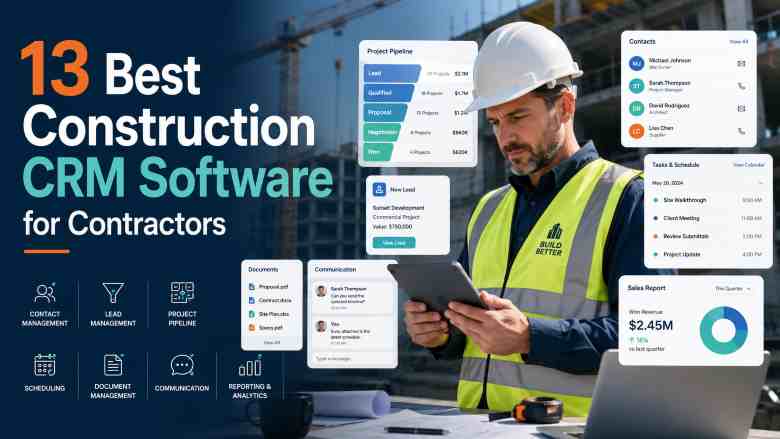
This guide compares the 13 best construction CRM software platforms for contractors in 2026, with detailed analysis of features, strengths, limitations, pricing context, and ideal use cases for each tool. Whether you are a small contractor looking for your first CRM, a growing construction sales team seeking better pipeline management, or a large firm evaluating enterprise-grade options, this guide will help you make an informed decision.
For a broader view of the tools transforming construction operations, also explore our comprehensive construction management software guide for 2026 and our list of the best construction software to learn for career growth.
Table of Contents
What Is Construction CRM Software?
Construction CRM software is a customer relationship management platform designed specifically for contractors, builders, and construction companies to manage leads, track bids, follow up with clients, generate proposals, and maintain full visibility over their sales pipeline.
Unlike generic CRM tools built for retail or SaaS sales teams, construction CRMs are built around the realities of the industry: bid-based sales cycles, job pipelines rather than deal funnels, integration with estimating and project management platforms, mobile access for teams that work from job sites, and the ability to attach multiple contacts, bids, and documents to a single project.
A well-implemented construction CRM helps contracting businesses centralise all customer data, track interactions from the first phone call to the final invoice, manage bid deadlines without relying on memory or sticky notes, and forecast upcoming revenue based on real pipeline data. For teams still using spreadsheets, email threads, and paper files to manage their sales process, a CRM represents a fundamental operational upgrade.
To understand how digital tools are reshaping construction workflows more broadly, see our detailed article on technology-driven construction management in 2026.
Why Do Contractors Need CRM Software in 2026?
Construction businesses operate in an environment where relationships, timing, and follow-through determine whether you win the job or lose it to a competitor. Here are the key reasons contractors need a CRM in 2026:
Faster follow-ups win more work. In construction, the contractor who responds first often gets the contract. CRM software automates lead notifications and follow-up reminders so your team never misses an opportunity because they were busy on site.
Bid tracking prevents revenue leakage. Most contractors manage dozens of open bids at any given time. Without a system, proposals get lost, deadlines are missed, and potential revenue disappears. A construction CRM keeps every bid visible with clear status indicators and automated alerts.
Pipeline visibility drives better business decisions. Knowing exactly how much work is in your pipeline — and at which stage — allows you to forecast revenue, plan staffing, and identify which project types or clients are most profitable. This level of visibility is impossible with disconnected spreadsheets.
Digital procurement is accelerating. Owners, general contractors, and design firms increasingly use digital platforms to issue RFPs, evaluate subcontractors, and manage bid submissions. Contractors who still rely on manual processes are at a disadvantage. For more on this shift, read our guide on procurement and tendering in construction.
AI is reshaping contractor sales workflows. In 2026, AI-powered CRM features — including automatic data entry from voice commands, intelligent lead scoring, and automated follow-up email drafting — are reducing the administrative burden on sales teams. Contractors using AI-augmented CRM tools have reported improvements in bid win rates and significant reductions in bid preparation time. Learn more about how AI tools are transforming construction operations.
Mobile access is non-negotiable. Construction professionals spend most of their day away from a desk. A CRM that does not work fully on a phone will not get used on the job site. The best construction CRMs in 2026 are mobile-first platforms that let teams update lead status, log notes, and check schedules from anywhere.
Whether you are an estimator, project manager, or site engineer, mastering modern construction tools is essential for career growth. ConstructionCareerHub.com offers AI-powered career tools including Resume Lab, Interview Copilot, and a Career Planner built exclusively for construction professionals. Start building a stronger career profile today.
Key Features to Look for in Construction CRM Software
Before diving into the software list, it helps to understand what separates a genuinely useful construction CRM from a tool that will be abandoned after a few weeks. The features below represent what matters most for contractors in 2026.
Lead Capture and Management
Your CRM should capture leads automatically from your website, email, phone calls, and referral sources. When a prospect fills out a form or calls your office, that lead should appear in your pipeline without manual data entry. The system should also allow you to tag leads by source, project type, location, and estimated value.
Bid and Proposal Tracking
This is the single most important feature for most contractors. Your CRM should track every bid you send, when it was sent, its current status, the follow-up schedule, and the expected decision date. For deeper insight into bid strategy, see our complete guide on how to win construction bids in 2026.
Visual Sales Pipeline
A clear, visual pipeline view — typically a kanban-style board — lets you see every opportunity at a glance. Stages should reflect how construction sales actually work: Lead Received, Site Visit Scheduled, Estimate Sent, Bid Submitted, Negotiation, Contract Signed, and Lost or On Hold.
Automated Follow-Ups and Reminders
Automated email and SMS follow-ups are critical. Your CRM should send reminders when a lead has not been contacted, when a bid deadline is approaching, or when a proposal has been sent but not yet accepted.
Mobile Access
Field-ready mobile apps that allow teams to update leads, add notes, upload photos, and check schedules from the job site are essential. If the CRM does not work well on a phone, adoption will suffer.
Integration with Construction Tools
A construction CRM should connect with your estimating software, accounting platform (QuickBooks, Sage, Xero), project management software, scheduling tools, and email systems. Without these integrations, data ends up siloed and teams resort to double entry.
Reporting and Analytics
Dashboard reports showing total pipeline value, bid win rates, lead conversion rates, and revenue forecasts help management make data-driven decisions about pricing, staffing, and business development strategy.
Project Handoff
The best construction CRMs connect the sales process to project execution. When a bid is won, the CRM should seamlessly transfer lead data, documents, and project details into the operations or project management phase — eliminating redundant data entry and preserving context.
13 Best Construction CRM Software for Contractors in 2026
The following list covers the best CRM tools available for construction businesses in 2026, ranging from construction-specific platforms to highly customisable general CRMs that serve the industry well when properly configured.
1. FollowUp CRM
Best for: Specialty contractors, general contractors, and commercial subcontractors focused on bid and pipeline management
Website: followupcrm.com
FollowUp CRM is a cloud-based CRM platform built specifically for the construction industry by contractors. Founded by a roofing business owner who could not find a CRM that fit construction workflows, the platform is designed around the way specialty contractors actually sell, estimate, and win work.
The platform excels at pipeline management, bid tracking, and sales team accountability. Its visual pipeline gives teams a clear view of every opportunity, from initial lead through to closed contract. It integrates with major construction accounting platforms including Foundation, Viewpoint, and Sage, and has recently introduced Voice AI capabilities that let contractors update CRM records by simply speaking rather than typing.
Key Features: Construction-specific pipeline management, bid tracking with deadline alerts, Voice AI for hands-free data entry, real-time dashboard reports, integration with construction ERPs, customisable fields and stages, proposal tracking, team performance analytics
Pros: Purpose-built for construction workflows. Excellent bid tracking and pipeline visibility. Strong integrations with construction accounting software. AI-powered features reduce manual data entry. Dedicated onboarding and training support.
Limitations: Primarily focused on the sales and pre-construction phase — does not include full project management or field operations features. Custom pricing requires contacting sales. Best suited for specialty and commercial contractors rather than residential builders.
Pricing: Custom pricing based on team size and features. Offers Enterprise, Professional, and Team plans. A 30-day money-back guarantee is available.
Ideal Users: Specialty contractors (roofing, mechanical, electrical, plumbing), commercial GCs, subcontractors managing multiple bid deadlines, and construction sales teams that need pipeline accountability.
2. Buildertrend
Best for: Residential builders, remodelers, and home improvement contractors who need an all-in-one platform
Website: buildertrend.com
Buildertrend is one of the most widely adopted construction management platforms for the residential sector. It goes well beyond CRM, offering integrated sales management, project management, scheduling, budgeting, client communication, and financial tools in a single platform. Since its launch in 2006, it has become a go-to platform for home builders and remodelers.
The CRM component covers lead capture, proposal generation, digital contract signing, and sales pipeline tracking. What sets Buildertrend apart is the seamless connection between sales and project delivery — a lead can be converted into an active project with all data carried forward, including client preferences, selections, and change orders. The client portal is a standout feature, giving homeowners real-time visibility into project progress, photos, and payment schedules.
Key Features: Lead capture and nurturing, proposal and contract generation, e-signatures, project scheduling, daily logs, budget tracking, client portal, selections management, change order tracking, subcontractor coordination, QuickBooks and Xero integration
Pros: Comprehensive all-in-one platform covering sales through project closeout. Industry-specific terminology and workflows. Excellent client portal. Strong scheduling and financial tools. Large user community.
Limitations: Can feel overwhelming for companies that only need basic CRM functionality. Custom-quote pricing requires a sales call. Higher price point than standalone CRM tools. Less suitable for commercial or infrastructure contractors.
Pricing: Custom pricing based on business needs. Third-party estimates suggest plans starting from approximately $339 per month on annual billing, though you should contact Buildertrend directly for current rates.
Ideal Users: Residential builders, custom home builders, remodeling companies, and design-build firms that want a single platform from sales to project completion. Also explore our broader guide on construction management software for builders and contractors.
3. JobNimbus
Best for: Roofing and exterior trade contractors managing high-volume, short-cycle projects
Website: jobnimbus.com
JobNimbus combines CRM functionality with lightweight project management, specifically designed for roofing and exterior contractors. Its strength lies in providing a visual, kanban-style board view where teams can track every job from lead intake through to invoicing. The platform is known for its ease of use and fast setup.
The tool emphasises automation and integration, connecting with QuickBooks for accounting, EagleView for aerial measurements, CompanyCam for photo documentation, and various financing platforms. This ecosystem makes it particularly effective for roofing companies managing insurance claims, material orders, and multiple crews simultaneously.
Key Features: Kanban board pipeline, automated task creation, estimate and invoice generation, QuickBooks integration, EagleView and aerial measurement integration, material ordering connections, mobile app, photo documentation, team workflow automation
Pros: Purpose-built for roofing and exterior trades. Intuitive visual interface. Strong automation capabilities. Broad integration ecosystem. Good mobile app for field use.
Limitations: Primarily designed for roofing and exteriors — less suitable for general construction or commercial projects. May lack depth for complex, long-duration project tracking. Advanced features require higher-tier plans.
Pricing: Contact JobNimbus for current pricing. Multiple plan tiers are available based on features and team size.
Ideal Users: Roofing contractors, siding and gutters companies, exterior remodelers, and storm restoration contractors. For roofing-specific tools, also see our guide on the best roofing software for contractors in 2026.
4. HubSpot CRM
Best for: Construction companies with active digital marketing programs and long-term lead nurturing strategies
Website: hubspot.com
HubSpot CRM is the most widely adopted general-purpose CRM globally, and while it is not construction-specific, it can serve construction companies well — particularly those investing in inbound marketing, content, referral programs, and digital lead generation. HubSpot’s core strength is its ability to track the complete client journey from the first website visit through the signed contract, providing attribution data that most construction-specific CRMs lack.
The free tier provides genuine value for small teams with basic contact management, deal pipeline, email tracking, and meeting scheduling. However, the real power for construction businesses unlocks at the Professional tier, where marketing automation, custom reporting, lead scoring, and advanced workflows become available. The significant cost jump from Starter to Professional is important to evaluate carefully.
Key Features: Free CRM tier, contact and deal management, email tracking and sequences, marketing automation (paid tiers), landing pages and web forms, custom reporting, meeting scheduler, live chat, 1,000+ integrations via the HubSpot ecosystem, mobile app
Pros: Free tier is a genuine starting point. Exceptional marketing automation at the Professional tier. Full-lifecycle view from marketing to sales to service. Massive integration ecosystem. Highly customisable with custom properties and deal stages.
Limitations: Not construction-specific — requires significant customisation to fit contractor workflows. Pricing escalates sharply from Starter ($15/seat/month) to Professional ($90/seat/month). No native integration with construction estimating, scheduling, or field tools. Per-user pricing becomes expensive for larger teams. Mandatory onboarding fee at Professional tier ($3,000).
Pricing: Free CRM available. Starter from $15 per seat per month. Professional from $90 per seat per month (plus $3,000 onboarding fee). Enterprise from $150 per seat per month.
Ideal Users: Mid-sized to large construction companies with dedicated marketing teams running inbound campaigns. Construction-adjacent businesses like material suppliers and construction tech companies. Not recommended for small contractor teams without marketing resources.
5. Procore
Best for: Large commercial construction firms and general contractors managing complex, multi-stakeholder projects
Website: procore.com
Procore is the industry-leading construction management platform, and in recent years it has significantly strengthened its CRM and preconstruction capabilities. The platform manages the full project lifecycle — from CRM and bid management through project execution, financial tracking, and closeout — in a single, unified system.
Procore’s CRM functionality is integrated into its Preconstruction and Bid Management modules. Contractors can track leads, manage opportunities, create estimates, and convert won bids into active projects on the same platform. The platform recently introduced AI-powered features including Procore Assist and an Agent Builder for workflow automation. Its volume-based pricing model includes unlimited users, which is a significant advantage for large firms.
Key Features: Preconstruction CRM with pipeline tracking, bid management and levelling, estimate creation, project management suite, document control, quality and safety management, financial management, BIM integration, AI-powered Procore Assist, mobile app, unlimited user access, extensive marketplace of integrations
Pros: True platform approach connecting CRM to project delivery. Unlimited user model eliminates per-seat costs. Industry-leading project management and document control. Strong AI investments. Massive integration marketplace. World-class support and training.
Limitations: Volume-based pricing can be prohibitively expensive for small to mid-sized firms ($10,000 to $60,000+ per year). Primarily designed for commercial construction. Significant learning curve. Overkill for contractors who only need CRM functionality.
Pricing: Volume-based annual pricing tailored to your construction volume. Contact Procore for a custom quote. Includes unlimited users and support.
Ideal Users: Large commercial general contractors, specialty contractors on enterprise projects, owners, and public agencies. For a deeper look at Procore and similar tools, see our construction project management software list.
6. Salesforce for Construction
Best for: Large construction enterprises, EPC firms, and real estate developers requiring highly customisable CRM with AI capabilities
Website: salesforce.com
Salesforce is the global leader in CRM, and its Engineering, Construction, and Real Estate vertical solution makes it a serious contender for large construction organisations. The platform offers unmatched customisation — you can build custom objects for job sites, inspections, permits, and change orders, create complex automation rules, and generate advanced reports that track every metric that matters to your business.
In 2026, Salesforce’s Agentforce AI capabilities are especially relevant for construction. AI agents can automate lead qualification, summarise client communications, flag scheduling conflicts, and generate progress updates — reducing the administrative burden that plagues construction sales teams. The platform also connects to thousands of third-party applications through AppExchange.
Key Features: Highly customisable CRM with custom objects and fields, Agentforce AI agents, Sales Cloud for pipeline management, Marketing Cloud for campaigns, Service Cloud for post-project service, Experience Cloud for client portals, AppExchange marketplace, Slack integration, advanced reporting and dashboards, mobile app
Pros: Unmatched customisation and scalability. AI-powered automation and analytics. Industry-specific solutions for construction and real estate. Enormous integration ecosystem. Strong mobile platform. Robust security and compliance.
Limitations: Per-user pricing becomes expensive for large teams ($25 to $150+ per user per month). Requires significant configuration for construction workflows. Not construction-specific out of the box. Implementation can be complex and may require a Salesforce partner. Steep learning curve.
Pricing: Starter Suite from $25 per user per month. Pro Suite from $100 per user per month. Enterprise and Unlimited tiers available at higher price points.
Ideal Users: Large EPC firms, national and international construction enterprises, real estate developers, and multi-entity construction organisations with dedicated CRM administration resources. For those looking to build CRM skills, explore the Salesforce Basics course on Coursera.
7. ServiceTitan
Best for: Commercial specialty contractors in MEP trades — HVAC, plumbing, electrical, fire protection
Website: servicetitan.com
ServiceTitan is an enterprise platform designed for commercial specialty contractors across mechanical, electrical, plumbing, HVAC, fire and life safety, and multi-trade operations. It stands out because of its project-based CRM approach, which connects opportunities directly to estimates, projects, and ongoing service contracts — addressing the handoff gap that most general CRMs leave for contractors.
The platform’s CRM module tracks opportunities through construction-specific stages. When a bid is won, ServiceTitan automatically converts it into an active project without requiring duplicate data entry. Built-in dashboards allow sales managers to monitor bid volume, close rates, pipeline value, and lost-bid reasons — providing analytical insights that help teams refine their pricing and sales strategy over time.
Key Features: Project-based CRM with opportunity and estimate tracking, automated lead-to-project conversion, closed-lost reason tracking, sales dashboards and reporting, dispatch and scheduling, service agreement management, invoicing, mobile app for field technicians, integration with accounting platforms
Pros: Deeply specialised for MEP and service-trade contractors. Seamless transition from CRM to project execution. Strong dispatch and field management tools. Built-in closed-lost analytics for improving win rates. Enterprise-grade platform.
Limitations: Not designed for general construction, residential building, or infrastructure. Enterprise pricing puts it out of reach for small operations. Significant onboarding investment required. The platform’s depth can be overwhelming for companies with simpler workflows.
Pricing: Custom enterprise pricing. Contact ServiceTitan for a quote. Pricing generally starts higher than most standalone CRM tools.
Ideal Users: Mid-to-large commercial specialty contractors in HVAC, plumbing, electrical, mechanical, and fire protection trades that need a unified system spanning CRM, field operations, and service.
8. Pipeline CRM
Best for: Small to mid-sized construction sales teams seeking a straightforward, sales-focused CRM
Website: pipelinecrm.com
Pipeline CRM is a sales-focused CRM that has built a strong following among construction companies. What sets it apart is its combination of simplicity, transparent pricing, and features specifically useful for contractors — including map views for territory management, Instant Docs for proposal generation, and e-signature capabilities for on-site contract signing.
The platform’s support team includes staff with deep construction industry expertise, which is a meaningful differentiator when it comes to onboarding and ongoing help. Pipeline CRM positions itself as a cost-effective alternative to HubSpot and Salesforce for teams that need solid CRM fundamentals without the complexity and escalating costs of larger platforms.
Key Features: Visual deal pipelines, map views with territory routing, Instant Docs for proposals, e-signature, email tracking, goal dashboards, activity reminders, custom fields, SSO, mobile app, free data migration
Pros: Simple and intuitive interface. Transparent per-user pricing with no hidden fees. Construction industry expertise in support team. Map views useful for territory-based sales. Strong value for money compared to larger platforms. Free data migration.
Limitations: Not construction-specific — requires some customisation for contractor workflows. Fewer integrations than HubSpot or Salesforce. Limited marketing automation capabilities. Not suitable for complex enterprise requirements.
Pricing: Start plan from $25 per user per month. Develop plan from $33 per user per month. Grow plan from $49 per user per month. All billed annually.
Ideal Users: Small to mid-sized construction companies, regional contractors, construction sales teams of 5 to 25 people, and firms transitioning from spreadsheets to their first dedicated CRM.
9. Jobber
Best for: Small contractors and field service businesses doing frequent, short-cycle projects
Website: getjobber.com
Jobber blends CRM capabilities with field service management in a mobile-first platform designed for small contractor teams. It is particularly well suited for service-oriented contractors handling recurring work, quick-turnaround projects, and maintenance contracts — think landscaping, fencing, painting, handyman services, and small renovation work.
The platform covers the full customer lifecycle from quoting and scheduling to invoicing and payment collection, with a strong emphasis on client experience. Jobber’s automated quoting, online booking, and client notification features help small contractors look professional without dedicating staff to administrative tasks.
Key Features: Lead management, quoting and estimating, drag-and-drop scheduling, automated reminders, invoicing and online payment, GPS tracking, client hub portal, two-way text messaging, batch invoicing, QuickBooks and Xero integration, mobile app
Pros: Affordable starting price point. Excellent mobile-first experience. Easy to set up and use without technical support. Strong quoting and invoicing workflow. Good client communication tools. Minimal learning curve.
Limitations: Designed for small, service-oriented operations — not suitable for complex commercial construction. Limited bid management capabilities. Will be outgrown quickly by firms managing large or long-duration projects. Basic reporting compared to enterprise CRMs.
Pricing: Core plan from $39 per month. Connect plan from $119 per month. Grow plan from $199 per month.
Ideal Users: Solo contractors, small trade companies (2 to 15 employees), field service businesses, landscapers, painters, fencing contractors, and handyman services.
Understanding CRM, business development, and digital tools is increasingly important for construction professionals at every level. ConstructionCareerHub.com helps you identify skill gaps, prepare for interviews, and build a career strategy tailored to the modern construction industry. Explore AI-powered career tools designed exclusively for construction.
10. AccuLynx
Best for: Roofing contractors managing high-volume residential and insurance restoration work
Website: acculynx.com
AccuLynx is a specialised all-in-one business management platform built exclusively for roofing contractors. Its deep focus on the roofing industry gives it advantages that broader construction CRMs cannot match — including native integration with aerial measurement tools like EagleView, direct connections to material suppliers such as ABC Supply and SRS Distribution, insurance supplement tracking, and roofing-specific production workflows.
The CRM functionality covers lead management, sales pipeline tracking, and client communication through a homeowner portal. AccuLynx’s strength is in connecting the entire roofing business workflow from the first lead through material ordering, production scheduling, and final payment — all in one system.
Key Features: Roofing-specific CRM and production management, aerial measurement integration (EagleView, GAF QuickMeasure), supplier ordering (ABC Supply, SRS), insurance supplement tracking, homeowner portal, photo documentation (CompanyCam integration), crew scheduling, material management, financing platform integrations
Pros: Unmatched specialisation for roofing. Deep supplier and measurement integrations. Strong insurance restoration workflow. Comprehensive from sales to production. Good mobile app.
Limitations: Only suitable for roofing and closely related exterior trades. Not applicable for general construction, commercial, or infrastructure projects. Custom pricing not publicly listed.
Pricing: Custom pricing based on team size and features. Contact AccuLynx for a quote.
Ideal Users: Roofing contractors (residential and commercial), storm restoration companies, exterior contractors specialising in siding and gutters, and roofing businesses managing insurance claims.
11. Projul
Best for: Small to mid-sized contractors seeking an affordable, contractor-built CRM with flat-rate pricing
Website: projul.com
Projul is a CRM and project management platform built by contractors for contractors. It has earned high user ratings — 4.9 out of 5 on G2 as of early 2026 — and differentiates itself with flat-rate pricing that does not charge per user, making it an attractive option for growing teams.
The platform covers lead tracking, automated follow-ups, estimate creation, pipeline management, scheduling, and invoicing. Its lead capture form can be embedded directly on a contractor’s website, feeding leads straight into the CRM pipeline. Projul’s focus on simplicity means contractors can get operational value from the system within days, not weeks.
Key Features: Lead capture form for websites, automated follow-up sequences (email and SMS), visual pipeline management, estimate and proposal generation, scheduling, invoicing, QuickBooks integration, mobile app, flat-rate pricing with no per-user fees
Pros: Built by contractors who understand construction workflows. Flat-rate pricing with no per-user charges. High user satisfaction rating. Fast setup and minimal learning curve. Covers CRM through invoicing.
Limitations: Less suitable for large enterprise or commercial construction operations. Fewer integrations than enterprise platforms. Not designed for complex multi-stakeholder project management.
Pricing: Flat-rate pricing starting at approximately $4,788 per year with no per-user fees. Contact Projul for current pricing.
Ideal Users: Small to mid-sized residential and commercial contractors, remodelers, and specialty trade companies looking for an affordable, all-in-one platform without per-user cost concerns.
12. monday.com
Best for: Design-build firms and construction teams that want highly customisable, flexible workflows
Website: monday.com
monday.com is not a construction-specific platform, but its flexibility makes it a viable CRM option for construction teams that want to build custom workflows from scratch. It functions as a digital workspace where teams can create boards for lead tracking, bid management, project coordination, and client communication — configuring every element to match their specific process.
The platform’s visual, colour-coded interface makes it easy to track status across multiple projects and pipelines. Integration capabilities are strong, with connections to email, calendar, communication tools, and various third-party platforms. In 2026, monday.com has enhanced its construction-oriented templates and CRM features specifically.
Key Features: Customisable boards and workflows, CRM and pipeline management, project tracking, Gantt charts, workload management, automations, integrations with email and third-party apps, dashboards and reporting, mobile app, time tracking
Pros: Highly flexible — can be configured for any construction workflow. Visual and intuitive interface. Good collaboration features. Scales from small teams to large organisations. Active template marketplace. Reasonable pricing.
Limitations: Not construction-specific — requires setup and customisation. Does not include native estimating, bid management, or construction financial tools. Can become complex if workflows are not well-planned. Per-seat pricing adds up for larger teams.
Pricing: Free tier for up to 2 seats. Basic from $12 per seat per month. Standard from $14 per seat per month. Pro from $24 per seat per month. Enterprise pricing available.
Ideal Users: Design-build firms, multi-disciplinary construction teams, firms that want to customise their own workflows, and companies that need both CRM and project management in one flexible platform.
13. Insightly
Best for: Mid-sized contractors and engineering firms managing multiple stakeholders across long sales cycles
Website: insightly.com
Insightly combines CRM with project management capabilities, making it a natural fit for construction businesses that need to manage both client relationships and post-sale project delivery within the same platform. The tool offers more operational depth than simple sales CRMs without the enterprise bloat of larger platforms.
For construction companies, Insightly’s ability to link contacts, organisations, and projects together provides a useful relationship map that is valuable in an industry where the same architect, GC, or subcontractor might appear across multiple opportunities. Custom reporting, workflow automation, and a clean dashboard round out the feature set.
Key Features: Contact and organisation management, opportunity pipeline, project management with task tracking, custom dashboards, workflow automation, email tracking, relationship linking, AppConnect integrations, mobile app, web-to-lead forms
Pros: Combines CRM and project management effectively. Good relationship mapping across contacts and projects. Scales well from small teams to mid-sized organisations. Reasonable pricing. Clean and intuitive interface.
Limitations: Not construction-specific — requires customisation. Limited native construction integrations. Reporting can be less advanced than enterprise platforms. Not ideal for very large or very small contractor operations.
Pricing: Plus from $29 per user per month. Professional from $49 per user per month. Enterprise from $99 per user per month.
Ideal Users: Mid-sized general contractors, engineering firms, design-build companies, and construction businesses managing 10 to 300 staff with complex, multi-stakeholder sales cycles.
Construction CRM Software Comparison Table
| CRM Software | Best For | Key Strength | Company Size | Construction-Specific | Pricing Model |
|---|---|---|---|---|---|
| FollowUp CRM | Specialty contractors, GCs | Bid tracking and pipeline management | Small to Large | Yes | Custom quote |
| Buildertrend | Residential builders, remodelers | All-in-one sales to project delivery | Small to Mid | Yes | Custom quote |
| JobNimbus | Roofing and exterior contractors | Visual job tracking with automation | Small to Mid | Yes | Tiered plans |
| HubSpot CRM | Marketing-driven construction firms | Marketing automation and lead nurturing | Mid to Large | No (customisable) | Free / $15–$150/user/mo |
| Procore | Large commercial GCs | Full platform — CRM to project closeout | Mid to Enterprise | Yes | Volume-based annual |
| Salesforce | Enterprise construction and EPC | Unlimited customisation and AI | Mid to Enterprise | No (customisable) | $25–$150+/user/mo |
| ServiceTitan | MEP specialty contractors | Project-based CRM for trades | Mid to Large | Yes | Custom enterprise |
| Pipeline CRM | Construction sales teams | Simple, sales-focused with map views | Small to Mid | No (construction expertise) | $25–$49/user/mo |
| Jobber | Small contractors, field service | Mobile-first quoting and scheduling | Solo to Small | No (service trades) | $39–$199/mo |
| AccuLynx | Roofing contractors | Roofing-specific workflow and integrations | Small to Mid | Yes (roofing) | Custom quote |
| Projul | Small to mid-sized contractors | Flat-rate pricing, contractor-built | Small to Mid | Yes | ~$4,788/year flat |
| monday.com | Design-build firms | Highly flexible custom workflows | Small to Large | No (customisable) | Free / $12–$24/seat/mo |
| Insightly | Mid-sized contractors, engineering firms | CRM plus project management | Small to Mid | No (customisable) | $29–$99/user/mo |
Best Construction CRM Software by Use Case
Different contractors have different priorities. Here is a quick-reference guide matching CRM platforms to specific use cases:
Best CRM for Small Contractors: Jobber offers the lowest entry point ($39/month), mobile-first design, and minimal setup time — ideal for solo operators and small crews getting organised for the first time. Projul is another strong option with flat-rate pricing and no per-user fees.
Best CRM for General Contractors: FollowUp CRM and Procore are the strongest options. FollowUp CRM excels at pipeline and bid management for commercial GCs, while Procore offers a full platform from CRM through project delivery for larger firms.
Best CRM for Subcontractors: FollowUp CRM is purpose-built for specialty contractors managing multiple bid invitations and deadlines. Its construction ERP integrations (Foundation, Viewpoint, Sage) make it particularly effective for commercial subs.
Best CRM for Construction Sales Teams: Pipeline CRM offers the best balance of simplicity, sales-focused features, and transparent pricing for dedicated sales teams. HubSpot CRM is the better choice if the team also runs inbound marketing campaigns.
Best CRM for Remodelers: Buildertrend provides the most comprehensive solution for remodelers, combining CRM with selections management, change orders, client portal, and project management in a single platform.
Best CRM for EPC and Infrastructure Companies: Salesforce provides the customisation depth, scalability, and AI capabilities that large EPC firms need. Procore is the alternative for firms that want a construction-native platform.
Best CRM for Bid and Proposal Tracking: FollowUp CRM was specifically designed around bid tracking workflows and remains the strongest option for contractors whose primary CRM need is managing proposals and bid deadlines.
Best CRM for Mobile-First Contractor Teams: Jobber and JobNimbus both offer excellent mobile experiences designed for teams that work primarily from the field. Both platforms allow full CRM functionality from a smartphone.
How AI Is Changing CRM for Contractors in 2026
Artificial intelligence is no longer a future concept for construction CRM — it is being actively deployed across multiple platforms in 2026. Understanding these capabilities helps contractors evaluate which tools offer genuine productivity gains versus marketing hype.
Voice-Powered Data Entry: FollowUp CRM’s Voice AI lets contractors update their CRM by speaking rather than typing. After a job site visit, a contractor can dictate their notes and the system automatically logs the activity, creates contacts, and updates the pipeline — eliminating the manual data entry that causes most CRM adoption failures in construction.
AI-Powered Lead Scoring: HubSpot and Salesforce use machine learning to score leads based on engagement patterns, helping sales teams prioritise the opportunities most likely to convert. This is especially useful for construction companies with high lead volumes from digital campaigns.
Predictive Pipeline Analytics: Procore’s AI features analyse historical bid data to help predict win rates and identify patterns in lost bids. This gives business development teams actionable insights for adjusting pricing strategy and resource allocation.
Automated Follow-Up Communication: Several platforms now generate draft follow-up emails based on the context of previous interactions, reducing the time estimators and sales reps spend on administrative communication.
For a deeper exploration of how AI is transforming construction roles, read our articles on AI tools in construction for 2026 and whether AI will replace construction estimators and planners.
Free vs Paid Construction CRM Tools
For contractors debating whether to invest in a paid CRM or start with a free option, here is a practical breakdown:
Free CRM options like HubSpot’s free tier and monday.com’s free plan offer basic contact management and pipeline tracking that can work for solo operators or very small teams. They provide a useful starting point for contractors who have never used a CRM before and want to test the concept without financial commitment.
The limitations of free tiers become apparent quickly: restricted automation, limited reporting, basic integrations, and user caps. For any construction business managing more than a handful of active leads, the time lost to manual workarounds will likely exceed the cost of a paid plan within the first month.
Paid construction-specific CRMs offer the features that actually drive revenue impact for contractors: automated bid tracking, construction-specific pipeline stages, integrations with estimating software and accounting platforms, and reporting that shows pipeline value, win rates, and team performance.
Recommendation: If you have never used a CRM, start with HubSpot’s free tier or a trial of a construction-specific tool to validate the concept. Once you confirm that CRM tracking is valuable for your business, invest in a paid platform that fits your specific workflow.
Common Mistakes Contractors Make When Choosing CRM Software
Selecting the wrong CRM is an expensive mistake. Beyond the subscription cost, poor CRM choices waste time on implementation, training, and workaround processes. These are the most common errors contractors make:
Choosing based on features instead of fit. The CRM with the longest feature list is rarely the best choice. A complex platform that your team will not use daily is worse than a simple tool that gets adopted. Match the CRM to your team’s technical comfort level and daily workflow.
Ignoring mobile capability. Construction happens on job sites, not at desks. Any CRM that does not work fully on a smartphone will see low adoption from field staff, estimators, and project managers.
Underestimating the cost of general CRMs. Platforms like HubSpot and Salesforce appear affordable at the Starter tier but escalate significantly when you need the automation, reporting, and customisation that construction businesses require. Always model the full cost for your team size and feature requirements before committing.
Not considering integration needs. Your CRM must connect with your existing tools — accounting software, estimating platforms, email, and scheduling software. A CRM that operates in isolation creates data silos and extra manual work.
Skipping the trial period. Almost every CRM offers a free trial or demo. Use it with real data and real team members before committing. The experience of actually using the tool for a week will tell you more than any feature comparison spreadsheet.
Construction CRM Implementation Checklist
Successful CRM implementation requires more than purchasing a subscription. Use this checklist to maximise your chances of adoption and ROI:
Before Purchase: Define your core requirements (lead tracking, bid management, pipeline visibility). Identify which tools the CRM must integrate with. Determine your budget including per-user costs. Run a free trial with your actual team. Evaluate mobile usability on the devices your team uses.
During Setup: Customise pipeline stages to match your actual sales process (Lead Received → Site Visit → Estimate Sent → Bid Submitted → Negotiation → Won/Lost). Import existing contacts and leads. Set up automated follow-up sequences and reminder rules. Connect integrations with accounting and email. Configure user permissions and access levels.
After Launch: Train all users — not just the sales team — on how and why to use the CRM. Set clear expectations for data entry consistency. Review pipeline reports weekly as a team. Monitor adoption rates and address friction points immediately. Refine stages, fields, and automations based on real usage feedback.
For broader guidance on building digital skills in construction, explore the construction software skills guide and consider upskilling through the Construction Management Specialization on Coursera.
Final Recommendations Based on Business Size
Solo Contractors and Micro Teams (1–5 people): Start with Jobber ($39/month) or Projul (flat rate). Both offer CRM plus quoting and invoicing without the complexity of enterprise platforms. HubSpot’s free CRM is also viable for basic contact tracking.
Small Contractors (5–25 people): Pipeline CRM ($25–$49/user/month) offers excellent value with transparent pricing and construction-aware support. FollowUp CRM is the better choice if bid tracking is your primary need. JobNimbus or AccuLynx are ideal if you are in roofing or exterior trades.
Mid-Sized Contractors (25–200 people): Buildertrend for residential builders. FollowUp CRM or Procore for commercial contractors. Insightly for firms that need combined CRM and project management. HubSpot Professional if you have a marketing team running inbound campaigns.
Large Enterprises and EPC Firms (200+ people): Salesforce provides the customisation, AI, and scalability for complex organisations. Procore offers the construction-native alternative with unlimited users. ServiceTitan is the specialised choice for large MEP trade contractors.
Whether you are looking to move into business development, pre-construction management, or construction technology roles, the right skills and preparation make the difference. ConstructionCareerHub.com gives you AI-powered tools for resume building, interview practice, and personalised career planning. Built for construction professionals at every career stage.
Also, explore our guide on the Google Data Analytics Professional Certificate for construction careers and the AI skills every construction professional should learn.
Recommended eBooks for Construction Career Growth
These career resources from our digital library are designed for construction professionals looking to accelerate their growth and master modern business tools:
- Civil Engineering Interview Questions and Answers PDF — Prepare for technical interviews with 102 researched questions
- Comprehensive Interview Guide with 300 Questions — Covers fundamentals plus specialist areas across construction management
- Construction Career Bundle — Combined resume, interview, and career-planning toolkit for construction professionals
- The Remote Job Hunting System — A focused guide to landing remote and digital-first construction roles
Frequently Asked Questions
What is construction CRM software?
Construction CRM software is a customer relationship management platform designed to help contractors, builders, and construction companies manage leads, track bids, follow up with clients, generate proposals, and maintain full visibility over their sales pipeline from first inquiry to signed contract. Unlike generic CRMs, construction-specific platforms include bid tracking, job pipelines, and integration with estimating and project management tools.
Why do contractors need CRM software?
Contractors need CRM software because construction sales cycles are long, bids are complex, and missed follow-ups can cost thousands in lost revenue. A CRM centralises lead data, automates reminders, tracks bid deadlines, and gives teams pipeline visibility so no opportunity slips through the cracks. In 2026, with rising competition and digital procurement, CRM adoption is becoming a competitive necessity rather than a luxury.
Which is the best construction CRM software in 2026?
The best construction CRM depends on your business size and type. FollowUp CRM is a top choice for specialty and general contractors focused on bid tracking. Buildertrend is ideal for residential builders and remodelers. HubSpot CRM suits construction marketing teams. Procore fits large commercial firms. For small contractors, Jobber and Projul offer affordable and easy-to-use options.
Can small contractors use CRM software without a technical background?
Yes. Several CRM tools including Projul, Jobber, and JobNimbus are designed with minimal setup requirements and mobile-first interfaces so that small contractors can start tracking leads and follow-ups from day one without IT support or technical expertise.
How does CRM software help construction companies win more bids?
CRM software helps contractors win more bids by automating follow-up reminders, tracking bid deadlines, providing pipeline analytics, and ensuring that no lead or proposal is forgotten. Faster, more consistent follow-ups give contractors a competitive edge in a market where the first responder often wins the job. For a detailed guide on bid strategy, see our construction bidding process guide.
What is the difference between a construction CRM and a general CRM?
A construction CRM is built around bid-based sales cycles, job pipelines, estimating workflows, and project handoffs. General CRMs use retail-style sales funnels with stages like Discovery Call and Demo Scheduled that are irrelevant for contractors. Construction CRMs also integrate with estimating, accounting, and project management tools specific to the industry.
Is there a free CRM for construction companies?
HubSpot offers a free CRM tier with basic contact management, deal tracking, and email integration that construction companies can use as a starting point. monday.com also has a free tier for up to two users. However, advanced features like automation, custom reporting, and construction-specific workflows require paid plans. Most construction-specific CRMs offer free trials.
How much does construction CRM software cost?
Construction CRM pricing varies widely. Entry-level tools like Jobber start around $39 per month. Mid-range platforms like Pipeline CRM cost $25 to $49 per user per month. Enterprise platforms like Procore and Salesforce use volume-based or per-user pricing that can range from $25 to $150 or more per user per month. Projul offers flat-rate pricing at approximately $4,788 per year without per-user charges.
What features should contractors look for in CRM software?
The most important features for contractors include automatic lead capture, bid and proposal tracking, visual sales pipeline, automated follow-up reminders, mobile access for field use, integration with estimating and accounting software, reporting and analytics dashboards, and seamless project handoff from sales to operations.
How long does it take to implement a construction CRM?
Simple, cloud-based CRMs like Jobber, Projul, and Pipeline CRM can be set up and operational within a few days. Mid-tier platforms like FollowUp CRM and Buildertrend typically require one to two weeks of configuration and training. Enterprise platforms like Procore and Salesforce involve multi-week implementation programmes that may require dedicated technical support or a consulting partner.
Conclusion
Choosing the right CRM for your construction business is one of the most impactful operational decisions you can make in 2026. The construction industry is becoming more competitive, procurement is going digital, and the contractors who manage their leads, bids, and client relationships with discipline and visibility will consistently outperform those who rely on spreadsheets, memory, and email threads.
The 13 CRM platforms covered in this guide represent the best options available for contractors across every size and specialisation — from solo operators needing a simple mobile-first tool to enterprise firms requiring AI-powered analytics and deep customisation. The right choice depends on your specific workflow, team size, budget, and the types of projects you pursue.
Start by defining your core requirements, run a free trial with your actual team, and commit to a platform that your people will use every day. The best CRM is not the one with the most features — it is the one your team actually opens every morning.
For more construction software guides, career tools, and technology insights, explore our software section, our top construction technology companies list, and our resources on building a career in AI-driven construction. If you are looking to strengthen your general contractor software knowledge or improve your understanding of the tendering process, we have comprehensive guides available on those topics as well.
